floyo logo
Powered by
ThinkDiffusion
Pricing
๐Ÿ”ฅ Seedance 2.0 is here! Create now ๐Ÿ‘‰๐Ÿผ
floyo logo
Powered by
ThinkDiffusion
Pricing
๐Ÿ”ฅ Seedance 2.0 is here! Create now ๐Ÿ‘‰๐Ÿผ
Flux Klein hero

FLUX KLEIN

Run Flux 2 Klein workflows for text-to-image, image editing, inpainting, and outpainting in one place.


Comparison

Klein 4B vs Klein 9B โ€” which one should you use?

Both variants use the same distilled architecture. The difference is scale, and scale affects quality on complex tasks.

Klein 4B Klein 9B
Parameters 4 billion 9 billion
Speed (1024ร—1024) Faster Slightly slower
Text-to-image quality Good for most prompts Better on complex scenes
Image editing Basic edits Precise instruction following
Inpainting Not available Yes โ€” mask-based
Outpainting Yes Yes
Virtual try-on / Mannequin Not available Yes โ€” both supported
Best for High-volume generation, sprite sheets, outpainting, quick iteration Editing, inpainting, apparel workflows, LoRA fine-tuning tasks

Overview

One model for text-to-image, image editing, inpainting, outpainting, and multi-reference composition. Generate in under a second. No switching between models.

Flux 2 Klein puts text-to-image, image editing, and multi-reference composition into one model. The distilled 9B generates images in under half a second on an RTX 5090. The 4B fits in 13GB of VRAM with Apache 2.0 licensing. Instead of loading separate models for each task, Klein handles generation and editing in a single unified architecture.

One model, multiple tasks. Most image workflows require different models for generation vs editing vs inpainting. Klein does all three. Upload nothing and prompt for a fresh image. Upload one image and prompt an edit. Upload two or three images and combine elements from each. Same model, same workflow.

Sub-second generation. The distilled variants complete in 4 inference steps. On Floyo's H100 GPUs, that's under a second per image at 1024x1024. Fast enough for real-time exploration where you iterate on prompts until the output clicks.

Multi-reference editing. Feed Klein multiple input images and it blends elements across them. Pull a character from one photo, a background from another, and an outfit from a third. The KV-cache variant (9B-KV) computes reference image data once and reuses it, cutting multi-reference editing speed by up to 2.5x.

Two sizes, two licenses. The 4B model ships under Apache 2.0. Free for commercial and non-commercial use. The 9B model uses a non-commercial license. For most Floyo users, the licensing doesn't matter because you're running on Floyo's infrastructure, but it's worth knowing if you plan to self-host.

1. Text To Image

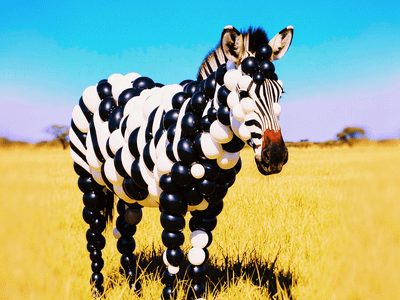
Write a descriptive prompt covering subject, environment, lighting, composition, and style. Klein generates in 4 steps (distilled) or 50 steps (base). The distilled model is faster. The base model supports CFG scaling and negative prompts for more control. Both produce strong photorealistic output at 1024x1024 and above.
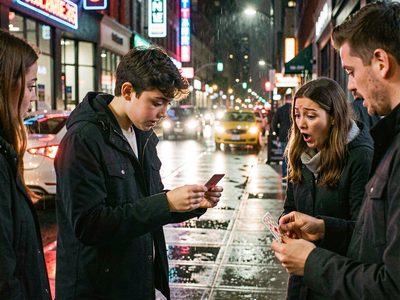
FLUX.2 Klein 9B for Text to Image

Flux

FLUX2 Klein

Photography

Text2Image

Create a high quality image using 9B model of Flux 2 Klein
FLUX.2 Klein 9B for Text to Image

Create a high quality image using 9B model of Flux 2 Klein

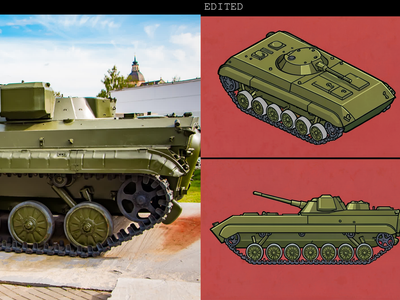
FLUX.2 Klein 4B for Text to Sprite Sheet

Flux

Flux.2 Klein 4B

Image2Image

Create sprite sheet for game characters in using flux 2 Klein 4B

FLUX.2 Klein 4B for Text to Sprite Sheet

Create sprite sheet for game characters in using flux 2 Klein 4B
Flux.2 Klein 4B Workflow

Flux2

Klein

Txt to image

FLUX.2 [Klein] is the fastest model in the Flux family, unifying text-to-image and image editing in one compact architecture. Itโ€™s designed for interactive workflows, immediate previews, and latency-critical applications, with distilled variants delivering end-to-end inference ar
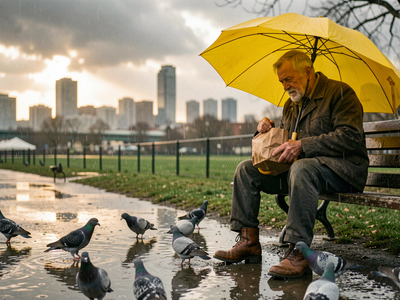
Flux.2 Klein 4B Workflow

FLUX.2 [Klein] is the fastest model in the Flux family, unifying text-to-image and image editing in one compact architecture. Itโ€™s designed for interactive workflows, immediate previews, and latency-critical applications, with distilled variants delivering end-to-end inference ar

Flux 2 Klein 9b - Text to Image

Fast

Flux 2

Flux 2 Klein

Text to image

A simple text to image workflow using the Flux 2 Klein 9B model.

Flux 2 Klein 9b - Text to Image

A simple text to image workflow using the Flux 2 Klein 9B model.

2. Image Editing

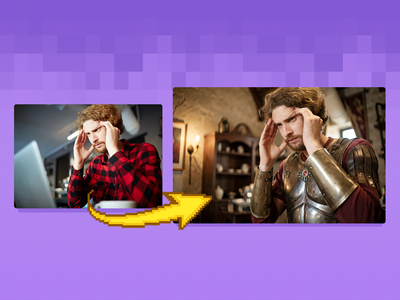
Upload your image and write a prompt describing the edit. Klein reads the image, applies the change, and keeps everything you didn't mention intact. For edits where background and fine detail preservation matter, add the Consistency LoRA. For photorealism enhancement, use the Realistic Enhanced Details LoRA. For outfit swaps, use the LanPaint workflow with a garment reference.
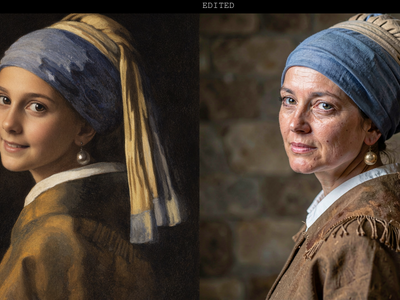
FLUX.2 Klein 9B for Image Editing

Flux

Flux.2 Klein

Image2image

Unified workflow: one model for textโ€‘toโ€‘image, imageโ€‘toโ€‘image, and image editing

FLUX.2 Klein 9B for Image Editing

Unified workflow: one model for textโ€‘toโ€‘image, imageโ€‘toโ€‘image, and image editing

FLUX.2 Klein 9B + Consistency LoRA

FLUX

Flux.2 Klein

Image2Image

Image Editing

LoRA

Edit images with consistency of the subject or things using Flux.2 Klein 9B and a LoRA

FLUX.2 Klein 9B + Consistency LoRA

Edit images with consistency of the subject or things using Flux.2 Klein 9B and a LoRA
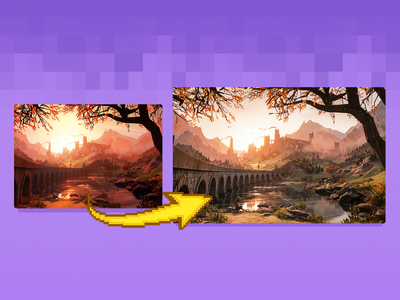
FLUX.2 Klein 9B + Realistic Enhanced Details LoRA

FLUX

FLUX.2 Klein

Image2Image

LoRA

Create realistic image but in an enhanced details using FLUX.2 Klein 9B and with LoRA

FLUX.2 Klein 9B + Realistic Enhanced Details LoRA

Create realistic image but in an enhanced details using FLUX.2 Klein 9B and with LoRA
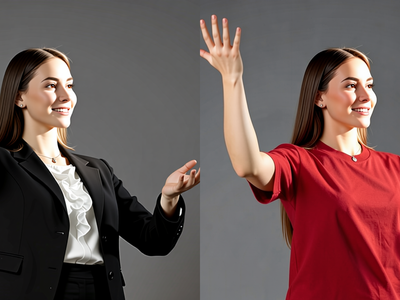
FLUX.2 Klein 4B and LanPaint for Swap Clothes

Clothes Swap

Flux

Flux.2 Klein

Image Editing

LanPaint

Replace clothes using the Flux.2 Klein 4B
FLUX.2 Klein 4B and LanPaint for Swap Clothes

Replace clothes using the Flux.2 Klein 4B

FLUX.2 Klein 9B Image Inpainting

Flux

Flux.2 Klein

Image2Image

Inpainting

LanPaint

Inpainting image using Flux.2 Klein and LanPaint

FLUX.2 Klein 9B Image Inpainting

Inpainting image using Flux.2 Klein and LanPaint

3. Outpainting and Image Expansion

Pad your image with extra space on the sides you want to extend. Klein fills the new area with content that matches the original. Describe what should appear in the extended region, or leave the prompt minimal and let Klein infer from the existing scene. For best results, extend one or two sides at a time instead of all four.
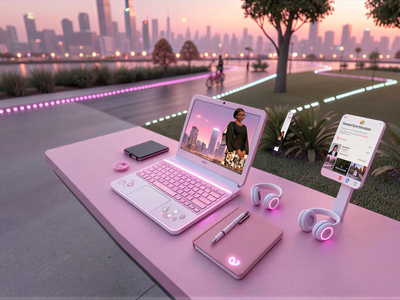
Flux.2 Klein Image Expansion / Outpaint
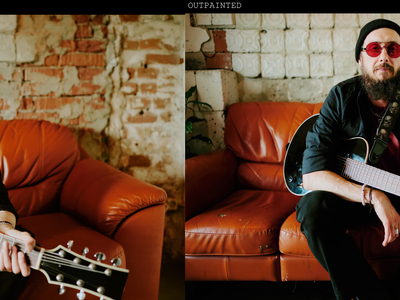
Flux

Image to Image

Klein

Outpaint

Flux.2 Klein Image Expansion / Outpaint

FLUX.2 Klein 4B for Image Outpainting

Flux

Flux.2 Klein

Image Outpainting

Outpaint image using Flux 2 Klein 4B using LanPaint and Outpaint LoRA

FLUX.2 Klein 4B for Image Outpainting

Outpaint image using Flux 2 Klein 4B using LanPaint and Outpaint LoRA

4. Multi-Reference Composition

Upload two or three reference images and write a prompt describing how to combine them. Klein reads each image and merges the elements you specify. The 9B-KV variant caches reference image data after the first step, so generating variations of the same composition is up to 2.5x faster.
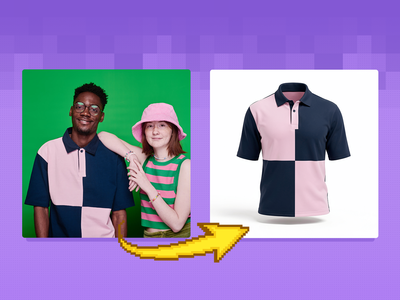
FLUX.2 Klein 9B + SAM3 + GhostMannequin LoRA

FLUX

FLUX.2 Klein

Ghost Mannequin

Image2Image

SAM3

Create a ghost mannequin clothes using flux.2 klein, SAM3 and Ghost mannequin LoRA

FLUX.2 Klein 9B + SAM3 + GhostMannequin LoRA

Create a ghost mannequin clothes using flux.2 klein, SAM3 and Ghost mannequin LoRA
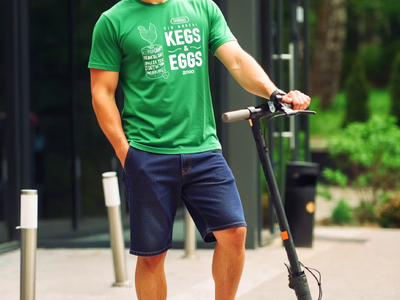
FLUX.2 Klein 9B + Virtual Tryon LoRA

Flux

Flux.2 Klein

Tryon

VTON

Try a clothes using Flux.2 Klein 9B and tryon LoRA from

FLUX.2 Klein 9B + Virtual Tryon LoRA

Try a clothes using Flux.2 Klein 9B and tryon LoRA from

What is Flux 2 Klein good for?

Klein works best when you need fast, iterative image generation and editing in one model. It's strong at product photography where you need to test multiple backgrounds and lighting setups. E-commerce teams use it for consistent product shots. Character designers use multi-reference editing to combine elements from different references. Retouchers use inpainting to fix specific regions without regenerating the whole image.

Product photography and e-commerce. Generate product shots with consistent lighting. Swap backgrounds, test angles, and iterate on composition in seconds. The Consistency LoRA keeps your product looking identical across variations.

Character design and concept art. Use multi-reference editing to combine a face from one reference with an outfit from another and a pose from a third. Generate character sheets by iterating on the same character across different prompts.

Retouching and cleanup. Inpaint specific regions to remove objects, fix hands, swap elements, or adjust details. LanPaint handles edge blending so the fix looks natural.

Aspect ratio and format conversion. Outpaint to convert between square, 16:9, and 9:16 without cropping. Klein fills in the new frame area while keeping your original content intact.

Rapid iteration. Sub-second generation means you can try 60+ prompt variations in a minute. This changes how you work. Instead of carefully crafting one prompt, you throw ideas at the model and refine what comes back.

Honest limitations. Klein's text-to-image output is good but trails Z-Image Turbo and Flux 2 Max in photorealism for the most demanding use cases. The 9B model needs about 29GB VRAM for local use (not a concern on Floyo). Text rendering in images works for short phrases but isn't reliable for long text blocks. The 4B model struggles with anatomy and fine hand detail more than the 9B.

FAQ

  1. What is the difference between Flux 2 Klein 4B and 9B?
    The 9B model produces sharper detail, better anatomy, and stronger prompt adherence. The 4B model is faster, uses less VRAM (13GB vs 29GB), and ships under Apache 2.0 for commercial use. Both distilled versions generate in 4 steps. For most editing tasks on Floyo, 9B is the better pick since VRAM isn't your concern.

  2. What is the difference between Klein Base and Klein Distilled?
    Base is the full, undistilled model. It takes about 50 steps, supports full CFG scaling and negative prompts, and is the right choice for LoRA training and fine-tuning. Distilled is step-compressed to 4 inference steps. It's faster but trades some of the base model's flexibility. Use distilled for production speed. Use base when you need maximum control.

  3. Can Flux 2 Klein do inpainting without a separate checkpoint?
    Klein doesn't ship a dedicated inpaint model. The LanPaint node solves this by replacing the standard sampler with an inpainting-specific one that works with the base Klein model. You get clean, well-blended inpainting results without needing a separate checkpoint.

  4. How does the Consistency LoRA work with Klein 9B?
    The Consistency LoRA compares your input image to the generated output and reduces drift in areas you didn't ask to change. At strength 0.8 to 1.0, backgrounds, faces, and textures stay locked. At 0.2 to 0.4, Klein has more freedom for bigger edits but may drift in areas you wanted preserved. The LoRA is especially helpful when making multiple sequential edits to the same image.

  5. How does Flux 2 Klein compare to Z-Image Turbo for text-to-image?
    Z-Image Turbo is the stronger pure text-to-image model. It ranks #1 among open-source models for photorealism and generates in 8 steps on under 16GB VRAM. Klein's advantage is that it does generation and editing in one model. If your workflow involves generating an image and then editing it, Klein handles both without switching models. If you only need text-to-image, Z-Image Turbo produces better results.

  6. How do I run Flux 2 Klein online?
    You can run Flux 2 Klein online through Floyo. No installation, no setup. Open any Klein workflow in your browser, upload your inputs, and hit run.

Table of Contents