floyo logo
Workflows
Pricing
floyo logo
Workflows
Pricing
3D Production hero

3D PRODUCTION

3D workflows for turning images into usable assets, plus 3D-adjacent pipelines for spins and dimensional visuals

Workflows for turning images into 3D models, and for making things look 3D without building anything from scratch. Upload an image, pick a workflow, hit run.

Two types of workflows here. 📦 Image to 3D Model gives you a real 3D file you can open in Blender or any 3D tool. 🎬 3D-Looking Videos gives you spin videos and motion clips that look dimensional, no 3D software needed.


Who is this for?

These workflows fit different people in different ways. Find the one that sounds like you and see exactly how it helps.

🎨 3D Artists

Use these to skip the early modeling phase. Drop a reference photo in and get a base mesh back in minutes. Load it into Blender, clean it up, and you already have something to work with. Great for batch asset creation, previs, or when a client sends a photo and says "make this 3D."

🎮 Game Designers

Need a quick asset for a scene but do not want to model it from scratch? Upload a photo and get a model you can pull straight into your engine. Also use the texture workflow to generate surface materials for your environment without needing to photograph anything.

📦 Product Teams

You have a product photo and need something polished for a pitch, a reel, or social. These spin and motion workflows take that photo and turn it into a short video that looks like it was shot in a professional 3D studio. No 3D knowledge required.

✏️ Concept Artists

Got a character design or sketch you want to see in 3D? Run it through Hyper3D Rodin and get a 3D version of your artwork back. Useful for checking proportions, presenting to clients, or handing off to a modeler as a starting point.

🎬 Motion Designers

You need a product spin or a 3D-looking clip but you are not a 3D artist. These workflows handle that without you needing to open any 3D software. Upload the photo, describe the motion you want, and get a video file to drop straight into your edit.

🚀 Freelancers

Time is the thing you do not have. These workflows cut hours off the early stages of a 3D project. A photo to a usable 3D model in a few minutes. A product spin without a render farm. Pick the one that gets you to the finish line faster.

Image to 3D Models

Turn a single image into a 3D starting point you can actually work with. Generate, refine, and export assets for real production workflows, faster than modeling from scratch.
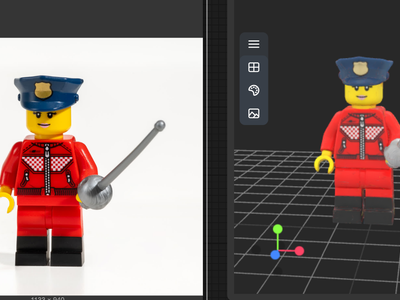
Meshy v6 for Image to 3D Model

3D

3D Model

Image to 3D

Meshy v6

Create a 3D model from Image using Meshy v6
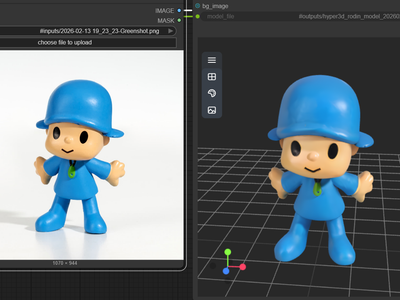
Meshy v6 for Image to 3D Model

Create a 3D model from Image using Meshy v6

Hyper3D Rodin V2 for Image to 3D

3D

3D Model

Hyper3D Rodin v2

Image to 3D

Rodin v2

Turn your images into 3D using Hyper3D Rodin v2
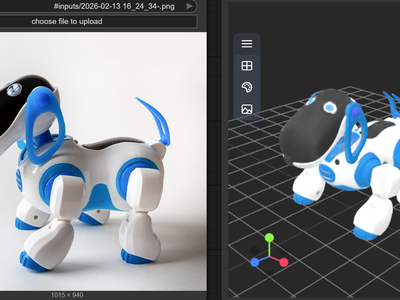
Hyper3D Rodin V2 for Image to 3D

Turn your images into 3D using Hyper3D Rodin v2

Tripo3D for Image to 3D

3D

3D Model

Image to 3D

Tripo3D

Tripo v2.5

Create 3D model using Tripo3D with v2.5
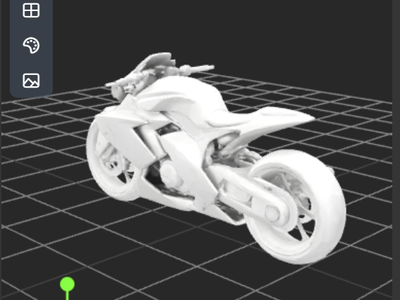
Tripo3D for Image to 3D

Create 3D model using Tripo3D with v2.5

Meshy v6 Text to 3D Model

3D

3D Asset

Meshy v6

Text to 3D

Create a 3D using Meshy v6 text to model

Meshy v6 Text to 3D Model

Create a 3D using Meshy v6 text to model

Image to 3D with Hunyuan3D

3D View

Animation

Architecture

Filmmaking

Game Development

Hunyuan 3D

Hunyuan3D

Image to 3D

A simple workflow to create a detailed & textured 3D model from a reference image.

Image to 3D with Hunyuan3D

A simple workflow to create a detailed & textured 3D model from a reference image.

Image to 3D with Hunyuan3D w/ Texture Upscale

3D

Animation

Architecture

Flux

Game Development

Hunyuan 3D

Image to 3D

Upscaling

Create a 3D model from a reference image with Flux Dev texture upscaling.

Image to 3D with Hunyuan3D w/ Texture Upscale

Create a 3D model from a reference image with Flux Dev texture upscaling.

💡 Tips for getting a good result

🖼️ Use a clean image

One object, plain background, good light. Think product photography style. If your image has a busy background, crop out just the subject first. The cleaner the image, the cleaner the model.

🔧 Which tool to pick

Start with Meshy v6 if you are not sure. It works from images and text, and comes back with textures on the model. Use Tripo3D if you just want something fast. Use Hyper3D Rodin for characters or anything with fine detail like clothing or face features.

📁 What you get back

A 3D file you can open in Blender, bring into Unreal or Unity, or load into whatever you are working in. Some tools also give you texture image files alongside the model. It will be in your output folder when the run finishes.

3D Looking Videos and Images

For brand teams, motion designers, and anyone who needs something that looks 3D but does not have time to build it. No 3D software. No modeling. Just an image.
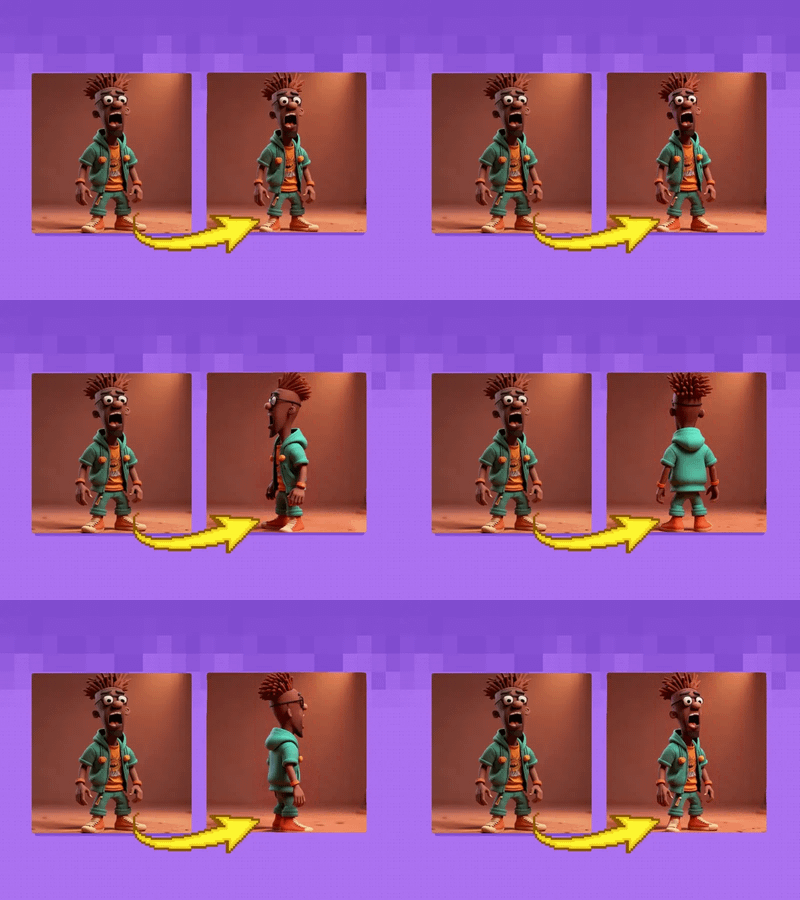
AniSora 3.2 and Wan2.2: Best Practices for Generating Smooth Character 3D Spin
3D

3D Spin

AniSora

Character Spin

Image2Video

AniSora 3.2 and Wan2.2: Best Practices for Generating Smooth Character 3D Spin

🔥Create Stunning 10 Second 3D Spin Shots in Seedance for Characters, Products, and Hero Scenes

3D

3D Spin

Floyo

Floyo API

Image2Video

Seedance

Spin

🔥Create Stunning 10 Second 3D Spin Shots in Seedance for Characters, Products, and Hero Scenes

3D Print LoRA and Flux Kontext for Image to 3D

3D Print

Flux Kontext

Imageto3D

Mockup

3D Print LoRA and Flux Kontext for Image to 3D

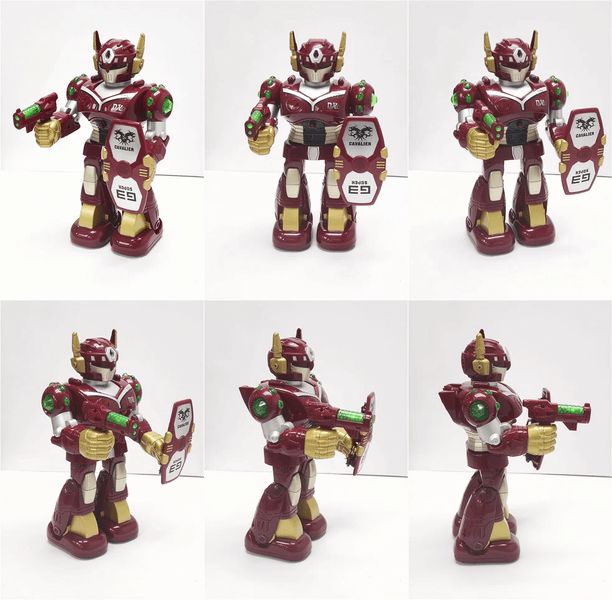
3D Products with Logo - Wan2.6 Image to Video
Image to Video

Text to Image

Wan2.6

3D Products with Logo - Wan2.6 Image to Video

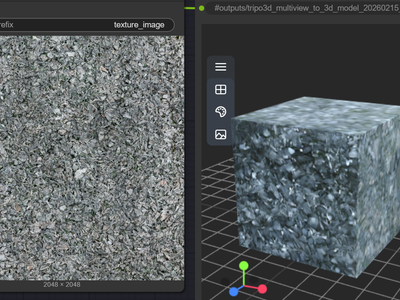
Z-Image Turbo + Chord Image to  PBR Material
Text to Image

Z-turbo

Z-Image Turbo + Chord Image to PBR Material

Chord for PBR Material Generation using Text to 3D

3D

Chord

Game Design

PBR Material

Text to 3D

Ubisoft

Create a 3D Game Material Asset using Chord Model from Ubisoft

Chord for PBR Material Generation using Text to 3D

Create a 3D Game Material Asset using Chord Model from Ubisoft

💡 Tips for getting a good result

🌀 For spin videos

Use Seedance for products, toys, and objects. Use AniSora plus Wan2.2 for characters and figures. Clean image, subject centred on a plain background. The more readable the shape from the front, the better the spin looks going all the way around.

🎬 For product video

Wan2.6 reads your product image and adds motion to it. You can describe what kind of movement you want, like a slow float or a push-in camera. Works best with clean product shots. Logos stay intact.

🖨️ For 3D print look

The Flux Kontext workflow makes your image look like it came off a 3D printer. You can see layer lines and physical texture. Good for showing a product concept as if it already exists as a real object.

⚠️ One thing to know

These workflows make videos and images, not 3D model files. You cannot open the result in Blender or bring it into a game engine. If you need an actual file to work with, use the Image to 3D Models workflows.

Table of Contents
OVERVIEW

Workflows for turning a photo into a 3D model, and for making things look 3D without building anything from scratch. Upload an image, pick a workflow, hit run.