Seedream 5.0 Flash for Text to Image
Generate photorealistic images from a text prompt using ByteDance's Seedream 5.0 Flash, the fastest model in the Seedream 5 family. Write a prompt and hit run.
Image
Seedream 5.0 Flash
Text to Image
13

_1791196146881.png?width=1400&height=620&quality=80&resize=contain)

_1791196146881.png?width=104&height=104&quality=80&resize=cover)

Nodes & Models
SeedreamV50FlashTextToImage_floyo
PreviewImage
ABOUT THE WORKFLOW
Generate an Image from Text
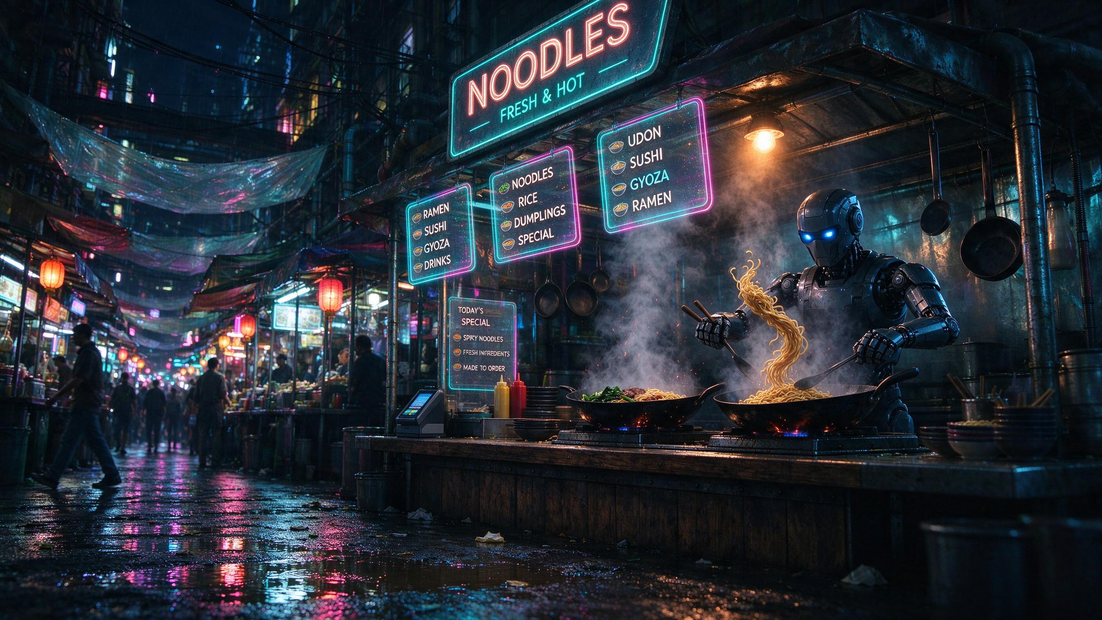
Write a prompt describing what you want, and the model generates a photorealistic image up to 2K resolution. Pick your aspect ratio, choose JPEG or PNG, and download. That's it.
Partner node. This workflow calls an external API, so each run uses credits from your API wallet. No API key needed. Floyo handles the connection.
Model
Seedream 5.0 Flash by ByteDance Seed. The fastest tier in the Seedream 5 family, strong at photorealistic output, prompt adherence, and rendering legible text inside images.
HOW IT WORKS
Step 1. Write your prompt
Describe the image you want. Include the subject, setting, lighting, and style. For text in the image, spell out the exact words.
Works great with: portraits · landscapes · product shots · scenes with text
Step 2. Hit run and download
The model generates the image in one pass. Preview it on the canvas, then download.
Ready for: Photoshop · Figma · Canva · any editor
First time? Leave every setting as-is. The defaults (2K · auto aspect ratio · JPEG) are the right starting point for almost everyone.
RECOMMENDED SETTINGS
Quick-start guide. Find the goal that matches yours and copy the settings.
Standard generation (most people) — 2K · auto aspect ratio · JPEG. The right starting point for almost everyone.
Quick test before committing — Switch resolution to 1K. Faster generation, lower cost per run.
Need a specific shape — Change the aspect ratio from auto to the ratio you need (16:9 for widescreen, 9:16 for vertical, 1:1 for square, and more).
Need transparency or lossless quality — Switch the output format to PNG.
Adding text to the image — Spell out the exact words in your prompt. The model renders text accurately, so write it letter-perfect.
Image looks generic or off-target — Add more detail to the prompt. Subject, action, lighting, camera angle, and style all help the model land closer to what you want.
Prompt: Be specific about what you want in the frame. "A cafe interior at golden hour, warm wood tables, a chalkboard sign reading OPEN, shot on 35mm" gives the model more to work with than "a nice cafe." Name the subject, the setting, the light, and the feel.
LEARN
📹 Videos
ComfyUI 101 Free Course ft. Sebastian Kamph
Floyo 101 for Team Collaboration
✨ Quick links
USE CASES
📸 Photorealistic Renders
Generate lifelike photos from a description for mockups, pitch decks, or social content without a camera or stock library.
🔤 Images with Readable Text
Create scenes that include legible signs, labels, titles, or packaging text, where most image models fail.
🎨 Concept Art and Mood Boards
Describe a scene and get a visual reference in seconds. Faster than sketching or searching stock when you need a direction, not a final asset.
🛍️ Product and Marketing Visuals
Generate product shots, hero images, and ad creatives from a prompt. Adjust the aspect ratio to fit the placement.
WHAT WORKS BEST / WHAT TO AVOID
✅ Works great
Detailed, specific prompts with subject, lighting, and style
Single-subject compositions
Scenes that include readable text
Standard aspect ratios (16:9, 1:1, 9:16)
⚠️ May produce softer results
Vague or one-word prompts
Complex multi-subject compositions with many interacting elements
Extremely niche or abstract art styles
Prompts that conflict (e.g. "dark moody lighting, bright and airy")
FAQ
What is Seedream 5.0 Flash?
Seedream 5.0 Flash is a text-to-image model made by ByteDance Seed, released in September 2026. It is the fastest and most affordable tier in the Seedream 5 family, designed for quick photorealistic image generation with strong prompt adherence and accurate text rendering inside images.
How is Seedream 5.0 Flash different from Seedream 5.0 Pro?
Flash is the speed-optimized tier. It generates images faster and at lower cost per run. Pro handles complex multi-subject compositions better, but takes longer and costs more. For single-subject shots, portraits, and scenes with text, Flash is the better fit.
Can Seedream 5.0 Flash render text inside images?
Yes. Accurate text rendering is one of its strengths. If you need a sign, label, title, or any readable words in the image, spell them out exactly in your prompt and the model will place them legibly.
What resolutions and aspect ratios does Seedream 5.0 Flash support?
It outputs at 1K or 2K resolution across 16+ aspect ratios, including 1:1, 16:9, 9:16, 4:3, 3:4, and more. The default is 2K with auto aspect ratio, which picks the best shape based on your prompt.
Is Seedream 5.0 Flash open source?
No. Seedream 5.0 Flash is a proprietary model accessed through an API. Commercial use of generated images is governed by ByteDance's terms. Each run uses credits from your API wallet.
Does Seedream 5.0 Flash add a watermark?
Watermarking is off by default. You can toggle it on in the settings if you want an AI-generated watermark applied to the output.
How to run Seedream 5.0 Flash online?
You can run Seedream 5.0 Flash online through Floyo. No installation, no setup, no API key to wire up. Open the workflow in your browser, write a prompt, and hit run. Free to try.
WHY FLOYO?
Floyo is the only platform with team collaboration for ComfyUI in the browser. You run workflows with no install. You share run history, assets, and models across your team. You pay only when you generate. Floyo supports open-source and closed-source models.
A designer runs a generation and likes the result. A teammate opens that exact run from shared history and keeps going. No file handoffs. No version confusion.
For studios and enterprise teams, Floyo adds private workspaces, pooled resources, and a team usage dashboard. Other ComfyUI cloud tools run for one person at a time. Floyo runs for the whole team, with transparent per-generation costs.
Ready to try it?
Write a prompt and generate your first image. The settings are already set.
Questions? Watch the free course or check the FAQ above.
Read more