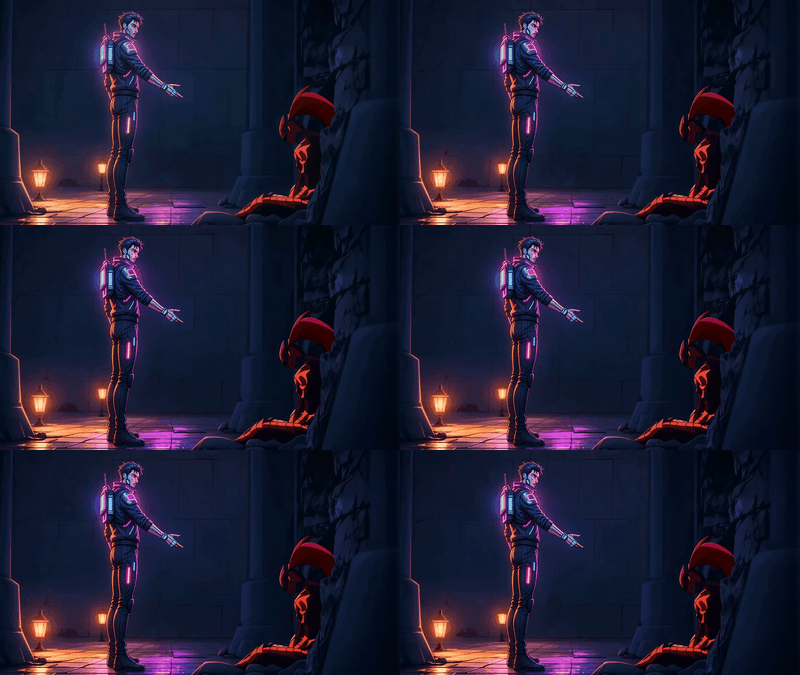
Seedance 2.0 for Camera Angle and Motion Control
Take any video and re-shoot it with a new camera move. Seedance 2.0 keeps your scene intact and pulls the camera motion from a reference clip you upload.
camera angle control
camera motion
film production
seedance 2.0
vfx
vid2vid
Video
video generation
369

Nodes & Models
Seedance20ReferenceToVideo_floyo
VideoToFrames
LoadVideo
CreateVideo
SaveVideo
Seedance 2.0 video editing that copies camera motion from one clip onto another.

Upload two videos. The first is your scene: subjects, lighting, action, the look you want to keep. The second has the camera move you want to borrow. A push-in. A drone orbit. A handheld shake. Seedance 2.0 re-shoots your scene with that camera motion.
Your content stays the same. The camera changes.
How do you transfer camera motion to a video with Seedance 2.0?
Upload your source video as video_1 and a reference video as video_2. The default prompt tells Seedance 2.0 to keep video_1's scene intact and copy only the camera motion from video_2. Pick a resolution, duration, and aspect ratio that match your source. Hit run.
video_1 (your source video) The clip you want to re-shoot. Subjects, lighting, framing, action: everything in this video stays.

video_2 (your camera reference) The camera move you want to borrow. Got a favorite push-in from a film? A drone orbit? A whip pan? Drop it here. Seedance reads the motion path, speed, and rhythm. Not the content.
prompt The default prompt does the work for you: keep video_1's scene, transfer video_2's camera motion only. Want more aggressive movement? Add intensity words. Want the framing locked tight? Reinforce that in the prompt.
resolution Start at 480p for fast tests. Bump to higher resolutions once you've nailed the prompt. The catch: higher resolution takes longer to render.
duration 5 seconds by default. Want a longer take? Push it up. Going beyond your source video's length can cause Seedance to invent motion that wasn't in your reference.
aspect_ratio 16:9 by default. Set this to match video_1's aspect ratio for clean output. Otherwise you'll get cropping.
generate_audio Toggle on if you want Seedance to generate audio for the new shot. Off if you'll add your own in post.
seed Randomize to explore variations. Lock to a specific number when you want to compare prompt tweaks against the same base output.
What is camera motion transfer with Seedance 2.0 good for?
Re-shooting a video with a different camera move without re-filming. Useful for directors testing camera options on a locked performance, editors who need to match shots filmed with different camera work, and anyone who wants to apply cinematic camera motion to a static or shaky clip.
Film and pre-vis: try three different camera moves on the same scene before committing. Block your shot, then audition camera options without dragging the crew back to set.
Matching coverage: you have one shot that's a slow push-in and another that's locked off. Use this to give the locked shot a matching push so the cut feels coherent.
Salvaging shaky footage: take a clip with bad handheld and re-shoot it with smooth camera motion from a reference. Works better than traditional stabilization for some shots because Seedance generates new frames instead of cropping in.
Honest limit: Seedance reads motion from the reference, not full 3D space. Extreme camera moves that would reveal a lot of new geometry (a 360 around a character) can produce artifacts. Subtle moves work best.
FAQ
What kind of camera moves can Seedance 2.0 transfer? Most cinematography moves work: push-in, pull-out, pans, tilts, orbits, arcs, crane shots, truck moves. Handheld and stabilizer feel transfer too. Extreme moves that reveal a lot of new geometry (a full 360 spin around a subject) are harder because Seedance has to invent what's behind your scene.
Do my source video and reference video need to match? They don't need the same content. That's the whole point. They should be close in length and aspect ratio for clean output. If your reference is 10 seconds and your source is 3, Seedance will either compress the move or only use part of it.
Can Seedance 2.0 fix a shaky video? Yes. Use the shaky footage as video_1 and any clip with smooth camera motion as video_2. Seedance re-shoots your scene with the smooth motion. This often beats traditional stabilization because it generates new frames instead of cropping in on the existing ones.
Does Seedance 2.0 change the subject or background when I transfer camera motion? It tries not to. The default prompt locks the scene and only borrows motion. Some drift can happen on long clips, or when the new camera angle reveals parts of the scene that weren't visible in the source. Keep clips short and motion moderate for the cleanest results.
How to run Seedance 2.0 online? You can run Seedance 2.0 online through Floyo. No installation, no setup. Open the workflow in your browser, upload your two videos, and hit run. Free to try.
Read more
%20(1)_1775891000879.webp?width=400&height=300&quality=80&resize=contain&format=origin)