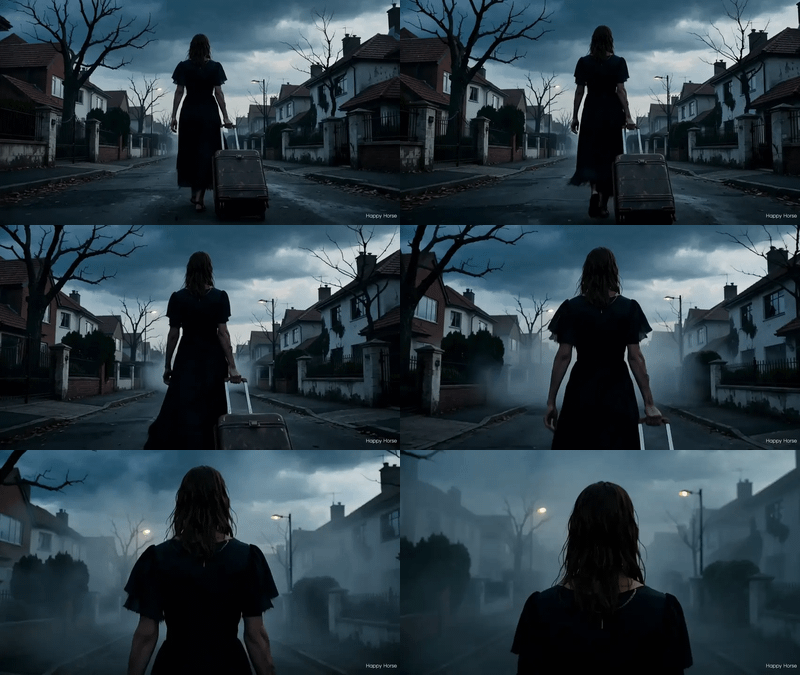
Wan 2.7 Reference to Video with Motion Control
Wan 2.7 Reference to Video with Motion Control
character design
consistency
film production
image to video
Video
video generation
wan
2.7k


Nodes & Models
AlibabaWan27VideoEditing_floyo
VideoToFrames
LoadVideo
LoadImage
CreateVideo
SaveVideo
Description:
Wan 2.7 video generation that takes your reference images and turns them into a moving scene, with camera movement borrowed from a video you provide.
Upload up to three reference images showing your subjects, plus a reference video clip. Wan 2.7 reads the motion from the reference video and applies it to your scene. Your subjects stay visually consistent throughout. Output is 1080P at 16:9, up to 5 seconds.
How do you use reference images with Wan 2.7 to generate video?
Upload up to three reference images and a motion reference video. Wan 2.7 generates a new clip that keeps your subjects consistent across frames while following the camera movement from the reference video. Outputs at 1080P, 16:9.
Reference images (up to 3) Want to feature a single subject? One image is enough. Mixing multiple characters or objects in the scene? Upload all three and reference each one in your prompt by position: "Image 1 is the character, Image 2 is the background." More reference images give the model more to lock onto.
Reference video (motion guide) This is the camera. Wan 2.7 reads the movement from this clip and applies it to your scene. A slow pan, a push in, a handheld track, and the output follows it. Want predictable results? Keep the reference clip short and the camera movement clean. Shaky or complex motion makes the output harder to control.
Positive prompt Describe the scene and your subjects. Reference your images by position to help the model understand the layout. The more specific, the better the alignment.
Negative prompt Call out what to avoid. The default targets low quality and deformation. Add anything specific to your subject: extra limbs, blurry faces, warped hands.
Duration Default is 5 seconds. Want more time for the camera move to play out? Push it higher. Note that generation takes longer with more seconds.
Seed Set to randomize by default. Fix the seed when you want to test prompt changes against the same base generation without re-rolling the result.
What is Wan 2.7 Reference to Video good for?
It is built for generating consistent video content from still images when you already know how the camera should move. Character scenes, product reveals, and short cinematic clips where visual consistency matters more than freeform motion.
If you are building a short film or animatic and already have reference art, this is the fastest way to get moving footage that looks like your references. Upload your character sheet, point it at a camera move you liked, and it generates the clip.
It works well for product photography too. If you have clean product shots and need a hero video with a specific camera movement, the motion reference keeps the output under control in a way that text prompts alone cannot match.
Where it is not the right fit: if you do not have a reference video for motion, a standard Wan text-to-video or image-to-video workflow will give you more flexibility. This workflow is built around the motion reference as a control signal. Without a strong one, results get harder to predict.
FAQ
How many reference images can I use with Wan 2.7 Reference to Video? Up to three. Each can represent a different subject: a character, a background, a prop. The model reads all three and keeps them consistent throughout the clip. One image is enough to get started; add more when you need to control multiple elements in the scene.
What kind of reference video works best for motion control in Wan 2.7? Short, clean clips with clear camera movement. A smooth push in, a slow pan, or a tracking shot all work well. Shaky or multi-directional motion gives the model less to work with. Aim for 3 to 10 seconds and a single dominant movement.
How long does Wan 2.7 Reference to Video take to generate? At 5 seconds and 1080P, expect a few minutes per generation. Keep the duration short when testing prompt and reference variations. Scale up for finals once the output looks right.
Can I use this for character animation? Yes. Upload your character reference images and a motion clip that shows the movement style you want. Wan 2.7 animates your character following that motion. Results depend on how clear and consistent your reference images are. Cleaner references produce tighter output.
How do I run Wan 2.7 Reference to Video online? You can run it on Floyo. No installation, no setup. Open the workflow in your browser, upload your images and reference video, and hit run. Free to try.
Read more