Nano Banana 2 for Image to 360 Panorama
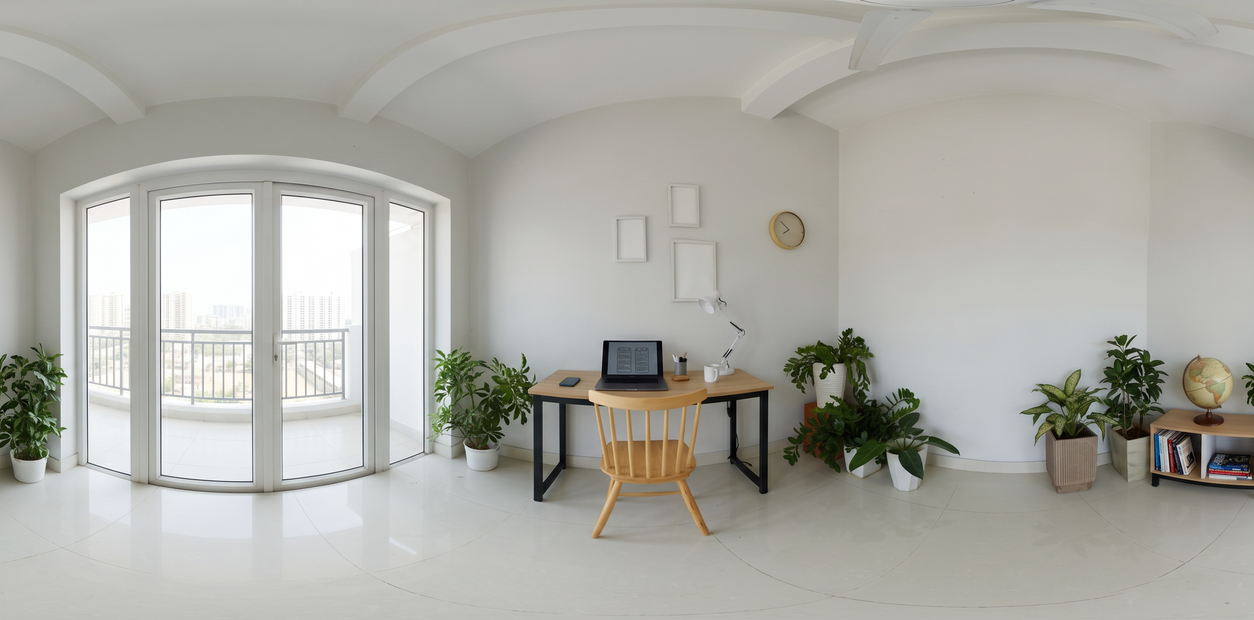
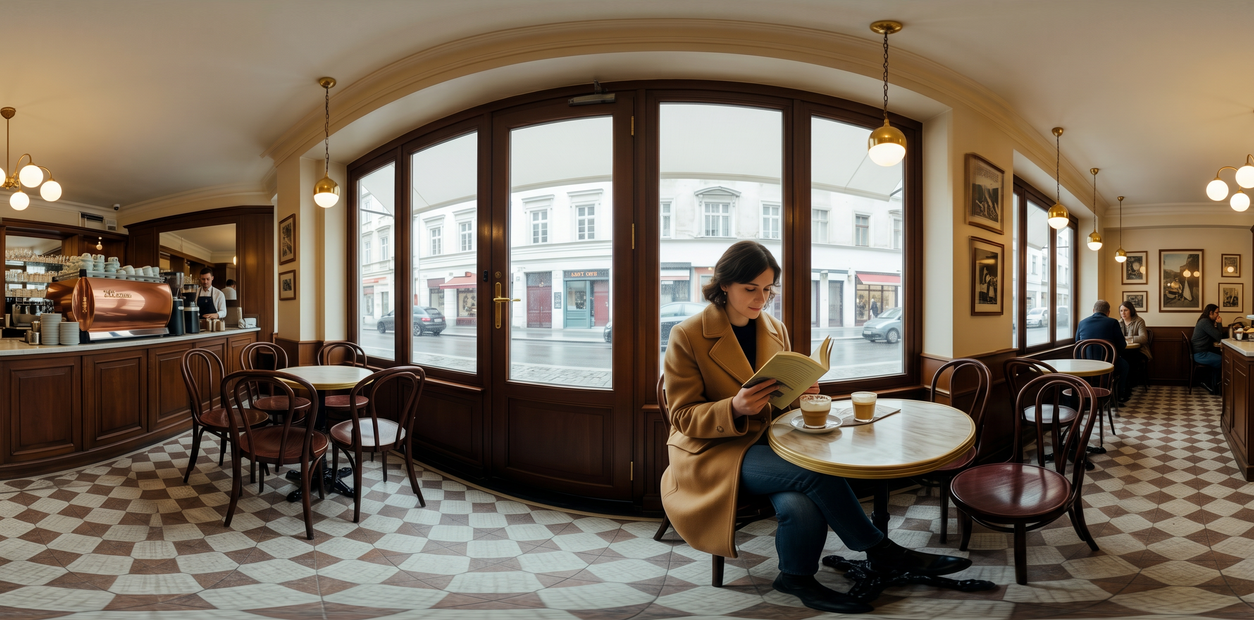
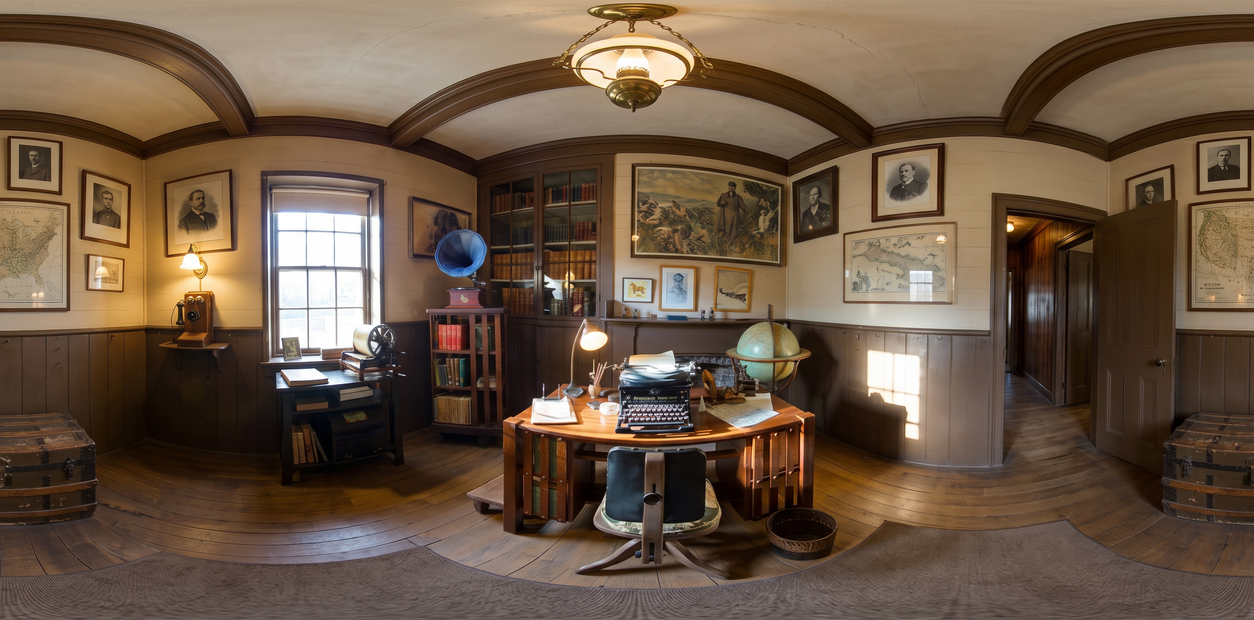
Turn any photo into a 360 equirectangular panorama with Nano Banana 2. Upload an image, hit run, and get a 2:1 wrap ready for VR scenes and skyboxes.
360
concept art
Image
image to image
nano banana
panorama
vfx
551
_1780978156090.png?width=1400&height=620&quality=80&resize=contain)
_1780978156090.png?width=104&height=104&quality=80&resize=cover)


Nodes & Models
NanoBanana2Unified_floyo
LoadImage
PreviewImage
HOW IT WORKS
① Upload your photo Any well-lit landscape, room, or street shot works. The clearer the scene, the better the wrap. Works great with: landscapes · interiors · streets
② Hit run The prompt and settings are already dialled in. For a first run, change nothing. Hit run and wait a few seconds.
③ Download your panorama You get a standard 2:1 equirectangular image. It drops straight into any game engine or VR viewer. Ready for: Unity · Unreal · Blender · any VR viewer
First time? Leave every setting as-is. The defaults (2K · 1 image · random seed) are the right starting point for almost everyone.
RECOMMENDED SETTINGS
Quick-start guide. Find the goal that matches yours and copy the settings.
Standard use (most people) Start here — 2K · 1 image · random seed · web search off. The right starting point for almost everyone.
Quick preview or test — 512px · 1 image · random seed. Fastest way to see a result before committing to a full-res run.
VR headset or large skybox — 4K · 1 image · random seed. Use this when the panorama will be worn in a headset, where soft seams show up.
Pick the best from variations — 2K · 3 images · random seed. Generate a few wraps at once and keep the strongest.
Tweak a result you liked — 2K · 1 image · lock the seed. Locking the seed keeps the same base so your prompt nudges change one thing at a time.
Real-world landmark panorama — 2K to 4K · 1 image · web search on. Turn web search on so the wrap matches how a known location looks beyond your frame.
Prompt: Already written for a clean 2:1 equirectangular wrap. Leave it as-is for your first run. Want to nudge the look? Add 2-3 words only, like "wider sky", "golden hour", or "more depth on sides". Over-editing the prompt breaks the geometry.
Web search: Off by default. Turn it on when your photo is a real, named place and you want the wrap to match how that location looks beyond the frame.
USE CASES
🎮 Game Developers Need a skybox fast? Upload a reference photo and Nano Banana 2 extends it into a full wrap you can drop straight into Unity or Unreal. No manual stitching, no HDR capture session.
🥽 VR Creators Turn a real location into a scene you can step into. Works best with landscapes, streets, and interiors. Run at 4K for clean seams in a headset.
🎨 3D Artists & Motion Designers Generate environment maps for lighting and reflections in seconds. Block out the mood of a scene, wrap it, and check how it reads before committing to a full CG build.
💡 Concept Artists Rapid worldbuilding without a 360 camera. Upload a mood board image and get a placeable environment to pitch a scene.
WHAT WORKS BEST / WHAT TO AVOID
✅ Works great
Outdoor landscapes
Building interiors
City streets
A single clear environment
⚠️ May produce softer results
Tight close-up product shots
Heavy bokeh or shallow depth of field
Extreme low-light images
Heavily composited images
NEW TO COMFYUI?
Start with the free ComfyUI for Beginners Course on Floyo. Sixteen short videos take you from zero to running your own AI workflows. No setup headaches, no jargon. Clear hands-on lessons. Watch the course, then run any workflow here in your browser.
👉 Watch the free ComfyUI for Beginners Course →
FAQ
What is an equirectangular panorama and why does it matter for VR? An equirectangular panorama is a 2:1 image that maps the full 360° sphere onto a flat surface. It's the same projection format used by VR headsets, game engines, and 360° viewers. Load one into Unity, Unreal, Blender, or a Meta Quest headset and the software wraps it back into a sphere, creating one continuous environment around the viewer. Nano Banana 2 outputs in this format, so the file drops straight in with no conversion step.
How is Nano Banana 2 different from text-to-360 tools like Skybox AI or ZSky? Most text-to-360 tools generate from scratch. Nano Banana 2 extends a photo you already have. It reads the lighting, colour palette, and depth cues in your image and continues them outward into a full wrap. If you have a reference shot that defines a specific look or location, that's a different starting point than a text prompt. The output inherits your photo's real-world properties instead of inventing everything from a description.
What resolution should I use for a VR headset skybox? Use 4K for headset use. At 2K the seams and horizon can look soft at close distances. 2K is the right starting point for Unity and Unreal previews, concept work, and anything viewed on a flat screen. Step up to 4K only when the final output will be worn. For a fast test, 512px gets you a preview in seconds.
Can I use the output in Unity, Unreal, and Blender without extra steps? Yes. The output is a standard equirectangular PNG. In Unity, assign it as a Skybox material using the Panoramic shader. In Unreal, use it as an HDRIBackdrop or sky texture. In Blender, load it as an Environment Texture in the Shader Editor under World → Background → Image Texture. No conversion, no third-party tools.
Do I need a 360° camera or photography experience to use Nano Banana 2? No. Any single flat photo works. A phone shot, a render, a screenshot, or a downloaded reference image. The model handles the geometry. The only thing that affects quality is how clearly your photo defines one environment. Well-lit, single-scene shots produce the best wraps.
What if the panorama has visible seams at the edges? Seams usually appear when the source photo has a strong focal point or heavy vignetting at the edges. To reduce them, use an evenly lit shot, avoid heavy bokeh or shallow depth of field, and run at 4K instead of 2K. If a seam persists, lock the seed and add "even horizon" as a 2-3 word prompt nudge.
When should I turn on web search? Turn it on for real, named places. With web search on, Nano Banana 2 can pull in how a known landmark or location looks beyond your frame, so the extended wrap stays true to the real spot. Leave it off for invented scenes, mood boards, and renders.
How to run Nano Banana 2 online? You can run Nano Banana 2 online through Floyo. No installation, no setup. Open the workflow in your browser, upload your inputs, and hit run. Free to try.
WHY FLOYO?
Floyo is the only platform with team collaboration for ComfyUI in the browser. You run workflows with no install. You share run history, assets, and models across your team. You pay only when you generate. Floyo supports open-source and closed-source models.
An art director runs a workflow and likes the result. A junior artist opens that exact run from shared history and keeps going. No file handoffs. No version confusion.
For studios and enterprise teams, Floyo adds private workspaces, pooled resources, and a team usage dashboard. Other ComfyUI cloud tools run for one person at a time. Floyo runs for the whole team, with transparent per-generation costs.
Ready to try it? Upload your first image and run it. The prompt is already set.
Questions? Watch the free course or check the FAQ above.
Read more