MoGe 3 · 3D Geometry Estimation
Upload any photo and MoGe estimates its 3D structure, returning a depth map, normal map, or mask as a side-by-side PNG.
3d geometry
moge
moge3
94

ABOUT THE WORKFLOW
Estimate 3D Geometry from a Photo
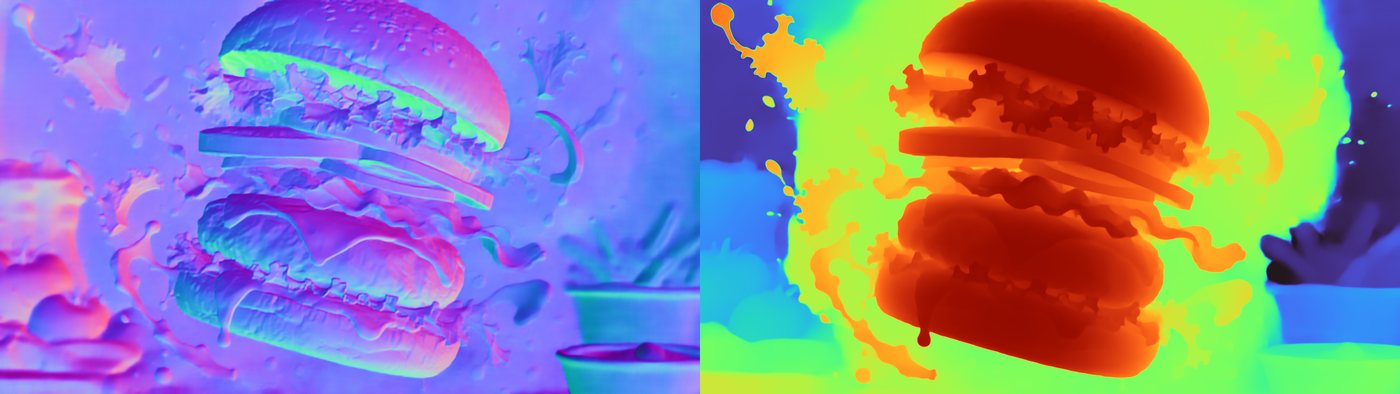
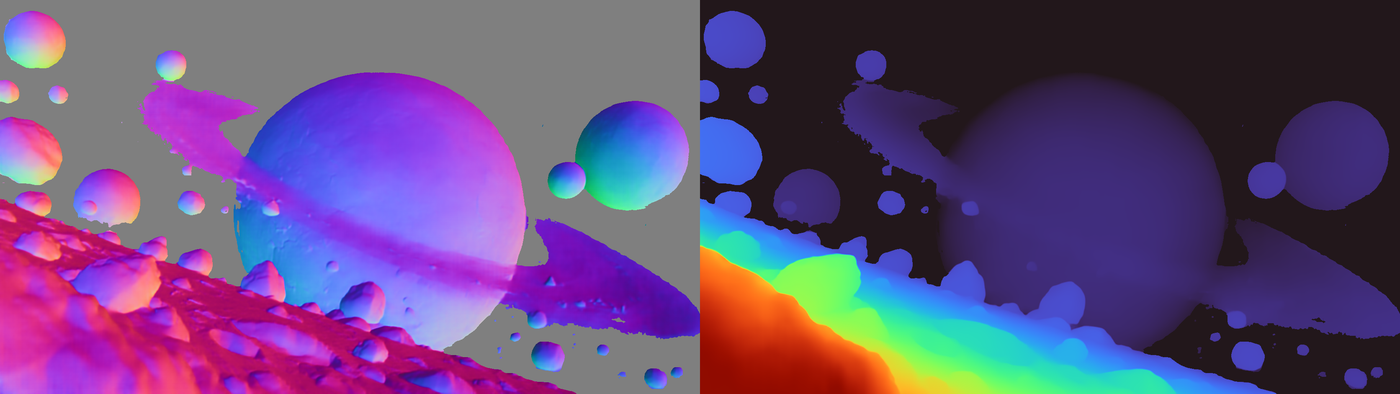
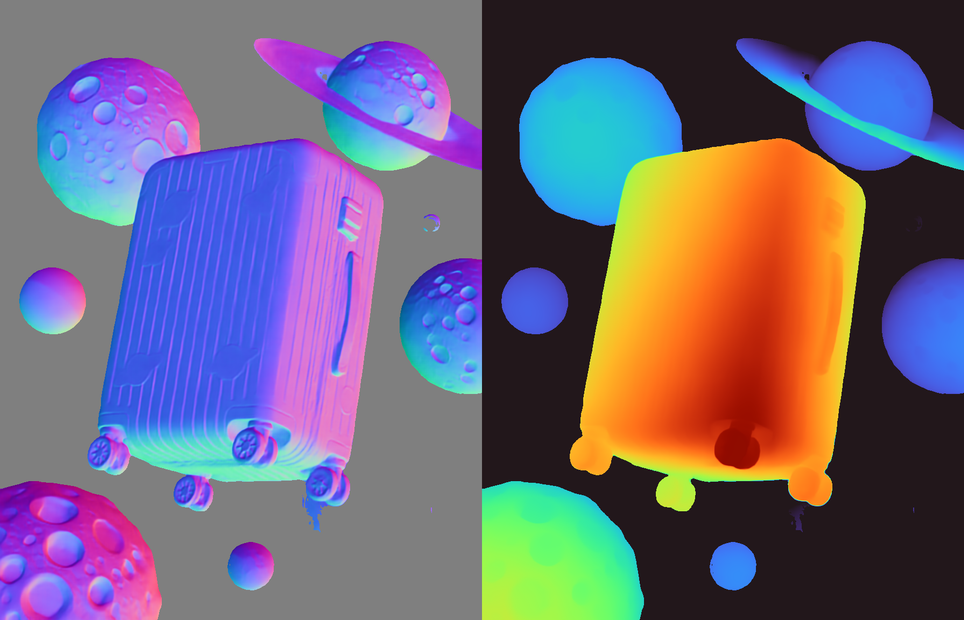
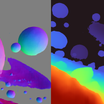
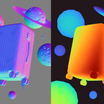
Upload any image. MoGe estimates the 3D shape of every surface in the scene and renders it as a depth map, normal map, or mask. You get a side-by-side PNG of the original and the geometry output.
Model
MoGe by Microsoft Research. Open source. Recovers accurate 3D structure from a single photo, including complex scenes with multiple objects and varied depth.
HOW IT WORKS
Step 1. Upload your image
Any photo, render, or illustration with visible depth variation. The clearer the scene, the more accurate the geometry.
Works great with: landscapes · interiors · product shots · street scenes
Step 2. Choose an output type
Pick depth, normal, or mask. Each shows the same underlying geometry in a different format. Mask is the default.
Step 3. Hit run and download
MoGe estimates the 3D structure and renders your chosen output. You get a side-by-side PNG of the original and the result.
Ready for: Blender · Unity · Unreal · Photoshop · any 3D or compositing tool
First time? Leave every setting as-is. The defaults (mask output · MoGe 2 model · resolution level 9) are the right starting point for almost everyone.
RECOMMENDED SETTINGS
Quick-start guide. Find the goal that matches yours and copy the settings.
Standard geometry estimation (most people) — Mask output · MoGe 2 · resolution level 9 · batch size 4. The right starting point for almost everyone.
Want sharper edges on thin or small objects — Switch the model to moge_3_vitg. It produces finer detail at the cost of more processing time.
Want a depth map for compositing or relighting — Change the output to depth. The result shows near surfaces as bright and far surfaces as dark.
Want surface orientation data for shading — Change the output to normal. Each pixel is colored by the direction the surface faces.
Running out of memory on large images — Lower the resolution level or reduce batch size. Both reduce memory usage at the cost of detail.
The geometry looks flat or inaccurate — Use an image with clearer depth variation. Flat scenes, transparent objects, and reflective surfaces produce less reliable results.
Output types: Depth shows distance from the camera. Normal shows which direction each surface faces. Mask shows the estimated 3D structure as a silhouette. All three represent the same geometry. Pick the one your downstream tool expects.
LEARN
📹 Videos
ComfyUI 101 Free Course ft. Sebastian Kamph
Floyo 101 for Team Collaboration
✨ Quick links
USE CASES
🎮 Game and VR Environment Building
Extract depth maps from reference photos and use them as displacement or height maps in Unity, Unreal, or Blender to block out terrain or interiors.
🎨 Compositing and Relighting
Generate depth or normal maps from a plate to add depth-aware fog, focus blur, or directional relighting in After Effects, Nuke, or Photoshop.
🏗️ Architecture and Interior Visualization
Estimate the 3D structure of a room or building photo to check proportions, extract layout geometry, or feed into a 3D reconstruction pipeline.
🔧 Preprocessing for Other AI Workflows
Use the depth or normal output as a control input for ControlNet, image-to-3D pipelines, or video generation workflows that accept geometry conditioning.
WHAT WORKS BEST / WHAT TO AVOID
✅ Works great
Scenes with clear depth variation (rooms, streets, landscapes)
Well-lit photos with distinct objects at different distances
Product shots with defined edges and solid surfaces
Architectural interiors with walls, floors, and furniture
⚠️ May produce softer results
Flat scenes with little depth (a wall, a document, a whiteboard)
Transparent or reflective surfaces (glass, mirrors, water)
Heavily occluded or cluttered scenes
Very high resolution images at max resolution level (may run out of memory)
FAQ
What is MoGe and how does it estimate 3D geometry?
MoGe is a monocular geometry estimation model by Microsoft Research. It takes a single image and predicts the 3D shape of every surface in the scene. The original MoGe was presented at CVPR 2025. MoGe 3 added sparse volumetric refinement for sharper results on fine detail. Both versions have open weights on HuggingFace.
What is the difference between depth, normal, and mask output?
All three represent the same underlying 3D estimation. Depth shows how far each point is from the camera (bright is near, dark is far). Normal shows the direction each surface faces, encoded as color (used for relighting and shading). Mask shows the 3D structure as a flat silhouette. Pick whichever format your downstream tool expects.
What is the difference between MoGe 2 and MoGe 3?
MoGe 2 (moge_2_vitl_normal) is faster and handles most scenes well. MoGe 3 (moge_3_vitg) uses a larger model with sparse volumetric refinement, producing sharper edges on thin or small objects. MoGe 3 uses more memory and takes longer to run. Start with MoGe 2 and switch to MoGe 3 if you need finer detail.
Can I use the depth map as a ControlNet input?
Yes. The depth output is a standard grayscale depth map that works with ControlNet depth conditioning, Stable Diffusion depth-to-image pipelines, and any tool that accepts monocular depth maps.
Does MoGe work on AI-generated images or only real photos?
Both. MoGe estimates geometry from any image with visible depth structure, including photos, renders, illustrations, and AI-generated images. The accuracy depends on how clearly the image defines surface boundaries and depth variation, not on whether the image is real or synthetic.
Is MoGe free to use commercially?
Yes. MoGe has open weights released on HuggingFace under a permissive license. You can use the outputs in commercial projects without additional licensing.
How to run MoGe 3 geometry estimation online?
You can run MoGe 3 geometry estimation online through Floyo. No installation, no setup, no model downloads. Open the workflow in your browser, upload your image, and hit run. Free to try.
WHY FLOYO?
Floyo is the only platform with team collaboration for ComfyUI in the browser. You run workflows with no install. You share run history, assets, and models across your team. You pay only when you generate. Floyo supports open-source and closed-source models.
A designer runs an edit and likes the result. A teammate opens that exact run from shared history and keeps going. No file handoffs. No version confusion.
For studios and enterprise teams, Floyo adds private workspaces, pooled resources, and a team usage dashboard. Other ComfyUI cloud tools run for one person at a time. Floyo runs for the whole team, with transparent per-generation costs.
Ready to try it?
Upload any photo and hit run. The settings are already set.
Questions? Watch the free course or check the FAQ above.
Read more