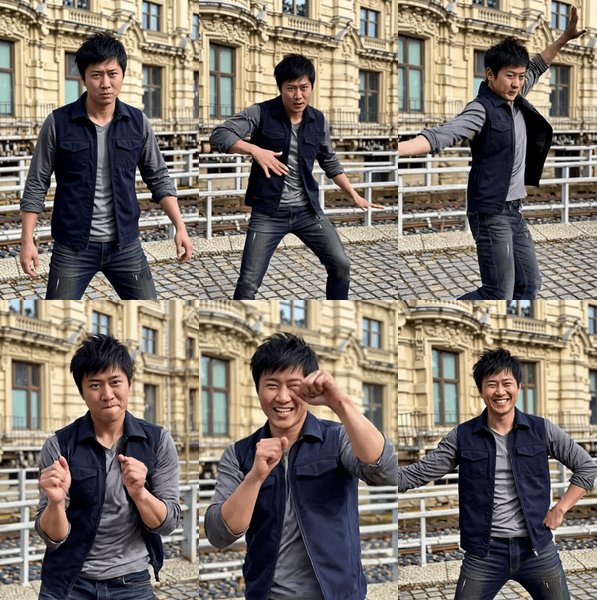
Kling 3.0 Pro · Image to Video
Upload a start image and an optional end image, describe the motion, and Kling 3.0 Pro generates a cinematic video with native audio, lip-sync, and start-to-end frame control at up to 4K resolution.
cinematic
image to video
kling 3.0
Video
143
_1782926698029.webp)
_1782926700855.webp)
_1782926737896.webp)

Nodes & Models
KlingV3Pro_floyo
VideoToFrames
LoadImage
CreateVideo
SaveVideo
FloyoStickyNote
ABOUT THE WORKFLOW
Animate Between Two Frames
Upload a start image as the opening frame, and optionally upload an end image as the final frame. Describe the motion and camera work in between. Kling 3.0 Pro generates a video that transitions smoothly from the start to the end frame, filling in the motion, lighting, and physics. Audio, sound effects, and dialogue with lip-sync are generated natively. You can also upload an element reference image or video to lock a character or object's identity across the clip.
Partner node. This workflow calls an external API, so each run uses credits from your API wallet. No API key needed. Floyo handles the connection.
Model
Kling 3.0 Pro by Kuaishou. The Pro tier of Kuaishou's third-generation video model, built on a Multi-modal Visual Language (MVL) architecture with Visual Chain-of-Thought (vCoT) reasoning. Supports native 4K output, 15-second clips, multi-shot storyboarding with up to 6 camera cuts, and lip-sync in English, Chinese, Japanese, Korean, and Spanish.
HOW IT WORKS
Step 1. Upload your start image
The opening frame of the video. The model preserves the subject, lighting, and composition from this image.
Works great with: portraits · product shots · concept art · landscapes · AI-generated images
Step 2. Upload an end image (optional)
The frame the video should land on. The model generates smooth motion between the start and end frames. Leave empty to let the motion play out freely from the start image.
Step 3. Write your prompt
Describe the motion and camera movement between the two frames. "The camera floats up and the sheep follow the camera movement" tells the model what happens. Add dialogue in quotes for lip-sync.
Step 4. Upload element references (optional)
Upload a frontal image or video of a character to lock their identity across the clip. The model preserves face, clothing, and proportions from the element reference.
Step 5. Hit run and download
Kling 3.0 Pro generates the video with native audio and returns an MP4 at 30fps.
Ready for: Premiere · DaVinci Resolve · After Effects · TikTok · Instagram · YouTube
First time? Upload a start image, write a motion prompt, and hit run. Leave end image and element reference empty for the first run.
RECOMMENDED SETTINGS
Quick-start guide. Find the goal that matches yours and copy the settings.
Standard animated clip (most people) — Start image + prompt, 5 seconds, 16:9, audio on, CFG 0.5. No other changes needed.
Controlled transition between two frames — Upload both a start and end image. The model generates smooth motion between them. Describe the transition in the prompt.
Longer clip — Increase duration up to 15 seconds. More time for complex action, camera moves, and scene development.
Multi-shot sequence — Use the multi_prompt field to define separate shots. Structure as individual shot descriptions. Kling 3.0 Pro handles up to 6 distinct camera cuts in one generation.
Dialogue with lip-sync — Write dialogue in quotes in the prompt. Use the voice_ids field to assign specific voices. Lip-sync works in English, Chinese, Japanese, Korean, and Spanish.
Lock a character's identity — Upload a frontal reference image of the character in the element_1 slot. The model preserves their face, build, and outfit across the clip, even through camera angle changes.
Stronger or weaker prompt adherence — Adjust CFG scale. Higher values follow the prompt more closely. Lower values give the model more creative freedom. Default is 0.5.
Vertical for social media — Switch aspect ratio from 16:9 to 9:16 for TikTok, Reels, and Shorts.
Prompt: Describe the motion between the frames, not a static scene. "The camera rises slowly as the subject walks toward the horizon, golden hour light, wind in the grass" gives the model clear motion direction. For multi-shot, describe each cut separately. For dialogue, write exact quotes with speaker attribution.
LEARN
📹 Videos
ComfyUI 101 Free Course ft. Sebastian Kamph
Floyo 101 for Team Collaboration
✨ Quick links
USE CASES
🎬 Controlled Transitions and Morphs
Upload a start and end frame and let the model generate the motion between them. Product reveals, time-of-day transitions, and character transformations all benefit from start-to-end frame guidance.
📱 Social Media Content
Generate short cinematic clips with audio for TikTok, Reels, and Shorts. Native portrait aspect ratio, multi-shot support, and lip-sync in five languages cover most social formats.
🛍️ Product and Brand Videos
Animate product shots with controlled camera moves and synchronized sound. The element reference locks the product's visual identity across angle changes and scene transitions.
🎤 Multilingual Dialogue Scenes
Generate speaking characters with native lip-sync in English, Chinese, Japanese, Korean, or Spanish. Custom voice IDs let you assign specific voices to characters.
📖 Multi-Shot Storyboards
Define up to 6 distinct shots with individual camera angles, framing, and action in a single generation. The model holds character and scene consistency across every cut.
WHAT WORKS BEST / WHAT TO AVOID
✅ Works great
Clear, well-lit start and end images with consistent subjects
Motion-focused prompts with camera direction and action
Element references with front-facing, well-lit character photos
Moderate motion complexity (walking, turning, camera orbits, reveals)
⚠️ May produce softer results
Start and end images with radically different subjects or composition
Very fast, chaotic multi-character action
Vague prompts with no motion or camera direction
Element references with heavy occlusion or extreme angles
FAQ
What is Kling 3.0 Pro?
Kling 3.0 Pro is Kuaishou's highest-quality image-to-video model. It is the Pro tier of the third-generation Kling video model, built on a unified Multi-modal Visual Language architecture with Visual Chain-of-Thought reasoning. It generates cinematic-grade video with superior visual fidelity, optional synchronized sound, voice support, and start-to-end frame guidance. Digen AIDigen AI
What does start-to-end frame guidance do?
You upload two images: a start frame and an end frame. The model generates smooth, physically plausible motion between them. This gives you precise control over where a clip begins and ends while letting the model handle the in-between motion, camera work, and audio.
Does Kling 3.0 Pro generate audio and dialogue?
Yes. Kling 3.0 supports native audio generation in English, Chinese, Japanese, Korean, and Spanish, including various regional accents and dialects. You can write dialogue in quotes and assign custom voice IDs for character-specific speech. Manus
What resolution and duration does it support?
Kling 3.0 supports text-to-video, image-to-video, multi-shot storyboarding, and reference-based generation at up to native 4K resolution, 60 FPS, and 15 seconds duration. This workflow defaults to 5 seconds at 16:9. Digen AI
What is the element reference for?
The element reference locks a character's or object's visual identity. Upload a front-facing photo and the model preserves that face, outfit, and build across the entire clip, even through camera cuts and angle changes. Kling 3.0 supports character-specific voice referencing integrated into video generation. Manus
How does multi-shot prompting work?
Kling 3.0 supports generating cinematic sequences with up to 6 distinct camera cuts in a single pass, including shot-reverse-shot dialogue patterns and automatic camera transitions. Use the multi_prompt field to define each shot's action, framing, and duration. Manus
How to run Kling 3.0 Pro image to video online?
You can run Kling 3.0 Pro image to video online through Floyo. No installation, no setup, no API key to wire up. Open the workflow in your browser, upload your images, write your prompt, and hit run. Free to try.
WHY FLOYO?
Floyo is the only platform with team collaboration for ComfyUI in the browser. You run workflows with no install. You share run history, assets, and models across your team. You pay only when you generate. Floyo supports open-source and closed-source models.
A designer runs an edit and likes the result. A teammate opens that exact run from shared history and keeps going. No file handoffs. No version confusion.
For studios and enterprise teams, Floyo adds private workspaces, pooled resources, and a team usage dashboard. Other ComfyUI cloud tools run for one person at a time. Floyo runs for the whole team, with transparent per-generation costs.
Ready to try it?
Upload your start image, describe the motion, and hit run. Add an end image for controlled transitions.
Questions? Watch the free course or check the FAQ above.
Read more