ERNIE Image - Text to Image
Generate images with Baidu's ERNIE Image model. Write a short prompt and let the built-in AI enhancer expand it into rich detail. Toggle the enhancer on or off.
concept art
ernie image
Image
prompt enhancement
text to image
1.9k


Nodes & Models
EmptyFlux2LatentImage
UNETLoader
ernie-image.safetensors
PrimitiveStringMultiline
PrimitiveBoolean
CLIPLoader
ministral-3-3b.safetensors
ernie-image-prompt-enhancer.safetensors
VAELoader
flux2-vae.safetensors
StringReplace
CLIPTextEncode
TextGenerate
ComfySwitchNode
PreviewAny
KSampler
VAEDecode
PreviewImage
ERNIE Image text to image with a built-in AI prompt enhancer.
Type a short description of the image you want, hit Run, and get a 1024x1024 image. A second model rewrites your prompt into a richer visual description before generation, so a one-line idea can produce a detailed result. Turn the enhancer off when you want your exact wording to drive the output.
How do you use ERNIE Image for text to image?
Type your idea into the prompt box. Leave "Enable prompt enhancement" on if you want short prompts to produce detailed images, or turn it off to control wording yourself. Defaults are 1024x1024 resolution, 20 steps, CFG 4 with euler/simple. Set a seed and run.
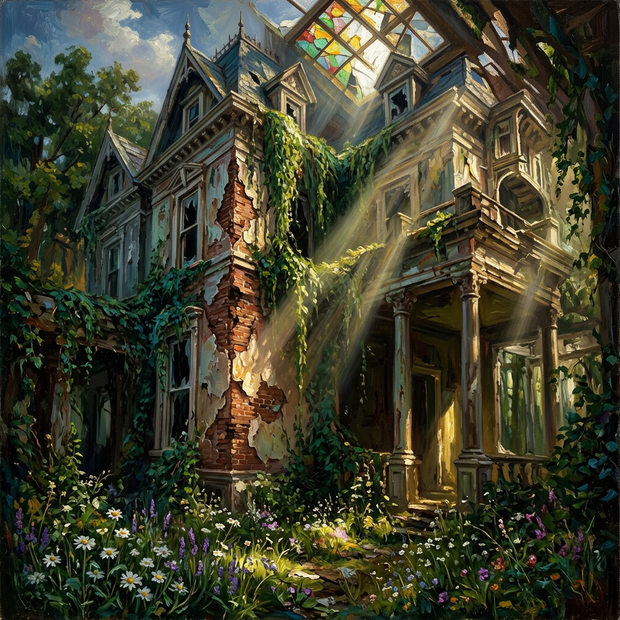
Prompt This is your image description. Want a fast result with little effort? Write a one-line idea like "an abandoned Victorian mansion overtaken by vines, oil painting style" and let the enhancer fill in lighting, mood, and composition. Want exact control over the look? Turn the enhancer off and write a full descriptive prompt yourself.
Enable prompt enhancement (default: on) Want short prompts to do more work? Keep it on. The ERNIE prompt enhancer takes your idea and expands it into a longer visual description before the image model sees it. Want your wording untouched? Switch it off. The catch with the enhancer on: you give up some control over phrasing in exchange for more detail.
Negative prompt What you do not want in the image. You can leave this empty for most prompts. Want to push away common issues? Add things like "blurry, low quality, extra fingers, washed out colors."
Resolution (default: 1024x1024) Need a portrait crop? Try 832x1216. Need landscape? 1216x832. The enhancer reads your width and height and shapes its description to match the aspect ratio.
Steps (default: 20) Want faster previews? Drop to 12 to 16. Want more refinement on complex scenes? Try 25 to 30. 20 is the sweet spot for most prompts.
CFG (default: 4) How closely the model follows your prompt. Want a looser, more creative read? Try 2 to 3. Want tight prompt adherence? Try 5 to 6. The catch: high CFG can introduce burn and color artifacts.
Seed Set to randomize for variety, or fix a number to reproduce a specific result. Useful when you want to compare prompt variations on the same composition. Try a few values and see what changes.
What is ERNIE Image good for?
ERNIE Image is Baidu's text to image model. It handles general scene generation, illustrations, and concept work from short prompts thanks to the built-in AI enhancer. Use it when you want detailed images without writing long prompts. Reach for a different model when you need image editing, character consistency across shots, or hyper-realistic portrait work.
The enhancer makes ERNIE Image forgiving for fast brainstorming. Type a few words about a scene, get back a fully described image. Good for mood boards, early concept art, and exploratory work where you do not yet know what you want.
When not to use it. Doing image-to-image edits or inpainting? A Klein 9B or Qwen Image Edit workflow will fit better. Need character consistency across many shots? Pair a Flux 2 Klein workflow with a Consistency LoRA. Need to control wording precisely without an enhancer rewriting your input? Disable the toggle, or pick a model that takes raw prompts directly.
FAQ
What is ERNIE Image? ERNIE Image is Baidu's text to image model. This workflow runs it locally with a Ministral 3B text encoder and the Flux 2 VAE, plus an optional second model that enhances your prompt before generation. You write the idea, ERNIE renders the image.
Do I need to write long prompts for ERNIE Image? No. The built-in prompt enhancer expands short prompts into detailed visual descriptions before the image model sees them. A one-line idea is enough. Turn the enhancer off if you want full control over wording.
What resolution does ERNIE Image work best at? The default is 1024x1024 and that is the safe starting point. For portraits try 832x1216, for landscapes try 1216x832. The enhancer reads your dimensions and adapts its output to the chosen aspect ratio.
What CFG and step count should I use for ERNIE Image? Start with the defaults: 20 steps and CFG 4, euler sampler with simple scheduler. Drop steps to 12 to 16 for faster previews. Push CFG to 5 to 6 for tighter prompt adherence, knowing high CFG can cause artifacts.
How to run ERNIE Image online? You can run ERNIE Image online through Floyo. No installation, no setup. Open the workflow in your browser, type a prompt, and hit run. Free to try.
Read more