

Camera Angle Control with Qwen
Qwen
Camera Angle Control
Image
LoRAs
Multi Angle
Qwen
889
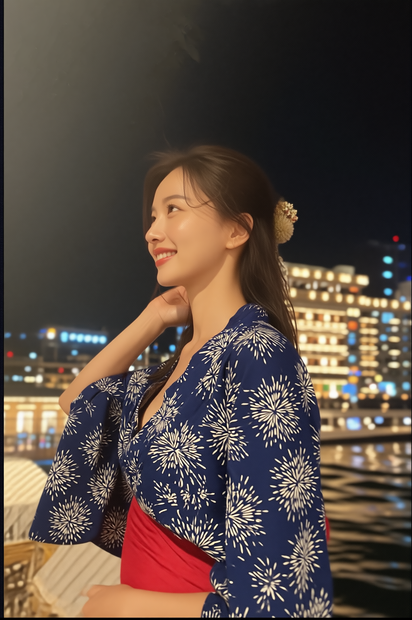
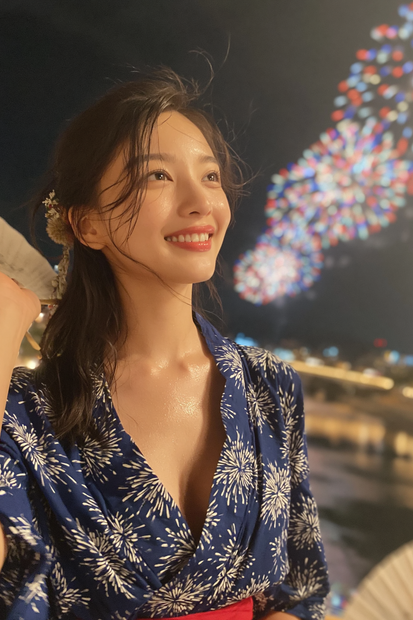
Nodes & Models
CLIPLoader
qwen_2.5_vl_7b_fp8_scaled.safetensors
VAELoader
qwen_image_vae.safetensors
UNETLoader
qwen_image_edit_2511_bf16.safetensors
LoadImage
LoraLoaderModelOnly
Qwen-Image-Edit-2511-Lightning-4steps-V1.0-bf16.safetensors
qwen-image-edit-2511-multiple-angles-lora.safetensors
TextEncodeQwenImageEditPlus
easy promptList
ModelSamplingAuraFlow
CFGNorm
KSampler
VAEDecode
SaveImage
QwenMultiangleCameraNode
TextEncodeQwenImageEditPlusPro_lrzjason
QwenMultiangleCameraNode
TextEncodeQwenImageEditPlusPro_lrzjason
1. Overview|概要
このワークフローは、QwenMultiAngleを使用したカメラアングル制御用の画像生成ワークフローです。
This workflow is an image generation workflow for camera angle control using QwenMultiAngle.
1枚の画像から、同じキャラクターやシーンを別角度で生成できます。
You can generate the same character or scene from different angles using a single image.
一度に4つのカメラアングルを生成できる点が特徴です。
A key feature is that it can generate four camera angles at once.
3Dウィジェットでカメラの向き、高さ、距離感を視覚的に指定できます。
You can visually control the camera direction, height, and shot size using a 3D widget.
手入力の角度プロンプトではなく、スライダーやプリセットで直感的にカメラを操作できます。
Instead of manually writing camera angle prompts, you can control the camera intuitively with sliders and presets.
Qwen系の画像編集モデルとMultiAngle LoRAを組み合わせて、視点変更を行います。
It combines a Qwen-based image editing model with a MultiAngle LoRA to change the viewpoint.
キャラクターの顔、衣装、雰囲気、背景を保ちながら、別視点の画像を作りやすい構成です。
This setup makes it easier to create alternate views while preserving the character’s face, outfit, mood, and background.
キャラクター資料、絵コンテ、漫画、アニメ、動画生成用の参照画像づくりに活用できます。
It can be used for character references, storyboards, comics, animation, and reference images for video generation.
2. How It Works|使い方
まず、角度変更したい元画像をアップロードしてください。
First, upload the source image you want to change the angle of.
次に、3Dウィジェットで生成したいカメラアングルを指定してください。
Next, select the camera angles you want to generate using the 3D widget.
3Dウィジェットでは、カメラの左右方向、高さ、ショットサイズを調整できます。
In the 3D widget, you can adjust the horizontal camera direction, camera height, and shot size.
設定した角度情報は、front-right quarter view, low-angle shot, close-up のような説明文として出力されます。
The selected angle information is output as descriptive text such as front-right quarter view, low-angle shot, close-up.
その角度情報が、Qwen系画像編集モデルの視点制御に渡されます。
That angle text is passed into the viewpoint control of the Qwen-based image editing model.
QwenMultiAngleが、元画像のキャラクターやシーンを保ちながら別視点の画像を生成します。
QwenMultiAngle generates alternate viewpoints while preserving the original character or scene.
一度に4つの角度を生成できるため、複数視点の資料を効率よく作成できます。
Because it can generate four angles at once, you can efficiently create multi-angle references.
基本的には、画像をアップロードし、3Dウィジェットで角度を指定して生成するだけで使えます。
Basically, you can use it by uploading an image, selecting angles in the 3D widget, and running the workflow.
Read more

_1786518453053.png?width=400&height=300&quality=80&resize=cover)




