


用 3D 做更多
查看全部

图生 3D 模型工作流一览图生 3D 模型工作流
全部 Workflows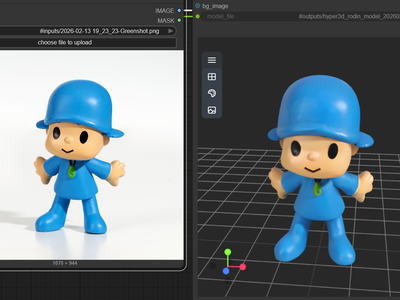

Hyper3D Rodin V2 for Image to 3D
Turn your images into 3D using Hyper3D Rodin v2
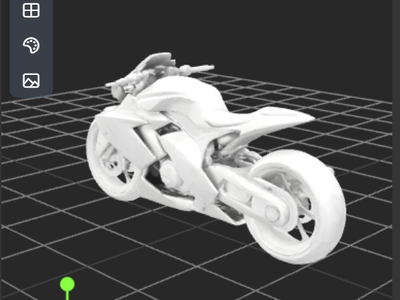
Meshy v6 Text to 3D Model
Create a 3D using Meshy v6 text to model
Image to 3D with Hunyuan3D
A simple workflow to create a detailed & textured 3D model from a reference image.
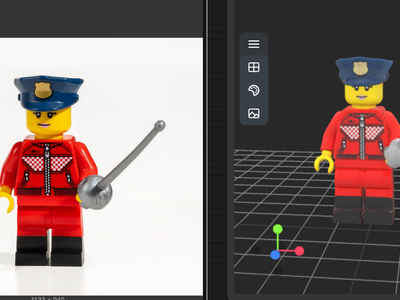
Meshy v6 for Image to 3D Model
Create a 3D model from Image using Meshy v6
Trellis 2 Image to 3D
Upload an image and Trellis 2 builds a textured 3D mesh with PBR materials. Outputs GLB ready for Blender, Unity, or Unreal in about a minute on an H100.
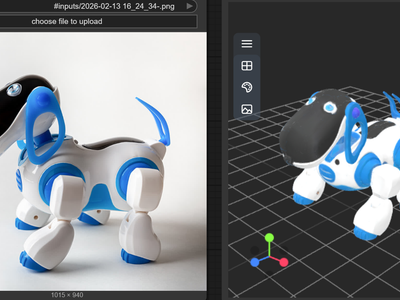
Tripo3D for Image to 3D
Create 3D model using Tripo3D with v2.5

SHARP · Image to 3D Gaussian Splat
Upload one image and Apple's SHARP model generates a 3D Gaussian Splat in under a second, with a live 3D preview and a downloadable PLY file.

TripoSplat · Image to 3D Turnaround
Turn one photo into a 3D Gaussian splat with TripoSplat by VAST-AI, plus colour, depth, normal, and clay turntable videos. Upload an image and hit run.

MoGe 2 for Perspective Image to 3D Mesh
Upload one photo and MoGe 2 by Microsoft Research converts it into a textured 3D mesh with depth maps, normal maps, and a downloadable GLB file. Hit run.

MoGe-2 · Panorama to 3D Mesh
Turn a 360 panorama into a textured 3D mesh with MoGe-2, Microsoft's geometry model. Upload a panorama, hit run, and download a GLB you can open anywhere.
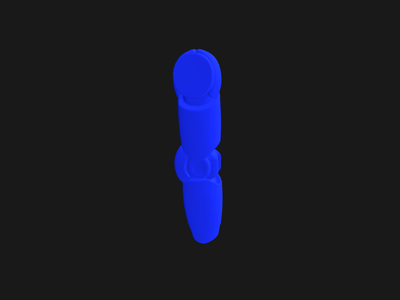
Hunyuan 3D v3.1 for Part Splitter
Break a 3D mesh into clean, separate components using Tencent's Hunyuan 3D Part Splitter. Paste a link to an FBX file, hit run, and download each part individually.

Hi3D for Multiview to 3D
Upload one to four photos of an object from different angles. Hi3D V3 reconstructs a textured, PBR-ready 3D model you can open in Blender, Unity, or Unreal.
Workflows = API
每个工作流都是一个 API 端点。 无需搭建后端,就能在你的产品中加入 AI 生成功能。 选一个工作流,自定义设置,点击“复制 Floyo API 代码片段”,搞定。

MCP
平台上的每个工作流,都能被你自己的智能体和内部工具调用,并受同样的管理员管控。
mcp.floyo.ai/mcp
简易模板
打开一个现成的工作流,阅读说明,修改输入,点击 Run。大多数人从来不用打开节点。复杂的部分可有可无,都藏在幕后。

Trust Center
在任何人运行之前,就知道是否安全。每个模型都标有 Verified Private 和 Commercial Use 状态,团队管控还能屏蔽你未批准的模型。管理员可以选择团队能使用哪些模型、提供商和节点。

简易模板
打开一个现成的工作流,阅读说明,修改输入,点击 Run。大多数人从来不用打开节点。复杂的部分可有可无,都藏在幕后。
Trust Center
在任何人运行之前,就知道是否安全。每个模型都标有 Verified Private 和 Commercial Use 状态,团队管控还能屏蔽你未批准的模型。管理员可以选择团队能使用哪些模型、提供商和节点。
Workflows = API
每个工作流都是一个 API 端点。 无需搭建后端,就能在你的产品中加入 AI 生成功能。选一个工作流,自定义设置,点击“复制 Floyo API 代码片段”,搞定。
