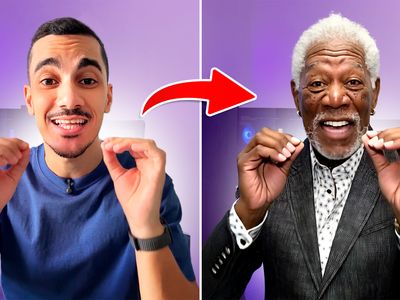
Realistic Product or Props Replacement
Animate
Image
LoRAs
Qwen_2509
Realistic
Video
wan2.2
1.1k

Nodes & Models
UNETLoader
qwen_image_edit_2509_fp8_e4m3fn.safetensors
CLIPLoader
qwen_2.5_vl_7b_fp8_scaled.safetensors
VAELoader
#community_models/loras/qwen_image_vae-realistic-product-or-pro-gyH0Yjc7.safetensors
GetNode
MarkdownNote
EmptySD3LatentImage
Label (rgthree)
Note
LoadImage
CLIPVisionLoader
clip_vision_h.safetensors
Fast Groups Bypasser (rgthree)
SetNode
ModelSamplingAuraFlow
ImageScaleToTotalPixels
MaskToImage
PreviewImage
CFGNorm
TextEncodeQwenImageEditPlus
VAEEncode
InpaintModelConditioning
KSampler
VAEDecode
SaveImage
WanVideoTorchCompileSettings
WanVideoBlockSwap
WanVideoLoraSelectMulti
WanAnimate_relight_lora_fp16.safetensors
lightx2v_I2V_14B_480p_cfg_step_distill_rank64_bf16.safetensors
WanVideoVAELoader
Wan2_1_VAE_bf16.safetensors
WanVideoModelLoader
Wan2_2-Animate-14B_fp8_e4m3fn_scaled_KJ.safetensors
WanVideoSetLoRAs
WanVideoTorchCompileSettings
WanVideoBlockSwap
WanVideoTextEncodeCached
umt5-xxl-enc-bf16.safetensors
WanVideoLoraSelectMulti
WanAnimate_relight_lora_fp16.safetensors
lightx2v_I2V_14B_480p_cfg_step_distill_rank64_bf16.safetensors
WanVideoVAELoader
Wan2_1_VAE_bf16.safetensors
WanVideoContextOptions
WanVideoModelLoader
Wan2_2-Animate-14B_fp8_e4m3fn_scaled_KJ.safetensors
WanVideoClipVisionEncode
WanVideoSetLoRAs
WanVideoAnimateEmbeds
WanVideoSetBlockSwap
WanVideoSampler
WanVideoDecode
INTConstant
INTConstant
ImageResizeKJv2
ImageConcatMulti
GetImageSizeAndCount
GrowMaskWithBlur
BlockifyMask
DrawMaskOnImage
DownloadAndLoadSAM2Model
sam2.1_hiera_base_plus.safetensors
Sam2Segmentation
DownloadAndLoadSAM2Model
sam2.1_hiera_base_plus.safetensors
Sam2Segmentation
OnnxDetectionModelLoader
PoseAndFaceDetection
DrawViTPose
Anything Everywhere
InpaintCropImproved
InpaintStitchImproved
VHS_LoadVideo
VHS_VideoCombine
ImageResizeKJv2
ImageConcatMulti
GetImageSizeAndCount
Image Comparer (rgthree)
DrawMaskOnImage
Performance-Driven Prop Replacement

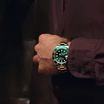
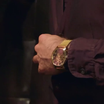
This workflow lets you replace any prop in a video—like a watch, bottle, phone, or product—while keeping the original performance exactly the same.
You don’t need to reshoot anything.
The system updates the object, but preserves every detail of the actor’s movement:
✔ Same face and expressions
✔ Same hand motion
✔ Same timing
✔ Same body performance
Only the prop changes—cleanly and consistently.
How It Works
1. Turn on Qwen (the Image Editor)
Qwen acts like Photoshop for a single frame.
It lets you modify the first frame of the video, replacing the original object with the new one.
2. Select the Area That Needs Replacement
Load the first frame and highlight the region:
the wrist
the hand
the table
or wherever the prop is located
This tells the system:
“This is where the new item will appear.”
3. Describe the New Prop
Tell Qwen exactly what should replace the old object.
Examples:
“gold luxury watch on the wrist”
“sleek black smartphone in hand”
“matte black perfume bottle on the table”
Qwen generates a clean, realistic edit with proper:
✔ angle
✔ lighting
✔ shadows
✔ reflections
✔ proportions
4. Send This Edited Frame Into Wan2.2
The edited frame becomes the reference image.
Wan 2.2 understands:
“This is the new object—keep it stable in every frame of the video.”
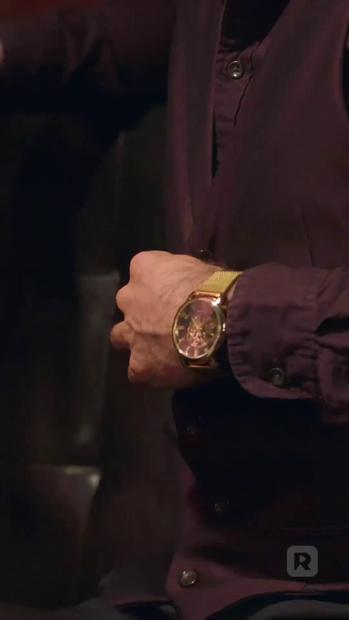
5. Upload Your Original Video
Your raw video supplies all the natural body motion:
✔ hand movement
✔ wrist rotation
✔ expressions
✔ timing
✔ gestures
Wan 2.2 uses this motion data so the performance stays 100% original.
6. Activate Wan2.2 Animate
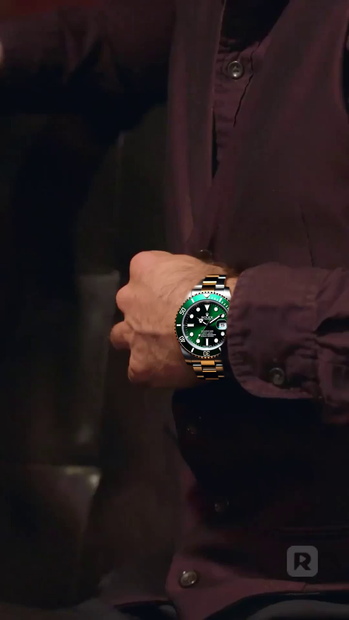
Wan 2.2 rebuilds the entire video with the new prop integrated frame-by-frame.
The result:
✔ No flicker
✔ No jitter
✔ No warping
✔ The prop stays locked to the hand/wrist
✔ Motion stays perfectly natural
🎬 Final Result
You get a seamless video where:
✨ The original prop is fully replaced
✨ The new object looks physically correct
✨ The movement, expressions, and performance remain untouched
✨ The replacement stays consistent across the entire clip
The final output looks like the video was shot with the new prop from the beginning.
Read more