Qwen Image Edit – Portrait Light Migration
Image
Image to Image
Lightning
Portrait
Qwen
966

Nodes & Models
CLIPLoader
qwen_2.5_vl_7b_fp8_scaled.safetensors
UNETLoader
qwen_image_edit_2509_fp8_e4m3fn.safetensors
VAELoader
qwen_image_vae.safetensors
Note
MarkdownNote
WorkflowGraphics
LoadImage
ImageScaleToTotalPixels
VAEEncode
TextEncodeQwenImageEditPlus
KSampler
VAEDecode
SaveImage
Qwen Image Edit – Lighting Transfer & Light Migration (Stable Workflow)
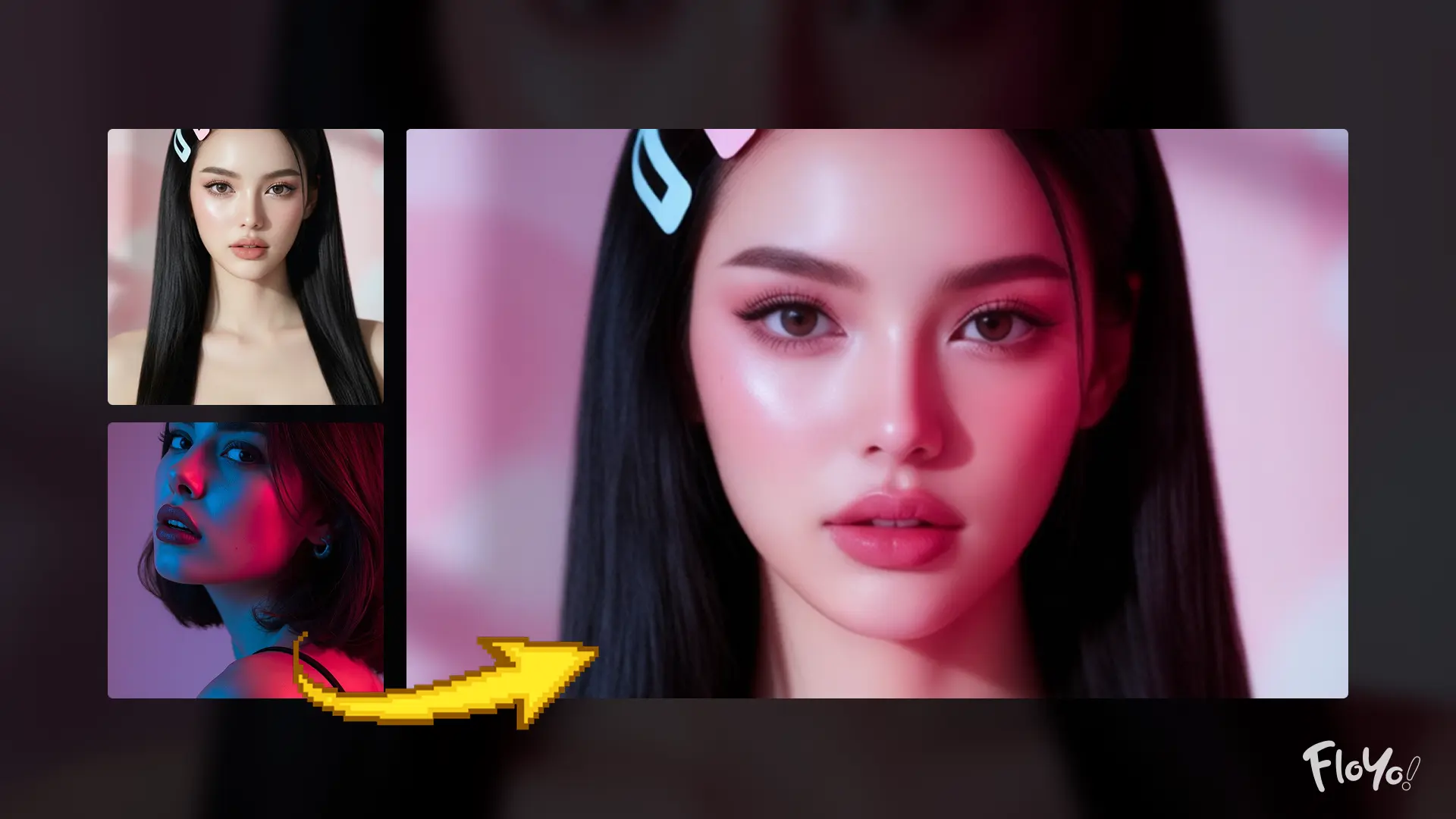
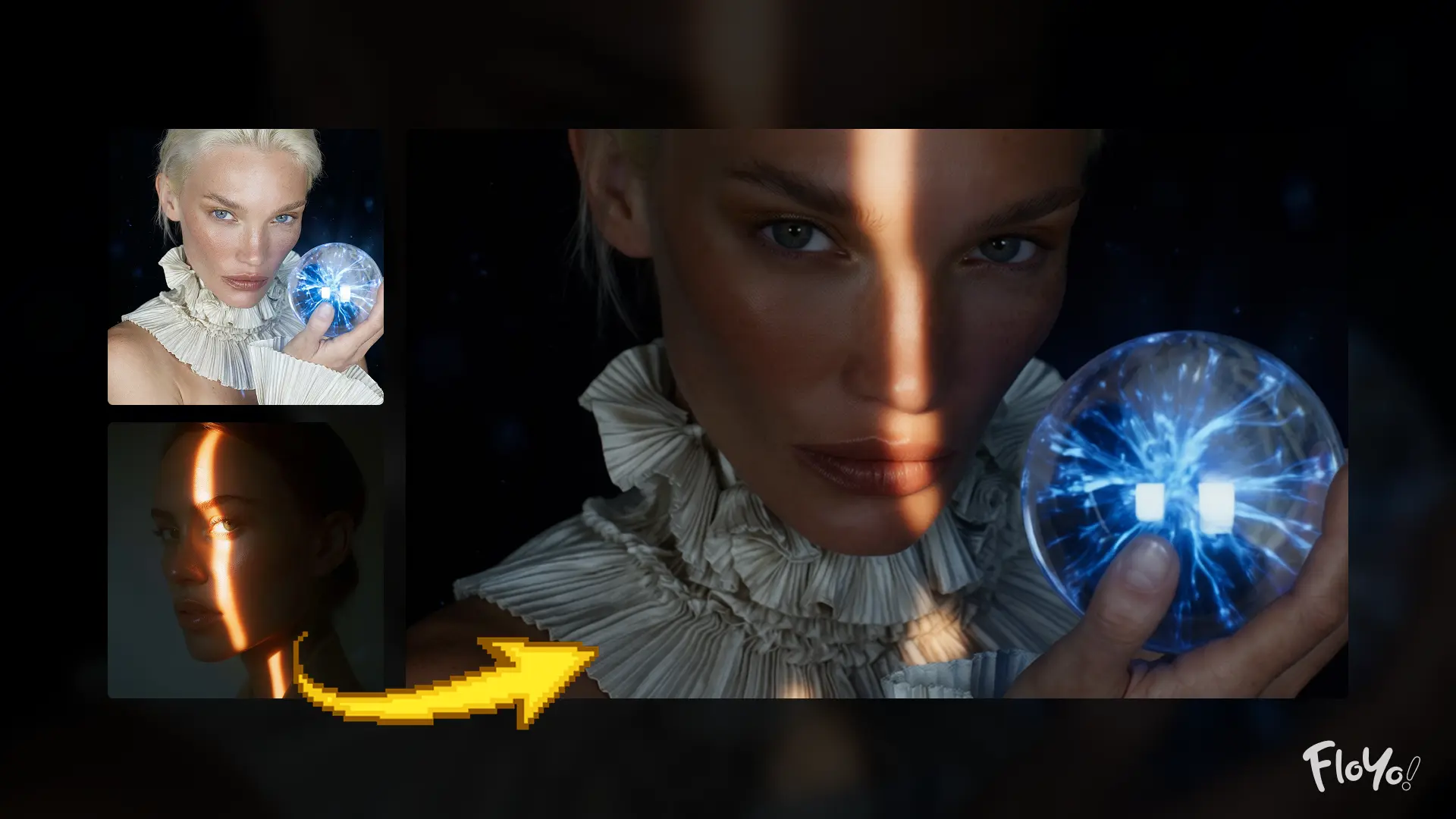
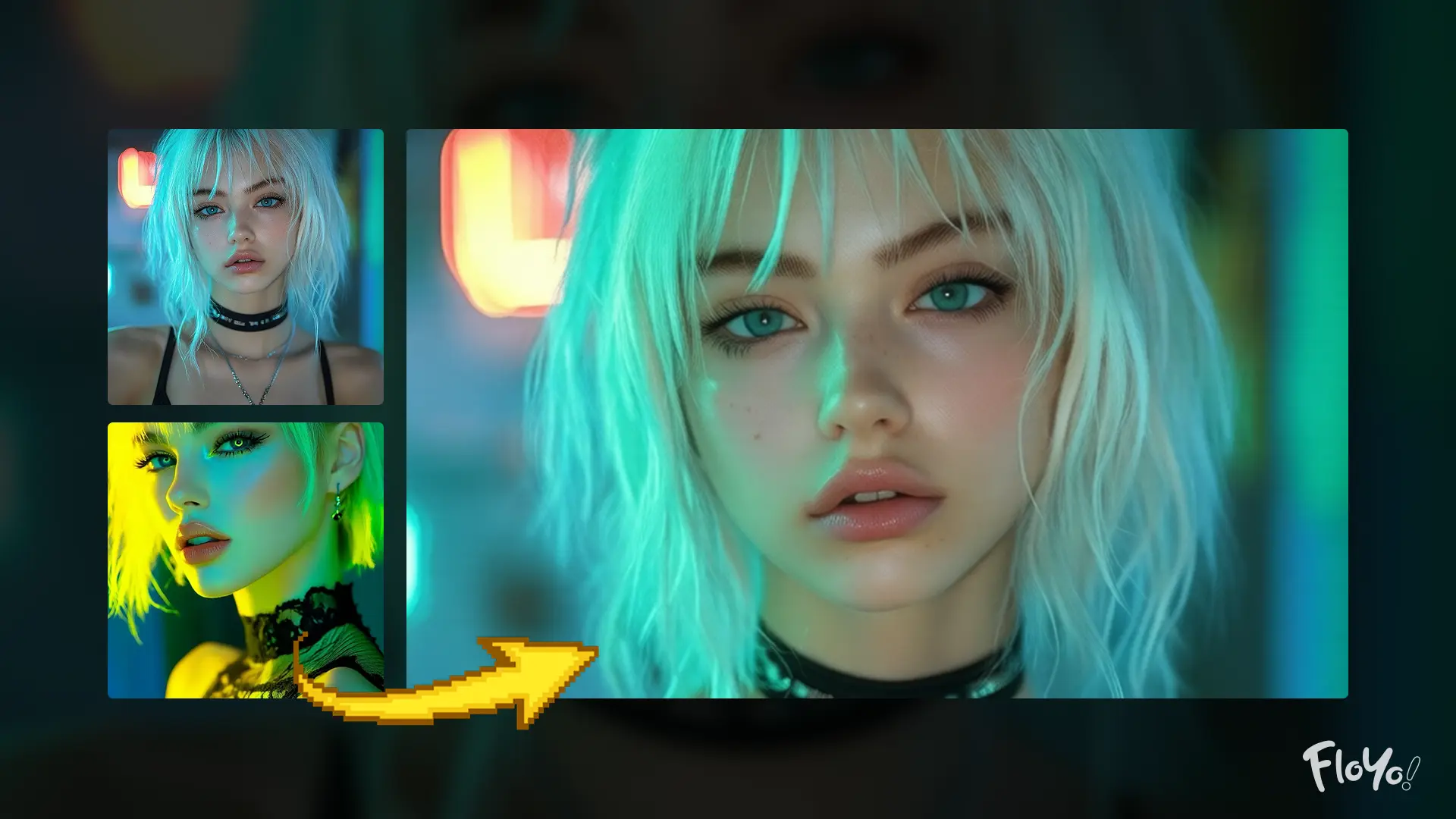
This workflow transfers lighting and color mood from a reference image onto a subject image, cleanly re-lighting the subject while preserving its original structure, details, and identity.
No manual relighting.
No layer masking.
No complex compositing.
The system removes the original lighting from the subject image and re-illuminates it using the lighting characteristics of a second reference image.
Everything stays consistent:
✔ Same subject identity and facial features
✔ Same geometry, edges, and structure
✔ Same materials and textures
✔ Same composition and framing
Only the lighting, shadows, and color tone change—naturally and coherently.
How It Works
1. Upload the Subject Image
Upload the main image you want to edit.
This image defines:
✔ subject identity
✔ structure and geometry
✔ surface details and edges
✔ overall composition
The subject itself remains unchanged throughout the process.
2. Upload the Lighting Reference Image
Upload a second image that provides the desired lighting and color mood.
This image defines:
✔ light direction and intensity
✔ shadow behavior
✔ color temperature and tone
✔ overall lighting atmosphere
Only lighting information is transferred—no content or structure.
3. Intelligent Light Migration
The workflow uses Qwen Image Edit’s dual-image understanding to:
✔ remove the original lighting from the subject
✔ analyze lighting cues from the reference image
✔ re-apply lighting naturally onto the subject
Structural elements like faces, objects, and edges are preserved without distortion.
4. Structure & Detail Preservation
AI ensures:
✔ stable shapes and proportions
✔ preserved facial features
✔ intact textures and materials
✔ clean edges and contours
No warping, no identity drift, no unwanted changes.
5. Stable Image Generation
The optimized, platform-safe pipeline ensures:
✔ controlled sampling
✔ consistent results
✔ reduced instability on cloud platforms
The output remains clean, realistic, and visually coherent.
6. Save the Final Output
Once processing completes, the final re-lit image is saved automatically and ready for use.
🎯 Final Result
You get a production-ready, re-lit image that:
✨ Matches the lighting style of the reference image
✨ Preserves the original subject perfectly
✨ Requires only two input images
✨ Ideal for portraits, product shots, cinematic relighting, fashion, and visual experiments
The final result looks like a professionally re-lit photo—without manual lighting setups or post-processing.
Read more