Batch Image Upscaler
Max 50 images upscale at once
Image
Upscale
492


Nodes & Models
DualCLIPLoader
t5xxl_fp16.safetensors
clip_l.safetensors
Note
VAELoader
ae.safetensors
UNETLoader
flux1-dev-fp8.safetensors
KSamplerSelect
Label (rgthree)
ControlNetLoader
FLUX.1/flux_shakker_labs_union_pro-2.0.safetensors
UpscaleModelLoader
4x-ClearRealityV1.pth
CLIPTextEncode
SetUnionControlNetType
FluxGuidance
PreviewImage
ControlNetApplyAdvanced
SaveImage
Load Image Batch
DetailDaemonSamplerNode
AIO_Preprocessor
AIO_Preprocessor
UltimateSDUpscaleCustomSample
Batch Image Upscaler (Up to 50 files per click)
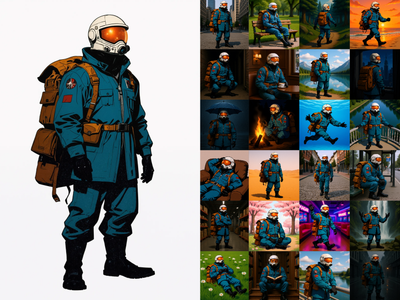
This workflow upscales a folder of images in batch using the same upscale settings for every file. It’s designed for production-style “drop a set of images → run once → get a matching set of upscaled outputs.”
What it does
Loads images from an inputs folder in sequence
Runs the upscaling pipeline on each image (same settings each time)
Saves one upscaled output per input image into the outputs folder
How to use
Open My Files → inputs and upload your images into a folder (example:
inputs/upscale_batch/).In the workflow, set the Load Image Batch folder path to your uploaded folder.
Set your Queue/Run count to the number of files you want processed (recommended: max 50 per batch).
Click Run. The workflow will process one image per queued run and write outputs automatically.
Read more