


COMMUNITY PAGE
Run Gemini Omni Flash
Home / Model / Gemini Omni Flash on Floyo
AI VIDEO GENERATION
Run Gemini Omni Flash on Floyo
Google DeepMind's conversational video model. Generate and edit video through multi-turn dialogue. Text-to-video, image-to-video, subject reference, and stateful editing where each instruction builds on the previous result. Fuses Gemini reasoning with Veo rendering and Genie world simulation. Native audio. SynthID watermarked.
Run Google's Gemini Omni Flash through ComfyUI in your browser. No API key, no installs, no local GPU.
|
Architecture Gemini + Veo + Genie |
Editing Stateful multi-turn (conversational) |
|
Inputs Text + images + video |
Aspect Ratios 16:9 (landscape) + 9:16 (portrait) |
No installation. Runs in browser. Updated July 2026.
_1783417374872.gif?width=400&height=300&quality=80&resize=cover)

ai video
audio
gemini omni flash
image to video
Upload a starting image and describe the scene. Gemini Omni Flash by Google animates it into a 6-second video with native audio, cinematic motion, and synchronized sound effects.
Gemini Omni Flash · Image to Video
Upload a starting image and describe the scene. Gemini Omni Flash by Google animates it into a 6-second video with native audio, cinematic motion, and synchronized sound effects.
_1783415874459.gif?width=400&height=300&quality=80&resize=cover)
ai video
audio
gemini omni flash
text to video
Write a prompt describing a scene and Gemini Omni Flash by Google generates a video with native audio at up to 8 seconds in 16:9, ready to download as MP4.
Gemini Omni Flash · Text to Video
Write a prompt describing a scene and Gemini Omni Flash by Google generates a video with native audio at up to 8 seconds in 16:9, ready to download as MP4.
_1783426180163.webp?width=400&height=300&quality=80&resize=cover)
API
Gemini
Prompt-Based Editing
video to video
A prompt-based video editing workflow that lets you edit an existing video with a plain-language instruction using Google's Gemini Omni Flash model.
Gemini Omni Flash: Video Editing
A prompt-based video editing workflow that lets you edit an existing video with a plain-language instruction using Google's Gemini Omni Flash model.
What you get?
Gemini Omni Flash is Google DeepMind's conversational video generation and editing model, announced at Google I/O 2026. Model ID: gemini-omni-flash-preview. It fuses Gemini's language reasoning with Veo's video rendering and Genie's physics simulation into one unified architecture. Four task modes: text-to-video, image-to-video, reference-to-video (multiple subject images), and stateful edit. Conversational multi-turn editing lets you refine video through natural language dialogue without regenerating from scratch. Native audio generation (music, SFX, ambient). Timecode syntax for precise event timing ([0-3s], [3-6s]). Text rendering in video. Image role tagging for first frames and subject references. 16:9 and 9:16 aspect ratios. SynthID watermarked. Available as ComfyUI API nodes on Floyo with 3 workflows.
GEMINI OMNI FLASH WORKFLOWS ON FLOYO
Gemini Omni Flash Text to Video
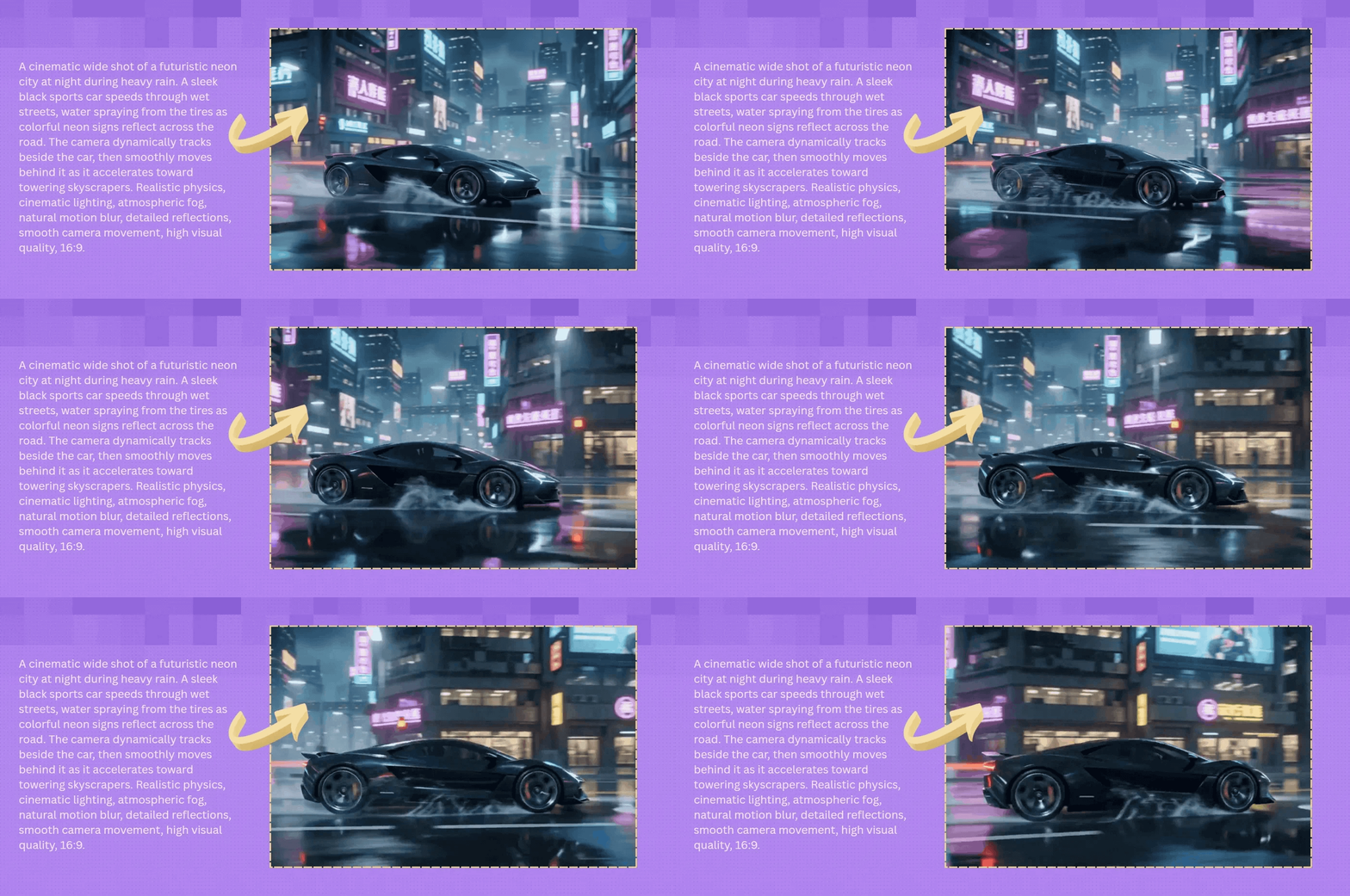
_1783417374872_1784270138449.webp?width=1400&height=620&quality=80&resize=cover)
_1783417374872_1784270144834.webp?width=1400&height=620&quality=80&resize=cover)
_1783417383749_1784270245562.webp?width=1400&height=620&quality=80&resize=cover)
_1783415874459_1784270254389.webp?width=1400&height=620&quality=80&resize=cover)
_1783417374872_1784270138449.webp?width=104&height=104&quality=80&resize=cover)
_1783417374872_1784270144834.webp?width=104&height=104&quality=80&resize=cover)
_1783417383749_1784270245562.webp?width=104&height=104&quality=80&resize=cover)
_1783415874459_1784270254389.webp?width=104&height=104&quality=80&resize=cover)

What is Gemini Omni Flash?
Gemini Omni Flash (model ID: gemini-omni-flash-preview) is Google DeepMind's conversational video generation and editing model, announced at Google I/O 2026 on May 19. It is a reasoning model that creates and edits video, not a video model with reasoning added. The unified architecture fuses Gemini's language understanding, Veo's visual rendering, and Genie's world simulation (physics, causality, spatial reasoning) into one system.
The headline capability is stateful conversational editing. Generate a video, then edit it through natural language instructions. "Make the violin invisible." "Add a cat that jumps onto his lap." "Change the lighting to be more dramatic." Each turn builds on the previous result. The model remembers the video context and applies changes while preserving what you did not mention. This is not re-generation with a modified prompt. It is incremental editing on an existing video state.
By default, Omni Flash creates multi-shot sequences with narrative flow. It crafts scene transitions, camera movements, and pacing based on your prompt. If you need a single continuous shot instead, specify "in a single unbroken scene" or "no scene cuts" in your prompt. The model also supports timecode syntax for precise event timing: [0-3s] person walking, [3-6s] they stop and turn, [6-10s] they start running.
Subject reference works through image role tagging. Upload reference images and tag them with <FIRST_FRAME> (use as the starting frame) or <IMAGE_REF_0>, <IMAGE_REF_1> (use as identity references). A prompt like "a woman <IMAGE_REF_0> is walking while holding <IMAGE_REF_1>" composites two separate subject references into one coherent video.
On Floyo, Gemini Omni Flash runs through ComfyUI API nodes. Three workflows cover text-to-video, image-to-video, and video editing. No Google Cloud setup, no Gemini API key management, no Interactions API configuration.
What are Gemini Omni Flash's technical specifications?
Gemini Omni Flash uses a unified Gemini + Veo + Genie architecture. Four task modes: text_to_video, image_to_video, reference_to_video, and edit. Stateful multi-turn editing via interaction chaining. Native audio generation. Timecode syntax for per-second event control. Image role tagging for first frames and subject references. 16:9 and 9:16 aspect ratios. SynthID watermarking on all outputs. English fully supported.
| Spec | Details |
|---|---|
| Developer | Google DeepMind |
| Model ID | gemini-omni-flash-preview |
| Architecture | Unified: Gemini reasoning + Veo rendering + Genie world simulation |
| Task Modes | text_to_video, image_to_video, reference_to_video, edit |
| Stateful Editing | Yes (multi-turn via previous_interaction_id chaining) |
| Aspect Ratios | 16:9 (landscape, default), 9:16 (portrait) |
| Audio | Native synchronized (music, SFX, ambient). Promptable mood and style. |
| Timecode Syntax | Yes ([0-3s], [3-6s], [6-10s] for per-second event control) |
| Text in Video | Yes (readable, animated text rendering) |
| Image Role Tags | <FIRST_FRAME> (starting frame), <IMAGE_REF_N> (subject references) |
| Subject References | Multiple reference images with per-image role assignment |
| Edit Uploaded Video | Yes (via Files API upload; not available in EEA/Switzerland/UK) |
| Watermark | SynthID (invisible, programmatically detectable) |
| Language | English fully supported (other languages may work but unverified) |
| Status | Preview |
| ComfyUI Access | API-based nodes on Floyo (3 workflows) |
| Announcement | Google I/O 2026 (May 19, 2026) |
What can you create with Gemini Omni Flash?
Gemini Omni Flash covers text-to-video, image animation, subject-referenced generation, stateful video editing, multi-shot narrative sequences, timed event control, text-in-video rendering, and audio-directed generation. The conversational editing workflow lets you iterate on a single video through dialogue rather than re-prompting from scratch. Three Floyo workflows cover generation, animation, and editing.
| Capability | What It Does | Use Case |
|---|---|---|
| Conversational Editing | Generate a video, then edit through natural language. "Make the violin invisible." "Change the lighting." Each turn builds on the previous result. The model preserves what you did not mention. | Client revisions, iterative refinement, creative direction |
| Text-to-Video | Generate multi-shot video with audio from a text prompt. Describe scenes, camera movements, lighting, and audio mood. The model crafts narrative pacing and transitions automatically. | Short films, ads, social content, product demos |
| Image-to-Video | Upload an image (product shot, illustration, photograph) and animate it into video with audio. The model decides how to use the image based on your prompt. | Product animation, photo stories, concept-to-motion |
| Subject Reference | Upload multiple reference images with role tags. <IMAGE_REF_0> for a person, <IMAGE_REF_1> for an object. The model composites both into one coherent scene. | Character-led content, product placement, branded scenes |
| Timecode Control | Use [0-3s], [3-6s], [6-10s] syntax to time events per second. "At 5s the chorus starts." "Every 2s cut to a new frame." Precise control over pacing and rhythm. | Music videos, rapid-fire montages, scripted sequences |
| Pipeline Integration | Chain with other models in ComfyUI. Generate a character with Nano Banana, animate with Omni Flash, add narration with ElevenLabs, upscale with Topaz. All in one workflow on Floyo. | Multi-model production pipelines |
What are Gemini Omni Flash's key features?
Gemini Omni Flash's feature set is defined by one shift: video editing as a conversation. Previous models treat each generation as isolated. Omni Flash chains interactions into a persistent editing session. Every other feature (timecode syntax, image role tags, multi-shot defaults) follows from this conversational foundation.
Stateful Multi-Turn Editing
Generate a video, then send follow-up instructions that modify the existing result. The model remembers the full video context from the previous turn. "Make the phone invisible. Keep everything else the same." The phone disappears. The person's hand, the background, the lighting, the audio all persist. This works across multiple turns: generate, edit, edit again, edit again. Each turn produces a new video that builds on the previous one. No re-uploading, no re-describing the scene.
Multi-Shot Narrative by Default
By default, Omni Flash creates videos with multiple shots, scene transitions, and narrative pacing. It interprets your prompt as a story, not a single frame. For a prompt about "a woman playing violin outdoors," the model might open with an establishing shot of the park, cut to a medium shot of the violinist, then close on her hands. If you need a single continuous take, add "in a single unbroken scene" to your prompt.
Timecode Event Syntax
Control exactly when events happen using natural language or timecode brackets. "[0-3s] A person is walking. [3-6s] They stop and turn around. [6-10s] They start running." Or: "At 5s the chorus starts in the background." "Every 2s cut to a new frame." "Every half a second change the scene to a new location." This level of per-second control is unique among video generation models.
Image Role Tagging
Upload multiple images and assign each one a specific role. <FIRST_FRAME> uses an image as the starting frame. <IMAGE_REF_0> through <IMAGE_REF_N> use images as subject references. A prompt like "a woman <IMAGE_REF_0> is walking while holding <IMAGE_REF_1>" composites two separate reference subjects into a single scene. Up to 6+ reference images demonstrated in the API docs.
Promptable Audio Generation
Audio is generated alongside video by default. Direct the audio through your prompt: "Include calm background music." "The audio is a low tinny radio broadcast." "High energy techno beat." You can also suppress unwanted audio elements: "No dialogue." "No extra sound effects." The model matches audio mood and timing to the visual content.
Edit Uploaded Videos
Upload your own video files and edit them with text instructions. "When the person touches the mirror, make the mirror ripple like liquid." The model applies VFX-style edits to real footage. This turns Omni Flash from a generation tool into an editing tool. Upload footage from your phone, describe the edit, and get modified video back. Available in most regions (not EEA/Switzerland/UK for uploaded video editing).
Text Rendering in Video
Prompt for readable text in your video. "One word on the screen at a time: did, you, know, that, Omni, can, do, awesome, text? Each word appears for 1s with a different animated style." Street signs, storefront names, license plates, and on-screen titles all render legibly. Specify exact text content in your prompt to control what appears.
How does Gemini Omni Flash compare to other video models?
Gemini Omni Flash leads on conversational stateful editing, timecode event control, and multi-modal reasoning. HappyHorse 1.0 leads on arena ranking and cinematic depth-of-field. Vidu Q3 leads on duration (16 seconds) and reference consistency. Seedance 2.0 leads on multi-modal reference input (12 files). Omni Flash's edge: edit without regenerating, per-second event timing, image role tagging, and unified Gemini reasoning for intent understanding.
| Model | Stateful Edit | Timecode Control | Image Role Tags | Edit Uploaded Video |
|---|---|---|---|---|
| Gemini Omni Flash | Yes (multi-turn) | Yes ([0-3s] syntax) | Yes (FIRST_FRAME + REF_N) | Yes (Files API) |
| HappyHorse 1.0 | V2V editing | No | Subject reference | V2V mode |
| Vidu Q3 | No | No | 1-4 references | No |
| Seedance 2.0 | No | Timeline prompting | Up to 12 references | No |
Source: Google DeepMind Gemini API documentation (ai.google.dev/gemini-api/docs/omni), Google I/O 2026 keynote, TechCrunch reporting, and third-party reviews as of July 2026.
How does Gemini Omni Flash work?
Gemini Omni Flash uses a unified architecture that fuses three Google DeepMind systems. Gemini provides language reasoning for intent understanding, prompt decomposition, and context tracking across turns. Veo provides the video rendering engine for cinematic frame generation. Genie provides world simulation for physics-aware motion, causality, and spatial coherence. All three operate as one system, not a pipeline.
The Interactions API is the delivery mechanism. Each video generation or edit is an "interaction." For multi-turn editing, you pass the previous_interaction_id to chain turns together. The model carries forward the full video context from the previous interaction. This is how stateful editing works: the model does not re-interpret your original prompt. It starts from the existing video and applies only the changes you describe.
Image inputs are processed with role awareness. When you tag an image with <FIRST_FRAME>, the model uses it as the literal starting frame of the video. When you tag with <IMAGE_REF_N>, the model extracts identity features (face, clothing, object shape) and maintains them throughout the generated video. Multiple references compose into a single scene. The model understands which reference contributes which element.
On Floyo, Gemini Omni Flash runs through ComfyUI API nodes on H100 NVL GPUs. Your prompt (and optional images/video) are sent to Google's inference servers. The generated video with audio returns to your ComfyUI canvas as MP4. You can chain it with other models: generate characters with Nano Banana, animate with Omni Flash, add narration with ElevenLabs, upscale with Topaz.
Fair warning: Gemini Omni Flash is in preview status. Audio reference upload is not yet supported. Video references up to 3 seconds are accepted but not processed correctly by the model. Multi-video prompting is not supported. Video extension and interpolation are not supported. Voice editing is not supported. Editing uploaded videos is not available in the EEA, Switzerland, or UK. English is fully supported; other languages are unverified. Content safety filters are active. SynthID watermarking is applied to all outputs. API pricing applies through your Floyo API Wallet.
Frequently Asked Questions
Common questions about running Gemini Omni Flash on Floyo.
You can start with Floyo's free pricing plan. Floyo gives $0.25 in free API credits on signup. To continue using the service beyond the free tier, upgrade your Floyo pricing plan. Gemini Omni Flash runs as an API node, so generation costs come from your API Wallet (separate from your plan's GPU time).
Open Floyo in your browser, search "Gemini Omni" in the template library, and pick a workflow (text-to-video, image-to-video, or video editing). Click Run, write your prompt, and generate. Floyo handles the ComfyUI environment and Google API connection. No Gemini API key, no Google Cloud setup, no local install.
Google DeepMind. Announced at Google I/O 2026 on May 19 by CTO Koray Kavukcuoglu. Model ID: gemini-omni-flash-preview. Currently in preview status. Available through the Gemini API, Gemini app, Google Flow, YouTube Shorts, YouTube Create App, and through ComfyUI on Floyo.
Yes. This is Gemini Omni Flash's headline capability. Generate a video, then send follow-up text instructions. "Make the violin invisible." "Add rain." "Change the music to something tense." Each turn produces a new video that builds on the previous result. The model preserves elements you did not mention. You can also upload your own videos and edit them with text instructions.
Omni Flash leads on conversational editing (multi-turn stateful editing), timecode event control, image role tagging, and uploaded video editing. HappyHorse 1.0 leads on arena ranking (Elo 1,392), cinematic depth-of-field quality, 7-language lip-sync, and 15-second 1080p output. Use Omni Flash when you need iterative editing and precise timing control. Use HappyHorse for maximum cinematic quality. Both are available on Floyo.
Yes. Floyo runs ComfyUI, which lets you chain multiple models. Generate a character with Nano Banana, animate with Omni Flash, add narration with ElevenLabs or Fish Audio S2, upscale with Topaz Video AI. All in one pipeline, all in your browser.
Yes. Use timecode syntax in your prompt: [0-3s] person walking, [3-6s] they stop and turn, [6-10s] they run. Or use natural language: "At 5s the chorus starts." "Every 2s cut to a new frame." This gives you per-second control over pacing, scene cuts, and audio events.
Yes. Upload reference images and tag them with <IMAGE_REF_0>, <IMAGE_REF_1> etc. in your prompt. The model extracts identity features from each reference and maintains them throughout the video. You can also tag an image as <FIRST_FRAME> to use it as the starting frame. Multiple references compose into a single coherent scene.
Try Gemini Omni Flash on Floyo
Google DeepMind's conversational video model. Generate, edit, and refine through dialogue with stateful multi-turn editing, timecode control, and subject references. Run it in your browser.
Try Omni Flash Now → Browse All ModelsRelated Reading
Film and Animation Workflows on Floyo
AI Ad Creatives for Social and Web
Last updated: July 2026. Specs from Google DeepMind Gemini API documentation (ai.google.dev/gemini-api/docs/omni), Google I/O 2026 keynote (May 19, 2026), Interactions API reference, and third-party reviews.
Run Gemini Omni Flash online through ComfyUI on Floyo. Google DeepMind's conversational video model with stateful multi-turn editing, text-to-video, image-to-video, subject reference tagging, timecode event control, native audio, and text rendering in video. Gemini reasoning + Veo rendering + Genie physics. 3 workflows. No install, no GPU, browser-based. Free to try.