



COMMUNITY PAGE
Run Ernie on Floyo
Home / Model / ERNIE Image on Floyo
AI IMAGE GENERATION
Run ERNIE Image on Floyo
Baidu's 8B parameter text-to-image model with built-in prompt enhancer. Exceptional text rendering for posters, infographics, and UI mockups. Bilingual (Chinese + English). Apache 2.0 licensed.
Run Baidu's ERNIE Image through ComfyUI in your browser. No API key, no installs, no local GPU.
|
Parameters 8B (DiT) |
Text Rendering LongTextBench: 0.9733 |
|
Architecture Single-stream DiT + Prompt Enhancer |
License Apache 2.0 |
No installation. Runs in browser. Updated April 2026.
What you get?
ERNIE Image is Baidu's 8B parameter open-source text-to-image model, released April 15, 2026 under the Apache 2.0 license. Built on a single-stream Diffusion Transformer (DiT) with a lightweight Prompt Enhancer that expands short prompts into detailed visual descriptions before generation. Scores 0.9733 on LongTextBench (text rendering) and 0.8856 on GenEval (instruction following). Handles posters, infographics, UI mockups, comics, multi-panel layouts, and bilingual Chinese/English text with precision. Two variants: SFT (50 steps, max quality) and Turbo (8 steps, 6x faster). Runs on a single 24GB consumer GPU. Available as a ComfyUI node on Floyo.
ERNIE IMAGE WORKFLOWS ON FLOYO
What is ERNIE Image?
ERNIE Image is Baidu's open-source text-to-image model, released April 15, 2026. It is an 8 billion parameter single-stream Diffusion Transformer (DiT) paired with a lightweight Prompt Enhancer. With only 8B DiT parameters, it matches or exceeds larger open-source models across multiple benchmarks. The model is specifically designed for tasks that trip up most image generators: legible in-image text, structured layouts, posters, infographics, comics, and multi-panel compositions.
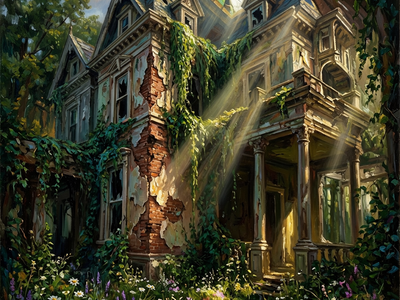
The Prompt Enhancer is what makes ERNIE Image forgiving for short prompts. Type "an abandoned Victorian mansion overtaken by vines, oil painting style" and the enhancer rewrites it into a detailed visual description with lighting, mood, and composition before the DiT sees it. This compensates for the smaller model size: a smart enhancer plus a focused 8B DiT produces output that competes with 20B+ models.
Text rendering is ERNIE Image's strongest capability. It scores 0.9733 on LongTextBench, the benchmark for dense, long-form, and layout-sensitive text in generated images. Posters with multi-line headlines, infographics with data labels, UI mockups with button text, and menus with item lists all render legibly. Both Chinese and English text render cleanly in the same generation pass.
Two variants ship with the release. The SFT variant runs at guidance scale 4.0 and 50 steps for maximum quality. The Turbo variant uses DMD (Diffusion Model Distillation) and reinforcement learning to compress inference from 50 steps to 8, achieving 6x speed improvement while maintaining high quality output.
On Floyo, ERNIE Image runs through native ComfyUI nodes on H100 NVL GPUs. The workflow includes the Prompt Enhancer toggle, configurable resolution, steps, CFG, and seed. Type a prompt and generate. No model downloads, no local GPU required.
What are ERNIE Image's technical specifications?
ERNIE Image uses an 8B parameter single-stream Diffusion Transformer with a lightweight Prompt Enhancer (Ministral 3B). Two variants: SFT (50 steps, CFG 4.0, max quality) and Turbo (8 steps, CFG 1.0, 6x faster). Default resolution is 1024x1024. Runs on a single 24GB consumer GPU. Bilingual Chinese/English prompts and in-image text. Apache 2.0 licensed with open weights on HuggingFace.
| Spec | Details |
|---|---|
| Developer | Baidu (ERNIE-Image Team) |
| Architecture | Single-stream Diffusion Transformer (DiT) + lightweight Prompt Enhancer |
| DiT Parameters | 8 billion |
| Prompt Enhancer | Ministral 3B text encoder (toggleable on/off) |
| VAE | Flux 2 VAE |
| SFT Variant | 50 steps, guidance scale 4.0, maximum quality |
| Turbo Variant | 8 steps, guidance scale 1.0, 6x faster (DMD + RL distilled) |
| Default Resolution | 1024x1024 (also supports 832x1216 portrait, 1216x832 landscape) |
| Languages | English, Chinese, Japanese (prompts and in-image text) |
| LongTextBench | 0.9733 (text rendering accuracy) |
| GenEval | 0.8856 (instruction following) |
| OneIG-Bench (EN) | 0.5750 |
| OneIG-Bench (ZH) | 0.5543 |
| Min VRAM | 24GB (single consumer GPU) |
| Deployment | Diffusers, SGLang, ComfyUI (Day-0 support) |
| License | Apache 2.0 (full commercial rights) |
| ComfyUI Access | Native support on Floyo (1 workflow) |
| Release Date | April 15, 2026 |
What are ERNIE Image's key features?
ERNIE Image's feature set is built around one insight: a smaller model with a smart prompt enhancer can match a larger model that takes raw prompts directly. The 8B DiT focuses on rendering. The Ministral 3B enhancer handles prompt understanding. This separation of concerns is why ERNIE Image punches above its weight class.
Built-in Prompt Enhancer
A lightweight Ministral 3B LLM rewrites your short prompt into a detailed visual description before the DiT sees it. A one-line idea like "cyberpunk street market at night" becomes a full paragraph describing neon colors, rain reflections, vendor stalls, atmospheric haze, and camera angle. This compensates for the 8B model's limitations in complex prompt understanding. Toggle it off when you want your exact wording untouched.
Text Rendering (0.9733 LongTextBench)
The strongest text rendering benchmark score among open-source models at this parameter count. Dense, long-form, and layout-sensitive text renders legibly. Posters with multi-line headlines, infographics with data labels and annotations, UI interfaces with button text, and menus with item lists all come out readable. Both Chinese and English text in the same image.
8B Efficiency
Runs on a single consumer GPU with 24GB VRAM. The model footprint in bfloat16 is about 29.5GB, which fits on RTX 4090 and similar cards with CPU offloading. Despite being significantly smaller than competitors like Qwen-Image (20B) or HunyuanImage 3.0 (80B MoE), it matches or exceeds them on text rendering and instruction following benchmarks.
Turbo Variant (6x Speed)
The Turbo variant uses DMD (Diffusion Model Distillation) and reinforcement learning to compress inference from 50 steps to 8. This produces 6x speed improvement while maintaining high quality. Use SFT for final production assets and Turbo for fast iteration and previews. Both share the same architecture and produce compatible output.
Structured Layouts and Comics
ERNIE Image handles multi-panel layouts, comic pages, and structured compositions that most image models cannot produce coherently. Panel boundaries, text placement, and visual hierarchy are maintained across the full image. This extends the model's use beyond single-scene generation into sequential visual storytelling.
Apache 2.0 License
Fully open source with commercial rights. Weights are on HuggingFace. Day-0 ComfyUI support was added in April 2026. Diffusers and SGLang deployment paths are both documented. Fine-tuning is supported through AI-Toolkit. GGUF weights are available through Unsloth.
How does ERNIE Image compare to other image models?
ERNIE Image leads on text rendering (LongTextBench 0.9733) among open-source models at its parameter count. LongCat leads on Chinese text specifically. Z-Image Turbo leads on inference speed. Nano Banana Pro leads on 4K native resolution and character consistency. GPT Image 2 leads on instruction fidelity with ~99% accuracy. ERNIE Image's edge: best text rendering per parameter, built-in prompt enhancer, and structured layout capabilities.
| Model | Parameters | Text Rendering | Prompt Enhancer | License |
|---|---|---|---|---|
| ERNIE Image | 8B | 0.9733 LTB | Built-in (toggleable) | Apache 2.0 |
| LongCat | 6B | SOTA Chinese | No | Open source |
| Z-Image Turbo | 6B | Good (EN + CN) | No | Apache 2.0 |
| Nano Banana Pro | Gemini backbone | 94%+ | Thinking mode | Commercial API |
| FLUX2.dev | 32B | Moderate | No | Non-commercial |
Source: Baidu ERNIE-Image GitHub, GenEval benchmark, OneIG-Bench, LongTextBench, HuggingFace model card, and third-party benchmark comparisons as of April 2026.
How does ERNIE Image work?
ERNIE Image uses a two-stage pipeline. First, the Prompt Enhancer (Ministral 3B) rewrites your short input into a structured visual description. Second, the 8B single-stream Diffusion Transformer generates the image from that enriched description through the Flux 2 VAE. The enhancer reads your resolution settings and shapes its description to match the chosen aspect ratio.
The single-stream DiT architecture processes text and image tokens in the same sequence, which is why text rendering works so well. The model treats in-image text as part of the visual composition, not a separate overlay. This unified approach means the generated text follows the same lighting, perspective, and style as the rest of the image.
The Turbo variant uses two acceleration techniques. DMD (Diffusion Model Distillation) trains a student model to approximate the full 50-step output in fewer steps. Reinforcement learning then fine-tunes the distilled model to maintain quality at 8 steps. The result is a 6x speedup with minimal quality loss.
On Floyo, ERNIE Image runs through native ComfyUI nodes on H100 NVL GPUs. The workflow loads the model, applies the Prompt Enhancer (if enabled), runs the diffusion steps, and decodes through the Flux 2 VAE. You control resolution, steps, CFG scale, seed, negative prompt, and the enhancer toggle. Output is a PNG image.
Fair warning: ERNIE Image is a generation-only model. It does not support image editing, inpainting, or image-to-image workflows. For editing, use Qwen Edit 2511 or LongCat Edit. The Prompt Enhancer rewrites your text, which means you give up exact wording control when it is enabled. If your prompt needs to be followed precisely, turn the enhancer off. Training data details have not been disclosed by Baidu.
Frequently Asked Questions
Common questions about running ERNIE Image on Floyo.
You can start with Floyo's free pricing plan. To continue using the service beyond the free tier, upgrade your Floyo pricing plan. ERNIE Image is open-source under Apache 2.0, so there is no additional API cost beyond your Floyo plan.
Open Floyo in your browser, find the "ERNIE Image - Text to Image" workflow (search "ERNIE" in the template library), and click Run. Type your prompt, set resolution, and generate. Floyo handles the GPU, ComfyUI environment, and model weights. No local install, no Python setup.
Baidu's ERNIE-Image Team. The model was open-sourced on April 15, 2026 under the Apache 2.0 license. Weights are on HuggingFace (baidu/ERNIE-Image). ComfyUI added Day-0 support in April 2026. AMD validated Day-0 GPU support on both Instinct MI355X and Radeon AI PRO R9700.
No. The built-in Prompt Enhancer expands short prompts into detailed visual descriptions before the image model sees them. A one-line idea is enough. Turn the enhancer off if you want full control over wording. The enhancer reads your resolution settings and adapts its description to match the aspect ratio.
Yes. This is ERNIE Image's strongest capability. It scores 0.9733 on LongTextBench, which measures dense, long-form, and layout-sensitive text rendering. Posters, infographics, UI mockups, menus, and labels all come out legible. Both Chinese and English text render cleanly in the same image.
Yes. Floyo runs ComfyUI, which lets you chain multiple models. Generate with ERNIE Image, refine with Qwen Edit 2511, animate with Wan 2.7, add voiceover with Fish Audio S2. Or use ERNIE Image for fast concept brainstorming and switch to a different model for final production.
Yes. ERNIE Image is released under the Apache 2.0 license, which grants full commercial usage rights. You can use generated images in products, marketing, client work, and any other commercial context without additional licensing.
Start with the defaults: 1024x1024 resolution, 20 steps, CFG 4, euler sampler with simple scheduler. For faster previews, drop steps to 12-16. For tighter prompt adherence, increase CFG to 5-6 (knowing higher values can cause color artifacts). For portraits try 832x1216, for landscapes try 1216x832. Use a fixed seed to reproduce results.
Try ERNIE Image on Floyo
8B parameter text-to-image with built-in prompt enhancer, industry-leading text rendering, structured layouts, and bilingual Chinese/English support. Run it in your browser.
Try ERNIE Image Now → Browse All ModelsRelated Reading
AI Ad Creatives for Social and Web
Character and Concept Design on Floyo
Last updated: April 2026. Specs from Baidu ERNIE-Image GitHub (baidu/ERNIE-Image), HuggingFace model card, GenEval benchmark, OneIG-Bench, LongTextBench, AMD Day-0 support documentation, and 24-7PressRelease announcement.

floyoofficial
1.9k
concept art
ernie image
Image
prompt enhancement
text to image
Generate images with Baidu's ERNIE Image model. Write a short prompt and let the built-in AI enhancer expand it into rich detail. Toggle the enhancer on or off.
ERNIE Image - Text to Image
Generate images with Baidu's ERNIE Image model. Write a short prompt and let the built-in AI enhancer expand it into rich detail. Toggle the enhancer on or off.

goshnii
467
ernie
ernie gguf
ernie turbo
gguf
Image
t2i
text to image
texttoimage
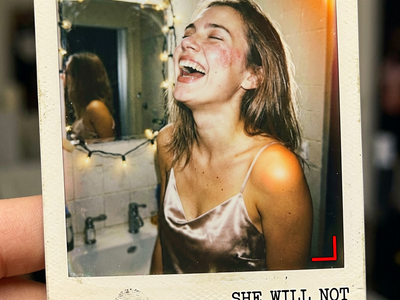
Whether you're generating realistic photography, clean design-oriented imagery, or stylised artistic visuals, ERNIE handles it all — and fast.
Ernie Turbo Text to Image Workflow
Whether you're generating realistic photography, clean design-oriented imagery, or stylised artistic visuals, ERNIE handles it all — and fast.
Run ERNIE Image online through ComfyUI on Floyo. Baidu's 8B parameter text-to-image model with built-in AI prompt enhancer and 0.9733 LongTextBench text rendering accuracy. Posters, infographics, UI mockups, comics, and bilingual Chinese/English text. SFT (50 steps) and Turbo (8 steps, 6x faster) variants. Apache 2.0 licensed. No install, no GPU, browser-based. Free to try.