
Floyo
Floyo
Workflows
API
定价
Floyo
Floyo
Workflows
API
定价

Workflows

探索 1800+ 个工作流。

仅显示已验证
ON
模型类型

显示84 个 Workflows

Wan
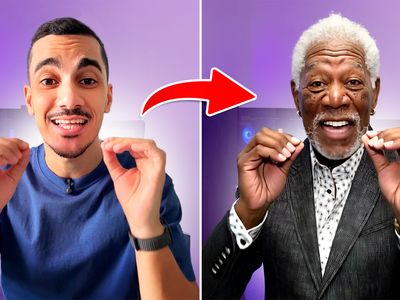
Wan 2.2 Animate Preprocess by Kijai (MDMZ Edition)
mdmz

mdmz

13.9k

LoRA

Motion transfer

Video

Wan

Wan 2.2

Wan 2.2 Animate Preprocess by Kijai (MDMZ Edition)

Wan 2.2 14B: Image to Video + End Frame

Image to video

LoRA

Video

Video generation

Wan

Wan 2.2

Generate high quality video from a start frame, as well as an optional end frame with this Wan2.2 14b Image to Video workflow!

Wan 2.2 14B: Image to Video + End Frame

Generate high quality video from a start frame, as well as an optional end frame with this Wan2.2 14b Image to Video workflow!

SCAIL2_Motion_Control
agi

agi

6.7k

Image to video

Motion Control

Motion transfer

SCAIL2

Video

SCAIL2を使用したモーションコントロール用のワークフローです。動画をモーション元としてアップロードし、入れ替えたい人物画像をアップロードすることで、動画内の動きをキャラクターへ転送できます。緑色のノードだけ設定すればすぐ使えます。 This is an Image-to-Video motion control workflow using SCAIL2.
SCAIL2_Motion_Control

SCAIL2を使用したモーションコントロール用のワークフローです。動画をモーション元としてアップロードし、入れ替えたい人物画像をアップロードすることで、動画内の動きをキャラクターへ転送できます。緑色のノードだけ設定すればすぐ使えます。 This is an Image-to-Video motion control workflow using SCAIL2.

Wan2.2 Fun and RealismBoost LoRA for V2V
Enhancer

LoRA

Video

Video to video

Wan

Wan2.2 Fun and RealismBoost LoRA for V2V

Wan 2.1 FusionX · Image to Video

FusionX

Image to video

LoRA training

Video

Video generation

Wan

Animate a still into a cinematic clip with Wan 2.1 FusionX, a community fine-tune of Alibaba's 14B video model. Upload your image, describe the shot, hit run.
Wan 2.1 FusionX · Image to Video

Animate a still into a cinematic clip with Wan 2.1 FusionX, a community fine-tune of Alibaba's 14B video model. Upload your image, describe the shot, hit run.

Wan2.2 Animate Character

Animate

Animation

Filmmaking

Motion transfer

Video

Video to video

Wan

Wan 2.2

Wan 2.2

Wan2.2 Animate Character

Wan 2.2

Wan2.1 and VACE for Video to Video Outpainting

Outpainting

Video

Video editing

Video to video

Wan

Wan VACE video outpainting invites you to break free from the limits of the frame and explore endless creative possibilities.

Wan2.1 and VACE for Video to Video Outpainting

Wan VACE video outpainting invites you to break free from the limits of the frame and explore endless creative possibilities.

Wan2.1 Fun Control and Flux for V2V Restyle

Controlnet

Flux

Style transfer

Video

Video to video

Wan

Wan 2.1

Create a new video by restyling an existing video with a reference image.

Wan2.1 Fun Control and Flux for V2V Restyle

Create a new video by restyling an existing video with a reference image.

Wan2.1 FusionX and MultiTalk - Image to Video

Animation

Filmmaking

Image to video

Lip-sync

Marketing

Video

Wan

Wan 2.1

Turn any portrait - artwork, photos, or digital characters - into speaking, expressive videos that sync perfectly with audio input. MultiTalk handles lip movements, facial expressions, and body motion automatically.

Wan2.1 FusionX and MultiTalk - Image to Video

Turn any portrait - artwork, photos, or digital characters - into speaking, expressive videos that sync perfectly with audio input. MultiTalk handles lip movements, facial expressions, and body motion automatically.

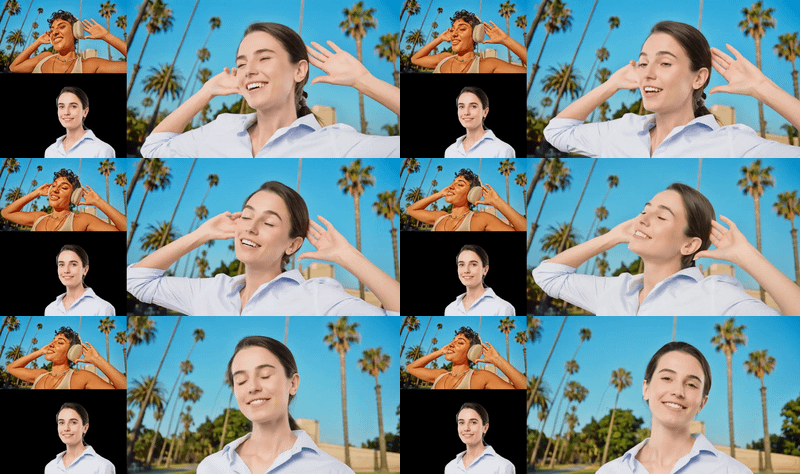
InfiniteTalk | Image to Video: Unlimited Talking Avatar with Lip-sync
mdmz

mdmz

4.3k

Ai avatar

Image to video

Infinite talk

Lip-sync

Video

InfiniteTalk | Image to Video: Unlimited Talking Avatar with Lip-sync

Wan2.1 + SCAIL-2 for Character Motion Transfer

Character animation

Character replacement

LoRA

Motion transfer

Video

Video to video

Wan

Wan 2.1

Transfer the motion from any video onto your own character with SCAIL 2, Z.ai's end-to-end character animation model built on Wan 2.1. Upload a video and a character photo, then hit run.
Wan2.1 + SCAIL-2 for Character Motion Transfer

Transfer the motion from any video onto your own character with SCAIL 2, Z.ai's end-to-end character animation model built on Wan 2.1. Upload a video and a character photo, then hit run.

Wan2.2 Fun Camera for Camera Control
Camera control

Image to video

Video

Wan

Wan 2.2

Wan2.2 Fun Camera for Camera Control

Wan2.1 and RecamMaster for V2V Camera Control

Camera control

LoRA

Recammaster

Video

Video to video

Wan

Adjust the camera angle of an existing video, like magic.

Wan2.1 and RecamMaster for V2V Camera Control

Adjust the camera angle of an existing video, like magic.
Wan2.1 Start & End Frame Image to Video

Image to video

Start and end frame

Video

Video generation

Wan

Wan 2.1

Used for image to video generation, defined by the first frame and end frame images.

Wan2.1 Start & End Frame Image to Video

Used for image to video generation, defined by the first frame and end frame images.

AniSora 3.2 and Wan2.2: Best Practices for Generating Smooth Character 3D Spin
3D Spin

Anisora

Character Spin

Image to video

Video

Wan

AniSora 3.2 and Wan2.2: Best Practices for Generating Smooth Character 3D Spin

Image to Video with Wan

Image to video

Video

Wan

Turn still images into amazing videos with just prompts, using the SOTA Wan video model.

Image to Video with Wan

Turn still images into amazing videos with just prompts, using the SOTA Wan video model.
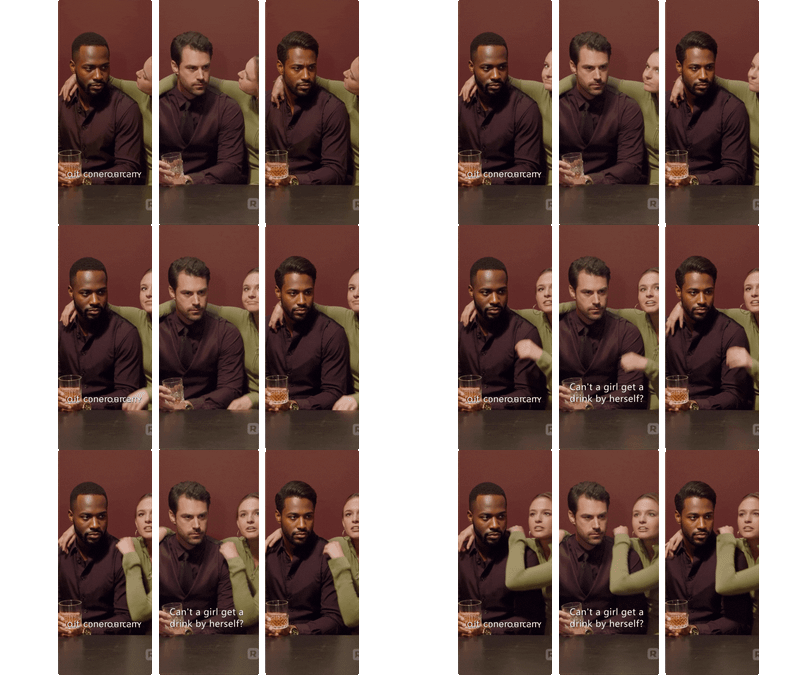
Vertical Video Character Face & Actor Swap (Wan 2.2 Animate)
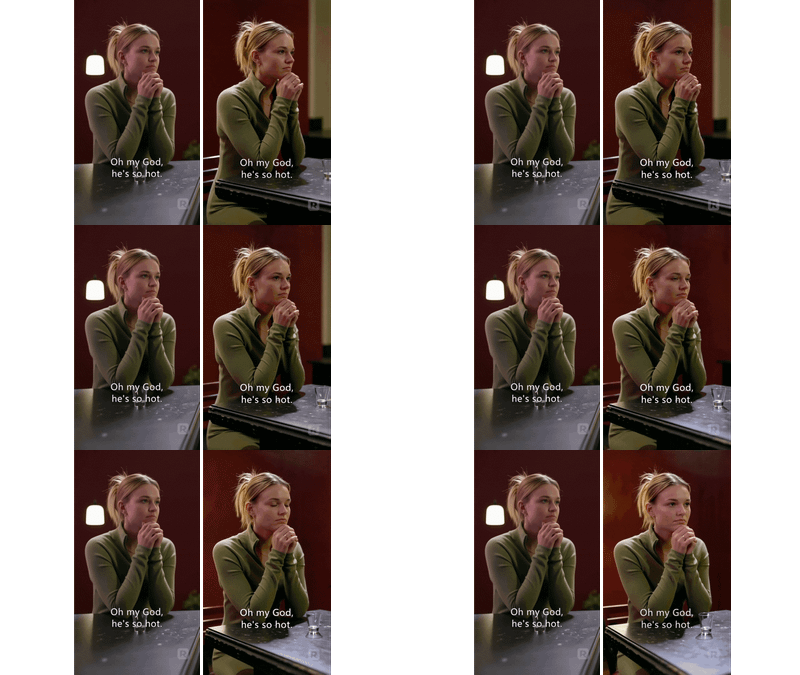
Character replacement

Character swap

Image to video

LoRA

Masking

Motion transfer

Video

Wan

Vertical Video Character Face & Actor Swap (Wan 2.2 Animate)

Image-to-Video with Reference Video (Prompt-Based Camera Rotation)

Camera rotation

DWpose

Image to video

Pose control

Reference video

Video

Wan

Wan 2.2

Image-to-Video with Reference Video (Prompt-Based Camera Rotation)

Wan 2.1 Vid2Vid Style Transfer with Ditto

Animation

Ditto

LoRA

Style transfer

Video

Video to video

Wan

Upload any video, describe a new style, and Wan 2.1 rewrites every frame. Ditto keeps motion and structure intact across anime, Pixar, clay, and dozens more.
Wan 2.1 Vid2Vid Style Transfer with Ditto

Upload any video, describe a new style, and Wan 2.1 rewrites every frame. Ditto keeps motion and structure intact across anime, Pixar, clay, and dozens more.

FlashVSR for Video Upscale

FlashVSR

Upscaling

Video

Video to video

Video upscaling

Upscale your videos

FlashVSR for Video Upscale

Upscale your videos
Wan2.1 + SCAIL for Animating Images for Movement
Image to video

SCAIL

Video

Wan

Wan2.1 + SCAIL for Animating Images for Movement

Wan 2.2 and Qwen for V2V Restyle

Animate

Image to video

LoRA

Qwen

Style transfer

Video

Video to video

Wan

Create a new video by restyling an existing video with a reference image.

Wan 2.2 and Qwen for V2V Restyle

Create a new video by restyling an existing video with a reference image.

SCAIL-2 bf16 Loop FullLength Motion Transfer

Character-animation

Full-length

Image to video

Motion transfer

Video

Video to video

Wan

Wan 2.1

Transfers the motion of a driving video onto a reference character image

SCAIL-2 bf16 Loop FullLength Motion Transfer

Transfers the motion of a driving video onto a reference character image
Image to Character Spin

Image to video

Video

Wan

Wan 2.1

See an image of a character spin 360 degrees. Key Inputs Image reference: Use any JPG or PNG showing your subject clearly Width & height: Default resolution settings are noted: Default image resize resolution works best for portrait images, if the image is landscape change from 480x832 to 832x480 Prompt: Follow example format: The video shows (describe the subject), performs a r0t4tion 360 degrees rotation. Denoise: The amount of variance in the new image. Higher has more variance. File Format: H.264 and more
Image to Character Spin

See an image of a character spin 360 degrees. Key Inputs Image reference: Use any JPG or PNG showing your subject clearly Width & height: Default resolution settings are noted: Default image resize resolution works best for portrait images, if the image is landscape change from 480x832 to 832x480 Prompt: Follow example format: The video shows (describe the subject), performs a r0t4tion 360 degrees rotation. Denoise: The amount of variance in the new image. Higher has more variance. File Format: H.264 and more

Simple Self-Forcing Wan1.3B+Vace workflow

Vace

Video

Wan

Created by @davcha on Civitai, please support the original creator! https://civitai.com/models/1674121/simple-self-forcing-wan13bvace-workflow If this is your workflow, please contact us at team@floyo.ai to claim it! Original guide from creator: This is a very simple workflow to run Self-Forcing Wan 1.3B + Vace, it only uses a single custom node, which everyone making videos should have: Kosinkadink/ComfyUI-VideoHelperSuite. Everything else is pure comfy core. You'll need to download the model of your choice from here lym00/Wan2.1-T2V-1.3B-Self-Forcing-VACE · Hugging Face, and put it inside your /path/to/models/diffusion_models folder. This workflow can be used as a very good start for experimenting. You can refer to this [2503.07598] VACE: All-in-One Video Creation and Editing for how to use Vace. You don't need to read the paper of course, the information you are interested in is mostly at the top of page 7, which I reproduce in the following: Basically, in the WanVaceToVideo node, you have 3 optional inputs: control_video, control_masks, and reference_image. control_video and control_masks are a little bit misleading. You don't have to provide a full video. You can in fact provide a variety of things to obtain various effects. For example: if you provide a single image, it's basically more or less equivalent to image2video. if you provide a sequence of images separated by empty images: img1, black, black, black, img2, black, black, black, img3, etc... then it's equivalent to interpolating all these img, filling the blacks. A special case of this one to make it clear is if you have img1, black, black, ..., black, img2, then it's equivalent to start_img, end_img to video. control_masks control where Wan should paint. Basically if wherever the mask is 1, the original image will be kept. So you can for example pad and/or mask an input image, like this: and use that image and mask as control_video and control_mask, and you'll basically do a image2video inpaint and outpaint. If you input a video in control_video, then you can control where the changes should happen in the same way, using control_mask. You'll need to set one mask per frame in the video. if you input an image preprocessed with openpose or a depthmap, you can finely control the movement in the video output. reference_image node is basically an image that you feed to Wan+Vace that serves as a reference point. For example, if you put the image of someone's face here, there's a good chance you'll get a video with that person's face.

Simple Self-Forcing Wan1.3B+Vace workflow

Created by @davcha on Civitai, please support the original creator! https://civitai.com/models/1674121/simple-self-forcing-wan13bvace-workflow If this is your workflow, please contact us at team@floyo.ai to claim it! Original guide from creator: This is a very simple workflow to run Self-Forcing Wan 1.3B + Vace, it only uses a single custom node, which everyone making videos should have: Kosinkadink/ComfyUI-VideoHelperSuite. Everything else is pure comfy core. You'll need to download the model of your choice from here lym00/Wan2.1-T2V-1.3B-Self-Forcing-VACE · Hugging Face, and put it inside your /path/to/models/diffusion_models folder. This workflow can be used as a very good start for experimenting. You can refer to this [2503.07598] VACE: All-in-One Video Creation and Editing for how to use Vace. You don't need to read the paper of course, the information you are interested in is mostly at the top of page 7, which I reproduce in the following: Basically, in the WanVaceToVideo node, you have 3 optional inputs: control_video, control_masks, and reference_image. control_video and control_masks are a little bit misleading. You don't have to provide a full video. You can in fact provide a variety of things to obtain various effects. For example: if you provide a single image, it's basically more or less equivalent to image2video. if you provide a sequence of images separated by empty images: img1, black, black, black, img2, black, black, black, img3, etc... then it's equivalent to interpolating all these img, filling the blacks. A special case of this one to make it clear is if you have img1, black, black, ..., black, img2, then it's equivalent to start_img, end_img to video. control_masks control where Wan should paint. Basically if wherever the mask is 1, the original image will be kept. So you can for example pad and/or mask an input image, like this: and use that image and mask as control_video and control_mask, and you'll basically do a image2video inpaint and outpaint. If you input a video in control_video, then you can control where the changes should happen in the same way, using control_mask. You'll need to set one mask per frame in the video. if you input an image preprocessed with openpose or a depthmap, you can finely control the movement in the video output. reference_image node is basically an image that you feed to Wan+Vace that serves as a reference point. For example, if you put the image of someone's face here, there's a good chance you'll get a video with that person's face.

Wan Alpha Create Transparent Videos
Alpha

Text to video

Transparent

VFX and post

Video

Video editing

Video generation

Wan

Wan Alpha Create Transparent Videos

Wan2.2 and Bullet Time LoRA: Transform Static Shots into Product Spins
Bullet Time

E-commerce

Image to video

LoRA

Product Demo

Video

Wan

Wan2.2 and Bullet Time LoRA: Transform Static Shots into Product Spins

Bernini-R · Image to Video

Bernini-R

Image editing

Image Generation

Image to video

Multi-Model

Reference to video

Video

Video editing

Generate or edit video with Bernini-R, ByteDance's unified 14B renderer built on Wan 2.2. Upload an image, pick a task mode, describe the motion, hit run.

Bernini-R · Image to Video

Generate or edit video with Bernini-R, ByteDance's unified 14B renderer built on Wan 2.2. Upload an image, pick a task mode, describe the motion, hit run.

Text to Video and Wan with optional LoRA

LoRA

Text to video

Video

Video generation

Wan

Wan 2.1

Generate a high-quality video from a text prompt and add in a LoRA for extra control over character or style consistency. Key Inputs Prompt: as descriptive a prompt as possible Load LoRA: Load your reference model here Width & height: Optimal resolution settings are noted File Format: H.264 and more
Text to Video and Wan with optional LoRA

Generate a high-quality video from a text prompt and add in a LoRA for extra control over character or style consistency. Key Inputs Prompt: as descriptive a prompt as possible Load LoRA: Load your reference model here Width & height: Optimal resolution settings are noted File Format: H.264 and more

Static Watermark Remover
Image

Image editing

Watermark Remover

Static Watermark Remover

Video to Video with Camera Control with Wan

Camera control

LoRA

Video

Video to video

Wan

Adjust the camera angle of an existing video, like magic.

Video to Video with Camera Control with Wan

Adjust the camera angle of an existing video, like magic.
Realistic Product or Props Replacement

Animate

Image to video

LoRA

Qwen

Qwen 2509

Video

Wan

Wan 2.2

Realistic Product or Props Replacement

Vertical Video Background & Scene Rebuild
Face swap

Image to image

Qwen

Video

Video editing

Video upscaling

Wan

Wan 2.1 Funcontrol

Vertical Video Background & Scene Rebuild

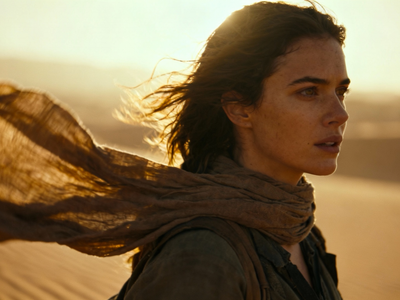
Vertical Video Prop & Object Replacement Using Seedream + Wan 2.2
Image

Image editing

Image to image

LoRA

Reference Video

Seedream

Wan

Wan 2.2

Vertical Video Prop & Object Replacement Using Seedream + Wan 2.2

FlatLogColor LoRA and Qwen Image Edit 2509
FlatLogColor

Image

Image editing

LoRA

Photography

Qwen

FlatLogColor LoRA and Qwen Image Edit 2509

Vertical Video FX Insterter / Element Pass with Seedream + Wan

Reference-image

Seedream

Upscaling

Video

Video-conditioning

Video upscaling

Wan

Wan 2.1funcontrol

Vertical Video FX Insterter / Element Pass with Seedream + Wan

Character animation

Motion transfer

Reference to video

Video

Wan

Wan 2.2

Transfer the motion from any reference video onto a character photo using Wan Animate 2, Alibaba's open-source 14B video model. Upload an image, upload a video, and hit run.
Wan Animate 2 · Motion Transfer R2V

Transfer the motion from any reference video onto a character photo using Wan Animate 2, Alibaba's open-source 14B video model. Upload an image, upload a video, and hit run.

Vertical Video FX Inserter - Qwen + Wan 2.1 FunControl
Image

Image editing

Qwen

Video

Video to video

Video upscaling

Wan

Wan 21-funcontrol

Vertical Video FX Inserter - Qwen + Wan 2.1 FunControl

Wan 2.2 T2V Workflow with UnifiedReward Flex LoRA

LoRA

Text to video

Video

Video generation

Wan

Wan 2.2

Wan 2.2 T2V Workflow with UnifiedReward Flex LoRA

Wan 2.2 T2V Workflow with UnifiedReward Flex LoRA
Wan 2.2 T2V Workflow with UnifiedReward Flex LoRA

Wan2.1 and ATI for Control Video Motion: Draw Your Path, Get Your Video
ATI

Image to video

Video

Wan

Wan2.1 and ATI for Control Video Motion: Draw Your Path, Get Your Video

Wan2.1 + WanMOVE for Animating Movement using Trajectory Path

Animation

Image to video

Video

Wan

Wan 2.1

Wan Move

Wan2.1 + WanMOVE for Animating Movement using Trajectory Path

Vertical Video Scene Extension & Coverage Generator
First-last frame

Image to video

LoRA

Qwen

Reference-image

Video

Wan

Wan 2.2

Vertical Video Scene Extension & Coverage Generator

Vertical to Horizontal Video Reframe
ashree

ashree

997

Video

Video to video

Wan

Wan 2.1

Vertical to Horizontal Video Reframe

Horizontal to Vertical Video Reframe
ashree

ashree

934

Video

Video to video

Wan

Wan 2.1

Horizontal to Vertical Video Reframe

Vertical Video Scene Extension & Coverage Generator using Seedream +Wan

First-last frame

Image to video

Reference image

Seedream

Video

Wan

Wan 2.2

Vertical Video Scene Extension & Coverage Generator using Seedream +Wan

Clothing & Accessories Replacement

E-commerce

Opensource

Outfit replacement

Video

Video to video

开源

Clothing & Accessories Replacement

Vertical Video Light & Mood Shift
Image

Image editing

Image to image

Qwen

Video

Video to video

Wan

Wan 2.1 Funcontrol

Vertical Video Light & Mood Shift

Wan 2.2 14b - Text to Video w/ LoRA
jacob

jacob

874

LoRA

Text to video

Video

Video generation

Wan

Wan 2.2

Run Wan 2.2 14b with a custom LoRA

Wan 2.2 14b - Text to Video w/ LoRA

Run Wan 2.2 14b with a custom LoRA