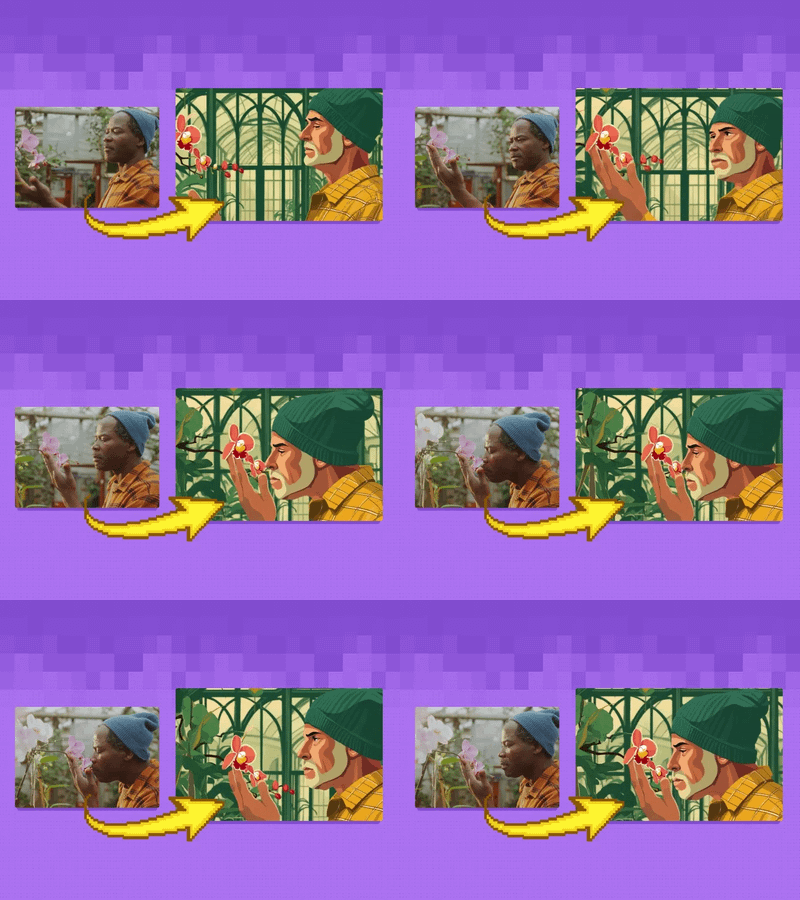
Wan2.1 Start & End Frame Image to Video

Used for image to video generation, defined by the first frame and end frame images.
Image2Video
Start and end frame
Video
Wan2.1
2.7k

Nodes & Models
GetNode
Note
Label (rgthree)
LoadImage
SetNode
EmptyImage
PreviewImage
WanVideoTeaCache
WanVideoSLG
WanVideoVAELoader
wan_2.1_vae.safetensors
LoadWanVideoT5TextEncoder
umt5_xxl_fp16.safetensors
LoadWanVideoClipTextEncoder
open-clip-xlm-roberta-large-vit-huge-14_fp16.safetensors
WanVideoTorchCompileSettings
WanVideoModelLoader
Wan2_1-I2V-14B-480P_fp8_e4m3fn.safetensors
WanVideoTextEncode
WanVideoClipVisionEncode
WanVideoImageToVideoEncode
WanVideoSampler
WanVideoDecode
Seed (rgthree)
AddLabel
ImageConcatMulti
GetImageSizeAndCount
WanVideoVAELoader
wan_2.1_vae.safetensors
LoadWanVideoT5TextEncoder
umt5_xxl_fp16.safetensors
LoadWanVideoClipTextEncoder
open-clip-xlm-roberta-large-vit-huge-14_fp16.safetensors
WanVideoTorchCompileSettings
WanVideoModelLoader
Wan2_1-I2V-14B-480P_fp8_e4m3fn.safetensors
AddLabel
ImageConcatMulti
GetImageSizeAndCount
ImageResize+
VHS_VideoCombine
VHS_SelectImages
Used for image to video generation, defined by the first frame and end frame images.
Key Inputs
Load Image (Start Frame): Use any JPG or PNG showing your subject clearly to start your video
Load Image (End Frame): Use any JPG or PNG showing your subject clearly to act as the last part of your video. Make sure it's the same resolution as the load image.
Width & height: Optimal resolution settings are noted. Default is set to 480P, up to 72oP.
Prompt: as descriptive a prompt as possible.
Num Frames: Default set at 77, higher frame numbers may result in out of memory.
Frame Rate: 16fps is optimal for this Wan video model
Notes to extend the clips:
If you want to extend your clip, right click on the last frame output above and click "Copy (Clipspace)" and go back to the start frame image loader, right click and "Paste (Clipspace)", from there you can adjust your prompt for what happens next in the clip, or include a new end image.
Doing this over and over without introducing an end image may result in deterioration in quality over time, and context may be lost.
If you want to combine your clips, bypass this current group and enable the multi video combine group below, load however many videos you have saved and queue again.
Read more