

FlatLogColor LoRA and Qwen Image Edit 2509
FlatLogColor
Image
LoRA
LoRAs
Photography
Qwen
Qwen Image Edit 2509
1.1k











Nodes & Models
LoadImage
CLIPLoader
qwen_2.5_vl_7b_fp8_scaled.safetensors
VAELoader
qwen_image_vae.safetensors
UNETLoader
qwen_image_edit_2509_fp8_e4m3fn.safetensors
FluxKontextImageScale
CLIPTextEncode
LoraLoaderModelOnly
Qwen-Image-Lightning-8steps-V1.0.safetensors
wan_flat_color_v2.safetensors
TextEncodeQwenImageEdit
GetImageSize
EmptySD3LatentImage
ModelSamplingAuraFlow
KSampler
VAEDecode
PreviewImage
ImageCompare
Overview
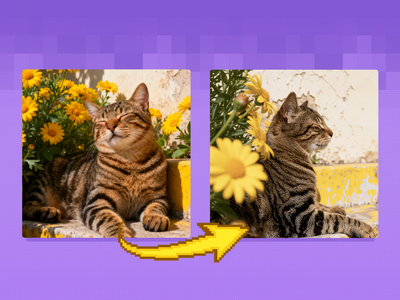
Qwen‑Image‑Edit‑2509 supports LoRA adapters, so you can bolt on a FlatLogColor LoRA that re-maps tonal range and saturation instead of changing shapes or layout. When you apply this LoRA at the right strength, it pulls back highlights, opens shadows, reduces saturation, and redistributes values so the image behaves more like LOG/FLAT footage from a camera, giving you maximum flexibility for grading later in tools like Resolve. The result looks a bit dull and grayish by design, but it preserves more highlight and shadow information than the original, “social‑media ready” AI render.
Who can use it
This flat log color workflow with Qwen Image Edit 2509 is useful for:
Colorists and video editors who want AI stills or plates that match LOG‑graded footage and can be treated with the same LUTs and grading pipeline.
Motion designers and VFX artists using AI frames as backgrounds or elements that need to sit inside a proper color pipeline instead of looking over‑processed.
AI creators and ComfyUI users who build cinematic sequences from stills and want a consistent flat base before adding a unified look.
Photographers and designers experimenting with AI images but preferring to apply their own grade, film emulation, or studio LUTs rather than accept the model’s default color.
Use case
A typical use case is taking a finished AI portrait or scene (strong contrast, saturated colors) and running it through Qwen Image Edit 2509 with the FlatLogColor LoRA active and a simple prompt like “convert to flat log color for grading, preserve detail.” The output is then brought into a grading tool where you apply your own LUTs, ACES transforms, or custom curves to match a project’s look or live‑action footage. Another use is preparing a batch of keyframes for AI video workflows: first convert all frames or stills to flat/log with the LoRA, then interpolate, upscale, and finally color grade the whole sequence in one pass for a consistent cinematic result.
Read more

_1786518453053.png?width=400&height=300&quality=80&resize=cover)




