floyo logo
Powered by
ThinkDiffusion
floyo logo
Powered by
ThinkDiffusion

ComfyUI_Comfyroll_CustomNodes

1180

Last updated
2024-07-24

Comfyroll Studio is a collection of custom nodes designed for use with ComfyUI, specifically tailored for Stable Diffusion versions SDXL and SD1.5. This toolkit enhances user capabilities by introducing a variety of nodes that facilitate advanced image generation processes and control mechanisms.

  • Offers a wide array of specialized nodes, including Multi-ControlNet, LoRA integration, and various aspect ratio configurations.
  • Features utility nodes that streamline processes such as batch processing, scheduling, and conditional logic, thereby improving workflow efficiency.
  • Provides templates and examples that assist users in harnessing the full power of the custom nodes for specific tasks.

Context

This repository contains a set of custom nodes for ComfyUI, aimed at enhancing the capabilities of Stable Diffusion models like SDXL and SD1.5. The primary purpose of these nodes is to enable users to create more complex and controlled image generation workflows, allowing for greater flexibility and creativity in their projects.

Key Features & Benefits

The toolkit includes essential nodes for image output, prompt management, and conditioning mixing, which are fundamental for generating high-quality images. Additionally, the aspect ratio nodes allow users to tailor the output dimensions for various applications, such as social media or print, ensuring that the generated content meets specific requirements.

Advanced Functionalities

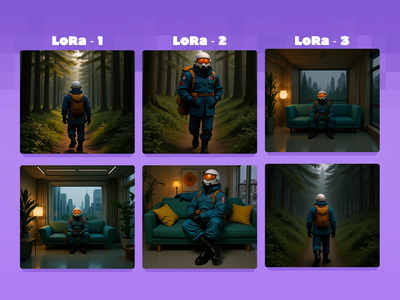
Among the advanced features are the Multi-ControlNet and LoRA nodes, which enable users to apply multiple control mechanisms and layer different models or styles effectively. These functionalities allow for intricate control over the image generation process, making it possible to achieve unique artistic results that would be difficult to replicate with standard nodes.

Practical Benefits

This collection of nodes significantly enhances the workflow within ComfyUI by providing users with the tools needed to automate and streamline their image generation processes. The introduction of scheduling and batching features improves efficiency, while the conditional logic nodes allow for more dynamic and responsive workflows, ultimately leading to higher quality outputs and a more enjoyable user experience.

Credits/Acknowledgments

The project is co-authored by Suzie1 and RockOfFire and acknowledges contributions from various developers in the ComfyUI community. Notable mentions include the original authors of related custom node projects that have inspired and supported the development of these tools. The repository is licensed under open-source terms, encouraging further contributions and enhancements from the community.

Inner Nodes

CR 8 Channel In, CR 8 Channel Out, CR Apply ControlNet, CR Apply LoRA Stack, CR Apply Model Merge, CR Apply Multi Upscale, CR Apply Multi-ControlNet, CR Arabic Text RTL, CR Aspect Ratio, CR Aspect Ratio Banners, CR Aspect Ratio SDXL, CR Aspect Ratio Social Media, CR Batch Images From List, CR Batch Process Switch, CR Binary Pattern, CR Binary To Bit List, CR Bit Schedule, CR Central Schedule, CR Checker Pattern, CR Clamp Value, CR Clip Input Switch, CR Color Bars, CR Color Gradient, CR Color Panel, CR Color Tint, CR Combine Prompt, CR Combine Schedules, CR Comic Panel Templates, CR Composite Text, CR Conditioning Input Switch, CR Conditioning Mixer, CR ControlNet Input Switch, CR Current Frame, CR Cycle Images, CR Cycle Images Simple, CR Cycle LoRAs, CR Cycle Models, CR Cycle Text, CR Cycle Text Simple, CR Data Bus In, CR Data Bus Out, CR Debatch Frames, CR Diamond Panel, CR Draw Perspective Text, CR Draw Pie, CR Draw Shape, CR Draw Text, CR Encode Scheduled Prompts, CR Feathered Border, CR Float Range List, CR Float To Integer, CR Float To String, CR Font File List, CR Get Parameter From Prompt, CR Gradient Float, CR Gradient Integer, CR Half Drop Panel, CR Halftone Filter, CR Halftone Grid, CR Hires Fix Process Switch, CR Image Border, CR Image Grid Panel, CR Image Input Switch, CR Image Input Switch (4 way), CR Image List, CR Image List Simple, CR Image Output, CR Image Panel, CR Image Pipe Edit, CR Image Pipe In, CR Image Pipe Out, CR Image Size, CR Img2Img Process Switch, CR Increment Float, CR Increment Integer, CR Index, CR Index Increment, CR Index Multiply, CR Index Reset, CR Input Text List, CR Integer Multiple, CR Integer Range List, CR Integer To String, CR Interpolate Latents, CR Intertwine Lists, CR Keyframe List, CR Latent Batch Size, CR Latent Input Switch, CR LoRA List, CR LoRA Stack, CR Load Animation Frames, CR Load Flow Frames, CR Load GIF As List, CR Load Image List, CR Load Image List Plus, CR Load LoRA, CR Load Prompt Style, CR Load Schedule From File, CR Load Scheduled ControlNets, CR Load Scheduled LoRAs, CR Load Scheduled Models, CR Load Text List, CR Load Value List, CR Mask Text, CR Math Operation, CR Model Input Switch, CR Model List, CR Model Merge Stack, CR Module Input, CR Module Output, CR Module Pipe Loader, CR Multi Upscale Stack, CR Multi-ControlNet Stack, CR Multiline Text, CR Output Flow Frames, CR Output Schedule To File, CR Overlay Text, CR Overlay Transparent Image, CR Page Layout, CR Pipe Switch, CR Polygons, CR Prompt List, CR Prompt List Keyframes, CR Prompt Scheduler, CR Prompt Text, CR Radial Gradient, CR Random Hex Color, CR Random LoRA Stack, CR Random Multiline Colors, CR Random Multiline Values, CR Random Panel Codes, CR Random RGB, CR Random RGB Gradient, CR Random Shape Pattern, CR Random Weight LoRA, CR Repeater, CR SD1.5 Aspect Ratio, CR SDXL Aspect Ratio, CR SDXL Base Prompt Encoder, CR SDXL Prompt Mix Presets, CR SDXL Prompt Mixer, CR SDXL Style Text, CR Save Text To File, CR Schedule Input Switch, CR Schedule To ScheduleList, CR Seamless Checker, CR Seed, CR Seed to Int, CR Select Font, CR Select ISO Size, CR Select Model, CR Select Resize Method, CR Set Switch From String, CR Set Value On Binary, CR Set Value On Boolean, CR Set Value on String, CR Simple Banner, CR Simple Binary Pattern, CR Simple Binary Pattern Simple, CR Simple Image Compare, CR Simple List, CR Simple Meme Template, CR Simple Prompt List, CR Simple Prompt List Keyframes, CR Simple Prompt Scheduler, CR Simple Schedule, CR Simple Text Panel, CR Simple Text Scheduler, CR Simple Text Watermark, CR Simple Value Scheduler, CR Split String, CR Starburst Colors, CR Starburst Lines, CR String To Boolean, CR String To Combo, CR String To Number, CR Style Bars, CR Switch Model and CLIP, CR Text, CR Text Blacklist, CR Text Concatenate, CR Text Cycler, CR Text Input Switch, CR Text Input Switch (4 way), CR Text Length, CR Text List, CR Text List Simple, CR Text List To String, CR Text Operation, CR Text Replace, CR Text Scheduler, CR Thumbnail Preview, CR Trigger, CR Upscale Image, CR VAE Decode, CR VAE Input Switch, CR Value, CR Value Cycler, CR Value Scheduler, CR Vignette Filter, CR XY From Folder, CR XY Index, CR XY Interpolate, CR XY List, CR XY Product, CR XY Save Grid Image, CR_Aspect Ratio For Print