Seedream 5.0 Pro_Character Sheet
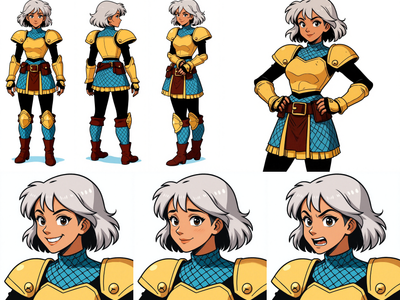
Seedream 5.0 Proを使用したキャラクターシート生成ワークフローです。This is a character sheet generation workflow using Seedream 5.0 Pro.
Character Sheet
Seedream 5.0 Pro
1.6k


1. Overview|概要
このワークフローは、Seedream 5.0 Proを使用したキャラクターシート生成ワークフローです。
This workflow is a character sheet generation workflow using Seedream 5.0 Pro.
キャラクター画像を1枚アップロードするだけで、キャラクター資料として使いやすいシートを生成できます。
By uploading just one character image, you can generate a sheet that works well as a character reference.
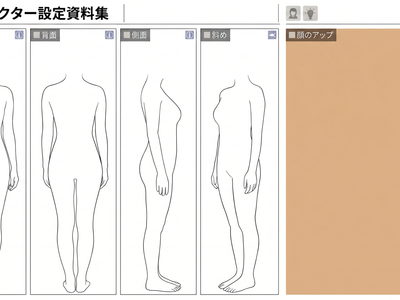
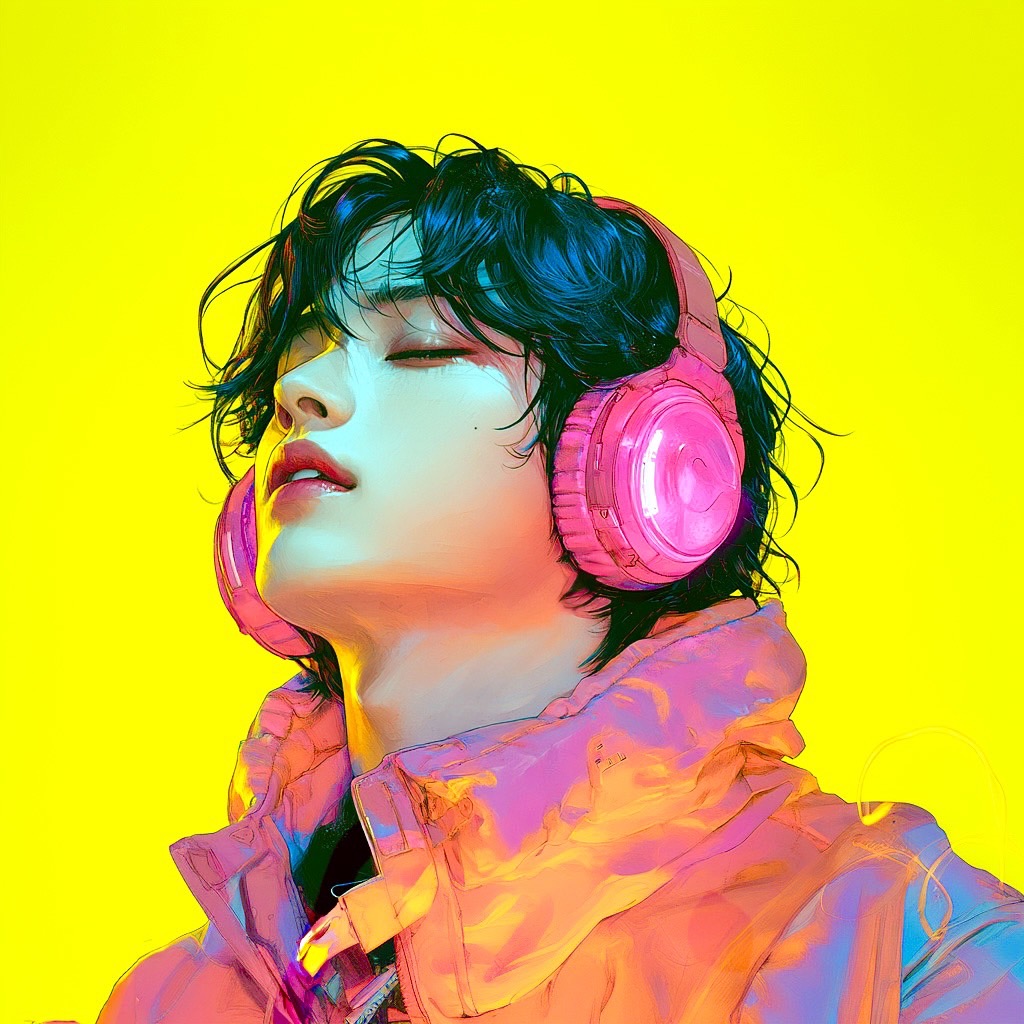
生成されるキャラクターシートには、正面の全身、背面の全身、顔のクローズアップが含まれます。
The generated character sheet includes a full-body front view, a full-body back view, and a face close-up.
キャラクターデザイン、動画生成用の参照画像、イラスト制作、設定資料づくりに活用できます。
It can be used for character design, reference images for video generation, illustration work, and design documentation.
Seedream 5.0 Proを採用しているため、顔の一貫性が高く、安定した出力を得やすい点が大きな特徴です。
A major strength of this workflow is that it uses Seedream 5.0 Pro, which helps maintain strong facial consistency and stable output.
特に、同じキャラクターの顔を崩さずに複数の視点情報を整理したい場合に向いています。
It is especially useful when you want to organize multiple character views without losing facial identity.
もう一つの大きな特徴は、全身画像から意図的に頭部情報を外す設計にしていることです。
Another key feature is that the workflow is intentionally designed to remove head information from the full-body images.
これは、全身画像に写る小さく不鮮明な顔までAIが参照すると、高品質な顔アップの情報と競合してしまうためです。
This is because if the AI also references the small and unclear face shown in the full-body images, it can conflict with the high-quality face close-up.
このワークフローでは、顔は高品質な顔アップ1枚に任せ、全身画像は体格と衣装の情報だけを伝える役割に分けています。
In this workflow, the face is defined by one high-quality close-up, while the full-body images are used only to convey body shape and outfit information.
情報は多ければ多いほど良いわけではなく、何を参照させないかも重要です。
More information is not always better, and deciding what not to reference is just as important.
その考え方に基づき、高精度で一貫性の高いキャラクターシートを安定して生成しやすい構成にしています。
Based on that idea, this workflow is structured to produce highly accurate and consistent character sheets more reliably.
2. How It Works|使い方
このワークフローは、キャラクター画像を1枚アップロードして生成ボタンを押すだけで使えます。
You can use this workflow simply by uploading one character image and pressing the Generate button.
入力した画像をもとに、正面の全身、背面の全身、顔のクローズアップを順番に生成します。
Based on the uploaded image, it generates a full-body front view, a full-body back view, and a face close-up in sequence.
最後に、それらをまとめたキャラクターシートを生成します。
Finally, it combines them into a complete character sheet.
基本的には、画像を1枚入れるだけですぐに使用できます。
Basically, you can use it immediately by uploading a single image.
複雑な設定を細かく触らなくても、キャラクター資料として使いやすい出力を狙えます。
You can get useful character reference output without needing to adjust complex settings.
顔の一貫性を高めるために、顔情報はクローズアップ画像に集約されています。
To improve facial consistency, the facial information is concentrated into the close-up image.
全身画像は、体格、シルエット、衣装、全体バランスを伝える役割として使われます。
The full-body images are used to communicate body shape, silhouette, outfit, and overall balance.
この役割分担により、各パーツの情報がぶつかりにくく、安定したキャラクターシートになりやすいです。
This separation of roles helps avoid conflicting references and leads to a more stable character sheet.
3. Prompt Control|プロンプトによる調整
基本的には、キャラクター画像を1枚アップロードするだけでキャラクターシートを生成できます。
Basically, you can generate a character sheet just by uploading one character image.
必要に応じて、プロンプトで服装、雰囲気、画風、見せ方を微調整できます。
If needed, you can use prompts to fine-tune the outfit, mood, art style, and presentation.
キャラクター性を保ちたい場合は、同じキャラクターとして扱うように指示してください。
If you want to preserve character identity, instruct the model to treat everything as the same character.
顔を安定させたい場合は、顔立ち、髪型、目の形、色味を維持するように指定してください。
If you want to stabilize the face, specify that the facial features, hairstyle, eye shape, and color palette should be preserved.
衣装を重視したい場合は、衣装の形、色、素材、装飾を具体的に書いてください。
If the outfit is important, describe the clothing shape, color, material, and details clearly.
全身図では、体格やシルエットを自然に見せる指示を入れると安定しやすくなります。
For the full-body views, it helps to instruct the model to present the body shape and silhouette clearly and naturally.
顔のクローズアップでは、目元、肌、髪、表情の質感を意識した指示を入れると効果的です。
For the face close-up, it is effective to specify details about the eyes, skin, hair, and facial expression.
情報量を増やしすぎるよりも、何を見せる役割の画像かを整理して考えることが重要です。
Rather than simply increasing the amount of information, it is important to think clearly about the role of each image.
このワークフローでは、顔は顔アップ、全身は体格と衣装という役割分担を意識すると結果が安定しやすくなります。
In this workflow, results tend to be more stable when you treat the face close-up as the facial reference and the full-body images as references for body shape and outfit.
Read more