MiniMax H3 RefMod · Reference to Video
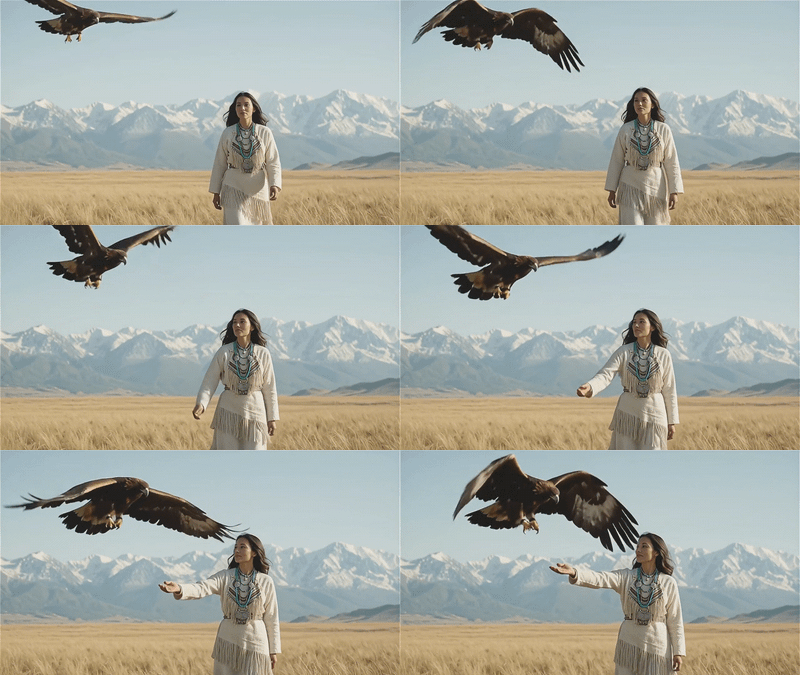
Generate identity-locked video with synchronized audio from pre-encoded reference bundles using MiniMax H3 Ref2VA and the RefMod system, then describe the scene with a structured prompt and hit run.
refmod
50
ABOUT THE WORKFLOW
Generate video from saved identity bundles
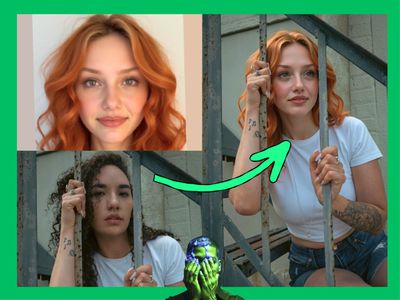
Encode a person’s face and voice from a folder of images and audio clips into a reusable RefMod bundle. Load that bundle into any future run. Write a structured prompt describing the scene, dialogue, and camera. The workflow returns a video with synchronized stereo audio where the character’s identity and voice stay locked to your references. No need to re-upload media every time you generate.
Model
MiniMax H3 Ref2VA by MiniMax. A 33B-parameter omni-modal generation model that jointly understands text, images, video, and audio. Strong at identity preservation, voice matching, and generating coherent video with native 32 kHz stereo audio in a single pass. Open-weight, released under the MiniMax H3 Community License.
HOW IT WORKS
Step 1. Build a RefMod bundle (one-time setup)
Point the RefMod Builder node at a folder containing reference images and audio for your subject. The node encodes the identity and voice into a compact bundle and saves it. You only need to do this once per subject. After saving, the bundle loads in seconds on every future run.
Works great with: portrait photos · voice recordings · video clips with clear faces
Step 2. Load the RefMod bundle
Use the RefMod Loader node to load a saved bundle by name. The loader outputs the encoded identity and voice data, plus a prompt hint showing which subject tags are available.
Step 3. Write a structured prompt
Describe the scene using the structured format: subject definitions, summary, retention analysis, detailed shot description with timestamps, soundscape, and music. Tag subjects with <Subject 1>, reference media with <Video 1>, <Audio 1>. The more specific the shot description, the better the output.
Step 4. Set resolution and duration
Choose your output resolution and aspect ratio with the ResolutionSelector. The default is 16:9 at 0.4 MP (864x480). Set the duration with the Float (Duration) node. The default is 5 seconds. The workflow calculates the correct frame count automatically.
Step 5. Run and export
Hit run. The workflow generates video and audio in a single pass at 35 steps, decodes both, and combines them into an H.264 MP4. Download it or send it to your editor.
Ready for: Premiere Pro · DaVinci Resolve · After Effects · social platforms
First time? Leave every setting as-is. The defaults are the right starting point for almost everyone.
RECOMMENDED SETTINGS
Quick-start guide. Find the goal that matches yours and copy the settings.
Standard RefMod generation at 16:9 — 0.4 MP, 5-second duration, 35 steps. The right starting point for almost everyone.
Want faster results with slightly less detail? — Lower steps from 35 to 16. The 3-step LoRA is already loaded, so the model handles reduced step counts well. Quality drops slightly but generation time cuts in half.
Want vertical/portrait video for social? — Change the ResolutionSelector to 9:16. Keep megapixels at 0.4 for fast results, or increase to 0.98 for 768x1344.
Need longer clips? — Change the Float (Duration) value. The model supports up to ~15 seconds. The frame-count math node handles the conversion automatically.
Character identity drifting between runs? — Rebuild the RefMod bundle with more reference images (5 to 10 is ideal), shot from different angles and lighting. Use the “identity_encode” extraction preset. Make sure the face is clear and unobstructed in every reference.
Voice not matching closely enough? — Use clean audio clips with a single speaker, no background noise or music. Keep reference audio under 30 seconds. The “voice” audio concept type focuses on speaker identity rather than content.
Prompt: Use the structured format: start with subject_definitions: to tag each person with <Subject 1>, then summary:, retention_analysis:, detailed_description: with shot-by-shot timestamps and dialogue in <d> tags, overall_soundscape:, and non_diegetic_music:. A good prompt: “subject_definitions: <Subject 1> (S1): woman with red hair, appearance from <Video 1>, voice from <Audio 1>. detailed_description: [Shot 1] 0:00-0:05. Medium close-up, (S1) faces the camera and speaks...” A vague prompt: “Make a talking head video of the woman.”
Read more