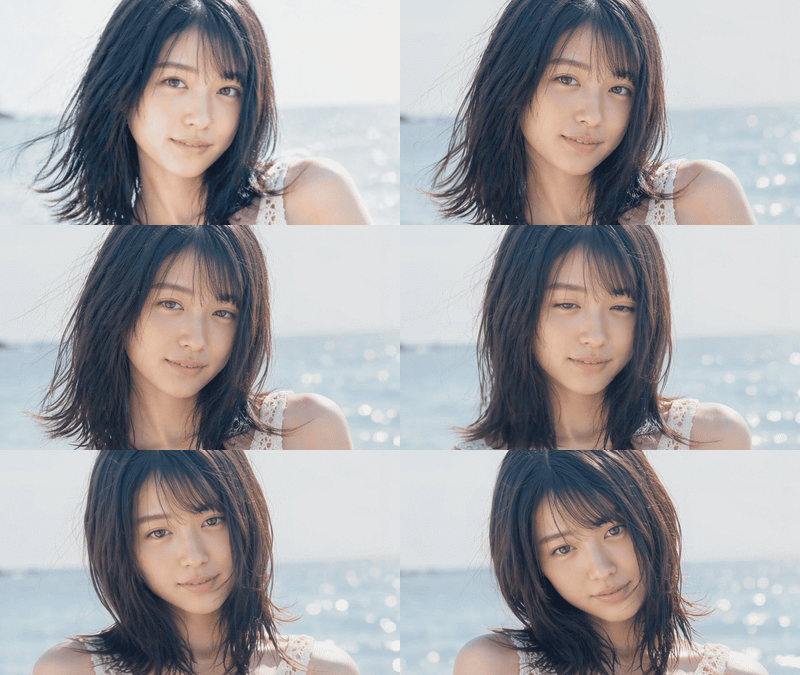
MiniMax H3 Open Weights TI2V with Style Embedding
Generate video with native stereo audio using MiniMax H3 open weights. Write a prompt, add an optional start image and a style embedding, and hit run.
I2V
Minimax H3
Open Source
Open Weights
T2V
Video
81

Nodes & Models
ResolutionSelector
VAELoader
minimax_h3_video_vae_fp16.safetensors
minimax_h3_audio_vae_fp32.safetensors
KSamplerSelect
UNETLoader
minimax_h3_fl2va_bf16.safetensors
CLIPLoader
qwen3vl_32b_minimax_h3_bf16.safetensors
RandomNoise
PrimitiveFloat
LoadImage
Note
BasicScheduler
ComfyMathExpression
MiniMaxH3ImageToVideo
BasicGuider
SamplerCustomAdvanced
VAEDecode
VAEDecodeAudio
CreateVideo
SaveVideo
ABOUT THE WORKFLOW
Generate Video with Sound Write a prompt and get a video with synchronized stereo audio in one pass. Add a start image to anchor the first frame. A style embedding shapes the visual look without rewriting your scene. That's it.
Model
MiniMax H3 (Hailuo 3.0) by MiniMax. A 33B open-weight video model that generates 768p video at 24 fps with native stereo audio from text, images, or both. Released August 2026 under the MiniMax H3 Community License.
HOW IT WORKS
Step 1. Write your prompt Describe the scene, the action, the camera move, and the mood. A style embedding is prepended by default, so write your scene after it. Works great with: cinematic scenes · action sequences · atmospheric shots
Step 2. Add a start image (optional) Upload an image to set the first frame. The model animates outward from there. Leave it empty for text-only generation.
Step 3. Pick a style embedding (optional) The default is bullet_time. Swap it for a different embedding tag in the prompt to change the visual style without rewriting the scene. Ten community embeddings are available, including dark_magic, fire_breath, art_is_explosion, and four_seasons.
Step 4. Hit run and download MiniMax H3 builds the video and audio together in one pass, then saves a video file with stereo sound. Ready for: Premiere Pro · DaVinci Resolve · After Effects · any NLE
First time? Leave every setting as-is. The defaults (5 seconds · 16:9 · 20 steps · bullet_time embedding · random seed) are the right starting point for almost everyone.
RECOMMENDED SETTINGS
Quick-start guide. Find the goal that matches yours and copy the settings.
Standard generation (most people) — 5 seconds · 16:9 · 20 steps · bullet_time embedding · random seed. The right starting point for almost everyone.
Quick test before a long render — Drop steps to 10 or 12. The clip will be rougher, but you can check framing and motion before committing to a full run.
Different visual style — Swap the
embedding:minimaxh3_bullet_timetag in the prompt for another embedding name.dark_magic,fire_breath,storm_magic,art_is_explosion,truman_show,blooming_flowers,four_seasons,spiral_ascent, andkiss_cameraare all available.Start from a specific frame — Upload a start image. The model reads the lighting, colors, and composition from the image and animates outward.
Portrait or square output — Change the aspect ratio in the resolution selector. 9:16, 1:1, and other ratios work at 0.9 megapixels.
Reproduce a result you liked — Lock the seed to a fixed number instead of random. Same seed, same prompt, same output.
The motion is not matching the prompt — Rewrite the prompt first. Motion words matter more than steps or resolution. Describe what moves, in what direction, and how fast.
Prompt: Describe the scene and the motion, not the style. The embedding handles style. "A drone flies low over a calm lake at sunrise, mist lifting off the surface" is better than "cinematic beautiful misty lake drone shot." Be specific about what moves and where the camera goes.
LEARN
📹 Videos
ComfyUI 101 Free Course ft. Sebastian Kamph
Floyo 101 for Team Collaboration
✨ Quick links
USE CASES
🎬 Short Film & Music Video Pre-vis Write a scene, pick a style embedding, and get a clip with stereo audio to pitch a sequence or block a shot before committing to a full production.
🎮 Game Trailers & Cinematics Generate cinematic clips from concept art or in-engine screenshots. Drop a start frame in and let H3 animate the camera move and the soundscape.
📱 Social Media & Ads Turn a product photo or a brand scene into a short video with matching audio. Swap aspect ratios for Instagram Reels, TikTok, or YouTube Shorts.
🎨 Motion Concept Art Explore how a scene feels in motion. Upload a still concept painting, describe the action, and see it play out with sound before handing it to a motion team.
🔊 Audio-Synced Prototypes The native stereo audio means dialogue, effects, and ambience generate alongside the picture. No separate sound design pass for early-stage work.
WHAT WORKS BEST / WHAT TO AVOID
✅ Works great
Cinematic scenes with clear camera direction
Single-subject action (a person walking, a car driving, water flowing)
Atmospheric and environmental shots
Start images with strong lighting and composition
⚠️ May produce softer results
Clips longer than 10 seconds (quality drops past that)
Multi-character dialogue scenes
Fine text or legible signage in the video
Rapid scene cuts within a single generation
FAQ
What is MiniMax H3 and how is it different from Hailuo 2? MiniMax H3 is the third generation of MiniMax's Hailuo video line, released July 31, 2026. The biggest change: it generates synchronized stereo audio alongside the video in a single pass, so dialogue, effects, and ambience come out of the same run. It also supports omni-modal reference inputs and outputs 768p at 24 fps with open weights.
What are MiniMax H3 style embeddings? Style embeddings are pre-encoded tensors that inject a visual effect into the prompt. Instead of describing a style in words, you prepend a tag like embedding:minimaxh3_bullet_time and the model applies that look to whatever scene you describe. Ten community embeddings ship with the model, covering effects from slow-motion to fire breath to seasonal time-lapse. You can combine multiple embeddings in one prompt.
Does MiniMax H3 generate audio automatically? Yes. MiniMax H3 generates native stereo audio in the same diffusion pass as the video. The audio includes dialogue, ambient sound, and effects that match the visual content. There is no separate audio model or post-processing step. The workflow decodes both the video and audio latents and packages them into one file.
What resolution and frame rate does this workflow output? The default is 1344x768 (16:9) at 24 frames per second, which is the native resolution for the open-weight model. The resolution selector supports other aspect ratios at 0.9 megapixels. 2K output is available through the MiniMax API only, not through the open weights.
Is MiniMax H3 open source? Can I use the outputs commercially? The weights are released under the MiniMax H3 Community License, not a standard open-source license. Commercial use is permitted for organizations under $20M annual revenue with attribution required. The license restricts deployment in the United States, EU, United Kingdom, and South Korea unless MiniMax grants separate authorization. Review the full license terms before commercial deployment.
What hardware does MiniMax H3 need to run locally? The 33B model is heavy. Running locally requires high-end GPU hardware with large VRAM. Quantized versions (INT8, NVFP4) reduce the footprint. On a cloud platform with pre-loaded models and compatible hardware, you skip the setup entirely.
How to run MiniMax H3 online? You can run MiniMax H3 online through Floyo. No installation, no setup, no API key to wire up. Open the workflow in your browser, write your prompt, and hit run. Free to try.
WHY FLOYO?
Floyo is the only platform with team collaboration for ComfyUI in the browser. You run workflows with no install. You share run history, assets, and models across your team. You pay only when you generate. Floyo supports open-source and closed-source models.
A director runs a generation and likes the result. A motion artist opens that exact run from shared history and keeps going. No file handoffs. No version confusion.
For studios and enterprise teams, Floyo adds private workspaces, pooled resources, and a team usage dashboard. Other ComfyUI cloud tools run for one person at a time. Floyo runs for the whole team, with transparent per-generation costs.
Ready to try it? Write a prompt, pick a style embedding, and generate your first video with sound.
Questions? Watch the free course or check the FAQ above.
Read more