

Graphic Design Recomposer - Reframe Ads
Api
Image
Image to Image
Nano banana
Outpainting
278
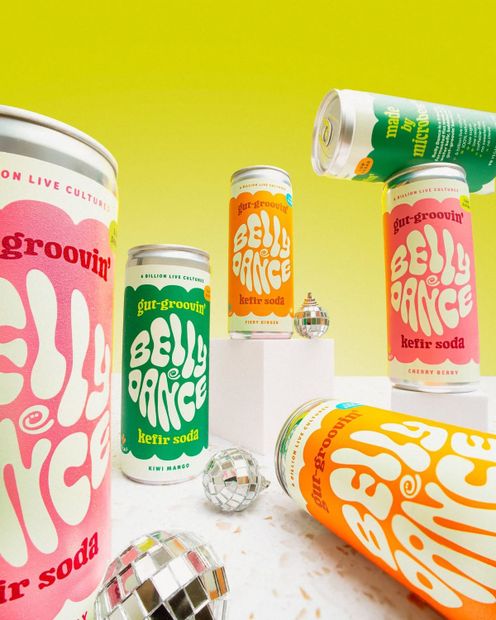






Take a graphic design and refit it for a new aspect ratio without stretching, letterboxing, or breaking your layout.
Upload a poster, ad, or social asset. The workflow extends the background through outpainting, then treats your typography, logos, and hero imagery as movable layers. Elements get repositioned for the new format, with original fonts, weights, and proportions kept intact.
Pick the aspect ratio, hit run, get a clean recomposition.
How do you resize a graphic design for a new aspect ratio with Nano Banana?
Upload your design, pick a target aspect ratio, and choose between Nano Banana 2 or Nano Banana Pro. The pre-built prompt tells the model to outpaint the background and rearrange typography, logos, and hero elements as separate layers. No prompt writing needed unless you want to override the behavior.
Input image Whatever design you want resized: a 1:1 social post, a 4:5 ad, a 9:16 story, a poster. The model reads your typography, hero imagery, and brand elements as distinct components, then redistributes them for the new format.
Model Default: Nano Banana 2. Faster and cheaper. Switch to Nano Banana Pro when you need higher fidelity, sharper text reproduction, or more complex layouts. The tradeoff with Pro: longer generation, higher cost.
Aspect ratio Default: auto (matches input). Set to 16:9, 9:16, 1:1, 4:5, 3:2, or whatever you need. The model expands the canvas in the right direction and redistributes elements for the new format. Going from vertical to horizontal? It'll shift a stacked layout into a side-by-side composition.
Resolution Default: 1K, PNG. Bump higher for print or large hero ad placements.
Prompt (advanced) Pre-loaded with an art director system prompt locked to: extend the background, treat typography and logos as layers, preserve font styles and weights, maintain visual hierarchy. Most users leave it alone. Edit it if you want different behavior, like allowing new decorative borders or letting the model change brand colors.
What is the graphic design recomposer good for?
Resizing ad creative, social media assets, and graphic design across formats without redoing the layout from scratch. Common uses: turning a 1:1 Instagram post into a 9:16 story, adapting a 16:9 banner to a 4:5 feed ad, generating multiple format variants from one master design, and versioning print posters for digital placements.
The workflow shines when you have a finished design and need it in three or four formats by end of day. Instead of opening Photoshop, manually moving every element, and outpainting the background by hand, you upload once, pick a ratio, run, repeat.
When to skip it: doing a one-off custom design where you want full control? Stay in Figma or Photoshop. Working with designs that have heavy custom illustration or strict spec requirements? Manual rework will give you tighter results.
FAQ
What aspect ratios does the Nano Banana recomposer support? Standard ratios: 1:1, 4:5, 9:16, 16:9, 3:2, 2:3, and others. Set the aspect_ratio input to the format you need. The default is auto, which keeps the source ratio. The workflow handles both expansion (going wider or taller) and rebalancing (rearranging elements without changing canvas size much).
What's the difference between Nano Banana 2 and Nano Banana Pro for design resizing? Nano Banana 2 is faster and cheaper. Pro reads finer text, handles complex multi-element layouts more cleanly, and reproduces brand colors with more accuracy. For social posts and quick ad variants, 2 is fine. For hero campaign assets and anything where text legibility matters, switch to Pro.
Will the recomposer keep my logos and brand fonts legible? The system prompt locks the model to preserving original font styles, weights, and proportions. Logos get treated as layers and repositioned without distortion. For best results on small text, switch to Nano Banana Pro and keep the resolution at 1K or higher.
Can the recomposer add new elements or change my design? By default, no. The pre-built prompt explicitly blocks new focal objects, decorative borders, and changes to the original brand elements. It only continues environmental backgrounds and rearranges what's already there. To allow changes, edit the prompt to remove the "Strict Limitations" section.
How to run the graphic design recomposer online? You can run this Nano Banana recomposer online through Floyo. No installation, no setup. Open the workflow in your browser, upload your design, and hit run.
Read more


_1786518453053.png?width=400&height=300&quality=80&resize=cover)




