

AI Video Background Replacement
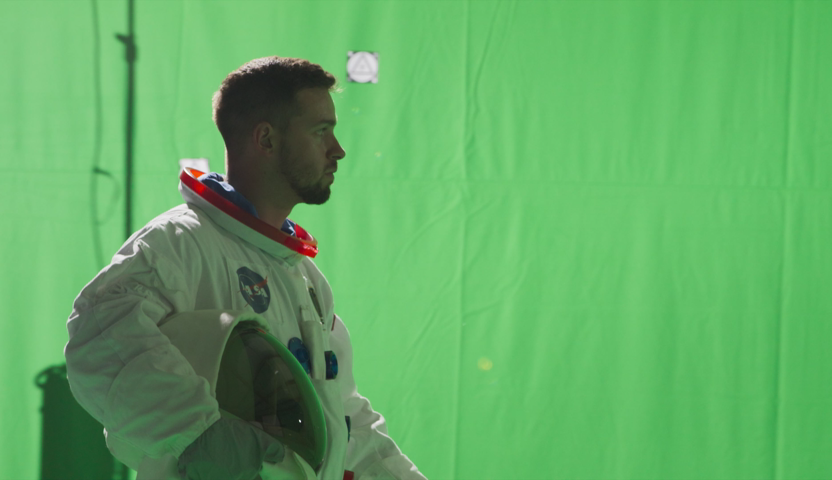
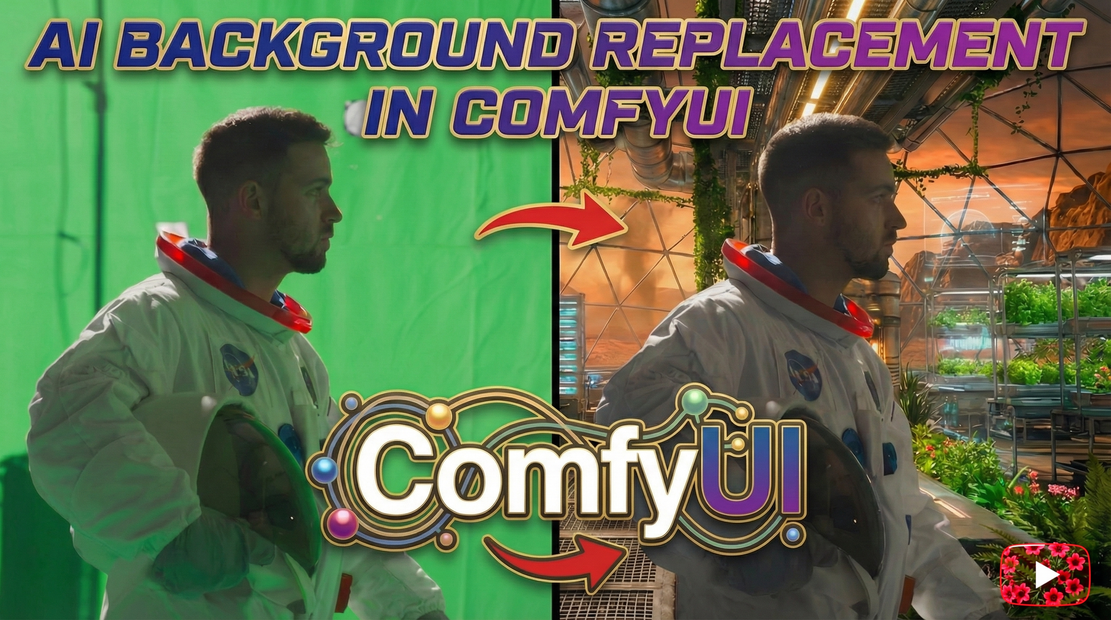
Step 1: Upload you footage. Step 2: Upload alpha of what you need to replace, be it full BG or selected area. Step 3: Add prompt Step 4: Upload a reference image Step 5: Hit Que
AI background replacement
background replacement
compositing
film
vfx
Video
637












Nodes & Models
GetNode
WanVideoSLG
WanVideoExperimentalArgs
WanVideoBlockSwap
WanVideoEnhanceAVideo
MarkdownNote
Label (rgthree)
WanVideoVACEModelSelect
wan2.1_vace_14B_fp16.safetensors
WanVideoLoraSelectMulti
Wan21_CausVid_14B_T2V_lora_rank32_v2.safetensors
LoadWanVideoT5TextEncoder
umt5_xxl_fp16.safetensors
WanVideoVAELoader
wan_2.1_vae.safetensors
WanVideoUni3C_ControlnetLoader
Wan21_Uni3C_controlnet_fp16.safetensors
LoadImage
WanVideoContextOptions
WanVideoEncode
WanVideoVACEEncode
WanVideoTextEncode
WanVideoModelLoader
Wan14Bi2vFusioniX.safetensors
SetNode
ImageResizeKJv2
WanVideoUni3C_embeds
PreviewImage
WanVideoSampler
InvertMask
WanVideoDecode
DrawMaskOnImage
VHS_LoadVideoFFmpeg
VHS_VideoCombine
VHS_VideoInfoLoaded
VHS_LoadVideoFFmpeg
VHS_VideoCombine
VHS_VideoInfoLoaded
Image To Mask
AI Background Replacement for Video (ComfyUI Workflow)
This repository contains a production-style AI background replacement workflow for video, built in ComfyUI. It supports full background replacement and selective background replacement, using camera-aware models to maintain spatial consistency.
This workflow is designed for previs, pitch work, fast-turn projects, and AI-approved client deliveries — not as a drop-in replacement for pixel-perfect traditional VFX.
What This Workflow Does
Replace entire backgrounds in video
Replace only selected areas of the background (windows, skies, walls, distant environment)
Preserve foreground motion and lighting cues
Maintain camera motion and parallax using Uni3C
Eliminate the need for:
green screen keying
tracking markers
rig removal
background paint cleanup (in many cases)
What This Workflow Does Not Do (Important)
⚠️ This workflow does NOT preserve original pixel edges.
AI regenerates edges. They are stable and look great, but they are not identical to the original plate.
This workflow is NOT suitable for:
pixel-locked feature film shots
exact matte reuse downstream
heavy roto continuity requirements
If your project requires 100% original edges, this is not the right tool.
When This Workflow Shines
Previsualization (previs)
Concept and pitch visuals
Commercials
Fast-turn projects
Full CG shots without CG environments
Client-approved AI workflows where speed > pixel perfection
Modern clients increasingly understand and accept this tradeoff.
Workflow Overview
At a high level, the workflow consists of:
Input video plate
Reference frame defining the new environment
Optional alpha / matte (for selective replacement)
Prompt generation for background-only description
Image-to-video generation with spatial constraints
Camera-aware consistency via Uni3C
The logic stays consistent even if you swap models.
Full Background Replacement
Use this when:
the background is fully disposable
the shot is previs or concept
the environment is full CG
no CG background exists
This is the fastest setup and requires minimal prep.
Selective Background Replacement
This is the recommended production approach when possible.
Instead of replacing everything, you replace only what’s necessary.
Typical use cases:
windows
skies
distant buildings
set extensions
Matte Generation (Nuke)
For selective replacement, mattes are generated in Nuke using:
camera tracking
simple proxy geometry
projected masks
These mattes are then fed into ComfyUI, ensuring AI only modifies approved regions.
Models Used (High Level)
Wan — image-to-video generation
Uni3C — spatial and camera consistency
VACE (lightweight) — conditioning and stability
You can replace models based on your VRAM and hardware. The workflow logic remains the same.
Why Uni3C Matters
Uni3C helps:
preserve camera motion
maintain parallax
prevent spatial drifting
This is a key difference between:
“AI video”
and AI-assisted compositing
Philosophy
This workflow is not about replacing compositors.
It’s about:
removing bottlenecks
accelerating iteration
enabling creative decisions earlier
using AI where perfection is not required
Minimum change. Maximum believability.
Installation
Install ComfyUI
Download the required models (links in workflow notes)
Load the provided workflow file
Adjust model paths if needed
Start with the included example setup
Notes
Model behavior may change over time
Results depend on prompt quality and reference frames
AI outputs should be treated as creative assets, not final truth
License & Usage
This workflow is shared for learning, experimentation, and adaptation.
You are free to modify it
You are encouraged to integrate it into your own pipeline
Credit is appreciated when shared publicly
Challenge
Take one shot and try:
full background replacement
selective background replacement
Compare the results and decide which approach fits your use case.
If you have questions, improvements, or variations, feel free to share them. This workflow is meant to evolve with real-world usage.
Read more








