

COMMUNITY PAGE
Build a 60-Second Alien Fight Scene From a Single Prompt
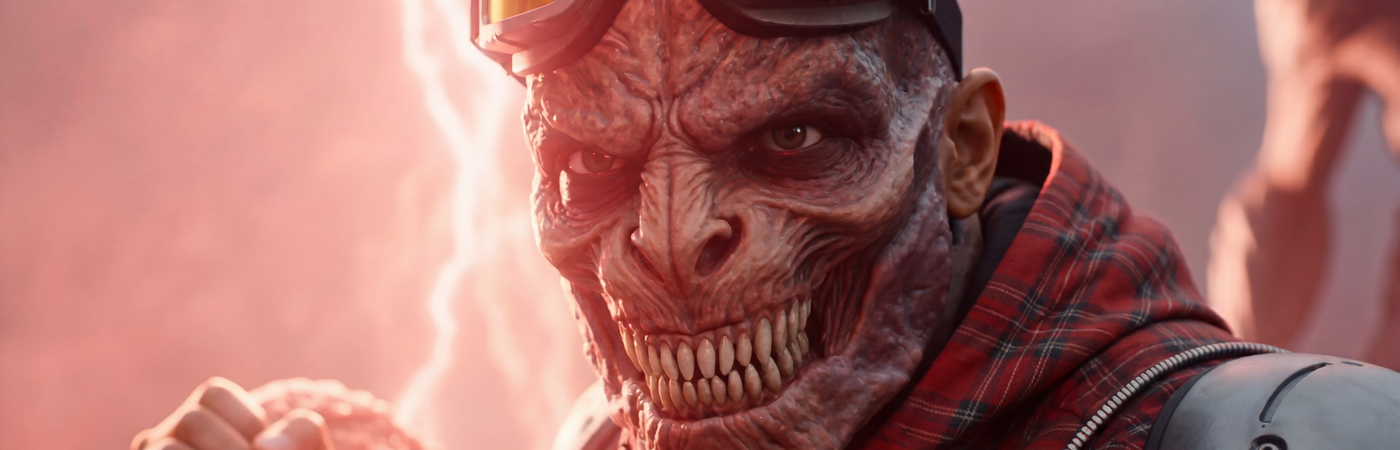
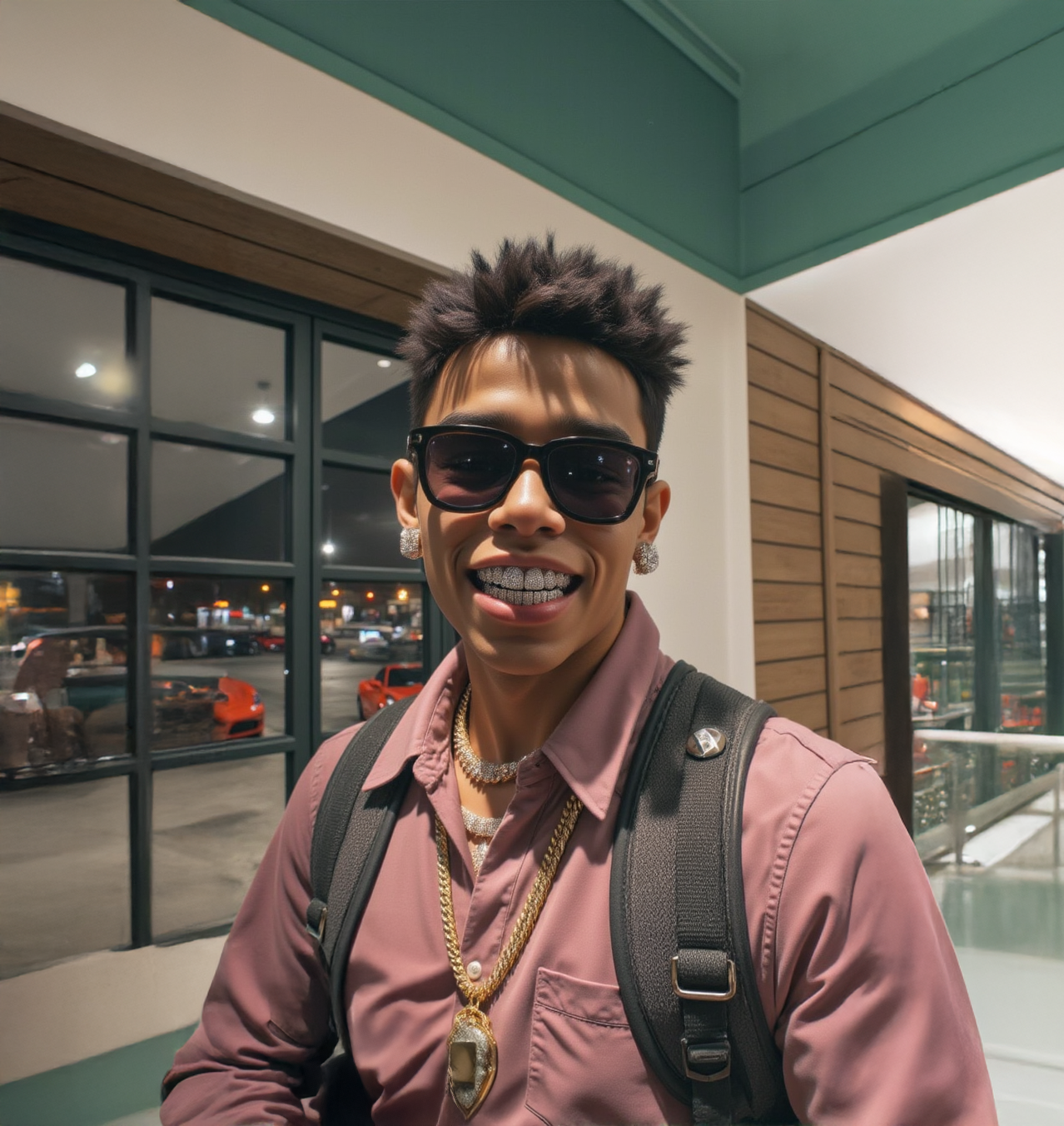
This page breaks down exactly how I made a 60-second fight scene from scratch. I used Nano Banana to generate a custom character using my own face, then used Seedance 2.0 four times to build each scene. Seedance's reference-to-video feature reads your entire previous clip and generates the next one from it, so the story, the environment, and the character all carry forward automatically. Four scenes, one chain, one quick edit in After Effects. That is the whole thing.
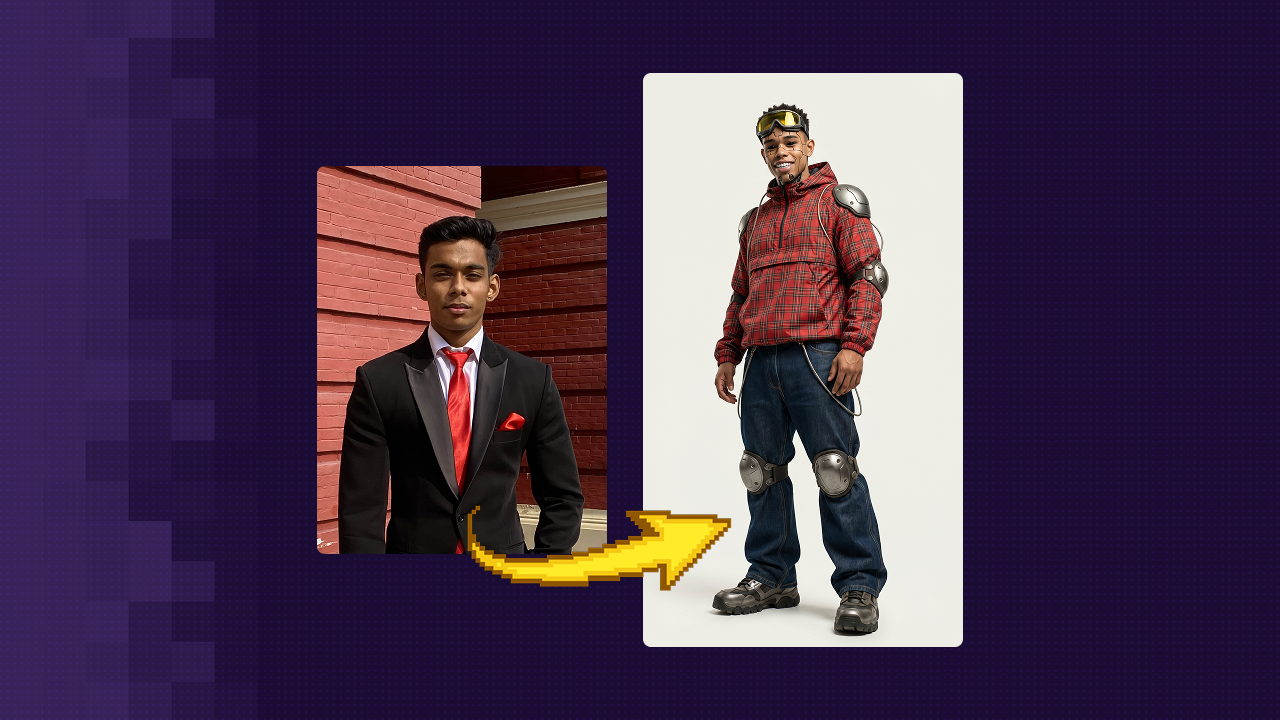
Open the Nano Banana workflow on Floyo. Upload your face photo and generate a custom character
Open the Seedance 2.0 reference-to-video workflow. Upload the Scene 1 prompt and generate the first scene
Use the video output from Scene 1 as the reference for Scene 2. Repeat for Scenes 3 and 4
Drop all four clips into any video editor in order. Trim the cuts, export, done
Final Output
Step 1 - Build your character first
Before you generate a single frame of video, you need a character image. This is the image Seedance uses to keep your face consistent across all four scenes. Do this first.


floyoofficial
16.9k
API
gemini 3 pro
Image
Image2Image
typography
Google just released Nano Banana Pro, and honestly, it's a pretty big step up from the original Nano Banana. The main thing? It can actually put legible text in images now. Like, real text that you can read, not the garbled nonsense most AI models spit out.
Nano Banana Pro: Generate & Edit Images
Google just released Nano Banana Pro, and honestly, it's a pretty big step up from the original Nano Banana. The main thing? It can actually put legible text in images now. Like, real text that you can read, not the garbled nonsense most AI models spit out.
How to use this workflow, step by step
| 1 | Open the Nano Banana Pro workflow on Floyo. You will see an image upload slot on the left and a text prompt field below it. |
| 2 | Upload a clear, front-facing photo of your face into the image upload slot. This is your identity reference. The workflow reads this photo to preserve your facial structure, skin tone, and hair in the output. |
| 3 | Paste the character prompt into the text field. |
| 4 | Click Run. The workflow generates a character portrait. Run it 3 to 4 times and pick the result that looks most like you and fits your story best. |
| 5 | Download and save this image. This is the file you will upload into the Seedance 2.0 workflow in Step 2. |
Character prompt
FFull-body cinematic portrait of a tall 2.5-meter humanoid male standing in a clean off-white studio background, using the provided reference image as the exact facial identity source with the same facial structure, skin tone, expression, hairstyle, and realistic human skin with pores, freckles, and grillz teeth. The character has completely black glossy eyes, subtle cybernetic segmentation lines across the face, and small exposed mechanical areas on the forehead and chin while keeping most of the face human. He wears bulky Y2K industrial goggles with semi-transparent yellow lenses on the forehead, a slightly oversized red plaid hooded anorak jacket, rounded sport-style metal armor on the shoulders, elbows, and knees, oversized dark blue wide-leg jeans, and large futuristic mechanical boots with chunky soles. Hands remain fully human with realistic skin. Relaxed but powerful stance with a slight forward lean, shot from a low-angle 50mm cinematic perspective with soft studio lighting and photorealistic Y2K futuristic hip-hop human-machine hybrid aesthetics. No text or logos.
Step 2 - Generate the four scenes
Each scene is 15 seconds. Each one uses the previous scene video as its reference in Seedance. The prompts for all four scenes are below, ready to copy and paste.
How to use the Seedance 2.0 reference-to-video workflow on Floyo
| 1 | Open the Seedance 2.0 reference-to-video workflow on Floyo. You will see image slots (Image 1 to Image 9), video slots (Video 1 to Video 3), and a text prompt field. For this project you only use the Video 1 slot from Scene 2 onward. |
| 2 | For Scene 1: Bypassed all input image/video nodes except Image 1, and add your character image on Image 1. Paste the Scene 1 prompt into the text field and click Run. Seedance generates the first scene from the prompt alone. |
| 3 | For each new scene, upload the previous scene video into the Video 1 slot, then paste the prompt and click Run.
|
floyoofficial
1.8k
ai video
API
multi reference
reference to video
seedance 2.0
Composite up to nine reference images into one video clip with Seedance 2.0 by ByteDance. Tag each image in the prompt, describe the scene, and hit run.
Seedance 2.0: Reference to Video
Composite up to nine reference images into one video clip with Seedance 2.0 by ByteDance. Tag each image in the prompt, describe the scene, and hit run.
Scene 1: The Capture
The alien encounter. Red tentacles wrap around him. An alien voice offers power in exchange for obedience. He resists. He loses. His body starts changing.
Full prompt · Scene 1
Cinematic supernatural horror atmosphere in an open fog battlefield. Dense grey-blue mist covering empty ground, towering alien silhouettes faintly visible through distance haze, red organic tentacles emerging from darkness, floating dust particles reacting to invisible pressure waves, subtle red lightning pulses diffusing through fog, handheld unstable camera reacting to impacts, grounded motion physics, practical creature-horror presence, no location change during sequence.
0–2s: Handheld shaky tracking close-up, wind swirling violently around him, red tentacles floating and drifting in the air around his body, camera unstable and breathing as if reacting to the environment.
2–4s: Tentacles suddenly snap forward and wrap tightly around his torso and arms from behind, lifting him slightly off balance as he reacts instantly, muscles tensing, body jerking sharply while he struggles to break free.
4–6s: A alien deep voice echoes: "Serve us, conquer the Earth, and the power you seek will be yours." His body stiffens violently as energy surges through him, red glow spreading across his skin while he resists harder, twisting his shoulders and pulling against the restraints as if fighting control.
6–8s: Camera circles him rapidly in handheld motion as transformation begins, his body convulses, movements erratic and forceful, he attempts to tear away from the tentacles but fails. His skin starts shifting unevenly, forming darker, thicker organic layers while his posture strains under visible tension.
8–10s: Extreme close-up: his skin rapidly changes into layered organic glossy textures, forming scale-like patterns. The surface moves like living tissue as he trembles and breathes heavily through clenched teeth.
10–11.5s: Cut to side/back shot: tall alien silhouettes move slowly around him, observing silently while he continues struggling violently inside the tentacle restraints, body twitching as the transformation spreads across his back and shoulders.
11.5–13s: Cut to front: tentacles suddenly retract sharply, releasing him mid-motion. He drops heavily to one knee, catching himself with one hand on the ground, breathing fast, body still twitching from residual transformation energy.
13–15s: Handheld close-up pushes toward his face as the final transformation completes. His facial structure shifts into an alien form with interconnected organic textures stretching and reforming fluidly. He slowly raises his head and releases a sharp hiss, revealing rows of unnatural teeth. His eyes darken as his expression turns predatory while the camera trembles slightly in front of him.
Scene 2 · The Confrontation
Still kneeling. Still surrounded. He starts talking back. The aliens press harder. He realises the transformation is not being done to him. It is happening because of him.
Full prompt · Scene 2
ENVIRONMENT CONTINUITY RULE: Continue inside the exact same fog-covered open alien space as the reference video. Same dense grey-blue mist atmosphere. Same three towering humanoid silhouettes surrounding him. Same red organic tentacles extending from darkness. Same empty ground surface with no walls or buildings visible. No environment change. No interior location. No new setting.
cinematic Stranger Things-style supernatural confrontation, handheld shaky camera, floating dust particles in fog, red-blue lightning pulses diffusing through mist, telekinetic air pressure waves distorting particles, practical creature-horror presence, tense 1980s sci-fi horror atmosphere.
0–2s: Continue directly from last frame of Scene 1. He remains kneeling on the same fog-covered ground. Same giant silhouettes stand motionless around him in the mist. His breathing slows. One silhouette shifts slightly closer through the fog. Low voice echoes: "You are changing."
2–4s: Camera slowly rises from low angle while remaining inside the same mist environment. Red tentacles tighten again around his torso. Fog swirls outward from his body as pressure increases. He growls: "Then stop me."
4–6s: Ground dust lifts upward in a circular motion around his knees. Tentacles pull tighter. Alien voice surrounds him from multiple directions: "You are not resisting. You are becoming."
6–8s: Sudden telekinetic shockwave bursts outward from his chest. Nearby fog violently disperses in a circular ring. One tentacle snaps loose. Staying inside the same mist clearing. The three silhouettes reposition slowly, forming a wider circle. Red lightning pulses faintly through the fog layers. Tentacles recoil slightly as if reacting to his strength.
10–12s: One creature leans forward into partial visibility through the mist. Its presence compresses the air. Floating particles freeze momentarily. Voice deepens: "Prove it."
12–15s: Fog drifts between him and the giants. His eyes darken again. He looks directly at the nearest silhouette: "Come closer." Lightning pulse spreads once through the fog field.
Scene 3 · The Fight
The tentacles break. He tears through three creatures using shockwaves, throws, and raw telekinetic force. The ground cracks. The fog scatters. He is completely in control.
Full prompt · Scene 3
ENVIRONMENT CONTINUITY RULE: Continue in the exact same fog battlefield environment as previous scenes. Same dense gray-blue mist, same towering creatures, same empty ground surface, same lighting and scale. No location change. Character remains on the ground for entire scene.
cinematic Stranger Things-style supernatural horror combat, grounded character stance, violent shockwaves emitted from hands and body, creatures resisting force realistically, dense fog reacting like pressure medium, handheld impact camera, aggressive camera angle changes, extreme closeups, practical creature motion physics, fast pacing, no slow motion.
0–2s: Extreme handheld close-up. Tentacles tighten around his torso one last time. His eyes ignite deep red instantly. He spreads his arms violently. Tentacles tear loose under pressure and recoil backward into the fog. Ground cracks outward from his feet. Dust lifts in a circular pressure ring.
2–4s: Low-angle medium close shot. A creature charges toward him. He throws one hand forward sharply. Shockwave hits its chest. Its body folds backward while its feet drag across the ground. Fog bursts outward around impact.
4–6s: Side tracking shot. Another creature lunges from the left. He pivots aggressively and strikes with the opposite hand. Shockwave slams it sideways across the battlefield.
6–8s: Third creature mid-attack. He slams it into the ground beside him. Surface fractures outward.
8–10s: Extreme close-up on face. Organic skin textures tighten across jaw and cheekbones. Energy veins spread across his neck. He roars. Circular pressure wave explodes outward through fog. Nearby creatures stagger backward.
10–12s: Rear diagonal camera angle. He spreads both arms outward sharply. Two shockwaves fire in opposite directions. Two creatures stumble and crash into the mist-covered ground. Loose debris spirals around him.
12–14s: Low-angle tracking shot. Last creature attempts one more attack. He drives forward aggressively and strikes its torso with both hands. Invisible force crushes its forward movement. Creature collapses backward into the fog.
14–15s: Handheld push-in close-up. He stands still at center of battlefield. Creatures retreat or lie motionless in the mist around him. Dust slowly settles. Eyes still glowing red. He lowers his hand slightly. Final shockwave ripple spreads across the ground through the fog.
Scene 4 · The Silence
The power fades. The fight is over. The camera steadies for the first time. The glow leaves his eyes. He exhales. Alone
Full prompt · Scene 4
ENVIRONMENT CONTINUITY RULE: Continue in the exact same fog battlefield environment from Scene 3. Same gray-blue mist, same cracked ground surface, same distant creature silhouettes. No tentacles returning. Character remains grounded. No slow motion. No environment change.
cinematic Stranger Things-style supernatural horror ending, extreme closeup coverage, handheld camera stabilizing gradually, residual shockwave pressure in fog, glowing energy fading naturally from face, creatures disappearing into mist realistically, photorealistic motion physics.
0–0.8s: Extreme closeup on his face. Eyes still glowing red. Jaw energy flare lines brighter for a moment. He releases one last short forward shockwave from his hand off-frame. Fog near camera tears outward sharply. Camera vibrates slightly from pressure.
0.8–1.6s: Stay tight on face. Glow releases inside his eyes flickers unevenly. Energy lines along jaw dim gradually. His breathing becomes louder and heavier. Background creature silhouettes begin stepping backward into fog behind him.
1.6–2.6s: Close chest-and-face framing. His shoulders drop slightly. Neck muscles relax. Remaining silhouettes dissolve deeper into mist instead of disappearing instantly. Floating dust settles downward around him. Red lightning glow fades from the environment.
2.6–4s: Tight closeup again. Eyes finish dimming completely. His mouth opens slightly as he exhales once. Camera steadies for the first time in the entire fight. Fog drifts slowly across frame between camera and his face. He stands alone. Silence replaces the battlefield.
Step 3 - Put it together in After Effects
The hardest part is over. You made four AI scenes. Now just stick them together.
Drag the four clips onto the timeline in order
Scene 1, 2, 3, 4 one after another. They connect visually because each scene starts where the last one ended.
Trim 2 to 3 frames at each cut
Snip a couple of frames from the end of one clip and the start of the next. Makes cuts feel sharp. Five minutes of work. Big difference.
Export and send it to everyone you know
H.264 MP4 at 1080p is the standard. Works everywhere. Post it on Instagram Reels or TikTok.
No After Effects? Use one of these free alternatives
CapCut · Windows, Mac and Mobile · Free
The easiest option. Drag clips in, trim, export. Works on your phone too. If you have never edited video before, start here.
Canva · Browser, Windows and Mac · Free
Works entirely in your browser. Upload your four clips, arrange them on the timeline, and export. No download needed. Good if you want the simplest possible setup.
DaVinci Resolve · Windows and Mac · Free
The most powerful free video editor. Used by professionals. The free version handles everything you need here. Download at blackmagicdesign.com.
How to prompt Seedance 2.0 for any scene
This structure works for any type of video, not just fight scenes. Follow this order every time and your outputs will be consistent.
1. Describe who is in the video
Start by describing the main subject. What do they look like? What are they wearing? The more specific you are, the more consistently Seedance will generate the same person across multiple scenes.
A young woman in her 20s, wearing a white linen shirt and light blue jeans,
dark shoulder-length hair, natural makeup, confident posture.
2. Describe where it happens
Tell Seedance the location and the atmosphere. Indoor or outdoor? Day or night? What does the background look like? This sets the visual world of the scene.
Outdoors in a quiet city park, golden afternoon light, green trees in background,
few people visible in the distance, natural ambient atmosphere.
3. Describe the camera style
Tell Seedance how the camera should feel. Is it shaky and handheld? Smooth and cinematic? Close up on the face or wide enough to see the full body? Camera style changes the entire mood of the video.
Cinematic medium shot, stable camera, soft natural lighting,
slight shallow depth of field, documentary style.
Useful camera words: extreme close-up, medium shot, wide shot, handheld, tracking shot, low-angle, overhead, slow push-in, cinematic, documentary style.
4. Write what happens, second by second
This is the most important part. Break the scene into short time blocks and describe exactly what happens in each one. Use timestamps. Seedance reads them and tries to pace the action to match. Be specific about what the person is doing, not how it feels.
0–3s: She walks slowly into frame from the left, looks around, smiles slightly.
3–7s: She stops, pulls out her phone, looks down at the screen.
7–11s: She looks up, waves at someone off-camera, starts walking toward them.
11–15s: Camera pulls back slightly as she moves away. She turns and waves once more.
Avoid: "She looks happy", "the vibe is chill", "it feels dramatic". Seedance cannot show feelings, only actions. Write what the body is doing, not what the person is feeling.
5. End on a still or slow moment
Always describe the last 1 to 2 seconds as a calm, steady moment. This makes the video feel complete. It also gives you a clean ending frame if you are chaining scenes together.
14–15s: Camera holds steady. She stands still, looking ahead. Scene ends.
Full prompt structure at a glance
Who is in it · describe the person clearly
Where it happens · location and atmosphere
Camera style · how it looks and feels
What happens · timestamped beats, physical actions only
End on a still moment · clean final frame