


COMMUNITY PAGE
Run Seedance 2.0 on Floyo
Home / Model / Seedance 2.0 on Floyo
AI VIDEO GENERATION
Run Seedance 2.0 on Floyo
Multi-modal video generation with reference tagging, native audio-video sync, 2K resolution, and multi-shot narratives. Up to 9 images, 3 videos, and 3 audio files in a single generation.
Run ByteDance's Seedance 2.0 through ComfyUI in your browser. No API key, no installs, no local GPU.
Resolution
Up to 2K
Duration
Up to 15 seconds
Reference Inputs
Up to 12 files
Audio
Native audio-video sync
Run on Floyo → Browse All Models
No installation. Runs in browser. Updated April 2026.


What is Seedance 2.0?
Seedance 2.0 is ByteDance's latest video generation model, unveiled in February 2026. It uses a Dual-Branch Diffusion Transformer architecture that generates audio and video simultaneously. The model accepts four input types at once: text prompts, up to 9 reference images, up to 3 video clips (15 seconds each), and up to 3 audio clips (15 seconds each). It outputs video at up to 2K resolution with native audio sync.
Seedance 2.0 hit Elo 1,269 on the Artificial Analysis leaderboard, placing it ahead of Google Veo 3, OpenAI Sora 2, and Runway Gen-4.5 as of March 2026. On Floyo, you will access it through ComfyUI API nodes. The nodes call ByteDance's inference servers, so the model runs in the cloud while you build your workflow in ComfyUI's node graph.
What are Seedance 2.0's technical specifications?
Seedance 2.0 uses a Dual-Branch Diffusion Transformer that generates audio and video in a single pass. It outputs video at up to 2K resolution (2048x1080 landscape or 1080x2048 portrait) for up to 15 seconds per generation. Inputs include text, up to 9 images, up to 3 video clips, and up to 3 audio clips. Generation speed is about 30% faster than Seedance 1.5 Pro.
| Spec | Details |
|---|---|
| Developer | ByteDance (Seed team) |
| Architecture | Dual-Branch Diffusion Transformer (audio + video) |
| Resolution | Up to 2K (2048x1080 or 1080x2048) |
| Duration | Up to 15 seconds per generation |
| Audio | Native joint audio-video generation with lip-sync (8+ languages) |
| Image References | Up to 9 per generation |
| Video References | Up to 3 clips (15 seconds each) |
| Audio References | Up to 3 clips (15 seconds each) |
| Reference System | @ tagging (@Image1, @Video1, @Audio1) with natural language control |
| Multi-Shot | Yes, with "lens switch" keyword for natural cuts |
| Generation Speed | 30-40 seconds per clip (30% faster than 1.5 Pro) |
| Benchmark | Elo 1,269 on Artificial Analysis (March 2026) |
| ComfyUI Access | API-based nodes (Seedance nodes in ComfyUI) |
| Release Date | February 10, 2026 |
What can you create with Seedance 2.0?
Seedance 2.0 covers text-to-video, image-to-video, multi-modal reference generation, video extension, video editing, and multi-shot narrative creation. The @ reference system and native audio generation make it suited for production workflows where you need control over characters, camera movements, sound design, and scene continuity in a single pass.
| Capability | What It Does | Use Case |
|---|---|---|
| @ Reference System | Tag uploaded assets (@Image1, @Video1, @Audio1) and control exactly how the model uses each one in your prompt. | Character casting, motion transfer, style matching, sound design |
| Multi-Shot Narratives | Generate sequences with natural cuts, consistent characters, and shifting camera angles in a single generation pass. | Short films, product narratives, storyboard-to-video |
| Native Audio | Audio and video generated simultaneously. Dialogue with lip-sync in 8+ languages, sound effects, and music that follows the narrative. | Talking head content, music videos, product demos with sound |
| Video Extension | Extend existing clips naturally and merge different scenes together while maintaining continuity. | Long-form content, scene transitions, narrative extension |
| Video Editing | Modify specific segments, replace characters, or extend scenes without regenerating the entire video. | Post-production adjustments, client revisions, character swaps |
| Motion Transfer | Reference a dance video, action sequence, or camera movement from uploaded footage and apply it to new characters or scenes. | Choreography replication, trending format adaptation, branded content |
What are Seedance 2.0's key features?
Seedance 2.0's feature set centers on multi-modal reference control and joint audio-video generation. The model processes four input types through specialized encoders that convert each into a shared latent representation. This means text, images, video, and audio are tightly coupled during generation rather than treated as separate passes.
Upload files and the model assigns labels (Image1, Video1, Audio1). Reference them in your prompt to specify character appearance from Image1, camera motion from Video1, and soundtrack from Audio1. Early testers have used this to replicate choreography from real footage onto AI-generated characters, transfer camera movements between scenes, and convert manga pages into animated sequences.
The Dual-Branch Diffusion Transformer generates audio and video simultaneously. This is not text-to-speech pasted onto video. The model understands the relationship between what happens visually and what should be heard. Music carries depth. Dialogue is clear with lip-sync in 8+ languages (English, Chinese, Japanese, Korean, Spanish, French, German, Portuguese). Sound effects land on cue.
The model generates sequences with multiple shots and natural cuts within a single output. Characters remain visually consistent. Camera angles shift naturally. The keyword "lens switch" in your prompt signals a cut. The model maintains continuity of subject, style, and scene across transitions. A single 15-second output can feel like an edited sequence rather than one continuous clip.
Fight scenes, vehicle chases, falling debris. The model understands how objects interact under force. Collisions have weight. Fabric tears with physical plausibility. Characters move with believable dynamics even in high-action sequences. This extends to camera simulation: tracking shots, crane movements, dolly zooms, and one-take continuous shots all respond to natural language prompts.
Faces, clothing, and visual details stay locked across your entire video. Upload a reference image to define a character once. The model keeps them consistent through every scene and shot. The consistent character feature can also generate a 4K multi-panel character sheet from reference photos for reuse across workflows.
Outputs at native 2K (2048x1080 landscape or 1080x2048 portrait), a step up from the 1080p ceiling of most competing models. Fine details (facial features, text overlays, product textures) render with greater clarity. The 2K output can be cropped, stabilized, or used in larger compositions without dropping below HD quality.
How does Seedance 2.0 compare to other video models?
Seedance 2.0 leads the Artificial Analysis leaderboard with Elo 1,269 as of March 2026, ahead of Veo 3 (Elo 1,226), Sora 2, and Runway Gen-4.5. Its multi-modal input system (12 files per generation) is unmatched. Kling 3.0 offers 4K at 60fps with a production API available today. Runway Gen-4.5 has stronger editing ecosystem tools. Veo 3 leads on audio-video synchronization quality.
| Model | Resolution | Multi-Modal Input | Native Audio | Elo Score |
|---|---|---|---|---|
| Seedance 2.0 | 2K | 12 files (img + vid + audio) | Yes (lip-sync, 8+ languages) | 1,269 |
| Kling 3.0 | 4K at 60fps | Image + text | Yes | N/A |
| Google Veo 3 | 1080p | Text + image | Yes (strongest sync) | 1,226 |
| Runway Gen-4.5 | 1080p | Text + image | Limited | N/A |
Source: Artificial Analysis leaderboard (March 2026), fal.ai model documentation, and third-party reviews. Elo scores for Kling 3.0 and Runway Gen-4.5 not available in arena dataset at time of writing.
How does Seedance 2.0 work?
Seedance 2.0 uses a Dual-Branch Diffusion Transformer with specialized encoders for each input type. Text goes through an LLM-based encoder. Images become visual feature tokens. Video clips become spatiotemporal tokens. Audio becomes waveform tokens. All four are converted into a unified latent representation, so the model processes them as a single coherent input rather than separate streams.
The dual-branch architecture means one branch handles video frame generation while the other handles audio waveform generation. Both branches share information during the denoising process, which is why audio and video are synchronized by default rather than aligned after the fact. The model starts with noise and gradually transforms it into a coherent video sequence with matching audio.
On Floyo, Seedance 2.0 will run as an API-based ComfyUI node. Your prompt and uploaded assets are sent to ByteDance's inference servers, and the rendered video streams back to your ComfyUI canvas. This means you can chain Seedance 2.0 with local processing nodes: pass the output to an upscaler, apply color grading, or run face restoration, all in the same workflow.
Fair warning: Seedance 2.0 is API-based, not a local model. Generation runs on ByteDance's servers, which means content filtering is active and more restrictive than open-source models. The model does not support uploading images with real human faces as references (use virtual portrait library characters instead). Global API availability is expanding but not yet universal. On Floyo, the ComfyUI integration is coming soon.
Frequently Asked Questions
Common questions about running Seedance 2.0 on Floyo.
Seedance 2.0 runs as an API node, so generation costs come from your API Wallet (separate from FloTime). Floyo gives $1 in free API credits on signup. Exact per-generation pricing will depend on resolution and input complexity. You can also try Floyo's free tier, which gives you 20 minutes of GPU time per day for open-source model workflows.
Open Floyo in your browser, find a Seedance 2.0 workflow (search "Seedance" in the template library), and click Run. Floyo handles the ComfyUI environment and the API connection to ByteDance's servers. No local install, no Python setup, no API key management required.
ByteDance's Seed team, the same group behind TikTok's AI tools and the Seedance 1.0/1.5 series. Seedance 2.0 was unveiled on February 10, 2026. It is available in China through ByteDance's Jimeng platform and internationally through third-party integrations and API partners.
When you upload files, Seedance 2.0 assigns labels (Image1, Video1, Audio1). You reference them in your prompt to control exactly how the model uses each asset. For example: "Use Image1 for the character's appearance, follow the camera motion from @Video1, and use Audio1 as the background music." This gives you granular control over multi-modal generation in a single pass.
Both are top-tier video models. Seedance 2.0 leads on multi-modal input (12 reference files vs. Wan 2.7's 5 video references), native audio quality, and benchmark scores. Wan 2.7 has a stronger open-source lineage and offers image generation alongside video. On Floyo, you can use both in the same pipeline, generating images with Wan 2.7 and animating them with Seedance 2.0.
Yes. Floyo runs ComfyUI, which lets you chain multiple models in a single workflow. Generate a character image with Flux or Wan 2.7, pass it to Seedance 2.0 for video generation with audio, then upscale the result with a local model. After generation, you can also apply local color grading, film grain, or face restoration nodes at no additional API cost.
Yes. Audio and video are generated simultaneously through the Dual-Branch Diffusion Transformer. The model produces dialogue with lip-sync in 8+ languages, ambient soundscapes, sound effects, and music. You can trigger audio characteristics through prompt keywords like "reverb" for large spaces or "muffled" for enclosed environments.
No. Seedance 2.0 does not support uploading images with real human faces as references. ByteDance tightened restrictions after accidental celebrity lookalike generations. You can use characters from the virtual portrait library instead, or generate characters with other image models and use those as references.
Seedance 2.0 is coming soon to Floyo as a ComfyUI API node. ComfyUI partner nodes for Seedance (text-to-video, image-to-video, first/last frame control) are in active development. Check back for updates or sign up to be notified when the workflow goes live.
Multi-modal video generation with references, native audio, 2K resolution, and multi-shot narratives. Run it in your browser when it drops.
Related Reading
Film and Animation Workflows on Floyo
Setting Up an AI Production Pipeline for Your Studio
Last updated: April 2026. Specs from ByteDance official documentation, Artificial Analysis leaderboard, fal.ai model listings, DataCamp technical analysis, and third-party reviews.
%20(1)_1775891000879.webp?width=400&height=300&quality=80&resize=contain&format=origin)

floyoofficial
4.7k
seedance
seedance 2.0
text to video
Video
video generation
Generate a video clip from a text prompt with Seedance 2.0 by ByteDance. Describe the scene, the action, and the camera. Pick a shape and length, hit run.
Seedance 2.0 · Text to Video
Generate a video clip from a text prompt with Seedance 2.0 by ByteDance. Describe the scene, the action, and the camera. Pick a shape and length, hit run.
floyoofficial
1.8k
ai video
API
multi reference
reference to video
seedance 2.0
Composite up to nine reference images into one video clip with Seedance 2.0 by ByteDance. Tag each image in the prompt, describe the scene, and hit run.
Seedance 2.0: Reference to Video
Composite up to nine reference images into one video clip with Seedance 2.0 by ByteDance. Tag each image in the prompt, describe the scene, and hit run.
_1776068409140.webp?width=400&height=300&quality=80&resize=contain&format=origin)
Seedance 2.0 Fast Reference-to-Video

floyoofficial
1.2k
animation
film production
image to video
vfx
Video
video generation
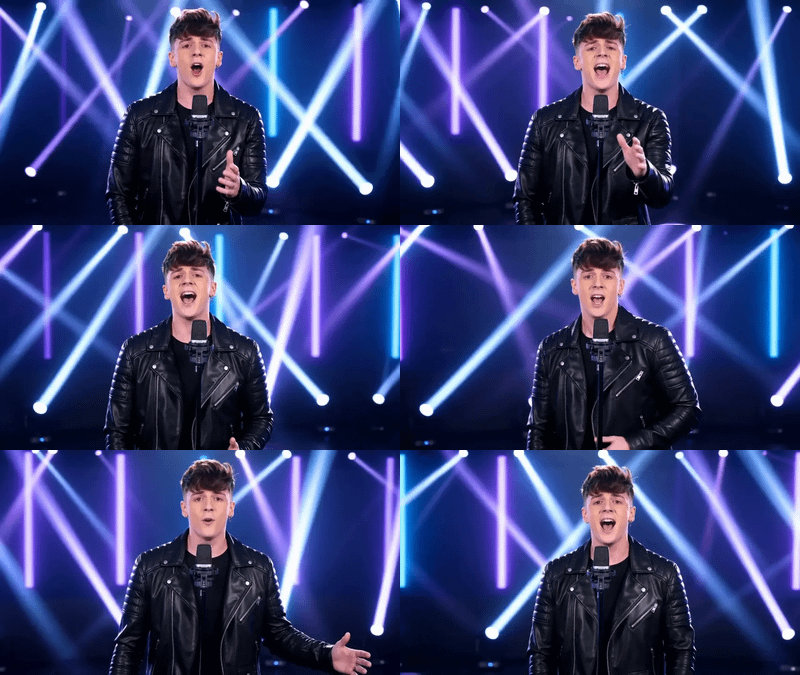
Animate any still into a video clip with Seedance 2.0 by ByteDance. Upload a start image, add an optional end frame, describe the motion, and hit run.
Seedance 2.0 · Image to Video
Animate any still into a video clip with Seedance 2.0 by ByteDance. Upload a start image, add an optional end frame, describe the motion, and hit run.
seedance 2.0
text to video
Video
video generation
Generate video with native audio from a text prompt using Seedance 2.0 Fast. Describe a scene, pick a duration and aspect ratio, get a clip with synced sound.
Seedance 2.0 Fast - Text to Video
Generate video with native audio from a text prompt using Seedance 2.0 Fast. Describe a scene, pick a duration and aspect ratio, get a clip with synced sound.

image to video
seedance 2.0
Video
video generation
Animate any image into video with ByteDance's Seedance 2.0 Fast. Built-in audio generation, start and end frame control, and multiple aspect ratios. No setup needed.
Seedance 2.0 Fast - Image to Video with Audio
Animate any image into video with ByteDance's Seedance 2.0 Fast. Built-in audio generation, start and end frame control, and multiple aspect ratios. No setup needed.
_1777212190508.webp?width=400&height=300&quality=80&resize=contain&format=origin)

nikhil07
603
ecommerce
product-demo
product-review
product-tutorial
seedance-2
social-media-ads
ugc
Video
Turn any product photo into a realistic UGC-style product review and tutorial video.
Seedance 2.0 — Product Tutorial Videos in Seconds
Turn any product photo into a realistic UGC-style product review and tutorial video.
_1777214163837.webp?width=400&height=300&quality=80&resize=contain&format=origin)
nikhil07
803
accessory-showcase
ecommerce
fashion-video
reels
seedance-2
street-style
tiktok
ugc
Video
Create viral UGC-style fashion and accessory videos from just two photos
Seedance 2.0 — AI UGC Fashion & Accessory Videos
Create viral UGC-style fashion and accessory videos from just two photos
%20(1)_1777204451345.webp?width=400&height=300&quality=80&resize=contain&format=origin)
nikhil07
414
asmr
ecommerc
product-showcase
product-video
seedance
UGC
unboxing
Video
video-generation
Turn your product image and a style reference photo into a cinematic unboxing video.
Seedance 2.0 — Make ASMR Unboxing Videos
Turn your product image and a style reference photo into a cinematic unboxing video.
nikhil07
787
clothing
ecommerce
fashion-video
influencer-video
outfit
seedance-2
ugc
Video
virtual-try-on
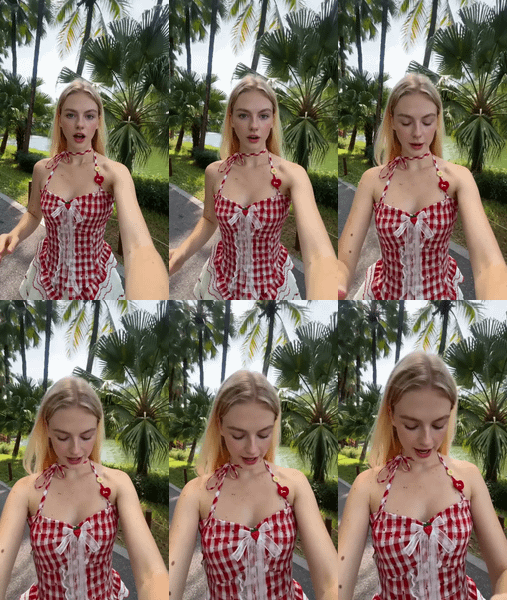
The workflow wears your outfit, moves naturally, talks to camera, and shows the full look — just like a real influencer video.
Seedance 2.0 — AI Virtual Try-On Fashion Videos
The workflow wears your outfit, moves naturally, talks to camera, and shows the full look — just like a real influencer video.
Run Seedance 2.0 online through ComfyUI on Floyo. ByteDance's Dual-Branch Diffusion Transformer video model, #1 on Artificial Analysis Video Arena for both T2V and I2V. Up to 2K resolution, 15 seconds, native synchronized audio dialogue, SFX, music, multi-shot sequencing camera control, and up to 12 multimodal reference inputs. Character consistency across scenes. No install, no GPU, browser-based