

Z-Image Turbo + SDA LoRA for Diverse Text to Image
Generate images with Z-Image Turbo while the SDA diversity LoRA stops every seed from producing the same pose and composition. 8 steps, 2x upscale to 2048.
concept art
Image
lora
LoRAs
portrait
SDA
text to image
z-image turbo
1.1k

Nodes & Models
EmptySD3LatentImage
WorkflowGraphics
CLIPLoader
qwen_3_4b.safetensors
UNETLoader
z_image_turbo_bf16.safetensors
VAELoader
Z-Image_natural_vae.safetensors
CLIPTextEncode
LoraLoaderModelOnly
zit_sda_v1.safetensors
ConditioningZeroOut
ModelSamplingAuraFlow
KSampler
VAEDecode
ImageScaleBy
SaveImage
Z-Image Turbo text-to-image with the SDA (Semantic Directional Alignment) diversity LoRA by F16.
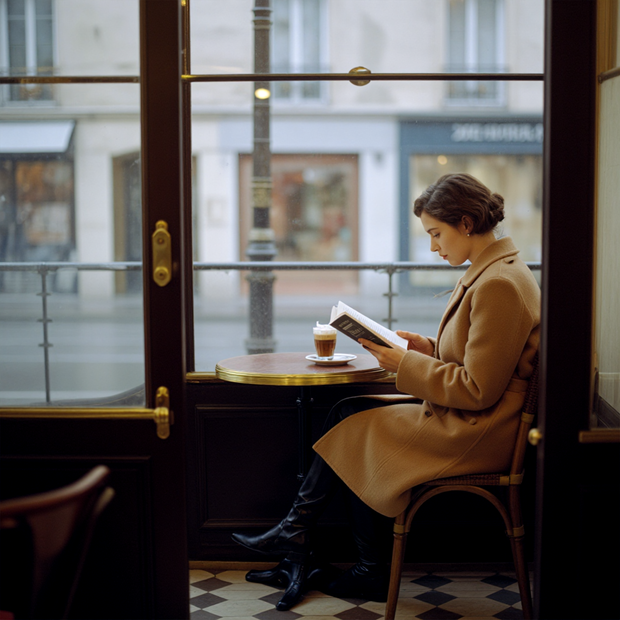
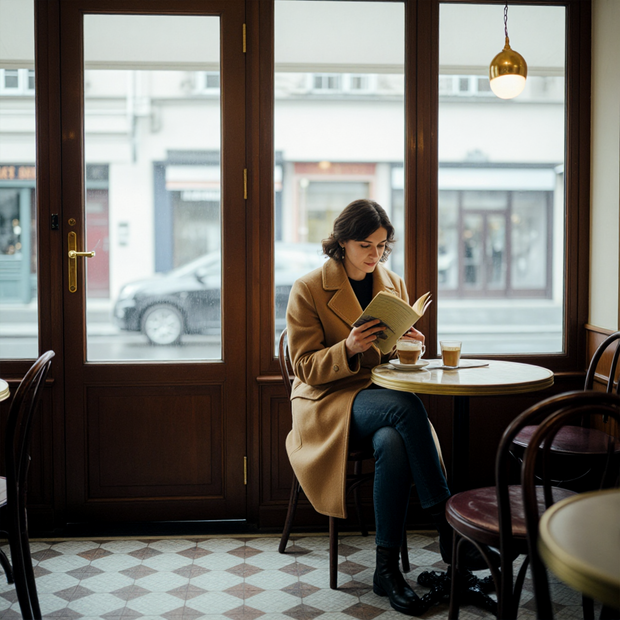
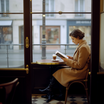
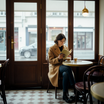
Write a prompt, hit run, and get a sharp image in 8 steps with a built-in 2x upscale to 2048x2048. The SDA LoRA fixes Z-Image Turbo's biggest problem: without it, changing your seed gives you near-identical compositions. Same pose, same layout, same camera angle. With SDA loaded, different seeds give you different images.
One prompt input. Defaults are set. Change the seed and you get variety.
How do you use the SDA diversity LoRA with Z-Image Turbo?
Write your prompt, set the SDA LoRA strength, and pick a seed. The workflow runs Z-Image Turbo at 8 steps with euler ancestral sampling and a beta scheduler. The SDA LoRA rotates the model's prediction direction so different seeds produce different compositions instead of collapsing to the same layout.
Prompt Describe what you want to see. The workflow uses a Qwen 3 4B text encoder, so it handles long, detailed prompts well. Shorter prompts give the SDA LoRA more room to push compositions apart. Longer, more specific prompts ("a cat on the left, looking at a red cup on the right") anchor elements to fixed positions and reduce the diversity effect. Want maximum variety across seeds? Keep your prompt loose. Need a specific layout? Be descriptive and accept less variation.
SDA LoRA Strength (default: 0.8) Controls how far the model deviates from its default collapsed compositions. Want strong diversity with good image quality? Stay at 0.8. Want to push variety further? Try 0.9 to 1.0, but watch for anatomy issues on human subjects. Need the diversity effect but with cleaner anatomy? Drop to 0.5 to 0.7. The tradeoff: lower strength means compositions start looking similar again. Higher strength means more variety but more risk of distorted limbs and hands.
Seed This is where the SDA LoRA earns its place. Without it, seeds 42, 123, 777, and 999 give you the same composition with minor color shifts. With SDA loaded, each seed gives you a meaningfully different image. Set a fixed seed to reproduce a result. Use "increment" mode (the default) to generate a new variation each run.
Resolution (default: 1024x1024) The generation happens at 1024x1024, then the workflow upscales 2x with bicubic interpolation to 2048x2048. This is the sweet spot for Z-Image Turbo. Going higher at the generation stage can introduce artifacts.
Steps (default: 8) Z-Image Turbo is a distilled model built for fast inference. 8 steps is the intended count. Adding more steps does not improve quality and can degrade it.
When should you use the SDA diversity LoRA with Z-Image Turbo?
Use this workflow when you need multiple distinct compositions from the same prompt. Concept art exploration, character pose variation, thumbnail options, or any task where generating five images that look different from each other matters more than generating one perfect image.
This is a good fit for early-stage creative work. You write one prompt, generate a batch across different seeds, and get a spread of compositions to pick from. Concept artists exploring scene layouts, character designers looking at pose options, and content creators who need thumbnail variants all benefit from this.
The SDA LoRA recovers about 70% of the original teacher model's compositional diversity. That is a big improvement over the base Z-Image Turbo, but it does not match the full 50-step model's variety.
The tradeoff: SDA can introduce anatomy issues, especially on hands and limbs. If you need clean human anatomy on every generation, lower the LoRA strength to 0.5 to 0.7 or use the base Z-Image Turbo workflow without SDA and accept less variety. The SDA LoRA can also conflict with other Z-Image Turbo LoRAs. If you are stacking style or character LoRAs, lower SDA strength to 0.5 to 0.7 to reduce blurring from conflicting gradients.
SDA LoRA by F16.
FAQ
How many steps should I use with Z-Image Turbo and the SDA LoRA? 8 steps. Z-Image Turbo is distilled for 8-step inference. The SDA LoRA was trained against this same step count. Adding more steps does not help and can hurt output quality. Stick with 8.
Can I stack the SDA LoRA with other Z-Image Turbo LoRAs? Yes, but expect some conflicts. SDA rotates the model's prediction direction, which can clash with style or character LoRAs that expect the original trajectory. Lower SDA strength to 0.5 to 0.7 when stacking. You will need to find the balance for your specific combination.
Why do my Z-Image Turbo images look the same across different seeds? This is diversity collapse. When distilling a 50-step model into 8 steps, the student model learns shortcuts that converge compositions to a mean. The SDA LoRA was built to fix this by recovering about 70% of the original model's compositional variety.
Does the SDA LoRA work with Z-Image (non-Turbo)? No. The SDA LoRA targets the distilled Turbo variant specifically. The full Z-Image model does not have the diversity collapse problem because it uses more inference steps.
How to run Z-Image Turbo with the SDA LoRA online? You can run Z-Image Turbo with the SDA LoRA online through Floyo. No installation, no setup. Open the workflow in your browser, upload your inputs, and hit run. Free to try.
Read more


_1786518453053.png?width=400&height=300&quality=80&resize=cover)




