Capybara for Image Editing
Edit your cool images using Capybara
Capybara
Image2Image
Image Editing
Video
779


Nodes & Models
VAELoader
hunyuanvideo15_vae_fp16.safetensors
UNETLoader
capybara_v0.1.safetensors
DualCLIPLoader
qwen_2.5_vl_7b.safetensors
byt5_small_glyphxl_fp16.safetensors
CLIPVisionLoader
sigclip_vision_patch14_384.safetensors
RandomNoise
KSamplerSelect
LoadImage
WorkflowGraphics
MarkdownNote
BasicScheduler
ModelSamplingSD3
CLIPTextEncode
GetImageSize
CLIPVisionEncode
HunyuanVideo15ImageToVideo
CFGGuider
SamplerCustomAdvanced
VAEDecode
ImageConcanate
PreviewImage
ImageResize+
ImageResize+
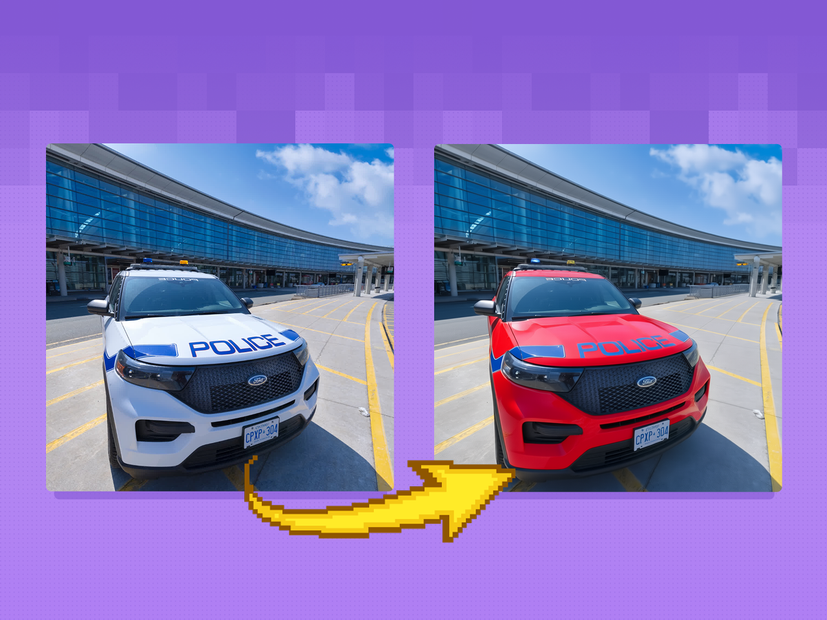
Capybara’s image‑to‑image mode lets you edit an existing image by instruction, keeping structure and identity while changing style, content, or lighting.
What it is
A unified visual model where
ti2i/ image‑edit mode takes an input image plus a text instruction and outputs an edited version (local or global changes).Exposed in ComfyUI via the “Capybara: Image Edit” template and 4‑in‑1 Capybara workflows.
Key features
Instruction‑based edits: prompts like “replace the background with a sunset beach” or “make it cyberpunk at night” without masks for many cases.
Handles both local edits (object replacement, expression tweaks) and global edits (time of day, color grading, style change).
Supports multi‑turn editing—you can apply several sequential instructions while preserving identity and layout.
Works in the same pipeline as text‑to‑image and image‑to‑video, so style and look stay consistent across assets.
Best use cases
Background and atmosphere swaps on portraits or product images (day ↔ night, indoor ↔ outdoor, realistic ↔ stylized).
Object / outfit / prop changes while keeping the same person, pose, and framing.
Look‑dev iterations: quickly trying different styles or moods on a base keyframe before animating it with image‑to‑video.
Read more
_1786522681696.png?width=400&height=300&quality=80&resize=cover)