AI Influencer Video Maker · Image to Video
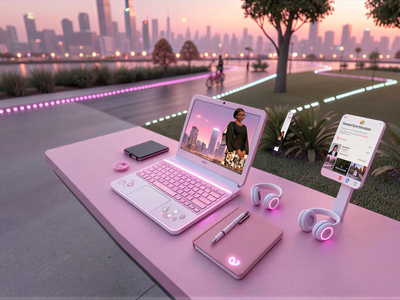
Upload a model photo and a product photo, and this two-step workflow composites them into a styled influencer image with Nano Banana Pro, then animates it into a 10-second talking video with Kling 2.6 Pro.
ai influencer
Image
kling
nano banana pro
product video
Video
117
_1772104822143_1782978375956.webp)
Nodes & Models
Kling26Pro_floyo
NanoBananaProUnified_floyo
VideoToFrames
LoadImage
PreviewImage
SaveImage
FloyoStickyNote
VHS_VideoCombine
ABOUT THE WORKFLOW
Create an Influencer Product Video
Upload a photo of a person and a photo of a product. Step 1 composites them into a single styled image of the person holding the product in a set scene. Step 2 takes that image and animates it into a 10-second vertical video where the influencer speaks to camera with lip-synced dialogue and natural motion. Both steps use partner models and run sequentially.
Partner node. This workflow calls an external API, so each run uses credits from your API wallet. No API key needed. Floyo handles the connection.
Model
Nano Banana Pro by Google. The Gemini 3 Pro image model, used in Step 1 to composite the person and product into one styled scene with accurate detail preservation.
Kling 2.6 Pro by Kuaishou. Used in Step 2 to animate the composited image into a talking video with native audio, lip-sync, and natural body motion.
HOW IT WORKS
Step 1. Upload your model image
A photo of the person who will present the product. Front-facing, well-lit, with visible face and upper body.
Works great with: portraits · influencer photos · AI-generated characters
Step 2. Upload your product image
A clear photo of the product on a clean background.
Works great with: beauty products · gadgets · accessories · food · packaged goods
Step 3. Run Step 1 to generate the composite image
Nano Banana Pro composites the person holding the product in a styled setting. Preview the result before continuing.
Step 4. Load the generated image into Step 2
Upload or connect the output from Step 1 as the start frame for video generation. Enable Step 2 in the workflow.
Step 5. Edit the dialogue and run Step 2
Write the influencer's spoken lines in the video prompt. Kling 2.6 Pro animates the image into a 10-second vertical video with lip-sync, subtle breathing, blinking, and natural hand movement.
Ready for: TikTok · Instagram Reels · YouTube Shorts · ad platforms
First time? Run Step 1 first. Check the generated image. Then enable Step 2 and run again.
RECOMMENDED SETTINGS
Quick-start guide. Find the goal that matches yours and copy the settings.
Standard influencer video — Step 1: 9:16, 1K, 1 image. Step 2: 10 seconds, audio on. Edit the dialogue to match your product.
Different setting or scene — Edit the Step 1 prompt to change the background. Replace "pastel bedroom, fairy lights, plush toys" with "minimalist kitchen counter, marble surface, morning light" or any scene that fits the product.
Different dialogue or tone — Rewrite the spoken lines in the Step 2 prompt. Keep lines short and conversational. "Okay you guys, I was not expecting to love this" is the tone to match.
Multiple product variations — Keep the same model image and swap the product image across runs. Each run composites the person with a different product.
Different presenter — Swap the model image. Use any front-facing portrait. The workflow composites whoever you upload.
The person and product look disconnected — Edit the Step 1 prompt to describe the interaction more specifically. "She is holding the lipstick near her lips, tilting it toward camera" is more specific than "she is holding the product."
Lip-sync looks off — Keep dialogue lines under 15 words each. Shorter, punchier lines sync better than long sentences.
Prompt: Step 1 describes the scene and how the person holds the product. Step 2 describes the motion and dialogue. Write dialogue in quotes in the influencer's voice. "This color is so cute and it matches my whole vibe" reads like real UGC. "This product has excellent build quality" does not.
LEARN
📹 Videos
ComfyUI 101 Free Course ft. Sebastian Kamph
Floyo 101 for Team Collaboration
✨ Quick links
USE CASES
📱 UGC-Style Product Ads
Generate vertical talking-head product videos for TikTok and Reels without filming, lighting, or editing.
🛍️ E-commerce Product Listings
Create product demo videos for marketplace listings by swapping product images across runs with the same presenter.
🧴 Beauty and Skincare Promos
Composite a model holding a skincare or beauty product and generate a short review clip with spoken dialogue and natural motion.
🔄 A/B Testing Ad Creatives
Produce multiple video variations with different presenters, products, or dialogue scripts to test which combination performs best.
WHAT WORKS BEST / WHAT TO AVOID
✅ Works great
Clear, front-facing model photos with visible face and hands
Product photos on clean backgrounds with strong lighting
Short, conversational dialogue lines under 15 words
Simple scenes with one person and one product
⚠️ May produce softer results
Model photos with sunglasses, heavy occlusion, or extreme angles
Product photos with busy backgrounds or multiple items
Long monologue scripts with complex actions described
Trying to show fine product text or small label details
FAQ
What is the AI Influencer Video Maker workflow?
A two-step pipeline that generates influencer-style product videos from two photos. Step 1 uses Nano Banana Pro to composite a person and a product into a styled image. Step 2 uses Kling 2.6 Pro to animate that image into a 10-second vertical video with spoken dialogue, lip-sync, and natural motion.
Do I need a real influencer photo to use this?
No. Any front-facing portrait works, including AI-generated character images. The workflow composites whoever you upload with the product you provide.
Does the video include spoken dialogue with lip-sync?
Yes. Write the dialogue in quotes in the Step 2 prompt. Kling 2.6 Pro generates the voice and matches mouth movement to the speech. Keep lines short and conversational for the best sync.
Can I change the setting or background?
Yes. Edit the Step 1 prompt to describe any scene. The default is a pastel bedroom with fairy lights, but you can change it to a kitchen, office, studio, outdoor cafe, or any environment that fits your product.
Why does the workflow run in two steps instead of one?
Step 1 generates a static image where the person is holding the product in the right pose and scene. You preview this image and approve it before Step 2 animates it into video. This gives you control over the composition before committing to the video generation.
Can I use the output for paid ads?
Nano Banana Pro is a proprietary Google model and Kling 2.6 Pro is a proprietary Kuaishou model. Commercial use is governed by each platform's terms of service. Review the current terms for both before running paid campaigns.
How to run AI influencer video generation online?
You can run AI influencer video generation online through Floyo. No installation, no setup, no API key to wire up. Open the workflow in your browser, upload your inputs, and hit run. Free to try.
WHY FLOYO?
Floyo is the only platform with team collaboration for ComfyUI in the browser. You run workflows with no install. You share run history, assets, and models across your team. You pay only when you generate. Floyo supports open-source and closed-source models.
A designer runs an edit and likes the result. A teammate opens that exact run from shared history and keeps going. No file handoffs. No version confusion.
For studios and enterprise teams, Floyo adds private workspaces, pooled resources, and a team usage dashboard. Other ComfyUI cloud tools run for one person at a time. Floyo runs for the whole team, with transparent per-generation costs.
Ready to try it?
Upload a model photo and a product photo, write the dialogue, and run both steps.
Questions? Watch the free course or check the FAQ above.
Read more