AI Influencer Ad Generator · Image to Video
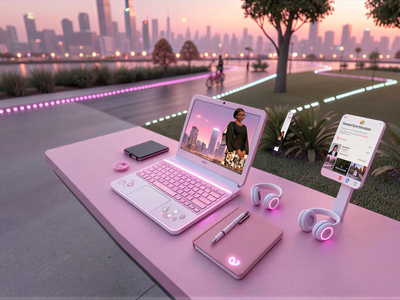
Upload a person photo and a product photo, composite them into a styled ad image with Nano Banana Pro, then animate it into a 10-second talking ad with Wan 2.6 and hit run.
ai influencer
Image
nano banana pro
product ad
Video
wan2.6
111
_1771834011124_1782981151767.webp)
Nodes & Models
NanoBananaProUnified_floyo
AlibabaWan26ImageToVideo_floyo
VideoToFrames
LoadImage
OrchestratorNodeGroupBypasser
PreviewImage
SaveImage
FloyoStickyNote
VHS_VideoCombine
ABOUT THE WORKFLOW
Create a Product Ad Video
Upload two images: a person and a product. Step 1 composites them into a single styled image of the person holding the product in a scene you describe. Step 2 takes that image and animates it into a 10-second 1080p video where the presenter speaks to camera with lip-synced dialogue, natural body motion, and ambient audio. Run Step 1 first, check the result, then enable and run Step 2.
Partner node. This workflow calls an external API, so each run uses credits from your API wallet. No API key needed. Floyo handles the connection.
Model
Nano Banana Pro by Google. The Gemini 3 Pro image model, used in Step 1 to composite the person and product into one styled scene with accurate identity and product detail preservation.
Wan 2.6 by Alibaba. A 14-billion-parameter video model with native audio generation, used in Step 2 to animate the composited image into a talking ad with dialogue, lip-sync, and realistic motion at 1080p.
HOW IT WORKS
Step 1. Upload your model image
A photo of the person who will present the product. Front-facing, well-lit, with visible face and upper body.
Works great with: fitness models · influencer portraits · AI-generated characters
Step 2. Upload your product image
A clear photo of the product on a clean background showing the label, logo, or key design.
Works great with: supplements · beauty products · gadgets · food · fashion accessories
Step 3. Run Step 1 to generate the composite image
Nano Banana Pro composites the person holding the product in the scene described in the prompt. Preview the result and make sure the product label is visible and the person looks natural.
Step 4. Load the generated image into Step 2
Upload the output from Step 1 into the "Add your final image" input. Enable Step 2 in the workflow.
Step 5. Edit the dialogue and run Step 2
Write the presenter's spoken lines and motion description in the video prompt. Wan 2.6 animates the image into a 10-second 1080p video with lip-sync, breathing, and natural hand movement. Audio is generated alongside the video.
Ready for: TikTok · Instagram Reels · YouTube Shorts · Meta Ads · Amazon listings
First time? Run Step 1 first. Check the image. Then enable Step 2 and run again. Edit only the prompts to match your product.
RECOMMENDED SETTINGS
Quick-start guide. Find the goal that matches yours and copy the settings.
Standard product ad video — Step 1: 9:16, 1K, 1 image. Step 2: 1080P, 10 seconds, audio on, single shot. Edit the prompts to match your product and scene.
Different setting or location — Edit the Step 1 prompt. Replace "modern gym with dumbbells and window light" with "kitchen counter, soft morning light" or "studio backdrop, ring light" to match the product category.
Different dialogue or presenter tone — Rewrite the spoken lines in the Step 2 prompt. Keep lines short and confident. "This is what I trust after every workout" reads like a real ad. "This product has many beneficial properties" does not.
Minimal camera motion — The default prompt locks the camera with "fixed angle, no zoom, no push-in." Keep this for product ads where the label must stay readable throughout the clip.
Multiple product variations — Keep the same model image and swap the product image across runs. Each run composites the person with a different product in the same scene.
Product label not visible in the composite — Edit the Step 1 prompt to be more specific: "holding the jar at chest level with one hand, label facing the camera, logo fully visible." Repeat the product description.
Lip-sync looks off — Keep dialogue lines under 12 words each. Shorter, punchier lines sync better. Add pauses between lines with action descriptions ("He adjusts his grip. Then speaks again.").
Prompt: Step 1 describes the scene composition and how the person holds the product. Step 2 describes the motion and dialogue. "He slightly adjusts his grip on the jar, makes a small controlled gesture near his waist while speaking" is specific enough for the model to animate. "Person moves around" is not.
LEARN
📹 Videos
ComfyUI 101 Free Course ft. Sebastian Kamph
Floyo 101 for Team Collaboration
✨ Quick links
USE CASES
🏋️ Fitness and Supplement Ads
Composite a fitness model holding a supplement jar in a gym setting and generate a 10-second talking ad with confident dialogue and product close-up.
🧴 Beauty and Skincare Promos
Place a presenter holding a skincare product in a styled environment and generate a short review clip with natural motion and spoken recommendation.
🛍️ E-commerce Product Listings
Create vertical product demo videos for Amazon, Shopify, or marketplace listings by swapping product images across runs with the same presenter.
🔄 A/B Testing Ad Creatives
Produce multiple ad variations with different presenters, products, scenes, or dialogue scripts to test which combination drives the highest engagement.
WHAT WORKS BEST / WHAT TO AVOID
✅ Works great
Clear, front-facing model photos with visible face and hands
Product photos on clean backgrounds with readable labels
Short, confident dialogue lines under 12 words each
Fixed camera prompts where the product label must stay visible
⚠️ May produce softer results
Model photos with sunglasses, heavy occlusion, or extreme angles
Product photos with busy backgrounds or multiple items
Long monologue scripts with no physical motion described between lines
Requesting fast camera moves that blur the product label
FAQ
What is the AI Influencer Ad Generator workflow?
A two-step pipeline that generates product ad videos from two photos. Step 1 uses Nano Banana Pro to composite a person and a product into a styled ad image. Step 2 uses Wan 2.6 to animate that image into a 10-second 1080p video with spoken dialogue, lip-sync, and natural motion.
What is Wan 2.6 and how does it handle audio?
Wan 2.6 is a 14-billion-parameter video model by Alibaba with native audio-visual generation. It produces spoken dialogue with lip-sync, ambient sound, and sound effects in a single pass alongside the video. Describe what the presenter says in quotes in the prompt and the model generates the voice matched to the mouth movement.
Why does the workflow run in two steps?
Step 1 generates a static image where the person is holding the product in the right pose and scene. You preview this image and approve it before Step 2 animates it into video. This gives you control over the product placement and composition before committing to the longer video generation.
Can I use any person and any product?
Yes. Upload any front-facing portrait as the model image and any product photo as the product image. The workflow composites whoever you upload with the product you provide. Make sure the product photo has a clear label and the person photo shows visible hands for a natural holding pose.
What resolution and duration does the video output?
Step 2 generates at 1080p with a duration of 10 seconds. Audio is included. The output is a vertical (9:16) MP4 with lip-synced dialogue and ambient sound, ready for social platforms and ad managers.
Can I use these videos for paid advertising?
Nano Banana Pro is a proprietary Google model and Wan 2.6 is a proprietary Alibaba model. Commercial use is governed by each platform's terms of service. Review the current terms for both before running paid campaigns. Make sure you have the rights to any person or product images you upload.
How to run AI influencer ad generation online?
You can run AI influencer ad generation online through Floyo. No installation, no setup, no API key to wire up. Open the workflow in your browser, upload your inputs, and hit run. Free to try.
WHY FLOYO?
Floyo is the only platform with team collaboration for ComfyUI in the browser. You run workflows with no install. You share run history, assets, and models across your team. You pay only when you generate. Floyo supports open-source and closed-source models.
A designer runs an edit and likes the result. A teammate opens that exact run from shared history and keeps going. No file handoffs. No version confusion.
For studios and enterprise teams, Floyo adds private workspaces, pooled resources, and a team usage dashboard. Other ComfyUI cloud tools run for one person at a time. Floyo runs for the whole team, with transparent per-generation costs.
Ready to try it?
Upload a model photo and a product photo, write the ad script, and run both steps.
Questions? Watch the free course or check the FAQ above.
Read more