Floyo
Floyo
Workflows
API
價格
Floyo
Floyo
Workflows
API
價格

Workflows

探索 1800+ 個工作流程。

僅顯示已驗證
ON
模型類型

顯示31 個 Workflows

角色一致性
Qwen Image Edit 2509: Build a LoRA Dataset

Character consistency

Dataset

Image

Image editing

Image to image

LoRA

Qwen

Create Character LoRA Dataset

Qwen Image Edit 2509: Build a LoRA Dataset

Create Character LoRA Dataset
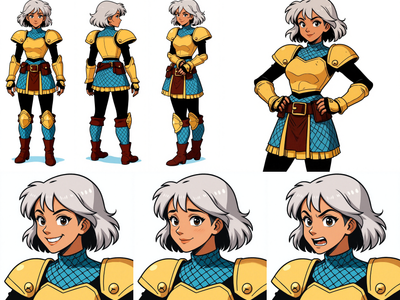
Image to Character Sheet with Kontext

Character consistency

Character Sheet

Flux

Image

Image editing

Image to image

Kontext

Create a character sheet with multiple poses and expressions from a single image!

Image to Character Sheet with Kontext

Create a character sheet with multiple poses and expressions from a single image!
NanoBanana2_Character Sheet
agi

agi

4.2k

Character consistency

Character Sheet

Image

Nano Banana

Nano Banana 2

Reference Sheet

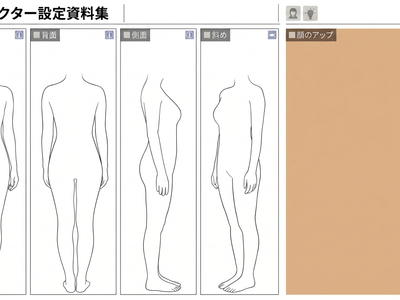
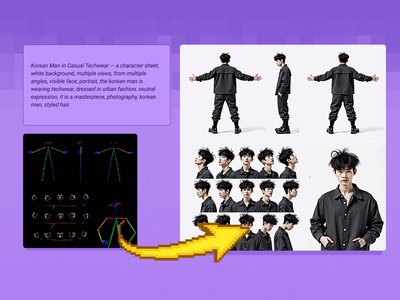
Nanobanana2を使用したキャラクターシート生成ワークフローです。キャラクター画像をアップロードして生成ボタンを押すだけで、顔のアップ、正面図、キャラクターシートを自動生成できます。 This is a character sheet generation workflow using Nanobanana2. Simply upload a character image to the green node, Load Image1, and click Generate to create a face
NanoBanana2_Character Sheet

Nanobanana2を使用したキャラクターシート生成ワークフローです。キャラクター画像をアップロードして生成ボタンを押すだけで、顔のアップ、正面図、キャラクターシートを自動生成できます。 This is a character sheet generation workflow using Nanobanana2. Simply upload a character image to the green node, Load Image1, and click Generate to create a face

Flux Text to Character Sheet

Character consistency

Character Sheet

Controlnet

Flux

Image

Create a character and a range of consistent outputs suitable for establishing character consistency, training a model, and ensuring consistency throughout multiple scenes. Key Inputs Image reference: Use the included pose sheet to show range of positions Prompt: as descriptive a prompt as possible

Flux Text to Character Sheet

Create a character and a range of consistent outputs suitable for establishing character consistency, training a model, and ensuring consistency throughout multiple scenes. Key Inputs Image reference: Use the included pose sheet to show range of positions Prompt: as descriptive a prompt as possible

Seedream 5.0 Pro_Character Sheet
agi

agi

2.0k

Character consistency

Character Sheet

Image

Seedream

Seedream 5.0 Pro

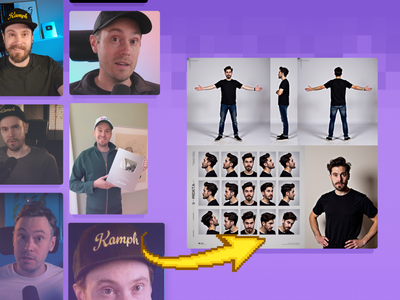
Seedream 5.0 Proを使用したキャラクターシート生成ワークフローです。This is a character sheet generation workflow using Seedream 5.0 Pro.
Seedream 5.0 Pro_Character Sheet

Seedream 5.0 Proを使用したキャラクターシート生成ワークフローです。This is a character sheet generation workflow using Seedream 5.0 Pro.

Text to Character Sheet with a reference LoRA

Character consistency

Character Sheet

Controlnet

Flux

Image

LoRA

Generate a character sheet using a prompt and a LoRA model of a particular person for more accurate renders. Key Inputs Load Image: Use any JPG or PNG of your pose sheet Prompt: as descriptive a prompt as possible Width & height: Optimal resolution settings are noted at 1280px x 1280px Denoise: The amount of variance in the new image. Higher has more variance. ControlNet Strength: The amount of adherence to the original image. Higher has more adherence. Start Percent: The point in the generation process where the control starts exerting influence. (Have it start later, to let AI imagine first.) End Percent: The point in the generation process where the control stops exerting influence. (Have it end sooner, to let AI finish it off with some variation.) Flux Guidance: How much influence the prompt has over the image. Higher has more guidance.
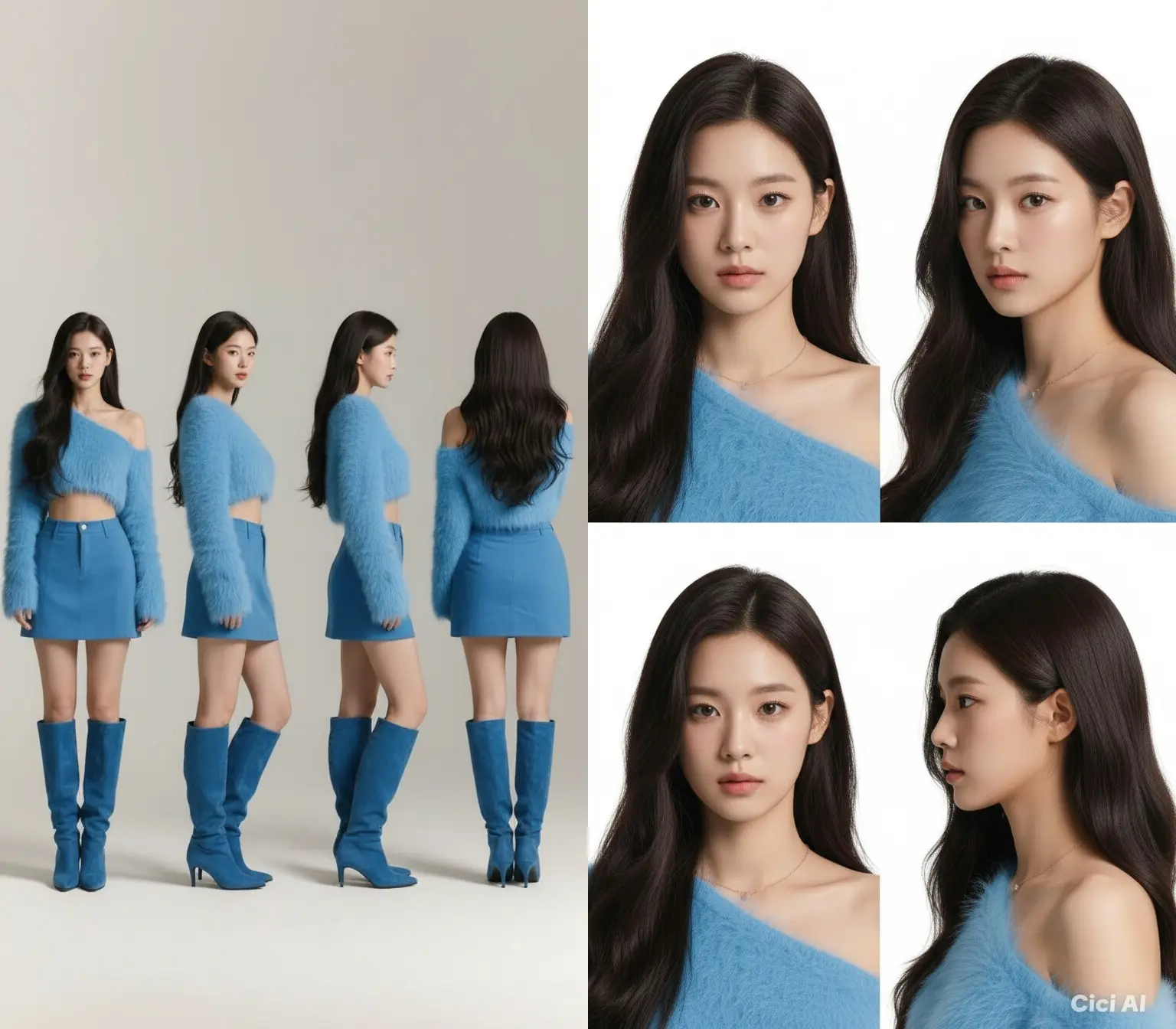
Text to Character Sheet with a reference LoRA

Generate a character sheet using a prompt and a LoRA model of a particular person for more accurate renders. Key Inputs Load Image: Use any JPG or PNG of your pose sheet Prompt: as descriptive a prompt as possible Width & height: Optimal resolution settings are noted at 1280px x 1280px Denoise: The amount of variance in the new image. Higher has more variance. ControlNet Strength: The amount of adherence to the original image. Higher has more adherence. Start Percent: The point in the generation process where the control starts exerting influence. (Have it start later, to let AI imagine first.) End Percent: The point in the generation process where the control stops exerting influence. (Have it end sooner, to let AI finish it off with some variation.) Flux Guidance: How much influence the prompt has over the image. Higher has more guidance.

360° Character Turnaround & Sheet Workflow
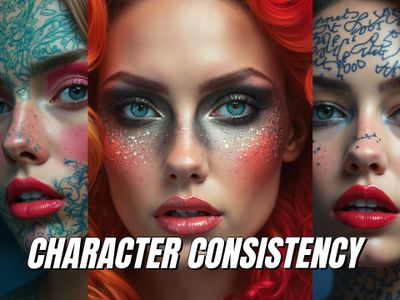
360 TurnAround

Character consistency

Image

Nano Banana

360° Character Turnaround & Sheet Workflow

Character Consistency - 1 image only. Flux Ace++

Ace

Character consistency

Flux

Flux Ace

Image

LoRA

Load 1 image and use natural language to get variations of your input image. Works great for character consistency to generate a dataset for loras.
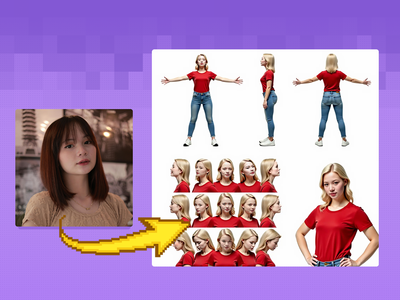
Character Consistency - 1 image only. Flux Ace++

Load 1 image and use natural language to get variations of your input image. Works great for character consistency to generate a dataset for loras.

Image to Image Character Sheet Face Swap with Ace+

Character consistency

Character Sheet

Face swap

Flux

Image

Image editing

Take a character sheet and use a reference image to replace all the faces with that new person. Key Inputs Load Image: Use any JPG or PNG showing your pose sheet Load New Face: Use any JPG or PNG showing your subject clearly that you would like to swap into the pose sheet. Prompt: as descriptive a prompt as possible Width & height: Optimal resolution settings are noted at 1024px x 1024px Keep Proportion: Enable keep_proportion if you want to keep the same size with input and output Denoise: The amount of variance in the new image. Higher has more variance.
Image to Image Character Sheet Face Swap with Ace+

Take a character sheet and use a reference image to replace all the faces with that new person. Key Inputs Load Image: Use any JPG or PNG showing your pose sheet Load New Face: Use any JPG or PNG showing your subject clearly that you would like to swap into the pose sheet. Prompt: as descriptive a prompt as possible Width & height: Optimal resolution settings are noted at 1024px x 1024px Keep Proportion: Enable keep_proportion if you want to keep the same size with input and output Denoise: The amount of variance in the new image. Higher has more variance.

Seedream5.0Hot_Character Sheet
agi

agi

1.4k

Character consistency

Character Sheet

Image

Reference Sheet

Seedream

Seedream 5.0

Seedream5.0を使用したキャラクターシート生成ワークフローです。キャラクター画像をアップロードして生成ボタンを押すだけで、顔のアップ、正面図、キャラクターシートを自動生成できます。 This is a character sheet generation workflow using Seedream5.0. Simply upload a character image to the green node, Load Image1, and click Generate to create a face
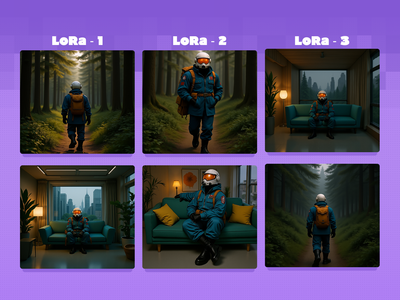
Seedream5.0Hot_Character Sheet

Seedream5.0を使用したキャラクターシート生成ワークフローです。キャラクター画像をアップロードして生成ボタンを押すだけで、顔のアップ、正面図、キャラクターシートを自動生成できます。 This is a character sheet generation workflow using Seedream5.0. Simply upload a character image to the green node, Load Image1, and click Generate to create a face

Flux Character LoRA Test and Compare

Animation

Character consistency

Filmmaking

Flux

Image

Image generation

LoRA training

Text to image

Test and compare multiple epochs of a character LoRA side by side with preset prompts When training a LoRA, you'll usually have a few checkpoints throughout the process to test. This workflow lets you load up to 4 LoRAs to test side by side, making it easier to determine which one is right for you! Key Inputs: LoRA Loaders: Load each LoRA epoch for the same character in up to 4 groups. Groups Bypasser: Enable/disable groups as needed. If you only have 2 epochs to test, disable the back 2 groups! Triggerword: Simply add the trigger word for your LoRA and it will auto-fill in the default prompts. Leave blank if you're using your own custom prompts that include the trigger word. LoRA Testing Prompts: Default prompts work well to get an idea of how your character will look in different situations, but feel free to replace them with your own prompts (max 4).
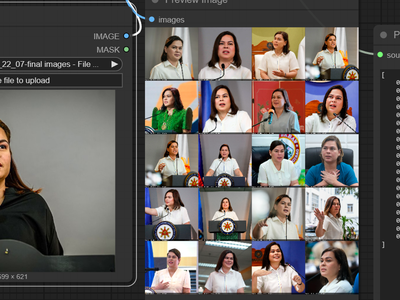
Flux Character LoRA Test and Compare

Test and compare multiple epochs of a character LoRA side by side with preset prompts When training a LoRA, you'll usually have a few checkpoints throughout the process to test. This workflow lets you load up to 4 LoRAs to test side by side, making it easier to determine which one is right for you! Key Inputs: LoRA Loaders: Load each LoRA epoch for the same character in up to 4 groups. Groups Bypasser: Enable/disable groups as needed. If you only have 2 epochs to test, disable the back 2 groups! Triggerword: Simply add the trigger word for your LoRA and it will auto-fill in the default prompts. Leave blank if you're using your own custom prompts that include the trigger word. LoRA Testing Prompts: Default prompts work well to get an idea of how your character will look in different situations, but feel free to replace them with your own prompts (max 4).

InsightFace for Filtering Character LoRA Dataset

Character consistency

Character design

Character sheet

FaceAnalysis

Image

Image editing

Image to image

LoRA training

Upload a reference face, point to your dataset, and InsightFace filters out images that don't match. Cosine, L2 Norm, and Euclidean distance all supported.
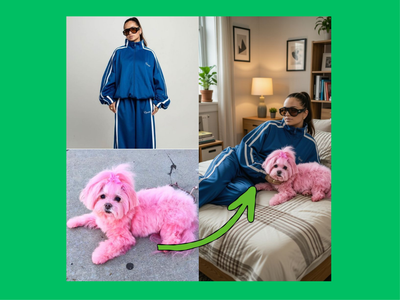
InsightFace for Filtering Character LoRA Dataset

Upload a reference face, point to your dataset, and InsightFace filters out images that don't match. Cosine, L2 Norm, and Euclidean distance all supported.

FireRed Image Edit 1.1 workflow
goshnii

goshnii

1.4k

AI image editing model

Character consistency

Editing workflow

Fire Red

Image

Image editing

VFX and post

Video

An open-source AI image editing model tuned for high-fidelity editing, character consistency, and multi-element composition. Excellent at changing visuals with straightforward prompts that may be used locally in ComfyUI.

FireRed Image Edit 1.1 workflow

An open-source AI image editing model tuned for high-fidelity editing, character consistency, and multi-element composition. Excellent at changing visuals with straightforward prompts that may be used locally in ComfyUI.

Kling3.0_Motion Control_Character Reference
agi

agi

1.3k

Character consistency

Kling

Kling 3.0

Motion Control

Motion transfer

Video

画像、動画をアップロードすることで一貫性の高いキャラクターのモーションコントロールができます

Kling3.0_Motion Control_Character Reference

画像、動画をアップロードすることで一貫性の高いキャラクターのモーションコントロールができます

Add Products to AI Influencers + Viral UGC Videos

AI Influencer

Character consistency

Image to video

LTX

LTX-2 Video

Qwen

Video

Video generation

Create realistic AI influencer videos from product and character reference images using Qwen Image Edit 2511, Flux Kontext Multi-Reference, and LTX-2 Video in ComfyUI. Generate influencer-style images, maintain character consistency, and convert them into smooth cinematic videos
Add Products to AI Influencers + Viral UGC Videos

Create realistic AI influencer videos from product and character reference images using Qwen Image Edit 2511, Flux Kontext Multi-Reference, and LTX-2 Video in ComfyUI. Generate influencer-style images, maintain character consistency, and convert them into smooth cinematic videos

Text to Video + Hunyuan LoRA

Character consistency

Hunyuan

LoRA

Text to video

Video

Video generation

Integrate a custom model with your text prompt to create a video with a consistent character, style or element. Key Inputs Prompt: as descriptive a prompt as possible. Make sure to include the trigger word from your LoRA below Load LoRA: Load your reference model here Width & height: resolution settings are noted in pixels Guidance strength (CFG): Higher numbers adhere more to the prompt Flow Shift: For temporal consistency, adjust to tweak video smoothness.

Text to Video + Hunyuan LoRA

Integrate a custom model with your text prompt to create a video with a consistent character, style or element. Key Inputs Prompt: as descriptive a prompt as possible. Make sure to include the trigger word from your LoRA below Load LoRA: Load your reference model here Width & height: resolution settings are noted in pixels Guidance strength (CFG): Higher numbers adhere more to the prompt Flow Shift: For temporal consistency, adjust to tweak video smoothness.

Qwen 2511 · Single Image to Character Dataset
ashree

ashree

1.1k

Character consistency

Character dataset

Image

Image editing

LoRA

Lora dataset

LoRA training

Qwen

Upload a single character image and Qwen Image Edit 2511 generates a full multi-pose training dataset automatically, saving each image with a matching caption file ready for LoRA training.
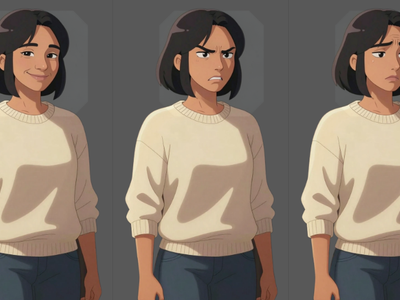
Qwen 2511 · Single Image to Character Dataset

Upload a single character image and Qwen Image Edit 2511 generates a full multi-pose training dataset automatically, saving each image with a matching caption file ready for LoRA training.

RPBuddy - Flux 2 Klein Expression Sheet Generator

Character consistency

Expressions

Flux

Flux 2 Klein

Image

Image editing

Image to image

Visual Novel

Generate expression variants of your characters for use in RP and visual novels!

RPBuddy - Flux 2 Klein Expression Sheet Generator

Generate expression variants of your characters for use in RP and visual novels!

Anime Next Scene · T2I + I2I For Anime

Anime

Character consistency

Image

Image editing

Image generation

Image to image

Qwen

Text to image

Describe an anime scene in text, then direct the next shot with a camera or scene change prompt. This two-stage workflow generates connected anime frames with consistent characters, lighting, and composition using Qwen Image and the Next Scene LoRA.

Anime Next Scene · T2I + I2I For Anime

Describe an anime scene in text, then direct the next shot with a camera or scene change prompt. This two-stage workflow generates connected anime frames with consistent characters, lighting, and composition using Qwen Image and the Next Scene LoRA.

Qwen Image Edit 2509 · Build a LoRA Dataset
ashree

ashree

646

Character consistency

Image

Image editing

LoRA

Lora dataset

LoRA training

Qwen

Upload one reference photo and write a list of scene descriptions. Qwen Image Edit 2509 generates multiple views of the same character across different poses, settings, and angles, saving each image and caption pair ready for LoRA training.

Qwen Image Edit 2509 · Build a LoRA Dataset

Upload one reference photo and write a list of scene descriptions. Qwen Image Edit 2509 generates multiple views of the same character across different poses, settings, and angles, saving each image and caption pair ready for LoRA training.

Happy Horse 1.1 · Reference to Video

Character consistency

Happy Horse

Happy Horse 1.1

Reference to video

Video

Upload up to nine reference images of characters, objects, or scenes, and Happy Horse 1.1 generates a cinematic video that preserves their identity, style, and detail with synchronized audio.

Happy Horse 1.1 · Reference to Video

Upload up to nine reference images of characters, objects, or scenes, and Happy Horse 1.1 generates a cinematic video that preserves their identity, style, and detail with synchronized audio.

Flux Kontext · Single Image to Character LoRA Data
ashree

ashree

585

Character consistency

Dataset

Flux

Flux Kontext

Image

Image editing

Lora dataset

LoRA training

Upload a single character image and Flux Kontext generates a full multi-pose, multi-angle training dataset automatically, saving each image with a matching caption ready for LoRA training.

Flux Kontext · Single Image to Character LoRA Data

Upload a single character image and Flux Kontext generates a full multi-pose, multi-angle training dataset automatically, saving each image with a matching caption ready for LoRA training.

TripoSplat · Image to 3D Turnaround

3D

3d asset

Character consistency

Gaussian splatting

Image to 3D

Tripo

Triposplat

Video

Turn one photo into a 3D Gaussian splat with TripoSplat by VAST-AI, plus colour, depth, normal, and clay turntable videos. Upload an image and hit run.

TripoSplat · Image to 3D Turnaround

Turn one photo into a 3D Gaussian splat with TripoSplat by VAST-AI, plus colour, depth, normal, and clay turntable videos. Upload an image and hit run.

Single Image to Multiple Consistent Shots
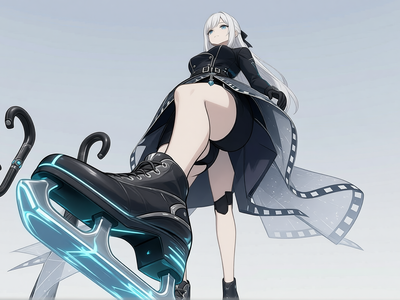
Character consistency

Image

Nano Banana

Reference Image

VLM

Single Image to Multiple Consistent Shots

Camera Angle Control for Consistent Characters

Anime

Camera control

Character consistency

Image

LoRA

Video

Generate the same character from any camera angle without losing the design. Built for animation work, where one cut list needs high angle, low angle, profile and over-the-shoulder views of a single character. Set the angle, keep the face. Runs on free models.
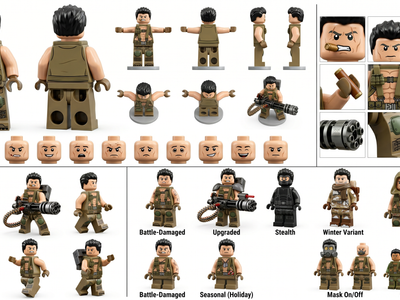
Camera Angle Control for Consistent Characters

Generate the same character from any camera angle without losing the design. Built for animation work, where one cut list needs high angle, low angle, profile and over-the-shoulder views of a single character. Set the angle, keep the face. Runs on free models.

Nano Banana — Generate Game Character Sheets

2d-game

Ano-banana

Character consistency

Character-design

Character-sheet

Game-asset

Image

Nano Banana

Create full game character sheets from a single character image.

Nano Banana — Generate Game Character Sheets

Create full game character sheets from a single character image.
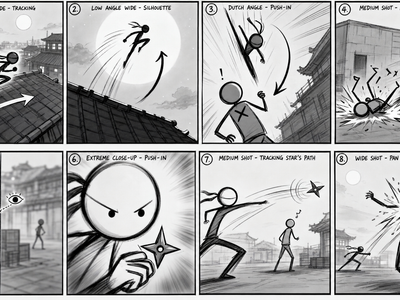
Storyboard to Video — GPT Image 2 + Seedance 2.0

Character consistency

GPT Image

Gpt-image-2

Image to video

Seedance

Seedance-2

Storyboard

Video

Turn a written scene description into a full animated video — in two stages.

Storyboard to Video — GPT Image 2 + Seedance 2.0

Turn a written scene description into a full animated video — in two stages.
Kling v3 for Image Editing

Character consistency

Image

Image editing

Image generation

Kling

Kling V3

Text to image

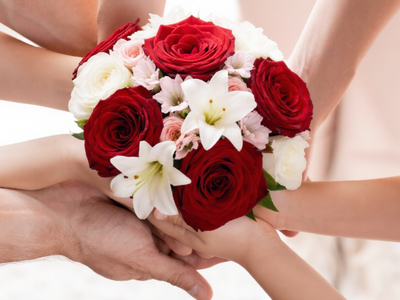
Edit any image with a text prompt using Kling Image 3.0, Kuaishou's identity-preserving image model. Upload your image, add face references to lock identity, describe the change, and hit run.

Kling v3 for Image Editing

Edit any image with a text prompt using Kling Image 3.0, Kuaishou's identity-preserving image model. Upload your image, add face references to lock identity, describe the change, and hit run.

Wan 2.6 · Multi-Shot Image to Video
ashree

ashree

304

Camera control

Character consistency

Cinematic

Image to video

Multi-shot

Video

Wan

Wan 2.6

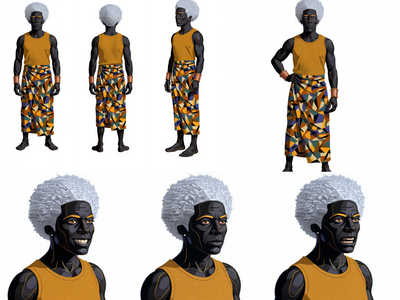
Upload a starting image and describe your scene. Wan 2.6 automatically plans and renders multiple camera angles and shot transitions within a single video, with synchronized audio, dialogue, and character consistency.
Wan 2.6 · Multi-Shot Image to Video

Upload a starting image and describe your scene. Wan 2.6 automatically plans and renders multiple camera angles and shot transitions within a single video, with synchronized audio, dialogue, and character consistency.

Character Sheet for Consistency
ndiana

ndiana

219

Character consistency

Character sheet

Image

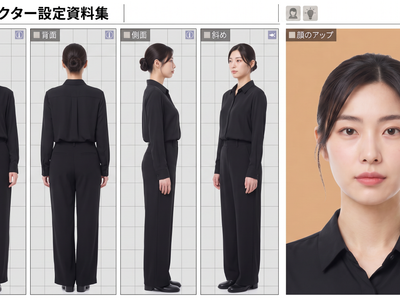
Consistency is important when using Ai to generate Film, Art or Motion. This workflow is an easy way to gain consistent characters and keep a smooth character in your generations
Character Sheet for Consistency

Consistency is important when using Ai to generate Film, Art or Motion. This workflow is an easy way to gain consistent characters and keep a smooth character in your generations

三面図&顔アップ生成

shaina

129

Character consistency

Image

Nano Banana

キャラクターの三面図と顔のアップの作成

三面図&顔アップ生成

キャラクターの三面図と顔のアップの作成