


Faça mais com imagens
Ver tudo


Todos os workflows de inpaintingWorkflows de Inpainting
Todos os Workflows

FLUX.2 Klein 9B: Image Inpainting
Inpainting image using Flux.2 Klein and LanPaint

Qwen Edit 2511 - inpainting
inpainting
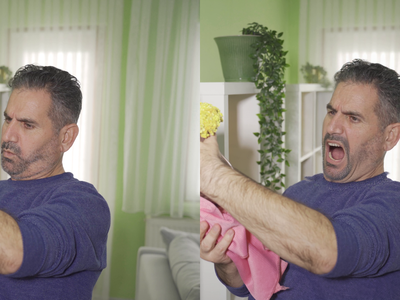

Flux Kontext Inpainting
Inpaint with the power of Flux Kontext, providing additional content-awareness.
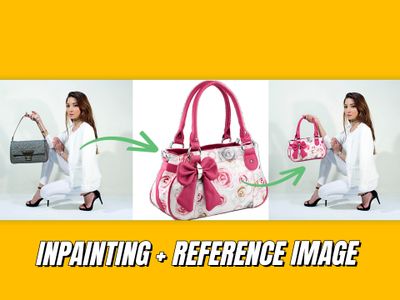
Inpainting with reference image
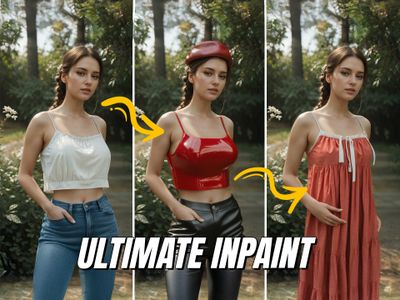
Flux Inpaint - ULTIMATE workflow.
Flux inpainting with Flux fill model and regular Flux dev model. All in one Flux inpainting workflow that easily AI retouches any image.

Flux. 2 Klein INPAINT Segment Edit Accurate Image

VOID · Video Object Removal
Erase any object from a video and fill the gap with coherent motion using VOID by Netflix and SAM3 by Meta. Type the object name, hit run. Apache 2.0.
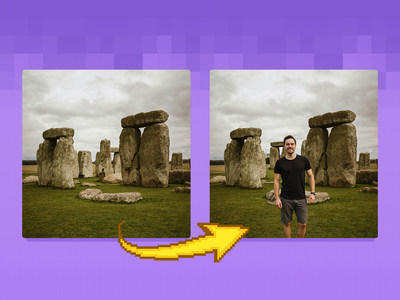
Image Inpainting with LoRA
Change specific details on just a portion of the image for inpainting or Erase & Replace, adding a LoRA for extra control.

Z-Image Turbo · Inpainting
Repaint any masked area with a text instruction using Z-Image Turbo and depth-guided ControlNet. Upload an image, paint the mask, describe the edit, run.
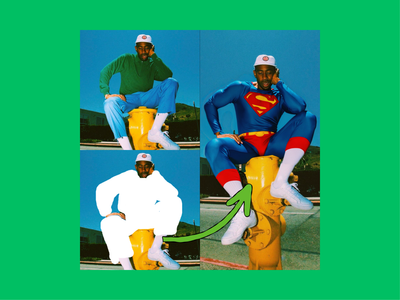

Z Image Turbo Ipainting + Upscale
A workflow process of recreating, filling in, or fixing missing, damaged, or undesirable portions of any image to generate a smooth, complete vision
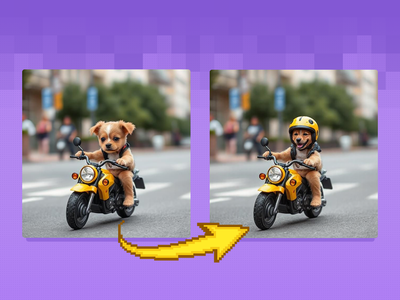
Image Inpainting
Change specific details on just a portion of the image, sometimes known as inpainting or Erase & Replace. Key Inputs Image reference: Use any JPG or PNG showing your subject clearly Masking tools: Right-click to reveal the masking tool option, and create a mask of the desired area to inpaint Prompt: as descriptive a prompt as possible to help guide what you would like replaced in the masked area

Flux 2 Klein 9B Panorama Inpainting
Edit 360 panoramas with Flux 2 Klein 9B. Select a region, describe the change, and the edit gets composited back into your full panoramic image. No warping.
Workflows = APIs
Todo workflow é um endpoint de API. Leve geração com IA para o seu produto sem criar um backend. Escolha um workflow, personalize, clique em “Copiar snippet da Floyo API” e pronto.

MCP
Todos os workflows da plataforma, ao alcance dos seus agentes e ferramentas internas, com os mesmos controles de administração.
mcp.floyo.ai/mcp
Templates fáceis
Abra um workflow pronto, leia as instruções, troque a entrada e clique em Run. A maioria das pessoas nunca abre um node. A complexidade é opcional e fica nos bastidores.

Trust Center
Saiba o que é seguro antes que alguém execute. Status Verified Private e Commercial Use para cada modelo, além de controles de equipe para bloquear os que você não aprovar.Os administradores escolhem quais modelos, provedores e nodes a equipe pode usar.

Templates fáceis
Abra um workflow pronto, leia as instruções, troque a entrada e clique em Run. A maioria das pessoas nunca abre um node. A complexidade é opcional e fica nos bastidores.
Trust Center
Saiba o que é seguro antes que alguém execute. Status Verified Private e Commercial Use para cada modelo, além de controles de equipe para bloquear os que você não aprovar.Os administradores escolhem quais modelos, provedores e nodes a equipe pode usar.
Workflows = APIs
Todo workflow é um endpoint de API. Leve geração com IA para o seu produto sem criar um backend.Escolha um workflow, personalize, clique em “Copiar snippet da Floyo API” e pronto.
Comece agora
Curso gratuito
ComfyUI 101
curso gratuito com Sebastian KamphCurso gratuito com Sebastian Kamph
Dez aulas, da tela em branco ao ControlNet. Nodes, texto para imagem, modelos, LoRA, upscale e configurações do KSampler. Nada para instalar. Todas as aulas rodam aqui, então você termina com workflows que você mesmo criou.
