


Khám phá thêm giải pháp
Xem tất cả

Tất cả quy trình huấn luyện LoRAQuy trình Huấn luyện LoRA
Tất cả Workflows

Qwen 2511 Edit - Single Image to Character Dataset
Create a 60 image character dataset from one character image or sheet.


Wan 2.1 FusionX · Image to Video
Animate a still into a cinematic clip with Wan 2.1 FusionX, a community fine-tune of Alibaba's 14B video model. Upload your image, describe the shot, hit run.
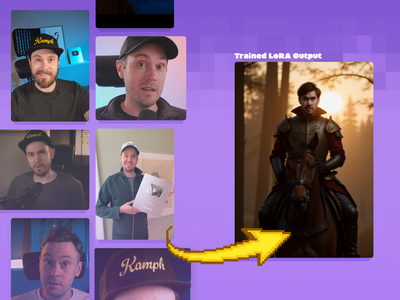
Fast LoRA Training for Flux via Floyo API
FLUX is great at generating images, but locking in a specific aesthetic or character is easier with a LoRA. Here's how to create your own.

Z-Image Base: High-Detail Text to Image
Create sunning images using z-image base model (non distlled).
LoRA Training Video with Hunyuan
Hunyuan is great at generating videos, but locking in a specific aesthetic or character is easier with a LoRA.


Qwen LoRA Trainer with Auto-Caption
Train a custom Qwen Image Edit 2511 LoRA from a folder of images. Florence 2 auto-captions, Musubi trains, and a built-in test section previews results.


Musubi Tuner - Wan LoRA Trainer
Train Wan LoRAs directly on Floyo with this simple all-in-one custom node.
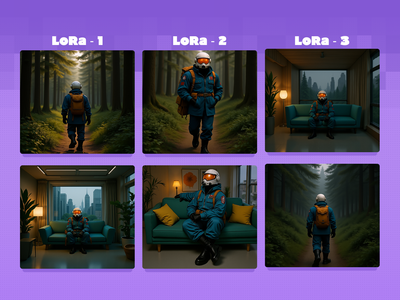
Flux Character LoRA Test and Compare
Test and compare multiple epochs of a character LoRA side by side with preset prompts When training a LoRA, you'll usually have a few checkpoints throughout the process to test. This workflow lets you load up to 4 LoRAs to test side by side, making it easier to determine which one is right for you! Key Inputs: LoRA Loaders: Load each LoRA epoch for the same character in up to 4 groups. Groups Bypasser: Enable/disable groups as needed. If you only have 2 epochs to test, disable the back 2 groups! Triggerword: Simply add the trigger word for your LoRA and it will auto-fill in the default prompts. Leave blank if you're using your own custom prompts that include the trigger word. LoRA Testing Prompts: Default prompts work well to get an idea of how your character will look in different situations, but feel free to replace them with your own prompts (max 4).
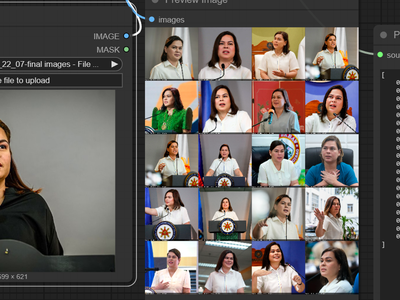
InsightFace for Filtering Character LoRA Dataset
Upload a reference face, point to your dataset, and InsightFace filters out images that don't match. Cosine, L2 Norm, and Euclidean distance all supported.
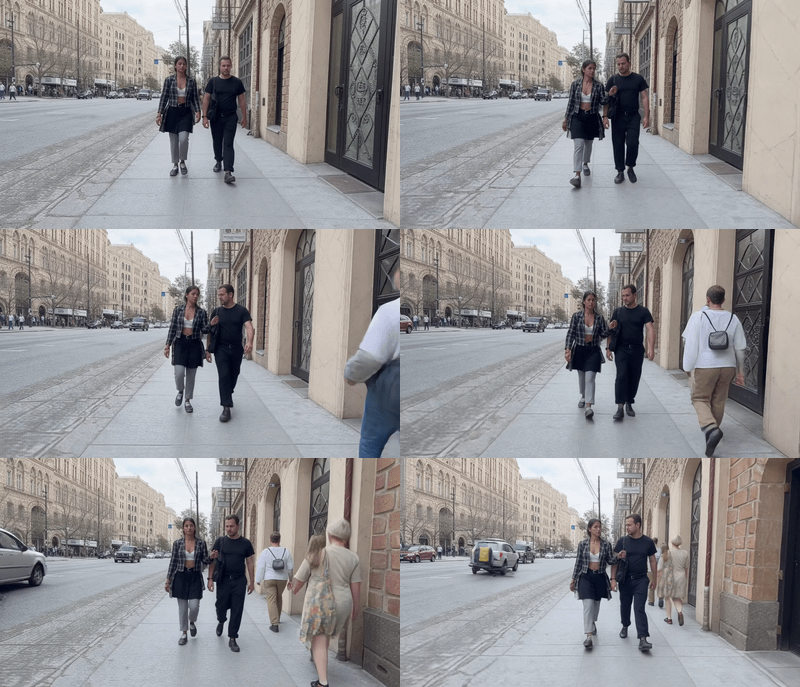
Sulphur 2 - Text to Video
Generate video with synced audio from a text prompt using Sulphur 2, a stylized cinematic finetune built on Lightricks' LTX 2.3 video model.

Qwen 2511 · Single Image to Character Dataset
Upload a single character image and Qwen Image Edit 2511 generates a full multi-pose training dataset automatically, saving each image with a matching caption file ready for LoRA training.

NetaYume Lumina Text to Image
Generate high-quality anime images with NetaYume Lumina, a fine-tuned model built on Lumina Image 2.0. Describe a scene, hit run, get detailed anime art.
Workflows = API
Mọi quy trình đều là một endpoint API. Đưa tính năng tạo nội dung bằng AI vào sản phẩm của bạn mà không cần tự dựng backend. Chọn một quy trình, tinh chỉnh, nhấn “Sao chép đoạn mã Floyo API” - xong.

MCP
Mọi quy trình trên nền tảng, trong tầm tay agent và công cụ nội bộ của bạn, với cùng các quyền kiểm soát quản trị.
mcp.floyo.ai/mcp
Mẫu dễ dùng
Mở một quy trình có sẵn, đọc hướng dẫn, thay dữ liệu đầu vào, bấm Run. Hầu hết mọi người không bao giờ phải mở một node nào. Sự phức tạp là tùy chọn và nằm gọn bên dưới.

Trust Center
Biết điều gì an toàn trước khi bất kỳ ai chạy nó. Trạng thái Verified Private và Commercial Use cho từng mô hình, cùng các công cụ kiểm soát nhóm để chặn những mô hình bạn không phê duyệt.Quản trị viên chọn những mô hình, nhà cung cấp và node mà nhóm được dùng.

Mẫu dễ dùng
Mở một quy trình có sẵn, đọc hướng dẫn, thay dữ liệu đầu vào, bấm Run. Hầu hết mọi người không bao giờ phải mở một node nào. Sự phức tạp là tùy chọn và nằm gọn bên dưới.
Trust Center
Biết điều gì an toàn trước khi bất kỳ ai chạy nó. Trạng thái Verified Private và Commercial Use cho từng mô hình, cùng các công cụ kiểm soát nhóm để chặn những mô hình bạn không phê duyệt.Quản trị viên chọn những mô hình, nhà cung cấp và node mà nhóm được dùng.
Workflows = API
Mọi quy trình đều là một endpoint API. Đưa tính năng tạo nội dung bằng AI vào sản phẩm của bạn mà không cần tự dựng backend.Chọn một quy trình, tinh chỉnh, nhấn “Sao chép đoạn mã Floyo API” - xong.
Bắt đầu
Khóa học miễn phí
ComfyUI 101
khóa học miễn phí của Sebastian KamphKhóa học miễn phí của Sebastian Kamph
Mười bài học, từ canvas trống đến ControlNet. Node, văn bản thành ảnh, mô hình, LoRA, nâng độ phân giải và thiết lập KSampler. Không cần cài đặt gì. Mọi bài học đều chạy ngay tại đây, nên khi học xong bạn sẽ có những quy trình do chính mình xây dựng.
