floyo logobeta logo
Powered by
ThinkDiffusion
Wan 2.6 is now live. Check it out 👉🏼
floyo logobeta logo
Powered by
ThinkDiffusion
Wan 2.6 is now live. Check it out 👉🏼

Wan2.6 Text to Video

78

Key Inputs 

  • Prompt: Write using shot-list style - describe camera angles, movements, scene transitions, and pacing rather than loose descriptions.

    • Example: "Wide shot of city street at dawn, slow pan right revealing coffee shop, cut to medium shot of barista preparing espresso"

  • Duration: Up to 15 seconds per generation.

  • Audio: Generates natively - describe sounds, dialogue, or music in your prompt for contextual audio output.

  • Style: Specify aesthetic in prompt (realistic, anime, 3D, cinematic) and it maintains consistency across shots.

Related Workflows - Ready-to-Run on Floyo

What is Wan 2.6 Text 2 Video?



Wan 2.6 T2V is Alibaba's text-to-video model that converts written prompts into video with professional shot-list control. Unlike basic text-to-video tools, it follows structured prompts describing camera movements, transitions, and multi-shot sequences - making it built for storyboarding workflows rather than single-clip generation.

Key Features

  • Output resolution: 1080p at 24fps

  • Max duration: 15 seconds

  • Audio: native sync - generates lip-sync, music, and sound effects with the video

  • Multi-shot: yes - describe a sequence, model handles transitions

  • Style preservation: maintains a consistent aesthetic across shots

  • Access: API via Floyo in the browser, Fal, Replicate

Cinematic Controls

This is where Wan 2.6 T2V differentiates from basic text-to-video:

  • Smart shot scheduling The model doesn't just follow your prompt order blindly - it understands pacing and sequencing like a professional editor would.

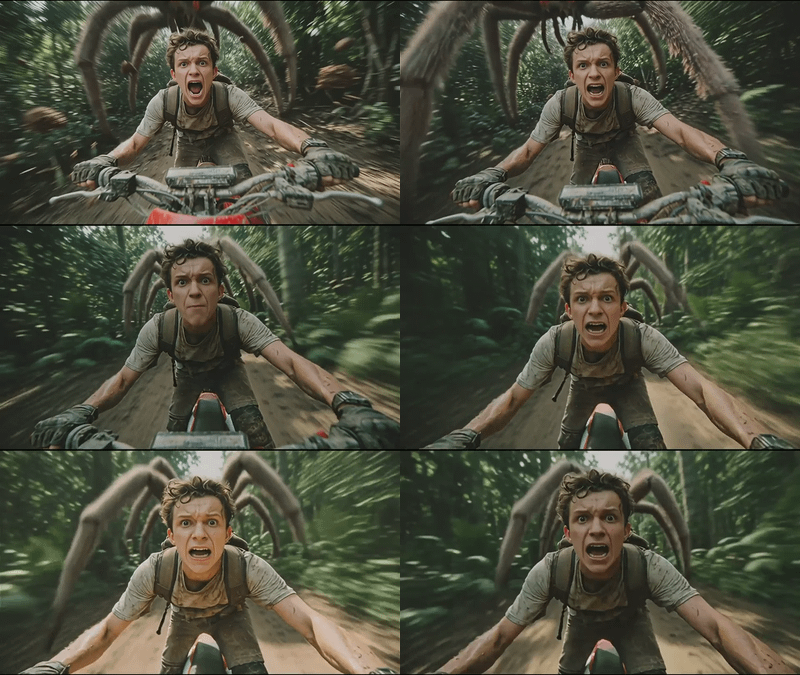
  • High consistency across shots Characters, lighting, color grade, and overall style stay locked across your full sequence. No drift between shots where suddenly your protagonist looks different or the mood shifts randomly.

  • Multi-character dialogue Supports multiple people talking in the same scene. Each character gets distinct, expressive vocal generation - not just generic lip-sync but natural-sounding speech with emotional range.

  • Audio-visual synchronization Sound generates alongside video in the same pass. Dialogue matches lip movement, ambient audio fits the scene, music responds to mood. No post-production sync needed.

  • Style modes Realistic, anime, 3D - specify in your prompt and the model maintains that aesthetic throughout. Useful for projects with established visual language.

Who is Wan 2.6 for?

Alibaba positions Wan 2.6 Text 2 Video for professional creators who can write specific storyboard requirements. If you know exactly what shots you want and can articulate them clearly, the model follows that structure well. Wan 2.6 rewards precision - the more specific your shot-list, the better your results.

Community Feedback

Multi-shot text adherence is the standout. When you specify a sequence, the model follows structure rather than improvising. The cinematic controls and shot scheduling work well for people who write detailed prompts. Less effective if you're used to loose descriptions and letting the model interpret.

Read more

Generates in about -- secs

Nodes & Models

Key Inputs 

  • Prompt: Write using shot-list style - describe camera angles, movements, scene transitions, and pacing rather than loose descriptions.

    • Example: "Wide shot of city street at dawn, slow pan right revealing coffee shop, cut to medium shot of barista preparing espresso"

  • Duration: Up to 15 seconds per generation.

  • Audio: Generates natively - describe sounds, dialogue, or music in your prompt for contextual audio output.

  • Style: Specify aesthetic in prompt (realistic, anime, 3D, cinematic) and it maintains consistency across shots.

Related Workflows - Ready-to-Run on Floyo

What is Wan 2.6 Text 2 Video?

Wan 2.6 T2V is Alibaba's text-to-video model that converts written prompts into video with professional shot-list control. Unlike basic text-to-video tools, it follows structured prompts describing camera movements, transitions, and multi-shot sequences - making it built for storyboarding workflows rather than single-clip generation.

Key Features

  • Output resolution: 1080p at 24fps

  • Max duration: 15 seconds

  • Audio: native sync - generates lip-sync, music, and sound effects with the video

  • Multi-shot: yes - describe a sequence, model handles transitions

  • Style preservation: maintains a consistent aesthetic across shots

  • Access: API via Floyo in the browser, Fal, Replicate

Cinematic Controls

This is where Wan 2.6 T2V differentiates from basic text-to-video:

  • Smart shot scheduling The model doesn't just follow your prompt order blindly - it understands pacing and sequencing like a professional editor would.

  • High consistency across shots Characters, lighting, color grade, and overall style stay locked across your full sequence. No drift between shots where suddenly your protagonist looks different or the mood shifts randomly.

  • Multi-character dialogue Supports multiple people talking in the same scene. Each character gets distinct, expressive vocal generation - not just generic lip-sync but natural-sounding speech with emotional range.

  • Audio-visual synchronization Sound generates alongside video in the same pass. Dialogue matches lip movement, ambient audio fits the scene, music responds to mood. No post-production sync needed.

  • Style modes Realistic, anime, 3D - specify in your prompt and the model maintains that aesthetic throughout. Useful for projects with established visual language.

Who is Wan 2.6 for?

Alibaba positions Wan 2.6 Text 2 Video for professional creators who can write specific storyboard requirements. If you know exactly what shots you want and can articulate them clearly, the model follows that structure well. Wan 2.6 rewards precision - the more specific your shot-list, the better your results.

Community Feedback

Multi-shot text adherence is the standout. When you specify a sequence, the model follows structure rather than improvising. The cinematic controls and shot scheduling work well for people who write detailed prompts. Less effective if you're used to loose descriptions and letting the model interpret.

Read more