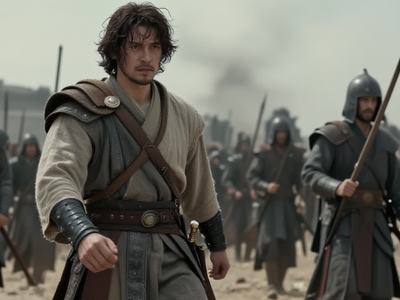
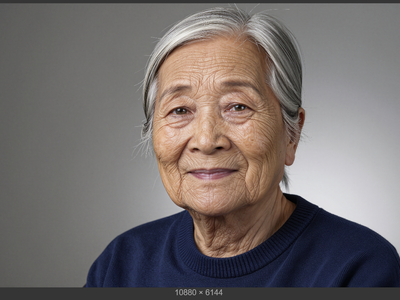
DyPe and Z-Image Turbo for High Quality Text to Image
DyPE
Image
Photography
Portrait
Z-Image Turbo
3.9k








Nodes & Models
UNETLoader
z_image_turbo_bf16.safetensors
MarkdownNote
CLIPLoader
qwen_3_4b.safetensors
VAELoader
ae.safetensors
EmptySD3LatentImage
LoraLoaderModelOnly
dejpeg_v3.safetensors
CLIPTextEncode
ConditioningZeroOut
ModelSamplingAuraFlow
KSampler
VAEDecode
SaveImage
DyPE_FLUX
What It Does
Generate high-resolution images (up to 2048×1152) natively without upscaling. Combines Z-Image-Turbo's 8-step speed with DyPE's dynamic position extrapolation to maintain coherent detail and structure at resolutions that would normally break diffusion models.
Z-Image Workflows Collection
Z-Image isn't just a standalone model - it is becoming a complete production suite for anything we need for image generation and editing. While the base model is already changing the game right now, the roadmap for the next few weeks will cement Z-Image as the undisputed king for all things image generation:
Z-Image Turbo - collection
Z-Image Turbo - Text2Image: Available now
Z-Image Turbo - Image2Image: Available now
Z-Image Turbo - Controlnet - Available now
Z-Image Turbo Upscale: Coming soon
Z-Image Turbo - LoRA Training: Coming soon here on Floyo before end of Dec 2025.. We will have a full tutorial on Floyo for training consistent characters, objects, and styles!
Who can use it
This DyPE + Z-Image-Turbo text-to-image setup is useful for:
AI artists and illustrators who want fast iterations at normal resolution and the option to push a final chosen image to 4K–16MP+ without retraining a model.
Content creators and marketers needing high‑resolution hero images, covers, and thumbnails that hold up under zooming, cropping, or 4K/8K display.
Game, film, and environment teams generating detailed concept frames and matte‑painting bases where large canvases and clean global structure matter.
ComfyUI users who want a compact, low‑VRAM text‑to‑image node (Z-Image-Turbo) combined with an advanced resolution‑scaling strategy (DyPE) inside a single graph.
Can Z-Image-Turbo generate 4K images?
Not natively on its own. Like most diffusion models, Z-Image-Turbo is trained at 1024×1024 and produces artifacts when pushed higher. That's where DyPE comes in - it patches the model to extrapolate positional embeddings, letting you generate at 2048×1152 or 2160×2160 while keeping the image coherent.
What's the difference between DyPE and upscaling?
Upscalers like SUPIR or SeedVR take a 1024×1024 image and interpolate detail to fill a larger canvas. The result can look good, but fine details are "invented" based on the low-res source.
DyPE generates detail natively at high resolution. The model is actually rendering at 2048×1152 from the start. For architectural lines, fabric textures, and crowd coherence, this produces cleaner results. For speed and flexibility, upscaling still wins.
What's Z-Image-Turbo good at compared to other models?
Based on community testing:
Speed: 8-9 steps vs 20-30+ for Flux. Dramatically faster iteration.
Text in images: Handles on-image text generation reliably.
Bilingual prompts: Understands English and Chinese.
VRAM efficiency: Runs on 16GB consumer cards.
Uncensored output: Generates NSFW content without additional setup (female anatomy works out of box; male anatomy needs community LoRAs).
Read more