

Create Photorealistic Packaging from Dielines
Image
Nano banana
packaging-materials
product-packaging
1.0k

Nodes & Models
NanoBananaProUnified_floyo
WorkflowGraphics
Note
LoadImage
SaveImage
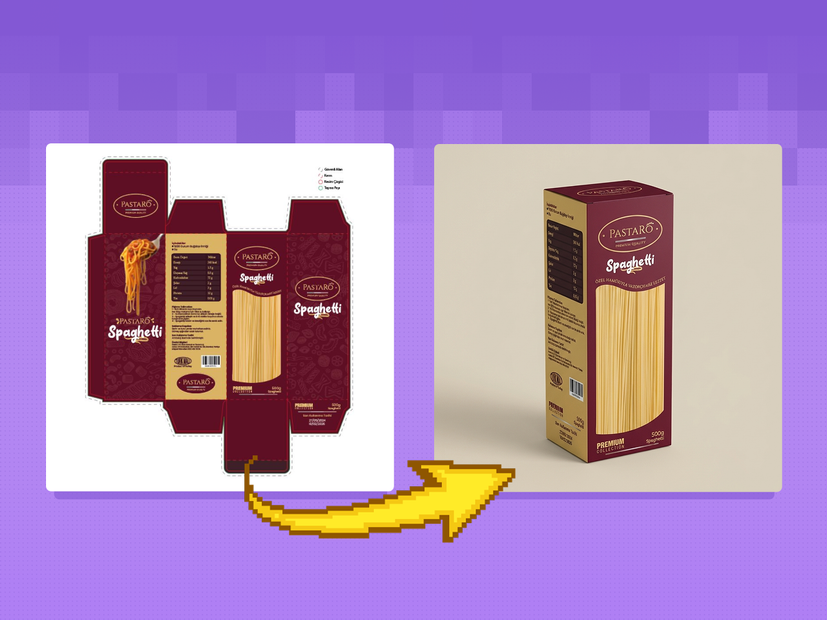
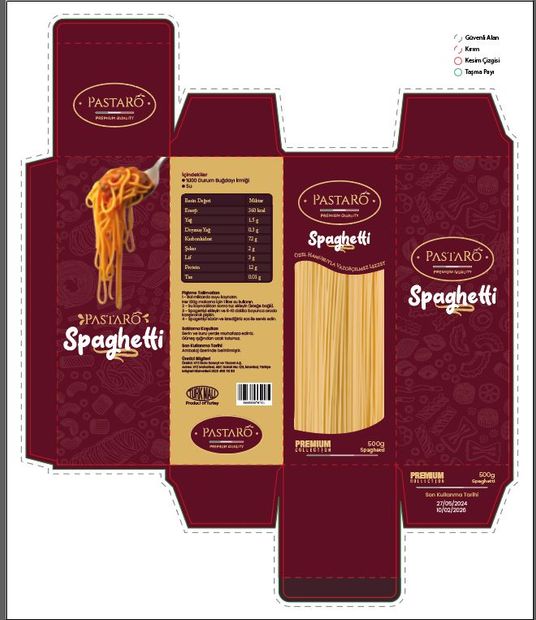
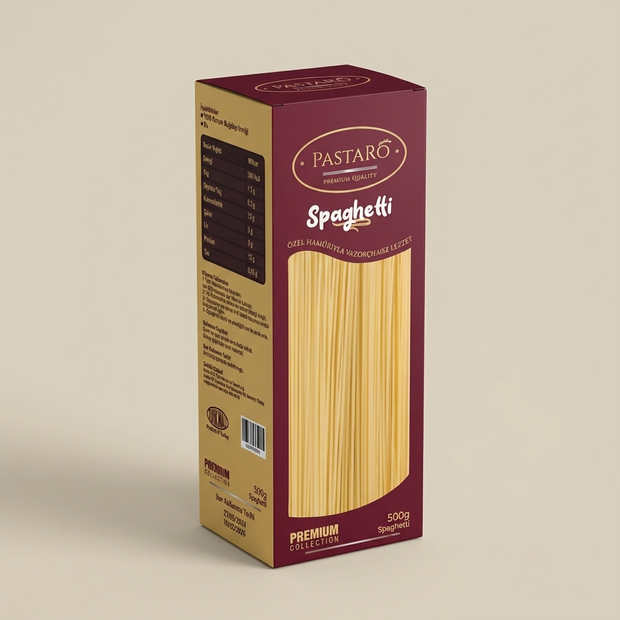
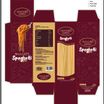
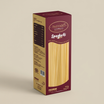
This workflow transforms flat packaging dielines into fully assembled, photorealistic product packaging renders by intelligently combining structural accuracy, brand artwork, and material realism.
It is designed for branding teams, packaging designers, CPG companies, and marketers, enabling fast, production-ready visualization without traditional 3D modeling or photoshoots.
The workflow ensures absolute fidelity to the original dieline while delivering premium, studio-quality visuals suitable for ecommerce, marketing, and presentations.
✨ What This Workflow Does
Converts flat dielines into realistic 3D packaging renders
Preserves 100% dieline accuracy:
No fold distortion
No panel stretching
No scale mismatches
Applies brand artwork precisely across all packaging faces
Simulates real-world materials such as paperboard, plastic, foil, matte, and gloss finishes
Produces clean, photorealistic packaging visuals ready for commercial use
🎨 How the Workflow Works
1️⃣ Dieline Structure & Geometry Lock (Qwen Image Edit)
The dieline is analyzed as the structural foundation of the package:
All folds, flaps, edges, and cut lines are preserved
Panel alignment and proportions remain print-accurate
No geometry warping or perspective drift occurs
Ensures the packaging form remains manufacturing-feasible
This step guarantees the output respects real packaging construction logic, not just visual appearance.
2️⃣ Brand Artwork & Material Mapping
Brand and design inputs guide the surface appearance:
Logos, typography, and graphics are placed accurately
Color fidelity is preserved across all panels
Material properties are applied realistically:
Paper textures and fibers
Plastic transparency or sheen
Metallic foils and finishes
Highlights and reflections behave according to material type
The packaging looks designed, printed, and assembled, not artificially generated.
3️⃣ Assembly, Lighting & Presentation
The flat dieline is folded into a realistic 3D form:
Correct edge thickness and seams are applied
Natural folding logic ensures believable construction
Studio or lifestyle lighting enhances realism
Soft shadows and grounding prevent a “floating” look
Final composition is suitable for ecommerce and marketing
The result feels like a professional product photoshoot, not a mockup overlay.
⚡ Why Use a Dieline-Based Packaging Workflow
Separates structure, design, and materials for precise control
Eliminates common AI issues:
Broken folds
Misplaced logos
Warped packaging shapes
Enables rapid iteration without reshoots or 3D modeling
Produces cleaner, more reliable results than single-prompt generation
🎯 Best Use Cases
Packaging design visualization
Pre-print approval and review
Ecommerce product imagery
Brand presentations and pitch decks
Marketing and launch assets
✅ Core Principles of the Workflow
✔ Dieline-locked geometry
✔ Print-accurate proportions
✔ Brand-safe artwork placement
✔ Realistic materials and lighting
✔ Photorealistic packaging renders
✔ Production-ready visual quality
Read more








