


3D 的更多應用
探索全部

所有「文字轉 3D」工作流程「文字轉 3D」工作流程
所有 Workflows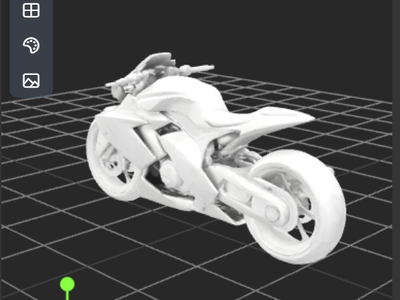

Meshy v6 Text to 3D Model
Create a 3D using Meshy v6 text to model
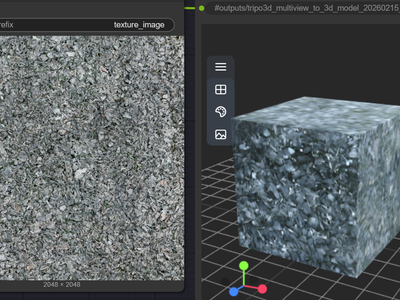
Chord for PBR Material Generation using Text to 3D
Create a 3D Game Material Asset using Chord Model from Ubisoft

Meshy 7 · Text to 3D
Describe any object and Meshy 7 generates a fully textured 3D model with PBR materials. Export as GLB, FBX, OBJ, USDZ, or STL. Write a prompt and run.

Tripo P1 for Text to 3D
Upload a photo and Tripo P1 generates a textured 3D model with clean low-poly topology, ready for game engines, 3D viewers, or further editing. No modeling required.

Hunyuan 3D v3.1 Pro for Text to 3D
Generate a textured 3D model from a text description using Tencent's Hunyuan 3D v3.1 Pro. Describe the object, set your polygon count, and hit run.
Workflows = API
每個工作流程都是一個 API 端點。 無需建構後端,就能把 AI 生成整合進您的產品。 選擇工作流程、自訂設定,點擊「複製 Floyo API 程式碼片段」,就完成了。

MCP
平台上的每個工作流程,都能讓您自己的 AI 代理與內部工具存取,並受相同的管理員控制。
mcp.floyo.ai/mcp
簡易範本
開啟現成的工作流程,閱讀說明,更換輸入內容,點擊 Run。大多數人從來不需要打開任何節點。複雜的部分是選用的,都藏在幕後。

Trust Center
在任何人執行之前,就知道哪些是安全的。每個模型都標示 Verified Private 與 Commercial Use 狀態,還有團隊管控功能,可封鎖您未核准的模型。管理員可選擇團隊能使用哪些模型、供應商與節點。

簡易範本
開啟現成的工作流程,閱讀說明,更換輸入內容,點擊 Run。大多數人從來不需要打開任何節點。複雜的部分是選用的,都藏在幕後。
Trust Center
在任何人執行之前,就知道哪些是安全的。每個模型都標示 Verified Private 與 Commercial Use 狀態,還有團隊管控功能,可封鎖您未核准的模型。管理員可選擇團隊能使用哪些模型、供應商與節點。
Workflows = API
每個工作流程都是一個 API 端點。 無需建構後端,就能把 AI 生成整合進您的產品。選擇工作流程、自訂設定,點擊「複製 Floyo API 程式碼片段」,就完成了。
