



用图像做更多
查看全部



扩图工作流一览扩图工作流
全部 Workflows

Flux.2 Klein Image Expansion / Outpaint
Wan2.1 and VACE for Video to Video Outpainting
Wan VACE video outpainting invites you to break free from the limits of the frame and explore endless creative possibilities.

FLUX.2 Klein 4B for Image Outpainting
Outpaint image using Flux 2 Klein 4B using LanPaint and Outpaint LoRA
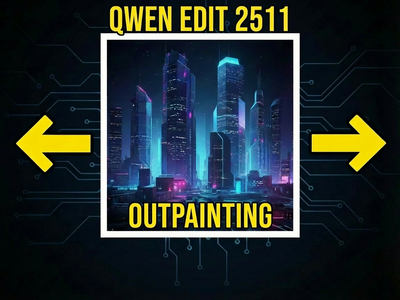

Qwen Edit 2511 OUTPAINTING
OUTPAINTING

Flux 2 Klein 9B + 360 Panorama ERP LoRA
Turn any image into a full 360 equirectangular panorama with Klein 9B and a 360 ERP outpaint LoRA. Cut flat camera shots at any angle from the result.
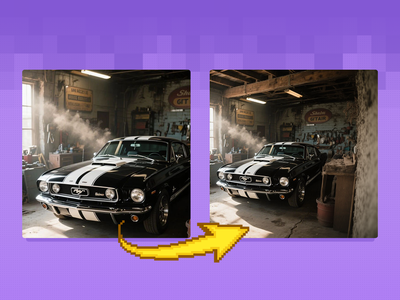
Flux Fill Dev Image Outpainting
Extend your images out for a wider field of view or just to see more of your subject. Expand compositions, change aspect ratios, or add creative elements while maintaining consistency in style, lighting, and detail while seamlessly blending with the existing artwork.

Flux 2 Klein 9B Panorama Inpainting
Edit 360 panoramas with Flux 2 Klein 9B. Select a region, describe the change, and the edit gets composited back into your full panoramic image. No warping.


Image Outpaint to Any Aspect Ratio
Reframe any image to a new aspect ratio without cropping. Nano Banana Pro extends the canvas, inventing new background pixels while keeping the original intact.

Graphic Design Recomposer - Reframe Ads

FLUX.2 Klein Outpaint · Image Expansion
Upload an image and FLUX.2 Klein extends the scene outward on both sides, filling in new content that matches the original lighting, perspective, and detail, then upscales the result with SeedVR2.

Extended

FLUX.2 Klein Image Expansion · I2I For Short Drama
Expand any photo with new content on any side using FLUX.2 Klein 9B for outpainting and SeedVR2 7B Sharp for upscaling. Upload a photo, set the expansion width, and hit run.
Workflows = API
每个工作流都是一个 API 端点。 无需搭建后端,就能在你的产品中加入 AI 生成功能。 选一个工作流,自定义设置,点击“复制 Floyo API 代码片段”,搞定。

MCP
平台上的每个工作流,都能被你自己的智能体和内部工具调用,并受同样的管理员管控。
mcp.floyo.ai/mcp
简易模板
打开一个现成的工作流,阅读说明,修改输入,点击 Run。大多数人从来不用打开节点。复杂的部分可有可无,都藏在幕后。

Trust Center
在任何人运行之前,就知道是否安全。每个模型都标有 Verified Private 和 Commercial Use 状态,团队管控还能屏蔽你未批准的模型。管理员可以选择团队能使用哪些模型、提供商和节点。

简易模板
打开一个现成的工作流,阅读说明,修改输入,点击 Run。大多数人从来不用打开节点。复杂的部分可有可无,都藏在幕后。
Trust Center
在任何人运行之前,就知道是否安全。每个模型都标有 Verified Private 和 Commercial Use 状态,团队管控还能屏蔽你未批准的模型。管理员可以选择团队能使用哪些模型、提供商和节点。
Workflows = API
每个工作流都是一个 API 端点。 无需搭建后端,就能在你的产品中加入 AI 生成功能。选一个工作流,自定义设置,点击“复制 Floyo API 代码片段”,搞定。
