



Explore mais casos de uso
Ver tudo



Todos os workflows de troca de rostoWorkflows de Troca de rosto
Todos os Workflows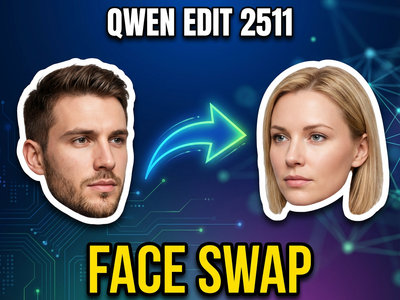

Qwen Edit 2511 Face Swap
Face Swap


Qwen Image Edit 2509 · Face Swap
Swap a face between two photos with Qwen Image Edit 2509. Upload a main image and a reference, paint a mask on each face, hit run. Apache 2.0 open weights.


ReActor - Simple Face Swap

SMART FACE SWAPPER - Ace++ Flux Face swap
Face swapper built with Flux and ACE++. Works with added details too, like hats, jewelry. Smart features, use natural language.
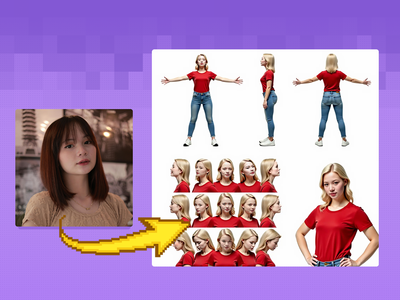
Image to Image Character Sheet Face Swap with Ace+
Take a character sheet and use a reference image to replace all the faces with that new person. Key Inputs Load Image: Use any JPG or PNG showing your pose sheet Load New Face: Use any JPG or PNG showing your subject clearly that you would like to swap into the pose sheet. Prompt: as descriptive a prompt as possible Width & height: Optimal resolution settings are noted at 1024px x 1024px Keep Proportion: Enable keep_proportion if you want to keep the same size with input and output Denoise: The amount of variance in the new image. Higher has more variance.

Vertical Video Background & Scene Rebuild


Qwen Image 2.1 Face Swap
Upload a photo and a new face. Qwen Image 2.1 swaps in the whole head and keeps the body, pose, outfit, and scene from your original. Two uploads, one prompt.
Workflows = APIs
Todo workflow é um endpoint de API. Leve geração com IA para o seu produto sem criar um backend. Escolha um workflow, personalize, clique em “Copiar snippet da Floyo API” e pronto.

MCP
Todos os workflows da plataforma, ao alcance dos seus agentes e ferramentas internas, com os mesmos controles de administração.
mcp.floyo.ai/mcp
Templates fáceis
Abra um workflow pronto, leia as instruções, troque a entrada e clique em Run. A maioria das pessoas nunca abre um node. A complexidade é opcional e fica nos bastidores.

Trust Center
Saiba o que é seguro antes que alguém execute. Status Verified Private e Commercial Use para cada modelo, além de controles de equipe para bloquear os que você não aprovar.Os administradores escolhem quais modelos, provedores e nodes a equipe pode usar.

Templates fáceis
Abra um workflow pronto, leia as instruções, troque a entrada e clique em Run. A maioria das pessoas nunca abre um node. A complexidade é opcional e fica nos bastidores.
Trust Center
Saiba o que é seguro antes que alguém execute. Status Verified Private e Commercial Use para cada modelo, além de controles de equipe para bloquear os que você não aprovar.Os administradores escolhem quais modelos, provedores e nodes a equipe pode usar.
Workflows = APIs
Todo workflow é um endpoint de API. Leve geração com IA para o seu produto sem criar um backend.Escolha um workflow, personalize, clique em “Copiar snippet da Floyo API” e pronto.
Comece agora
Curso gratuito
ComfyUI 101
curso gratuito com Sebastian KamphCurso gratuito com Sebastian Kamph
Dez aulas, da tela em branco ao ControlNet. Nodes, texto para imagem, modelos, LoRA, upscale e configurações do KSampler. Nada para instalar. Todas as aulas rodam aqui, então você termina com workflows que você mesmo criou.
