Z-Image Turbo + Chord Image to PBR Material
Image
Text to Image
Z-turbo
838

Nodes & Models
CLIPLoader
qwen_3_4b.safetensors
EmptySD3LatentImage
UNETLoader
z_image_turbo_bf16.safetensors
VAELoader
ae.safetensors
CLIPTextEncode
ModelSamplingAuraFlow
ConditioningZeroOut
KSampler
VAEDecode
SaveImage
ResizeAndPadImage
ChordLoadModel
chord_v1.safetensors
ChordMaterialEstimation
ChordNormalToHeight
Image-to-Material (PBR) Generation — Workflow Overview
This workflow converts a single text-generated texture image into a complete, game-ready PBR material set. It automatically produces clean, tileable textures and derives physically-based material maps suitable for real-time engines and 3D pipelines.
No manual painting, no external baking tools, and no complex setup.
How It Works (Step-by-Step)
1. Generate the Base Texture
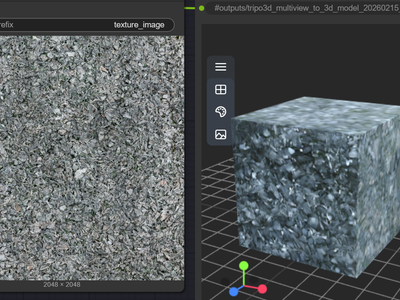
A high-resolution, seamless texture is generated from a text prompt using a fast diffusion model.
Designed for tileable, top-down material textures
Ideal for surfaces like rock, wood, fabric, concrete, or terrain
This image becomes the visual source for all material maps.
2. Normalize & Prepare the Texture
The generated texture is resized and padded to a standard square resolution, ensuring:
Consistent scale
Clean edges for tiling
Compatibility with downstream material processing
3. Estimate PBR Material Maps
The prepared texture is analyzed to automatically generate:
Base Color (Albedo)
Normal Map (surface detail)
Roughness Map (microsurface response)
Metalness Map
All maps are spatially aligned and physically consistent.
4. Derive Height from Normals
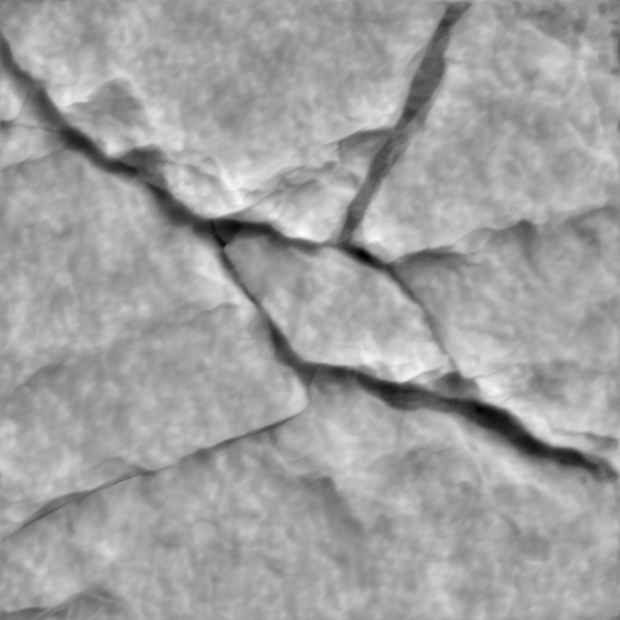
A height map is reconstructed from the normal map, enabling:
Parallax mapping
Displacement workflows
Advanced material depth effects
5. Export Ready-to-Use Assets
Each map is saved individually, ready for direct use in:
Game engines (Unreal, Unity)
3D tools (Blender, Maya, Substance workflows)
Real-time rendering pipelines
Final Result
A complete PBR texture set—base color, normal, roughness, metalness, and height—generated from a single prompt-driven texture image. Perfect for rapid material creation, environment art, and production-ready asset generation.
Read more