SVG Potracer + Qwen Image 2511 for Image to SVG
Create SVG image using Qwen Image Edit and SVG Potracer node
Image
Image to SVG
Qwen Image Edit 2511
SVG
SVG Potracer
591



Nodes & Models
CLIPLoader
qwen_2.5_vl_7b_fp8_scaled.safetensors
VAELoader
qwen_image_vae.safetensors
UNETLoader
qwen_image_edit_2511_bf16.safetensors
LoadImage
WorkflowGraphics
LoraLoaderModelOnly
Qwen-Image-Edit-2511-Lightning-4steps-V1.0-bf16.safetensors
ImageScaleToTotalPixels
ModelSamplingAuraFlow
VAEEncode
TextEncodeQwenImageEditPlus
CFGNorm
FluxKontextMultiReferenceLatentMethod
KSampler
VAEDecode
PotracerVectorize
SaveSVGNode
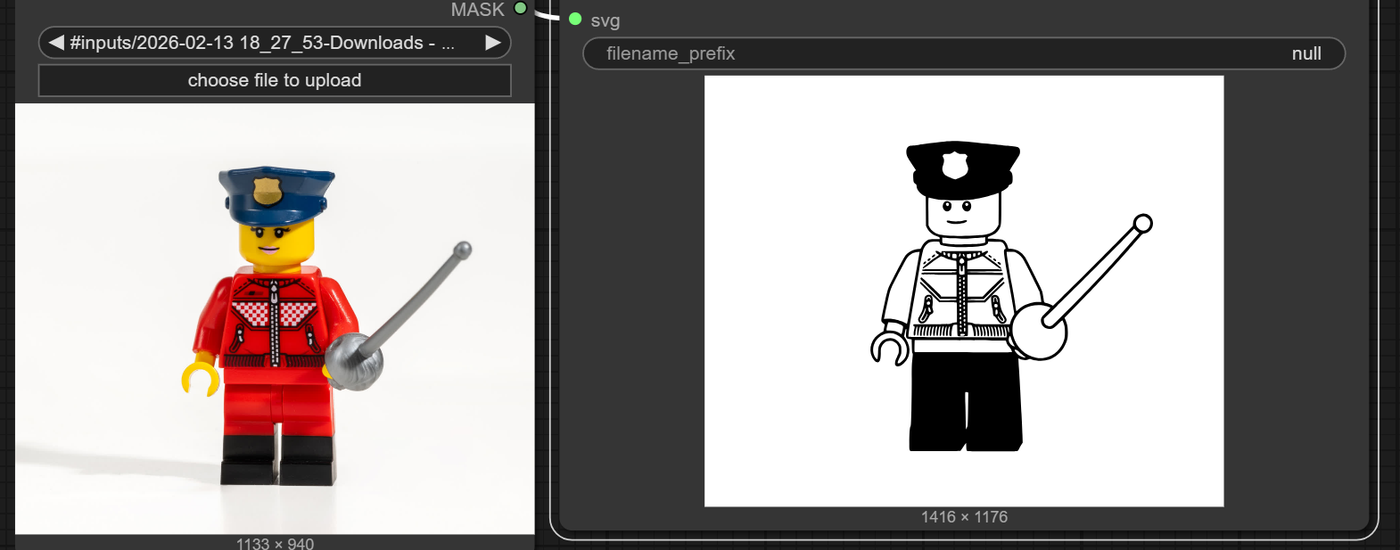
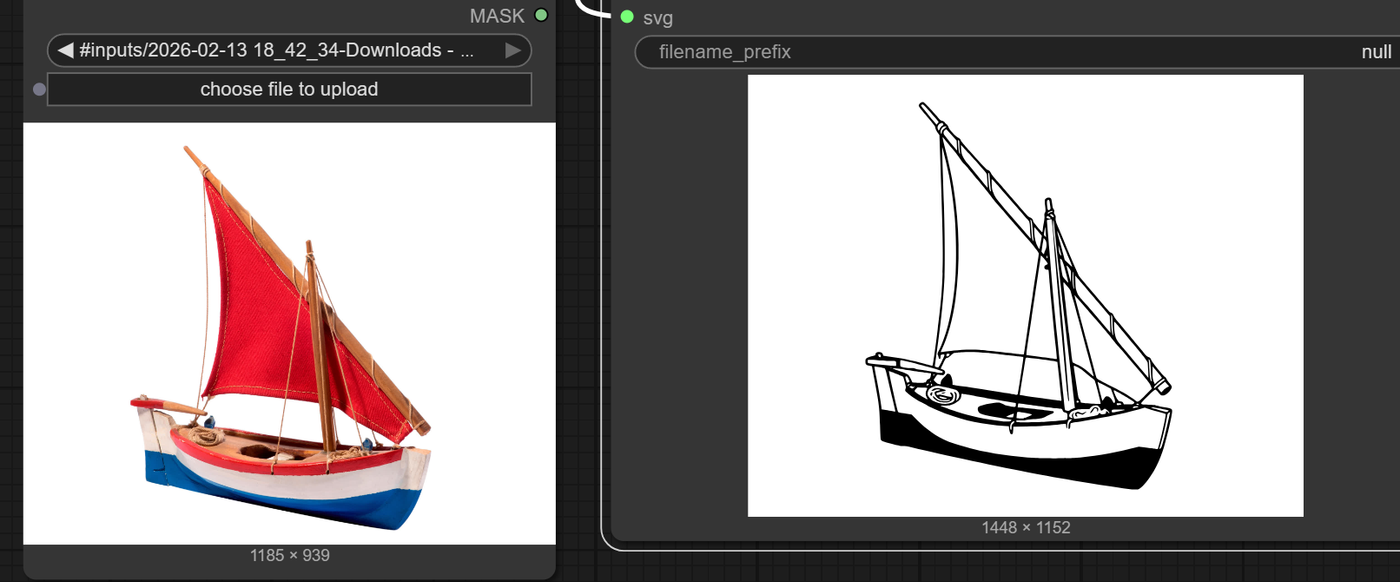
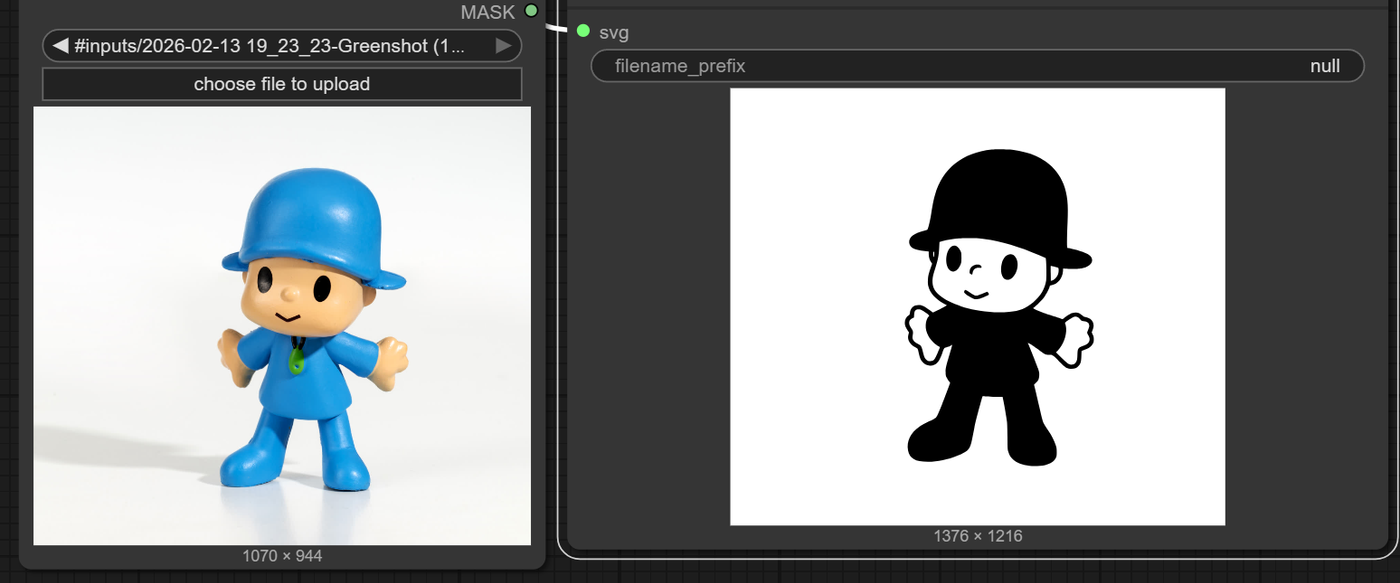
ComfyUI-ToSVG-Potracer plus Qwen-Image-Edit‑2511 is a strong combo for turning a raster character/image into clean SVG vector art by first stylizing it as high‑contrast “vector style” with Qwen, then tracing it to SVG with Potracer.
What SVG Potracer is (in ComfyUI)
ComfyUI-ToSVG-Potracer is a node that uses the Potrace library to convert a raster IMAGE into a 2‑color SVG (1 foreground, 1 background).
It works best on sharp, high‑contrast, low‑color inputs: logos, silhouettes, bold line art, vinyl‑cut style assets.
What Qwen‑Image‑Edit‑2511 brings
Qwen‑Image‑Edit‑2511 is an image‑editing model with strong geometric reasoning and style control, good at turning photos or detailed art into vector‑style illustrations while preserving identity and details.
You can prompt it for “flat vector art illustration, bold black outline, white background, minimal shading” to prepare an ideal input for Potracer.
Minimal workflow idea (high level)
Input image (your character/logo).
Qwen‑Image‑Edit‑2511 node
Mode: image‑to‑image edit.
Prompt: describe target vector style (“flat 2‑color vector logo, black shapes on pure white background, thick outlines”).
Output: stylized, high‑contrast raster.
Optional: a simple levels/threshold step to really push it to only black and white.
ComfyUI-ToSVG-Potracer node
Input: the processed raster image.
Tune Potracer params (e.g.,
optimize_curve,turdsize, smoothing) to control line smoothness and detail.Output: SVG file (vector paths).
This way Qwen handles the aesthetic conversion to vector‑like art, and Potracer handles the true vectorization to SVG paths.
Read more