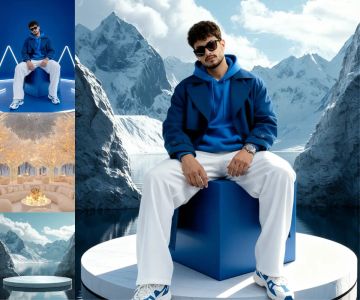
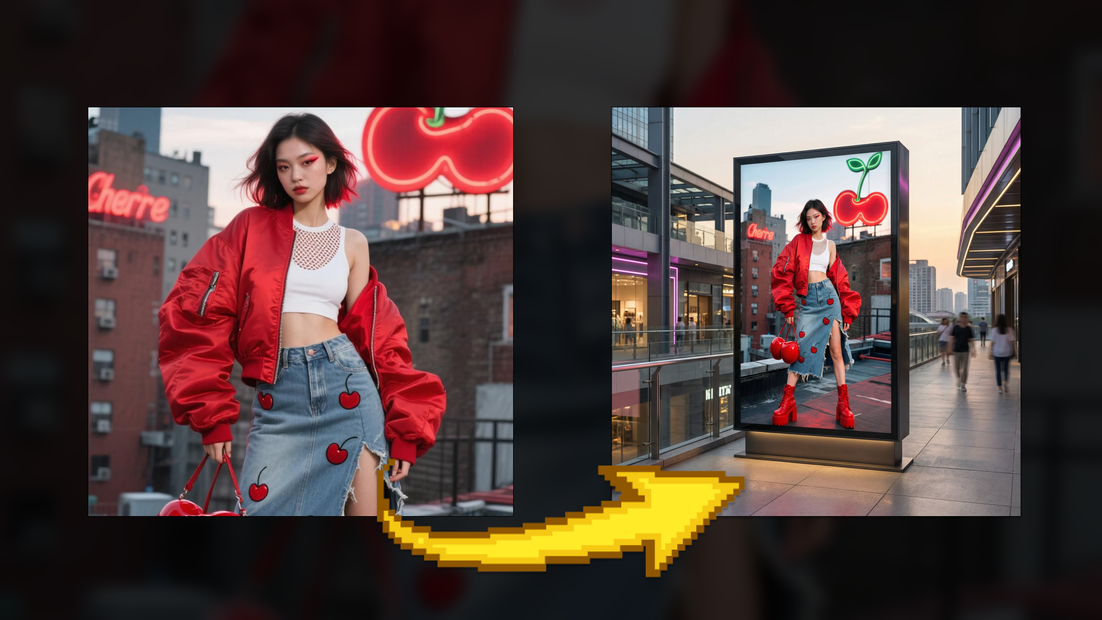
Generate Fashion Billboard Using Outfit Image
Upload the outfit image to generate fashion billboard
Ecommerce
Image
NanoBanana
Reference Image
736
_1768210693794.png?width=1400&height=620&quality=80&resize=contain)
_1768210693794.png?width=1400&height=620&quality=80&resize=contain)
_1768210693794.png?width=1400&height=620&quality=80&resize=contain)
_1768210693794.png?width=1400&height=620&quality=80&resize=contain)
_1768210783769.png?width=1400&height=620&quality=80&resize=contain)
_1768210797886.png?width=1400&height=620&quality=80&resize=contain)
_1768210797886.png?width=1400&height=620&quality=80&resize=contain)
_1768210810762.png?width=1400&height=620&quality=80&resize=contain)
_1768210693794.png?width=104&height=104&quality=80&resize=cover)
_1768210693794.png?width=104&height=104&quality=80&resize=cover)
_1768210693794.png?width=104&height=104&quality=80&resize=cover)
_1768210693794.png?width=104&height=104&quality=80&resize=cover)
_1768210783769.png?width=104&height=104&quality=80&resize=cover)
_1768210797886.png?width=104&height=104&quality=80&resize=cover)
_1768210797886.png?width=104&height=104&quality=80&resize=cover)
_1768210810762.png?width=104&height=104&quality=80&resize=cover)

Nodes & Models
NanoBananaProUnified_floyo
WorkflowGraphics
Note
LoadImage
SaveImage
Fashion Billboard Generation Workflow – Simple Explanation
This workflow lets you transform a single outfit or fashion image into a professional billboard advertisement placed inside a realistic shopping mall environment.
It works for sportswear, luxury fashion, streetwear, lifestyle, or editorial campaigns—without photoshoots, physical locations, or manual design work.
How It Works (Step-by-Step):
1. Upload the Outfit or Product Image
Start with a clean image of the outfit or fashion product (flat-lay, mannequin, or studio shot).
Think of this as:
“This image defines how the clothing must look.”
All colors, materials, logos, stitching, and construction details are taken directly from this image and treated as fixed.
2. Dress a Professional Model (Model Generation Stage)
The system dresses a professional fashion model with the provided outfit.
The model’s pose is natural, balanced, and realistic
Facial features, hair, and posture match real fashion photography
The outfit is applied exactly as shown, with:
Correct fabric behavior (leather, denim, cotton, fur, etc.)
Accurate color and texture
Preserved logos, text, and details
No redesign, no recoloring, and no stylization occurs at this stage.
3. Lock the Model and Outfit
Once the model image is created:
The model’s appearance, pose, and clothing are locked
This prevents distortion or inconsistency in later steps
The image becomes a final advertising asset
4. Design the Billboard Advertisement
The finalized model image is placed onto a large vertical LED lightbox billboard.
At this stage, you control the creative direction:
Luxury
Sports
Streetwear
Editorial
Lifestyle
Automotive-inspired
Minimal or bold aesthetics
The billboard content is treated as a real printed ad, not a digital overlay.
5. Generate the Shopping Mall Environment
A realistic shopping mall is generated around the billboard:
Modern, luxury, industrial, or lifestyle-focused architecture
Polished floors with natural reflections
Glass railings, multiple levels, escalators
Subtle background shoppers for scale and realism
Different mall styles can be used depending on the campaign theme.
6. Match Lighting, Scale, and Perspective
The workflow automatically aligns:
LED billboard brightness
Indoor ambient lighting
Shadows and reflections
Camera angle and distance
This ensures the billboard feels physically installed in the space, not digitally placed.
7. Final Image Output
The final output is a photorealistic billboard image that looks like a real commercial photograph taken inside a shopping mall.
No text, watermarks, or branding added
Clean, professional, and presentation-ready
Suitable for ads, pitch decks, and campaign previews
Behind the Scenes (in simple terms):
You perfect the outfit on a model once.
That image becomes the core advertisement.
The environment, lighting, and scale are built around it.
Everything stays consistent and realistic.
Final Result:
A high-quality fashion billboard advertisement that adapts to any style or campaign direction—
sports, luxury, street, or lifestyle—while maintaining perfect outfit accuracy, natural model presence, and real-world realism, without the need for photoshoots or physical installations.
Read more