Flux LoRA Trainer
API
Flux
LoRA
LoRAs
Trainer
708







Nodes & Models
FluxLoraTrainer_floyo
WorkflowGraphics
LoadImagesFromFolderKJ
LoadImagesFromFolderKJ
ShowText|pysssss
https://v3b.fal.media/files/b/0a87523f/JGeuCNhRz2-2548cjgvc3_pytorch_lora_weights.safetensors
ShowText|pysssss
https://v3b.fal.media/files/b/0a87523f/JGeuCNhRz2-2548cjgvc3_pytorch_lora_weights.safetensors
Overview
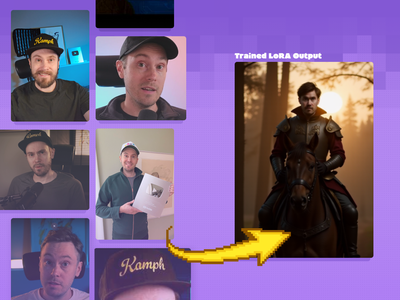
With LoRA (Low‑Rank Adaptation), only a tiny set of extra weights is trained on top of the frozen Flux base. This keeps training light on VRAM and compute, while still letting the model learn a new identity (for example a specific face or OC), a visual style (for example a painterly look), or a design language (for example brand colors and shapes). In practice, you gather a small dataset (often 10–50 images) with good captions, run a LoRA trainer pointing at the Flux checkpoint, and export a .safetensors or similar LoRA file you can load in ComfyUI or your pipeline.
What you typically train
For Flux‑style models, the most common LoRA targets are:
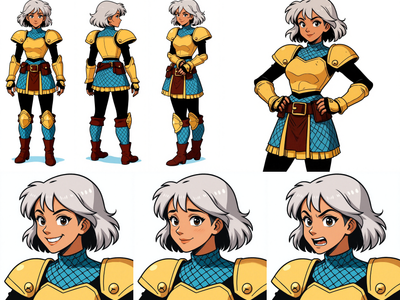
Character LoRA: Teaches a specific person, mascot, or VTuber avatar so a trigger token reproduces that character in new prompts.
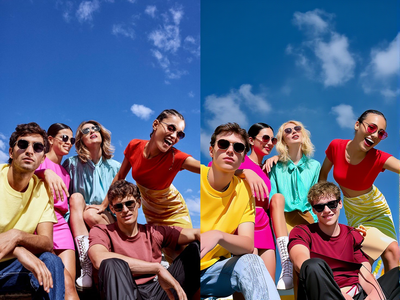
Style LoRA: Captures a look (brushwork, color palette, contrast, film stock) across many subjects while leaving content flexible.
Thematic / brand LoRA: Focuses on brand assets, color schemes, and layout motifs so new images feel “on brand.”
Typical workflow
A practical Flux LoRA workflow usually follows these steps:
Dataset: Collect 10–50 clean images in a consistent resolution and aspect ratio, plus captions that describe subject, style, and any trigger word you want to use.
Config: Point your LoRA trainer at the Flux base model, set resolution (for example 768–1024 on the long side), batch size your GPU can handle, learning rate in a safe range (around 1e‑4–5e‑5), rank (for example 16–64), and a few thousand training steps depending on dataset size.
Train: Run training while periodically sampling from the partially trained LoRA to check for under‑ or overfitting, adjusting steps, rank, or learning rate as needed.
Use: Load the LoRA alongside Flux in ComfyUI or your chosen UI, set a LoRA weight (for example 0.6–1.0), and add your trigger word to prompts to apply the new character or style.
Read more