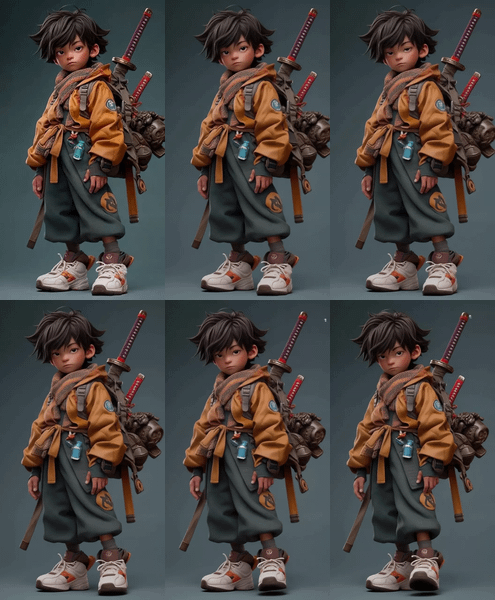
Character Reshoot using Qwen Edit 2511 + Kling O1
Creating a reshoot for a character
Audio
Image
Image2Video
Kling Omni One
LoRAs
Next Scene LoRA
Qwen Image Edit 2511
Reference2Video
Video
738

Nodes & Models
KlingOmniReferenceToVideo_floyo
VideoToFrames
UNETLoader
qwen_image_edit_2511_bf16.safetensors
VAELoader
qwen_image_vae.safetensors
CLIPLoader
qwen_2.5_vl_7b_fp8_scaled.safetensors
WorkflowGraphics
LoraLoaderModelOnly
Qwen-Image-Edit-2511-Lightning-4steps-V1.0-fp32.safetensors
next-scene_lora-v2-3000.safetensors
PreviewImage
ImageScaleToTotalPixels
ModelSamplingAuraFlow
TextEncodeQwenImageEditPlus
VAEEncode
CFGNorm
KSampler
VAEDecode
VHS_LoadVideo
VHS_VideoCombine
VHS_LoadVideo
VHS_VideoCombine
FirstFrameSelector
This setup is about doing a character reshoot: redesigning how a character looks in the next shot at the image level, then filming that updated look as moving footage without regenerating everything from scratch.
Overview
The image‑edit stage uses character‑aware editing plus a scene‑transition LoRA so the character’s face, hair, and key traits stay consistent while outfits, poses, and environment shift for the new scene. The video stage then takes that edited “next scene” frame as a reference and applies camera motion and action over time, keeping the updated character design stable throughout the shot.
Why use this approach
Keeps character identity locked across scenes—facial structure, hairstyle, and signature features survive even when changing location, mood, or style between shots.
Treats the process like a reshoot instead of a full re‑roll: you art‑direct one keyframe per new scene, then let the video model reuse existing motion logic and cinematography.
Makes multi‑shot storytelling practical: you can progress from Scene 1 to Scene 2 to Scene 3 with coherent character evolution, rather than a jumble of slightly different faces.
Use cases
Updating a character’s look (outfit, age, mood) for a later scene in a short film while preserving core identity and then animating that new design.
Creating “next scene” beats—new location, different lighting, altered camera angle—without breaking continuity in facial features and silhouette.


Transferring live‑action motion or camera moves onto a redesigned character frame so subsequent shots feel like proper reshoots rather than disconnected clips.
Read more