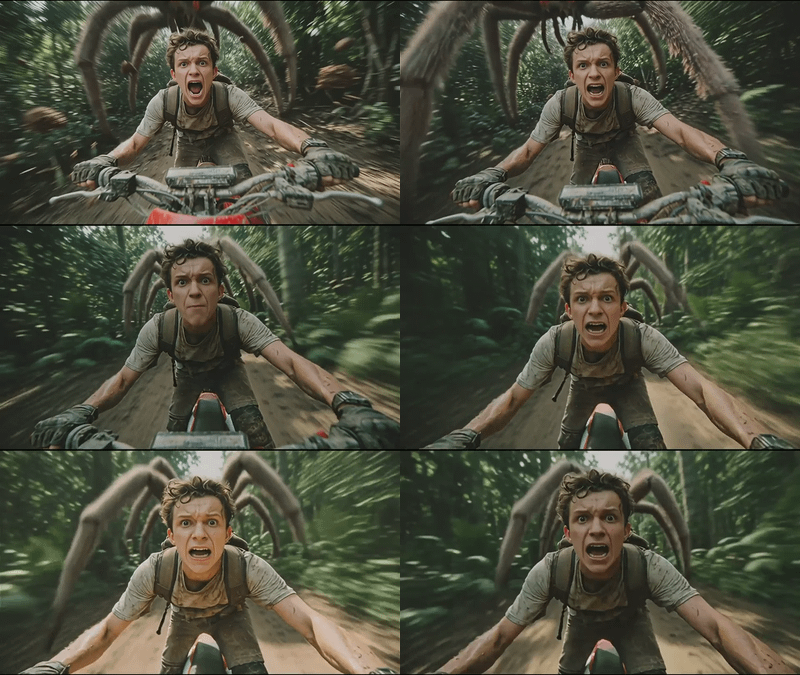
Kling 2.6 Pro for Image to Video
Create stunning videos using Kling 2.6 Pro
Animation
Filmmaking
Image2Video
Kling 2.6 Pro
Video
982




Nodes & Models
KlingCreateVoice_floyo
Kling26Pro_floyo
VideoToFrames
WorkflowGraphics
Note
LoadImage
VHS_VideoCombine
VHS_VideoCombine
VHS_VideoCombine
Kling 2.6 Pro image-to-video generation. Upload a still image, describe the motion and audio, get a cinematic clip.
This is a cloud API workflow. Kling 2.6 Pro is a joint audio-visual model: it generates motion and audio together in the same pass rather than producing a silent video and adding sound separately. Upload your image, write a prompt covering the camera move, subject action, and audio direction, and the model animates the scene into a 1080p clip with synchronized sound.
The workflow includes a KlingCreateVoice node for custom voice input. Audio generation is off by default. Enable it when you want dialogue, ambience, or sound effects generated with the video. Connect a voice reference when you want a specific voice character for narration or dialogue.
An optional end image input locks the final frame, letting the model generate the motion between two specific visual states.
How do you use Kling 2.6 Pro for image-to-video generation?
Upload a start image, write a prompt describing the motion and audio, and run. Kling 2.6 Pro generates motion and sound together in the same pass. Duration, audio generation, and voice are configurable. An optional end image lets you define both the start and finish frame.
Start image The frame the video begins from. Use a sharp, well-lit image that already captures the framing and style you want in the final clip. The model uses this as the visual foundation and animates from it. Avoid heavy motion blur or cluttered compositions.
End image (optional) Upload a second image to define the final frame. The model generates the motion between start and end, treating both as keyframes. Use this for controlled scene transitions: a product rotating to a new angle, a character shifting position, a lighting change between two states.
Prompt Write for motion and audio, not redesign. The model preserves the appearance and composition of your source image. Describe what moves, how the camera behaves, and what the audio should sound like.
Motion: "slow push-in," "product rotates 360 degrees," "character turns and smiles," "subtle environmental movement." Camera: "handheld feel," "smooth dolly left," "static shot," "slight zoom." Audio: "soft city ambience," "calm female voice narrating one short line," "product reveal music," "no dialogue, ambient sound only."

The default prompt ships as "A product 360 view of delicious burger." Short, specific, outcome-focused. That structure works.
Negative prompt (default: blur, distort, and low quality) List what you want to avoid in the output. The default covers the most common quality failures. Add motion-specific problems if they appear in your runs: "shaky camera," "inconsistent lighting," "flickering."
Duration (default: 5 seconds) 5 seconds for sharp single-action beats: a product reveal, a facial expression, a camera push. 10 seconds for more complex motion with multiple actions or a developed audio track.
Generate audio (default: off) Off by default. Turn on to generate synchronized dialogue, ambience, and sound effects in the same pass as the video. When audio is on, include audio direction in your prompt. When off, the output is silent for custom sound design in post.
KlingCreateVoice (optional) Connect a voice reference URL to the KlingCreateVoice node to use a specific voice character for narration or dialogue. The node passes a voice ID to the main generation. Enable this when you need a consistent voice identity across multiple clips rather than using the model's default voice selection.
What is Kling 2.6 Pro image-to-video good for?
Kling 2.6 Pro is strongest for short cinematic clips where motion quality, native audio sync, and source image fidelity all matter. Product reveals, character animation, social ad content, and narrative beats where the original image's look must stay intact. 5-10 seconds at 1080p with audio in one pass.
Product reveals and 360 views. Animate a product shot into a clean reveal or rotation. The default prompt demonstrates this directly: a 360 view of a burger from a single image. The model handles object motion cleanly when the source image is sharp and the composition is uncluttered.
Character and portrait animation. Bring a character still or portrait into motion with subtle or expressive animation. Describe the action, expression change, and any dialogue. The native audio sync handles lip movement against a generated voice line in the same pass.
Social and marketing content. Generate 5-10 second clips for social ads, product pages, and marketing assets from a single image without a production shoot. The 1080p output at 16:9 drops into most social formats directly.
Cinematic scene animation. Take a concept art frame, location photo, or key art image and animate it for a title sequence, mood reel, or pre-visualization clip. Describe camera motion and environmental sound to establish scene mood in a few seconds.
Honest notes: audio generation works best when you describe it specifically in the prompt. Generic instructions like "add sound" produce generic results. For voice-driven content, using the KlingCreateVoice node with a reference voice produces more consistent character across multiple clips than relying on automatic voice selection.
How does Kling 2.6 Pro compare to other image-to-video models?
Kling 2.6 Pro's main differentiator is native audio-visual co-generation: motion and synchronized sound are produced together, not separately. Most image-to-video models output silent video and require a separate audio step. Kling 2.6 Pro handles dialogue, ambience, and SFX timing in the same generation pass.
LTX 2.3 Pro and LTX-2 Pro generate high-quality motion from still images but produce silent video by default with audio as a separate toggle. Kling 2.6 Pro's joint model architecture means audio and motion timing are learned together, which produces tighter lip sync and more natural audio-visual correspondence.
For pure motion quality and controllability in longer clips, LTX models with the 2-step upscaling workflow may produce more refined results. For short clips where audio integration is the priority and production speed matters, Kling 2.6 Pro handles both in one run.
FAQ
What makes Kling 2.6 Pro different from other image-to-video generators?
Kling 2.6 Pro generates motion and audio together in the same pass rather than producing silent video and adding sound separately. Dialogue, ambience, and SFX timing are co-generated, so lip sync and audio-visual correspondence match without manual alignment.
How do I write a good prompt for Kling 2.6 Pro image-to-video?
Write for motion and audio, not appearance. Describe the camera move, subject action, and audio direction. "Slow push-in, character turns and smiles, soft city ambience, calm female voice narrating one short line." Keep the source image responsible for the visual design; the prompt handles what moves and what sounds.
How do I use the end image input in Kling 2.6 Pro?
Connect a second image to the end image input. The model treats both as keyframes and generates the motion between them. Use this for controlled transitions: a product at a new angle, a character in a different pose, a scene with changed lighting.
How do I add a custom voice to Kling 2.6 Pro video generation?
Enable the KlingCreateVoice node and connect a voice reference URL. The node generates a voice ID and passes it to the main generation. Use this for consistent voice identity across multiple clips. Without a voice reference, the model selects a voice automatically when audio is enabled.
What resolution and duration does Kling 2.6 Pro output?
1080p at 16:9 aspect ratio. Duration options are 5 and 10 seconds. 5 seconds for tight single-action beats. 10 seconds for more complex motion or developed audio tracks.
How do I run Kling 2.6 Pro image-to-video online?
You can run Kling 2.6 Pro online through Floyo. No installation, no setup. Open the workflow in your browser, upload your image, and hit run. Free to try.
Read more