


動画でさらにできること
すべて見る



動画から動画のワークフロー一覧動画から動画のワークフロー
すべての Workflows

Wan 2.6 Reference to Video

Wan2.2 Fun and RealismBoost LoRA for V2V
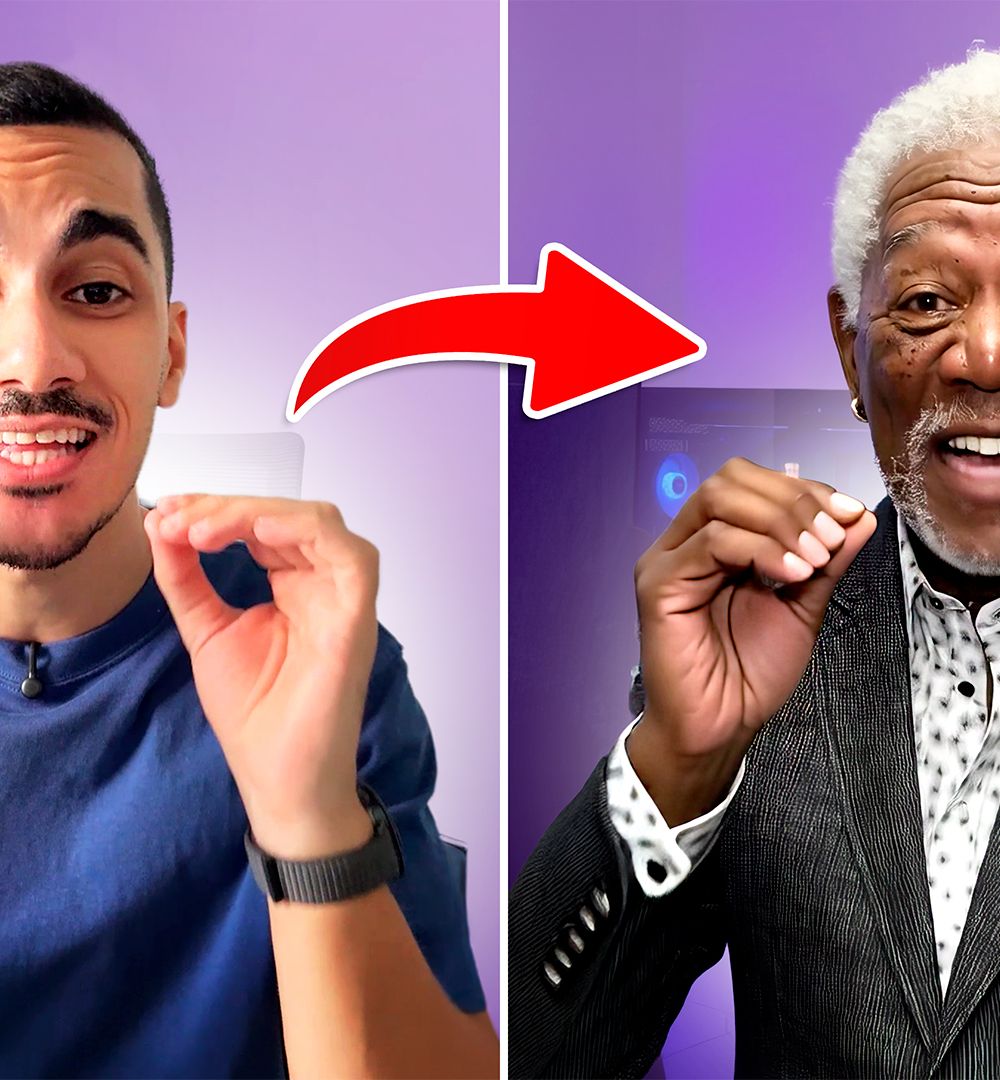
Wan2.2 Animate Character
Wan 2.2
Wan2.1 and VACE for Video to Video Outpainting
Wan VACE video outpainting invites you to break free from the limits of the frame and explore endless creative possibilities.

Wan2.1 Fun Control and Flux for V2V Restyle
Create a new video by restyling an existing video with a reference image.

Wan2.1 + SCAIL-2 for Character Motion Transfer
Transfer the motion from any video onto your own character with SCAIL 2, Z.ai's end-to-end character animation model built on Wan 2.1. Upload a video and a character photo, then hit run.
Wan 3.0 Prime · Reference to Video
Place a character into any video using Wan 3.0 Prime by Alibaba. Upload a face, a reference clip, and describe the scene. Prime fidelity, audio included.
MMAudio: Video to Synced Audio
Generate synchronized audio with a given video input. It can be combined with video models to get videos with audio.
Wan2.1 and RecamMaster for V2V Camera Control
Adjust the camera angle of an existing video, like magic.

VOID · Video Object Removal
Erase any object from a video and fill the gap with coherent motion using VOID by Netflix and SAM3 by Meta. Type the object name, hit run. Apache 2.0.


Seedance2.0 Full Reference-to-Video
This is a full-reference workflow for Seedance 2.0. It supports image, video, and audio references for more flexible video generation. Seedance 2.0用のフルリファレンス対応ワークフローです。 画像、動画、音声を参照でき、柔軟な動画生成が可能です。

Wan 2.1 Vid2Vid Style Transfer with Ditto
Upload any video, describe a new style, and Wan 2.1 rewrites every frame. Ditto keeps motion and structure intact across anime, Pixar, clay, and dozens more.
Workflows = API
すべてのワークフローが API エンドポイントです。 バックエンドを作らずに、AI 生成を自社のプロダクトに組み込めます。 ワークフローを選んでカスタマイズし、「Floyo API スニペットをコピー」をクリックすれば完了です。

MCP
プラットフォーム上のすべてのワークフローに、自分のエージェントや社内ツールから、同じ管理設定のもとでアクセスできます。
mcp.floyo.ai/mcp
かんたんテンプレート
既製のワークフローを開き、説明を読んで入力を変え、Run をクリックするだけ。ほとんどの人はノードを開くこともありません。複雑な部分は、必要なときのために裏側にあります。

Trust Center
誰かが実行する前に、安全かどうかがわかります。すべてのモデルに Verified Private と Commercial Use のステータスがあり、承認していないモデルはチームの管理設定でブロックできます。管理者は、チームが使えるモデル、プロバイダー、ノードを選べます。

かんたんテンプレート
既製のワークフローを開き、説明を読んで入力を変え、Run をクリックするだけ。ほとんどの人はノードを開くこともありません。複雑な部分は、必要なときのために裏側にあります。
Trust Center
誰かが実行する前に、安全かどうかがわかります。すべてのモデルに Verified Private と Commercial Use のステータスがあり、承認していないモデルはチームの管理設定でブロックできます。管理者は、チームが使えるモデル、プロバイダー、ノードを選べます。
Workflows = API
すべてのワークフローが API エンドポイントです。 バックエンドを作らずに、AI 生成を自社のプロダクトに組み込めます。ワークフローを選んでカスタマイズし、「Floyo API スニペットをコピー」をクリックすれば完了です。
