


Mach mehr mit Videos
Alle entdecken


Alle Workflows für BewegungsübertragungWorkflows für Bewegungsübertragung
Alle Workflows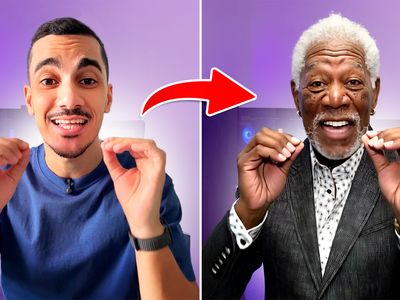

Wan 2.2 Animate Preprocess by Kijai (MDMZ Edition)


Kling 2.6 · Motion Control
Transfer motion from any video onto your character with Kling 2.6 by Kuaishou. Upload a character image and a reference clip, describe the scene, hit run.


SCAIL2_Motion_Control
SCAIL2を使用したモーションコントロール用のワークフローです。動画をモーション元としてアップロードし、入れ替えたい人物画像をアップロードすることで、動画内の動きをキャラクターへ転送できます。緑色のノードだけ設定すればすぐ使えます。 This is an Image-to-Video motion control workflow using SCAIL2.
Wan2.2 Animate Character
Wan 2.2

Wan2.1 + SCAIL-2 for Character Motion Transfer
Transfer the motion from any video onto your own character with SCAIL 2, Z.ai's end-to-end character animation model built on Wan 2.1. Upload a video and a character photo, then hit run.


Wan 2.7 Reference to Video with Motion Control
Wan 2.7 Reference to Video with Motion Control

Seedance2.0 Full Reference-to-Video
This is a full-reference workflow for Seedance 2.0. It supports image, video, and audio references for more flexible video generation. Seedance 2.0用のフルリファレンス対応ワークフローです。 画像、動画、音声を参照でき、柔軟な動画生成が可能です。

Kling V3 Pro Motion Control

Vertical Video Character Face & Actor Swap (Wan 2.2 Animate)

SCAIL-2 bf16 Loop FullLength Motion Transfer
Transfers the motion of a driving video onto a reference character image


LTX 2.3 - Motion Transfer
Copy any video's motion onto a still character photo using LTX 2.3

Kling3.0_Motion Control_Character Reference
画像、動画をアップロードすることで一貫性の高いキャラクターのモーションコントロールができます
Workflows = APIs
Jeder Workflow ist ein API-Endpoint. Bring KI-Generierung in dein Produkt, ohne ein Backend zu bauen. Wähle einen Workflow, pass ihn an, klicke auf „Snippet für die Floyo API kopieren“, fertig.

MCP
Jeder Workflow auf der Plattform, erreichbar für deine eigenen Agents und internen Tools, mit denselben Admin-Kontrollen.
mcp.floyo.ai/mcp
Einfache Vorlagen
Öffne einen fertigen Workflow, lies die Anleitung, ändere deine Eingabe und starte ihn mit einem Klick. Die meisten öffnen nie einen Node. Komplexität ist optional und bleibt unter der Haube.

Trust Center
Du weißt, was sicher ist, bevor es jemand ausführt. Status Verified Private und Commercial Use für jedes Modell, dazu Team-Kontrollen, mit denen du nicht freigegebene Modelle blockierst.Admins legen fest, welche Modelle, Anbieter und Nodes das Team nutzen darf.

Einfache Vorlagen
Öffne einen fertigen Workflow, lies die Anleitung, ändere deine Eingabe und starte ihn mit einem Klick. Die meisten öffnen nie einen Node. Komplexität ist optional und bleibt unter der Haube.
Trust Center
Du weißt, was sicher ist, bevor es jemand ausführt. Status Verified Private und Commercial Use für jedes Modell, dazu Team-Kontrollen, mit denen du nicht freigegebene Modelle blockierst.Admins legen fest, welche Modelle, Anbieter und Nodes das Team nutzen darf.
Workflows = APIs
Jeder Workflow ist ein API-Endpoint. Bring KI-Generierung in dein Produkt, ohne ein Backend zu bauen.Wähle einen Workflow, pass ihn an, klicke auf „Snippet für die Floyo API kopieren“, fertig.
Leg los
Kostenloser Kurs
ComfyUI 101
kostenloser Kurs von Sebastian KamphKostenloser Kurs von Sebastian Kamph
Zehn Lektionen, vom leeren Canvas bis zu ControlNet. Nodes, Text-zu-Bild, Modelle, LoRA, Upscaling und KSampler-Einstellungen. Nichts zu installieren. Jede Lektion läuft hier, also hast du am Ende Workflows, die du selbst gebaut hast.
