

Floyo
Floyo
Workflows
API
요금제
Floyo
Floyo
Workflows
API
요금제
탐색

영상 업스케일링

영상 업스케일링

Floyo에서 실행할 수 있는 영상 업스케일링 워크플로우를 둘러보세요.

Workflow 열기

약 2분 25초 만에 생성

모두 둘러보기

모든 영상 업스케일링 워크플로우영상 업스케일링 워크플로우

모든 Workflows
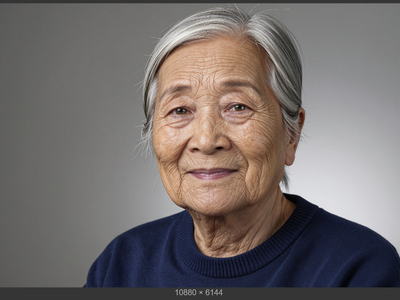
Z-Image Turbo + DyPE + SeedVR2 2.5 + TTP  16k reso
Image

Image generation

SeedVR

SeedVR2

Video

Video upscaling

Z-Image

Z-Image Turbo

Z-Image Turbo + DyPE + SeedVR2 2.5 + TTP 16k reso

SeedVR2 and TTP Toolset 8k Image Upscale
Image

Image editing

Image to image

SeedVR

SeedVR2

Upscaling

Video

Video upscaling

SeedVR2 and TTP Toolset 8k Image Upscale

LTX 2.3 Image to Video with Two-Pass Upscaling

Image to video

LTX

Video

Video upscaling

LTX 2.3 Image to Video with Two-Pass Upscaling

Topaz Video Upscaler for Sharper Results

Topaz

Video

Video to video

Video upscaling

Upload a video, pick your enhancement model and quality level, and Topaz Video AI sharpens, denoises, and upscales it. Audio is preserved. Output is H265 MP4.

Topaz Video Upscaler for Sharper Results

Upload a video, pick your enhancement model and quality level, and Topaz Video AI sharpens, denoises, and upscales it. Audio is preserved. Output is H265 MP4.

FlashVSR for Video Upscale

FlashVSR

Upscaling

Video

Video to video

Video upscaling

Upscale your videos

FlashVSR for Video Upscale

Upscale your videos

Vertical Video Background & Scene Rebuild
Face swap

Image to image

Qwen

Video

Video editing

Video upscaling

Wan

Wan 2.1 Funcontrol

Vertical Video Background & Scene Rebuild

Vertical Video FX Insterter / Element Pass with Seedream + Wan
Reference-image

Seedream

Upscaling

Video

Video-conditioning

Video upscaling

Wan

Wan 2.1funcontrol

Vertical Video FX Insterter / Element Pass with Seedream + Wan

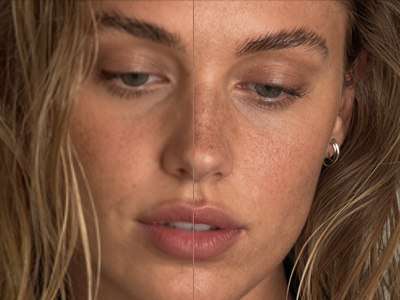
Vertical Video FX Inserter - Qwen + Wan 2.1 FunControl
Image

Image editing

Qwen

Video

Video to video

Video upscaling

Wan

Wan 21-funcontrol

Vertical Video FX Inserter - Qwen + Wan 2.1 FunControl

SeedVR 2 ultra resolution upscale

Image

Image editing

Image to image

SeedVR

Video

Video upscaling

Z-Image

Z-Image Turbo

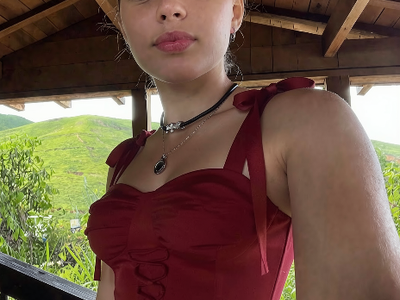
Using SeedVR 2 + UltimateSD Upscale + Z-Image Turbo to achieve extremely high resolution and sharp images.
SeedVR 2 ultra resolution upscale

Using SeedVR 2 + UltimateSD Upscale + Z-Image Turbo to achieve extremely high resolution and sharp images.

Z-Image AI Influencer + Clothes & Pose Transfer

AI Influencer

Clothes transfer

Motion transfer

SeedVR

Video

Video upscaling

Z-Image

Z-Image Turbo

Create realistic AI influencer images with advanced clothes transfer, pose transfer, and cinematic styling using Z-Image Turbo + ControlNet in ComfyUI. Includes QwenVL prompt generation, Lineart ControlNet guidance, LoRA styling, and SEEDVR upscaling for ultra-detailed profession

Z-Image AI Influencer + Clothes & Pose Transfer

Create realistic AI influencer images with advanced clothes transfer, pose transfer, and cinematic styling using Z-Image Turbo + ControlNet in ComfyUI. Includes QwenVL prompt generation, Lineart ControlNet guidance, LoRA styling, and SEEDVR upscaling for ultra-detailed profession

SeedVR2 · Video Upscaler For Anime

4x upscale

SeedVR

SeedVR2

Video

Video restoration

Video upscaling

Upload a low-resolution video and SeedVR2 upscales it to 1080p in a single diffusion step, restoring fine detail, removing compression artifacts, and maintaining temporal consistency across every frame.

SeedVR2 · Video Upscaler For Anime

Upload a low-resolution video and SeedVR2 upscales it to 1080p in a single diffusion step, restoring fine detail, removing compression artifacts, and maintaining temporal consistency across every frame.

LTX 2.3 Two-Pass · Image to Video For Anime

Image to video

LTX

LTX 2.3

Two-pass

Video

Video upscaling

Upload an image and LTX Video 2.3 22B generates a 5-second video at 1080p with synchronized audio, using a two-pass pipeline that renders at low resolution first then upscales in latent space for sharp, detailed output.

LTX 2.3 Two-Pass · Image to Video For Anime

Upload an image and LTX Video 2.3 22B generates a 5-second video at 1080p with synchronized audio, using a two-pass pipeline that renders at low resolution first then upscales in latent space for sharp, detailed output.

Workflows = API

모든 워크플로우가 API 엔드포인트입니다. 백엔드를 구축하지 않고도 제품에 AI 생성 기능을 담을 수 있습니다. 워크플로우를 고르고, 원하는 대로 조정한 다음, “Floyo API 스니펫 복사”를 클릭하면 끝입니다.

API 자세히 알아보기

MCP

플랫폼의 모든 워크플로우를 동일한 관리자 설정 그대로 자체 에이전트와 사내 도구에서 호출할 수 있습니다.

mcp.floyo.ai/mcp

MCP 문서 보기

간편한 템플릿

미리 만들어진 워크플로우를 열고, 안내를 읽고, 입력을 바꾼 다음 Run을 클릭하세요. 대부분은 노드를 열어 볼 일조차 없습니다. 복잡한 부분은 선택 사항이며 내부에 감춰져 있습니다.

워크플로우 둘러보기

Trust Center

누군가 실행하기 전에 안전한지 확인하세요. 모든 모델에 Verified Private 및 Commercial Use 상태가 표시되며, 승인하지 않은 모델은 팀 관리 설정으로 차단할 수 있습니다.관리자는 팀이 사용할 수 있는 모델, 제공업체, 노드를 선택합니다.

Trust Center 보기

시작하기

무료 강좌

ComfyUI 101

Sebastian Kamph의 무료 강좌Sebastian Kamph의 무료 강좌

빈 캔버스부터 ControlNet까지 10개 레슨. 노드, 텍스트-이미지, 모델, LoRA, 업스케일링, KSampler 설정을 다룹니다. 설치할 것이 없습니다. 모든 레슨을 여기서 실행하므로, 마칠 때는 직접 만든 워크플로우가 남습니다.

강좌 시작하기

Sebastian Kamph와 함께하는 ComfyUI 101
